
Keeping your messaging inbox tidy is easy — CallHippo lets you delete selected SMS messages or clear them all at once from the web dialer.
How to delete selected SMS messages
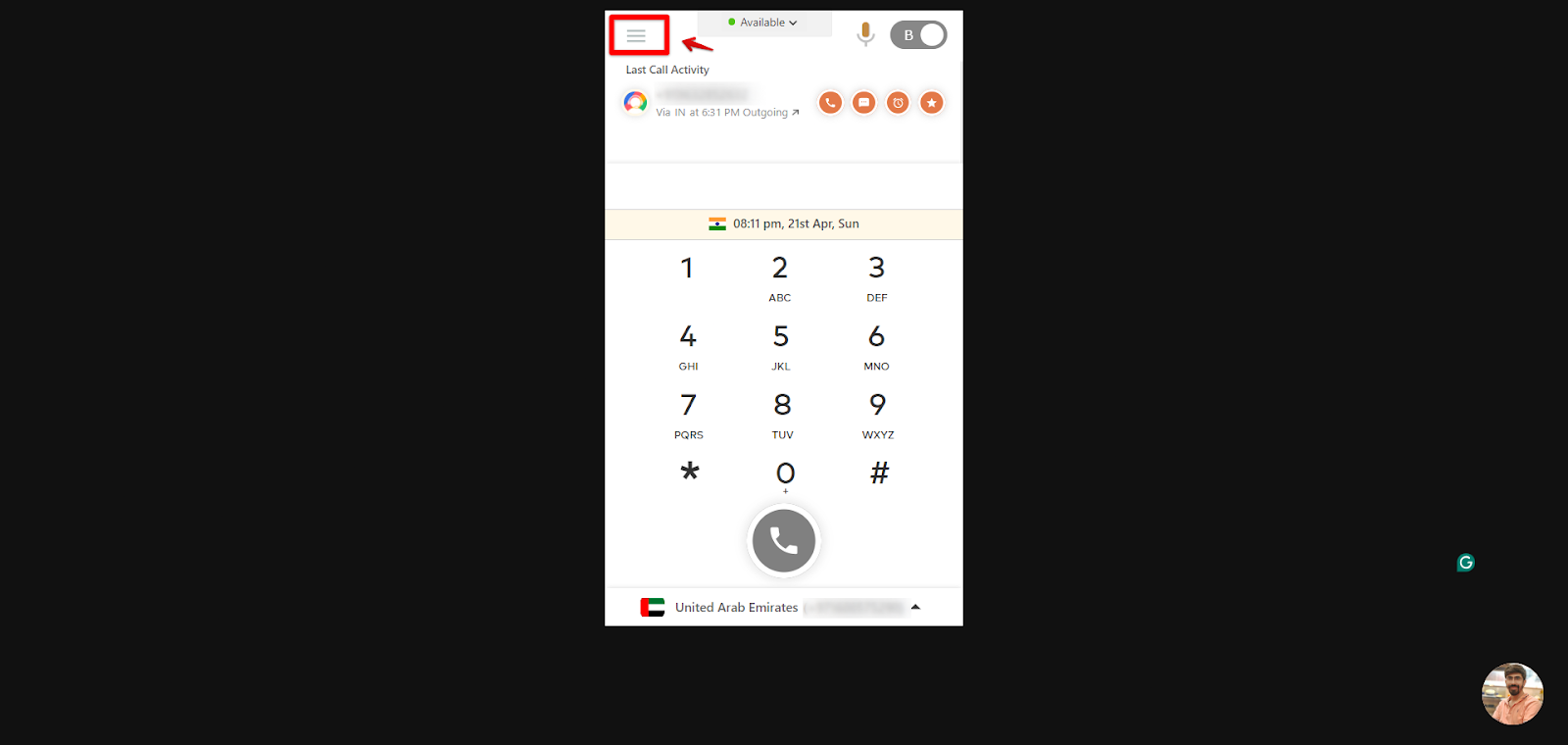
- Open your CallHippo web dialer at https://dialer.callhippo.com/ and click the main menu (the three horizontal lines).
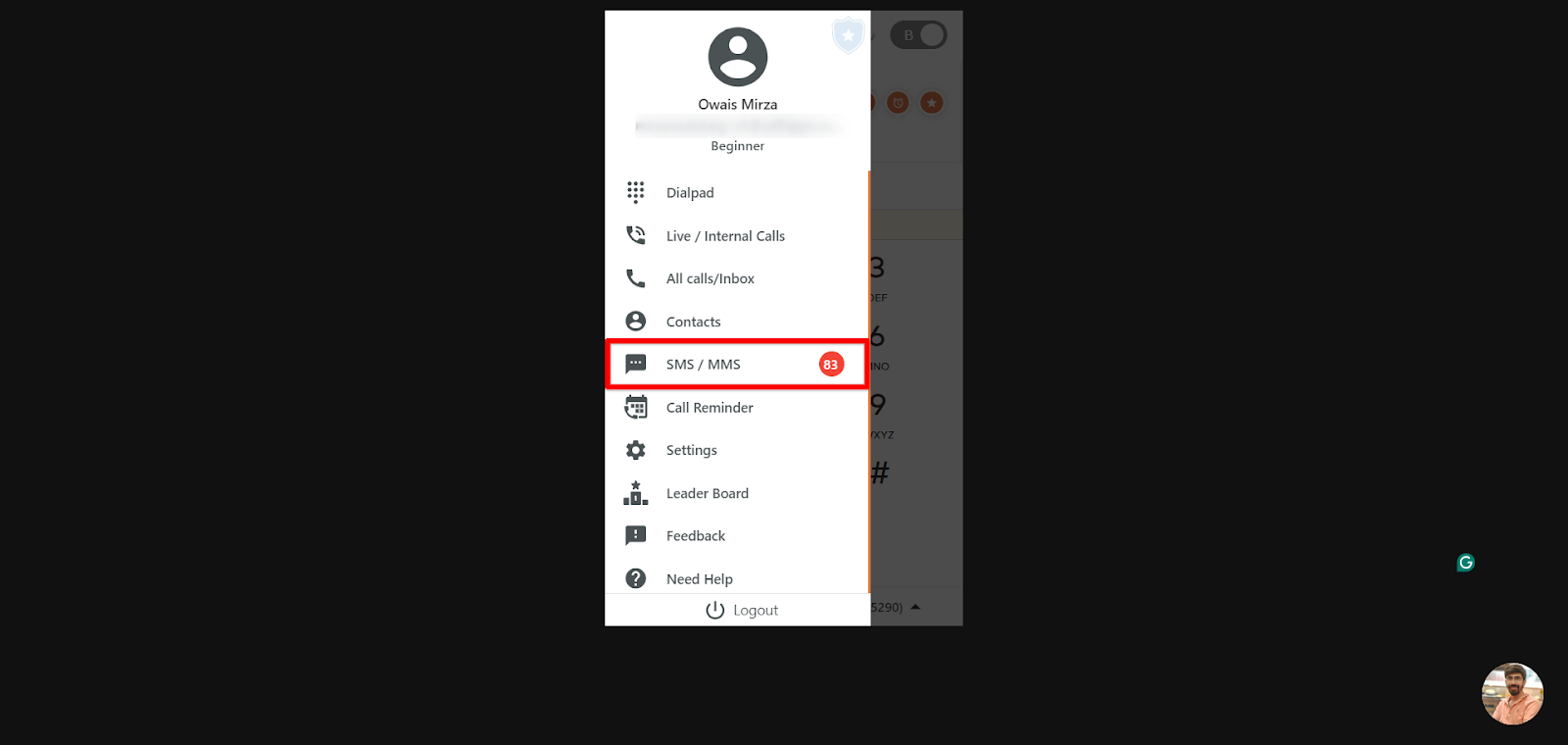
- Select SMS / MMS to open your messages.
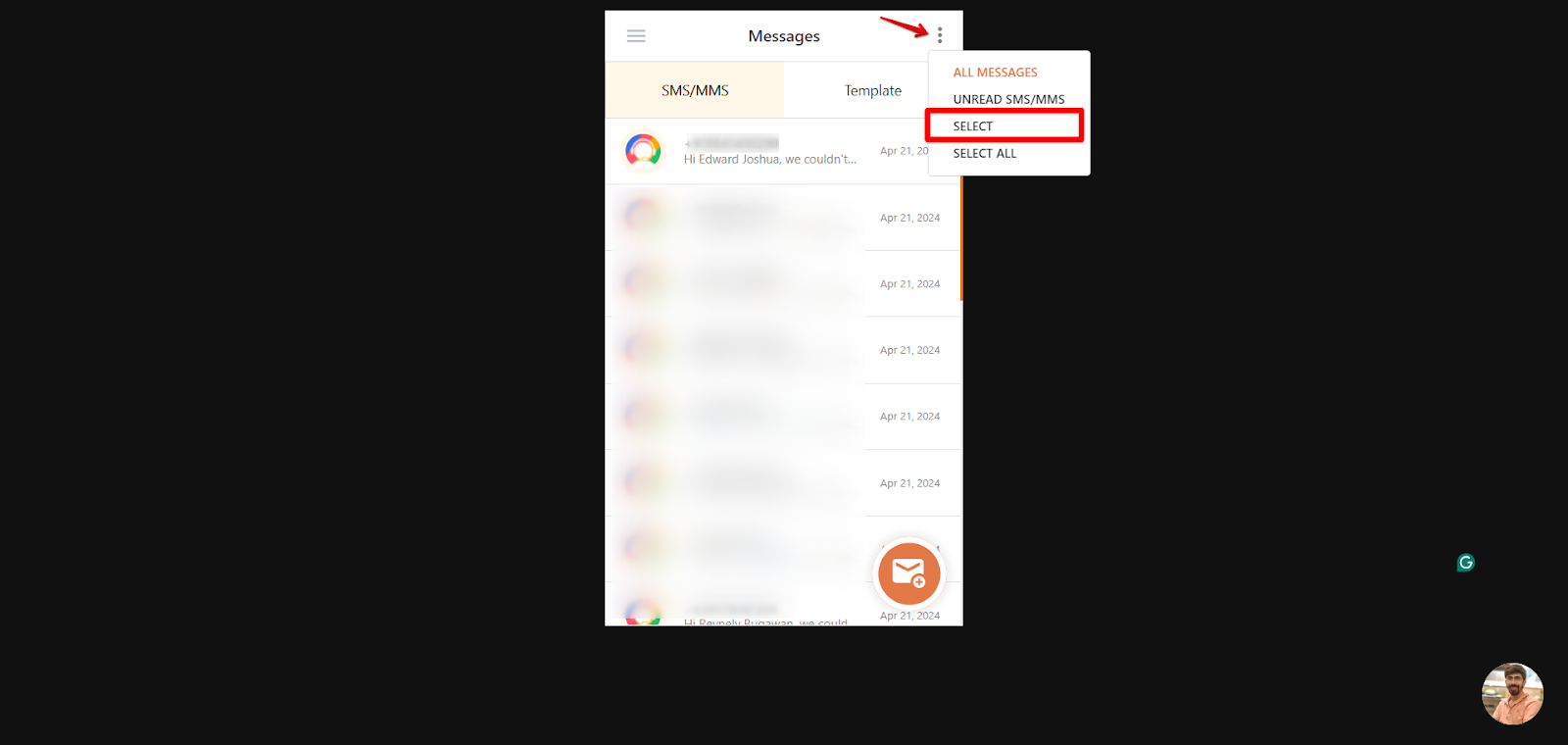
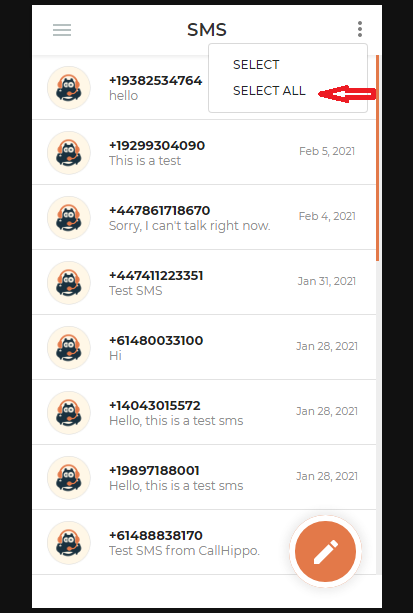
- Click the three-dot menu and choose Select.
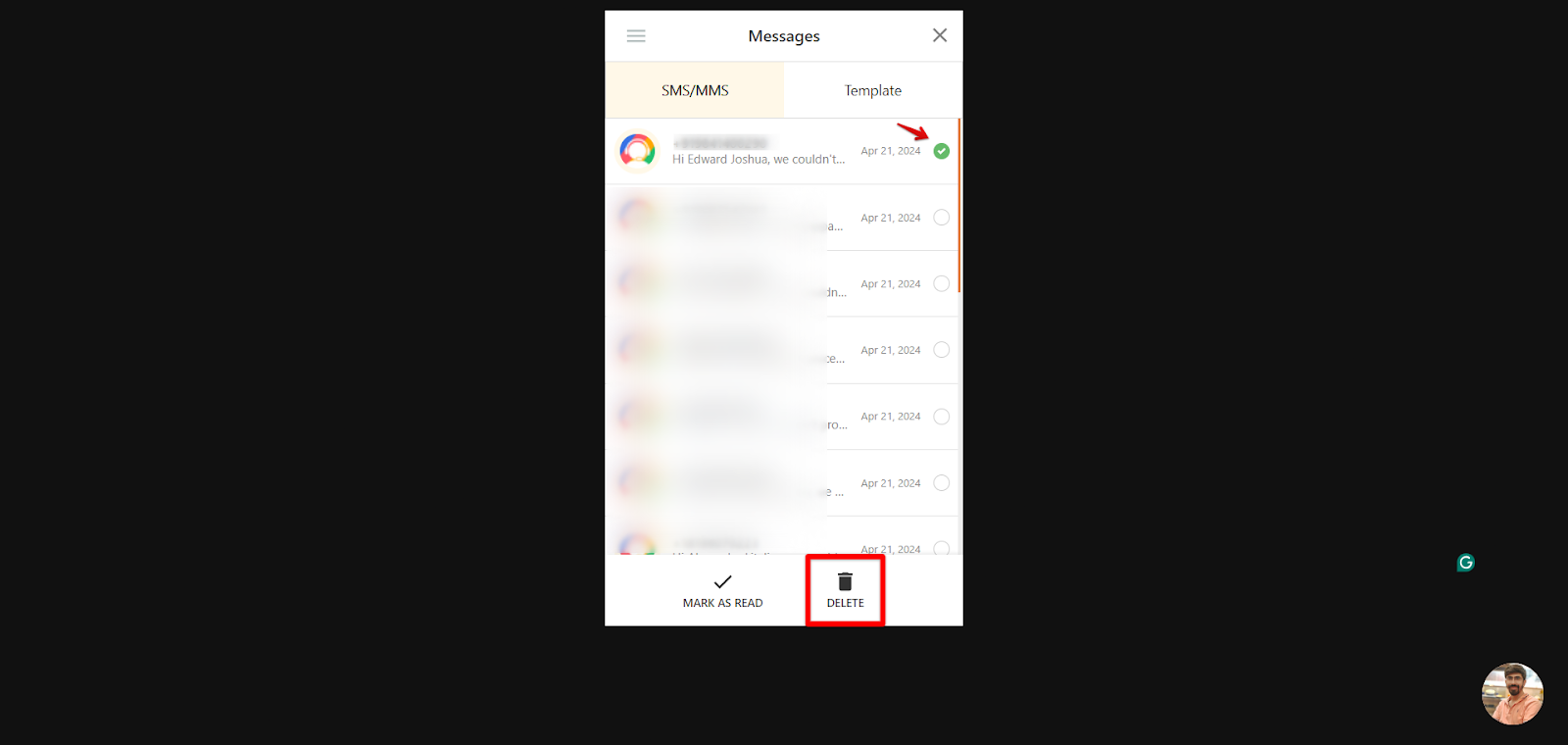
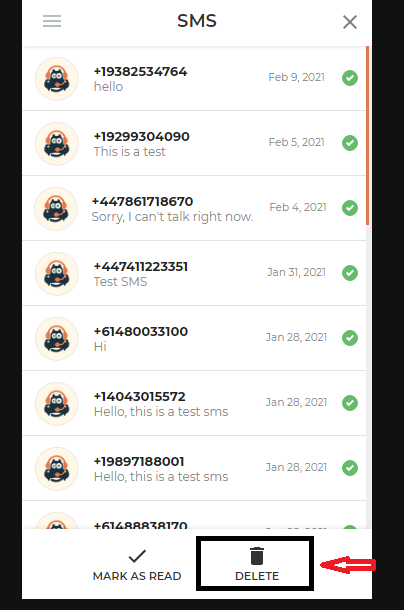
- Choose the messages you want to remove.
- Click Delete.
How to delete all SMS at once
- Log in to your CallHippo dialer.
- Click SMS to open your messages.
- Open the menu in the top right corner.
- Click Select All.
- Click Delete to remove them all.
Frequently asked questions
Can I restore or retrieve a deleted SMS?
No. Once an SMS is deleted, it cannot be restored.
Can an agent delete SMS?
No, only the account owner has access to delete SMS.
Can I track who deleted an SMS?
Customers cannot view a record of who deleted an SMS. The data is stored in the backend and may be accessible to our internal team for auditing purposes if needed.
Need help managing your messages? Reach out to us at [email protected].