
The Shared Inbox in CallHippo works much like an email inbox, but instead of messages it brings all your unseen call activities into one place so nothing slips through the cracks.
What the Shared Inbox brings together
The Shared Inbox is a unified workspace that helps you quickly catch up on what needs your attention without digging through call logs or notifications. It includes:
- Missed calls
- Voicemails
- Calls with feedback specific to your user
- Tagged calls
Key features of the Shared Inbox
- Real-time updates: Every new activity appears here instantly.
- Easy filtering: Use filters like Missed Call, Voicemail, Feedback, or Tags to sort what matters most.
- Action-oriented: Tap any call entry to listen to voicemails, view call details, or respond to leads.
What you can do in the Shared Inbox
- View unseen calls: Instantly see all your missed calls, voicemails, calls with internal feedback, and tagged calls in one place.
- Filter by type: Use the actions menu (three dots) to view Missed Calls, Voicemails, or Feedback.
- Filter by tags: Narrow down calls by custom tags your team adds, such as “High Priority” or “Follow-up”.
- Mark as complete: Once a call is reviewed or handled, mark it complete to keep your inbox tidy.
- Access call details: Click any entry to view full details, play back voicemails, read internal feedback, or take follow-up actions.
How to access the Shared Inbox
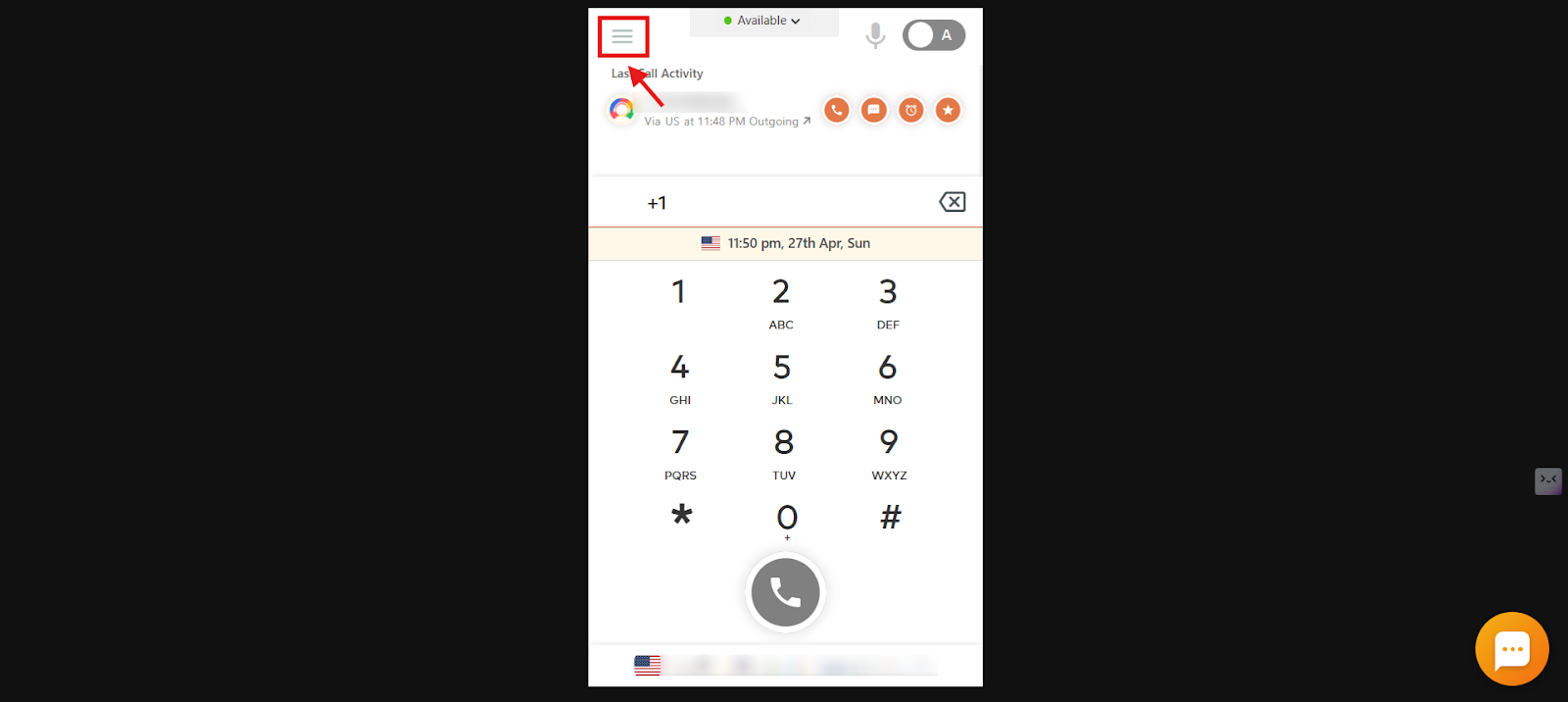
- Log in to your CallHippo dialer.
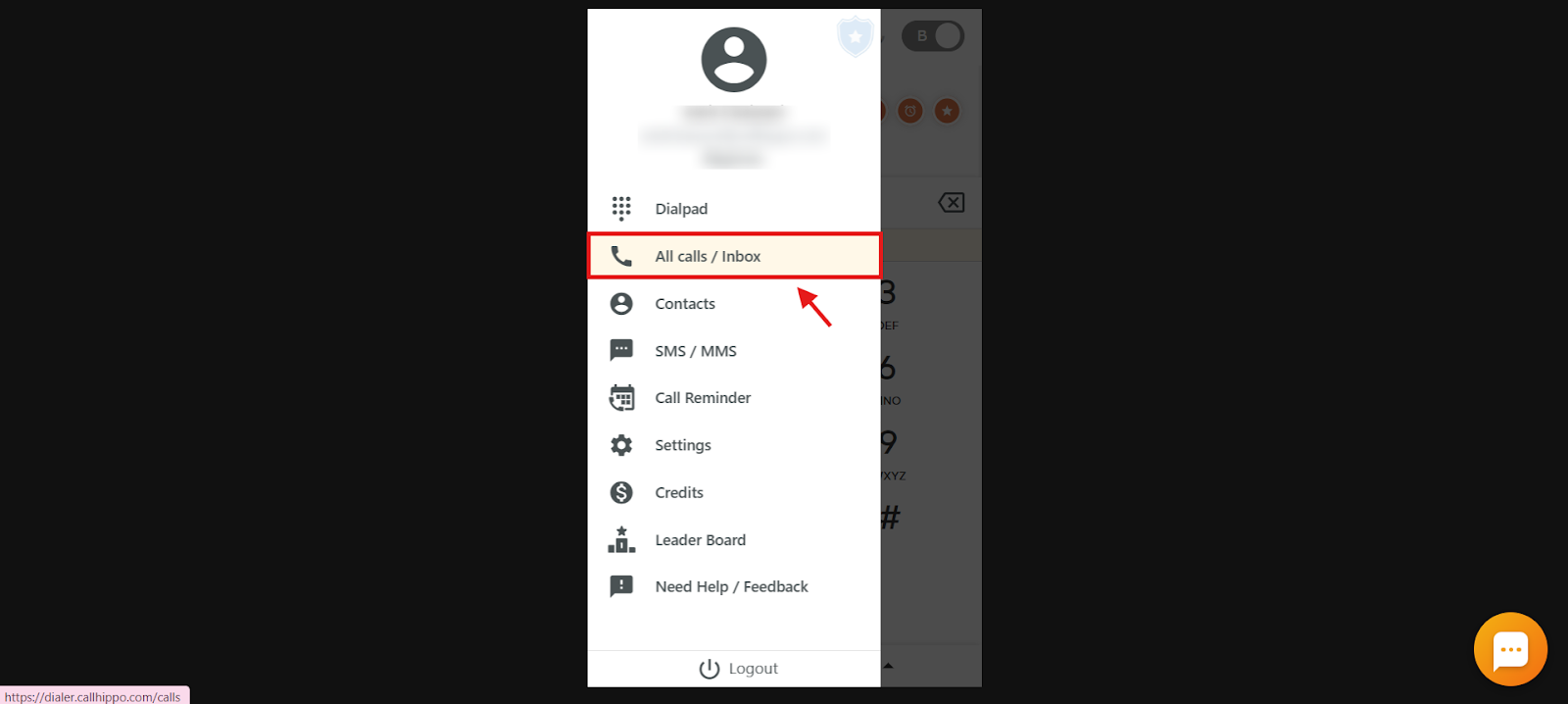
- Click the main menu icon.
- Click All calls / Inbox.
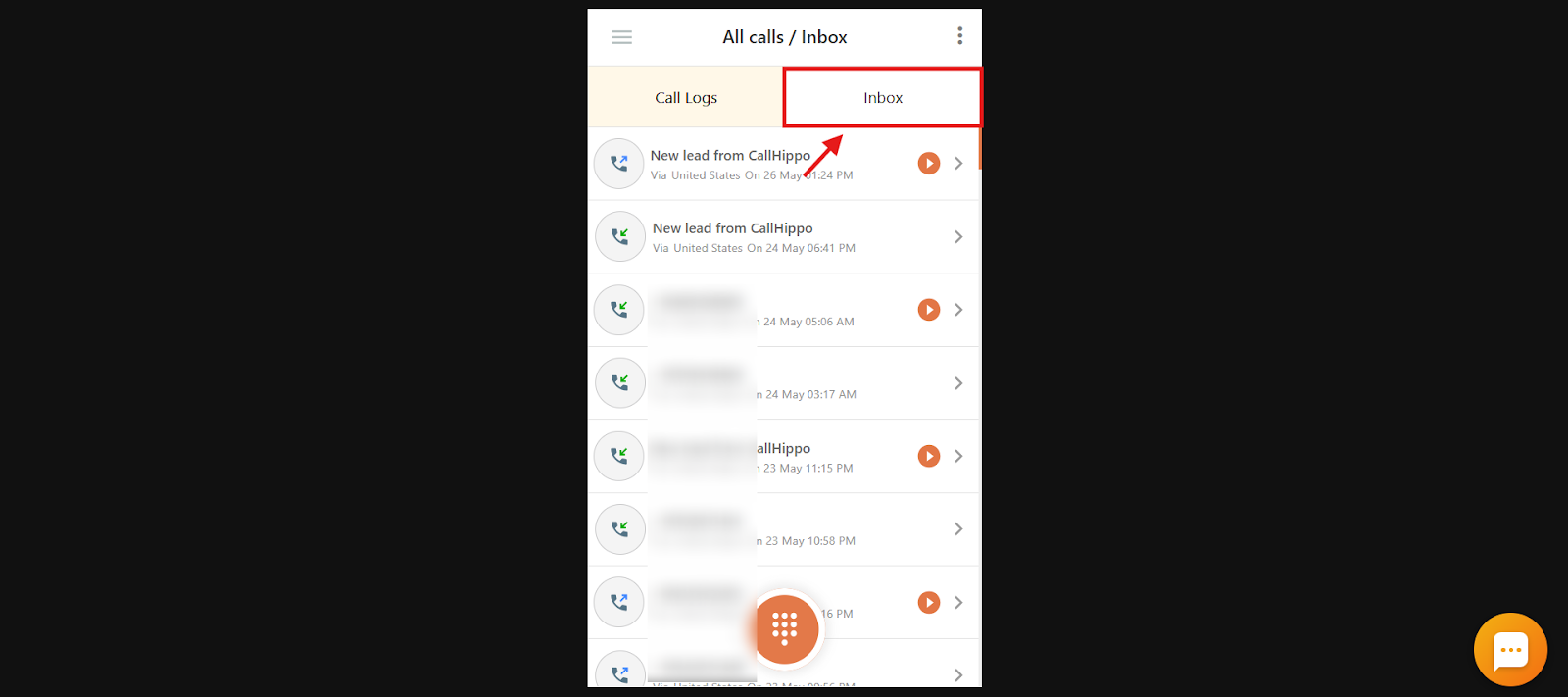
- Open the Inbox tab.
- Use the filters or actions menu (three dots) to manage your inbox items.
Filters and actions menu
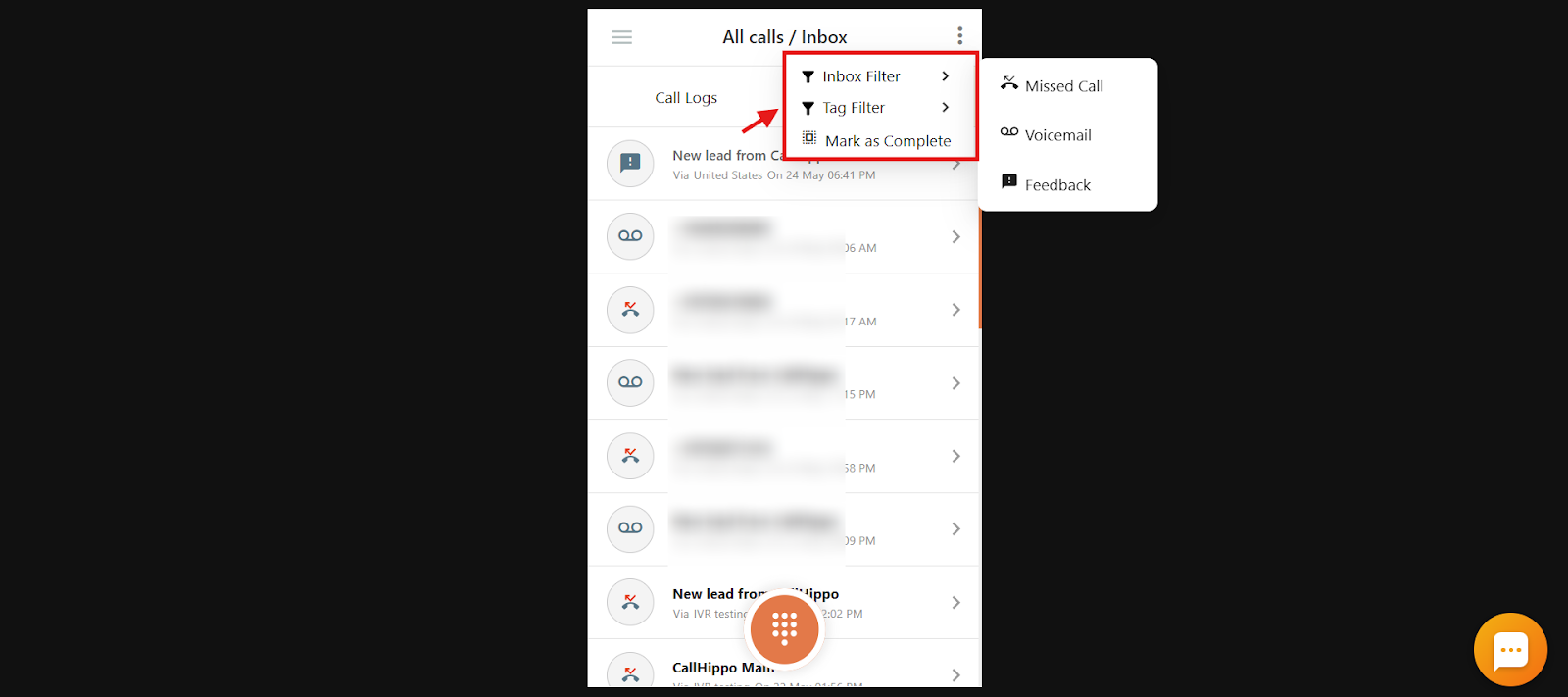
Click the three-dot icon in the top-right corner to:
- Apply Inbox Filters like Missed Call, Voicemail, or Feedback.
- Filter by Tags to view only calls with specific tags.
- Mark calls as Complete once they have been reviewed or handled.
Frequently asked questions
How is the Shared Inbox different from Call Logs?
Unlike call logs, the Shared Inbox shows only unseen or unhandled calls that may need action, helping you prioritize follow-ups.
Can I see only the calls that need my attention, like missed ones or voicemails?
Yes. The Shared Inbox shows only unseen or important calls such as missed calls, voicemails, or those with internal notes or tags, so you can focus on what matters.
Can I filter calls based on tags my team has added?
Yes, you can use the Tag Filter in the Shared Inbox to view calls with specific tags like “Follow-up” or “Urgent”.
How do I know if someone from my team has added notes or feedback on a call?
Any call with internal feedback appears directly in your Shared Inbox, so you never miss important team input.
Can I clear calls from the Shared Inbox once I’ve handled them?
Yes, you can mark any call as complete to keep your inbox clean and focused only on pending items.
Do I need to check my call logs to find missed calls or voicemails?
No. The Shared Inbox brings all missed calls, voicemails, and tagged interactions into one place so you don’t have to dig through logs.