
Your CallHippo plan can include a set of recurring calling minutes that refresh each billing cycle. You can check exactly how many minutes are available to you directly from the billing dashboard. This guide walks you through where to find your recurring minutes and answers the most common questions about them.
View your available minutes in the dashboard
To check your available minutes in CallHippo’s dashboard, follow these steps:
- Log in to your CallHippo account: Visit the CallHippo Web Dashboard to access your account.
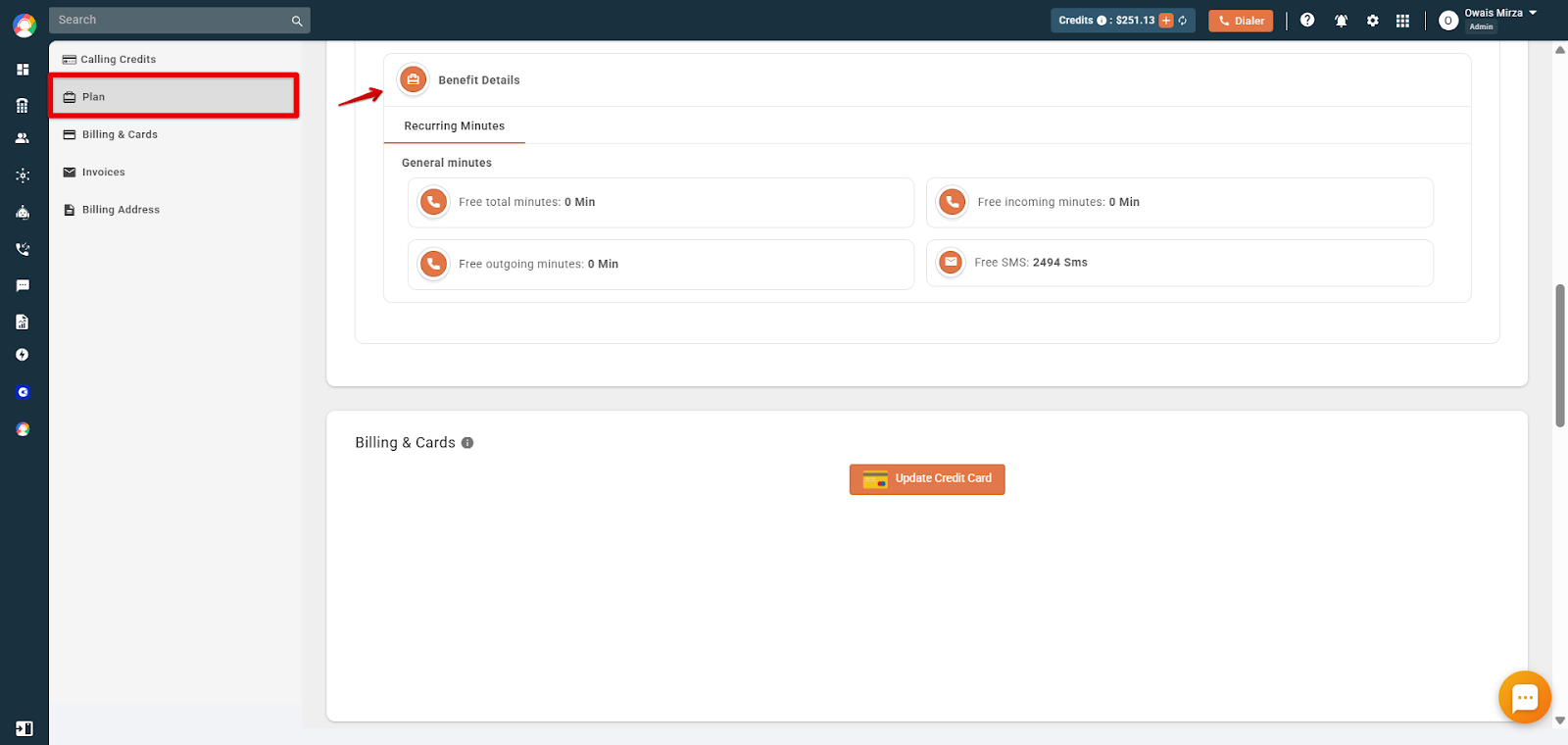
- Open the Plan & Billing section: From the top-right side of your dashboard, locate the right sidebar menu and click the Plan & Billing option, where you can find the Plan tab.
Review your Benefit Details
On the Plan page, open the Benefit Details panel and select the Recurring Minutes tab. Here you’ll find information about your current plan minutes, which include the following:
- Free total minutes
- Free incoming minutes
- Free outgoing minutes
- Free SMS (incoming and outgoing)
Frequently asked questions
- What are plan minutes?
Plan minutes refer to the specific number of call minutes allocated to your account based on a customized plan tailored to your organization’s communication needs, or if you have opted for any country-specific plan that includes free minutes benefits. - How can I increase my plan minutes allocation?
To adjust your minute allocation, contact your account manager or reach out to CallHippo’s sales team to discuss plan modifications. - Will I be notified when I’m close to exhausting my plan minutes?
It’s recommended to regularly monitor your usage to avoid unexpected charges. - What happens if I exceed my plan minutes?
Exceeding your allocated minutes may result in additional charges based on CallHippo’s standard per-minute rates. - Can I carry over unused custom plan minutes to the next billing cycle?
Unused minutes typically do not roll over to the next billing period.
We hope this helps. If you still have questions, feel free to reach out at [email protected].