
Connecting CallHippo with Freshsales lets you sync your CRM contacts, log every call and SMS against the right record, and place calls straight from your sales pipeline.
The integration works in two parts: first you generate an API key inside Freshsales, then you connect it in your CallHippo account. Follow the steps below in order.
Get your API key from Freshsales
- Log in to your Freshsales account.
- Open Settings. Click the profile icon in the top-right corner and choose Settings.
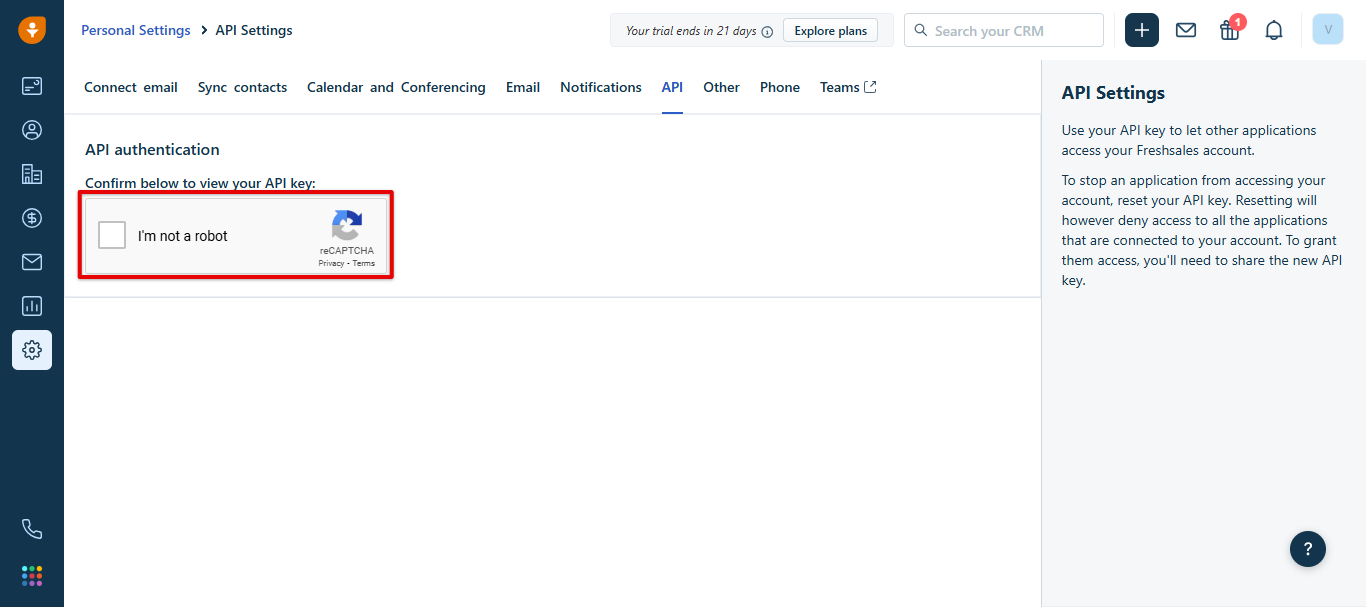
- Go to the API tab and verify the “I’m not a robot” captcha to reveal your key.
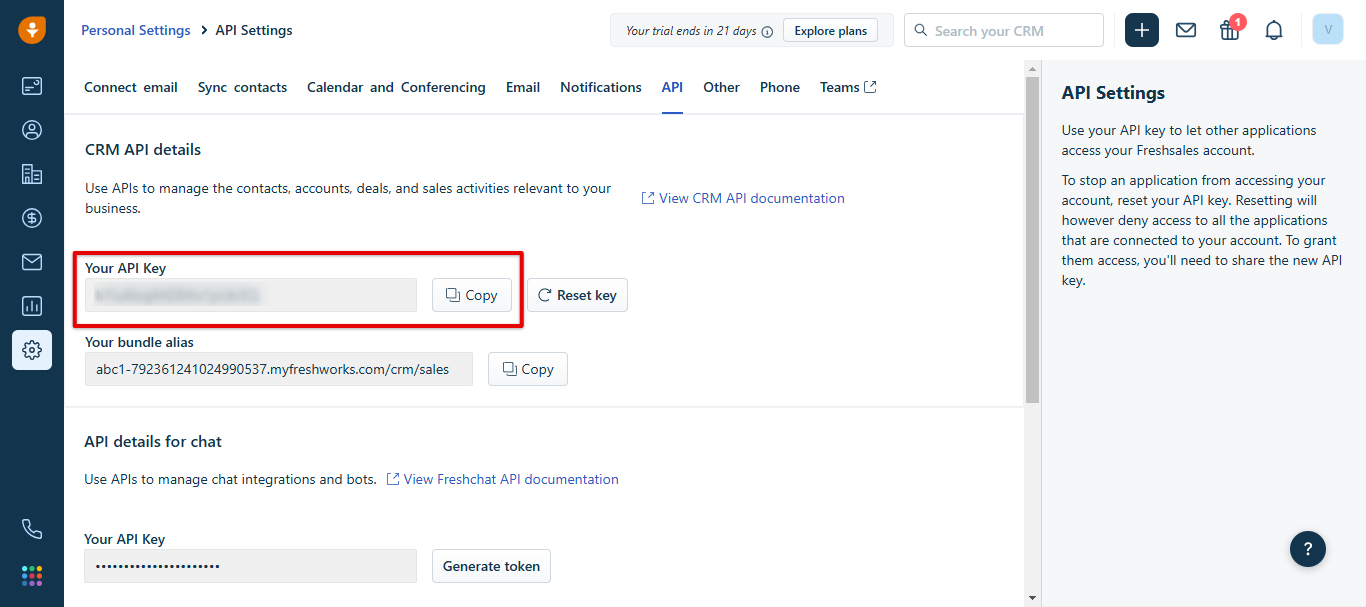
- Copy your API key and save it somewhere safe for the next stage.
- Copy your domain (subdomain). Take it from your Freshsales URL — for example, in https://callhippo.freshsales.io the domain is callhippo.
Connect Freshsales in CallHippo
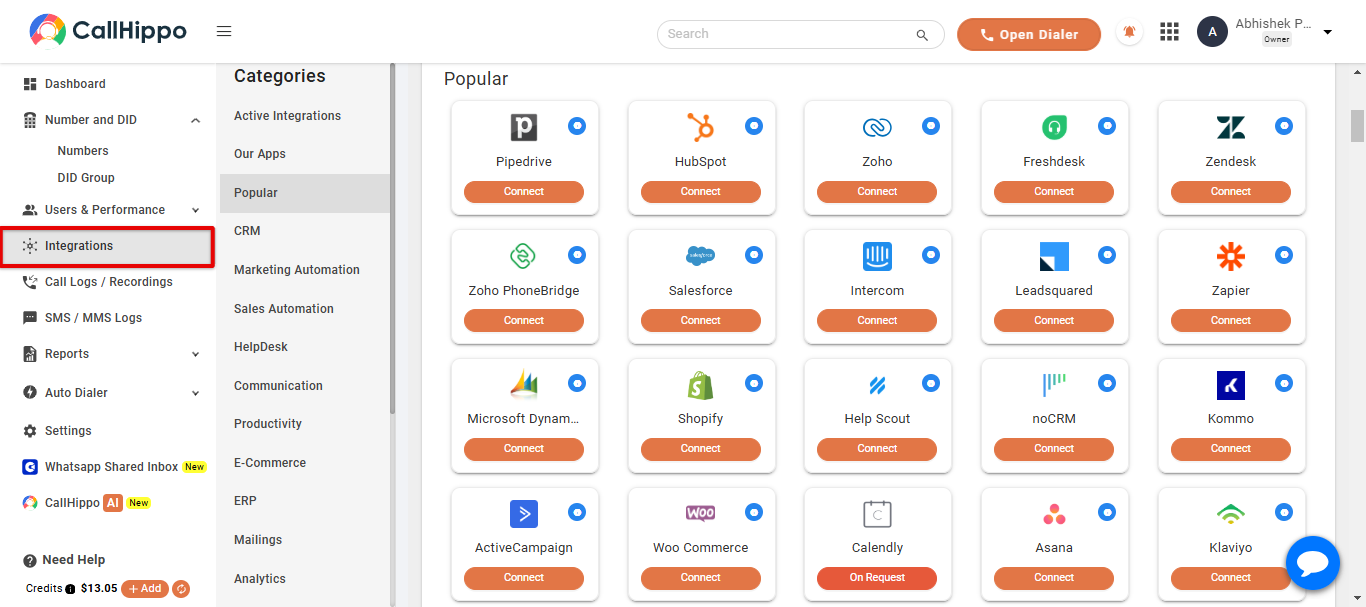
- Log in to CallHippo and open the Integrations tab from the left menu.
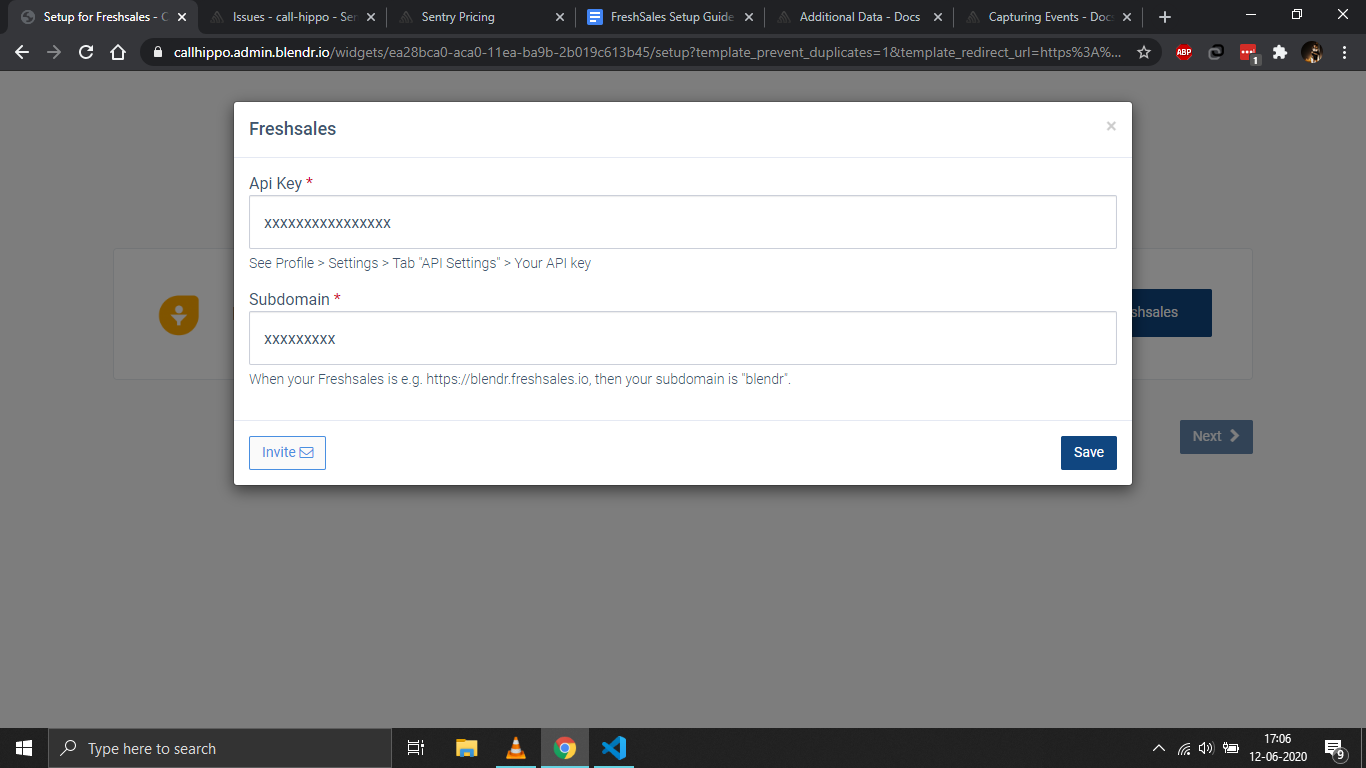
- Click Connect on Freshsales, then enter the API key and subdomain you copied earlier and click Save.
- You should see “Datasource is linked.” Click Ok.
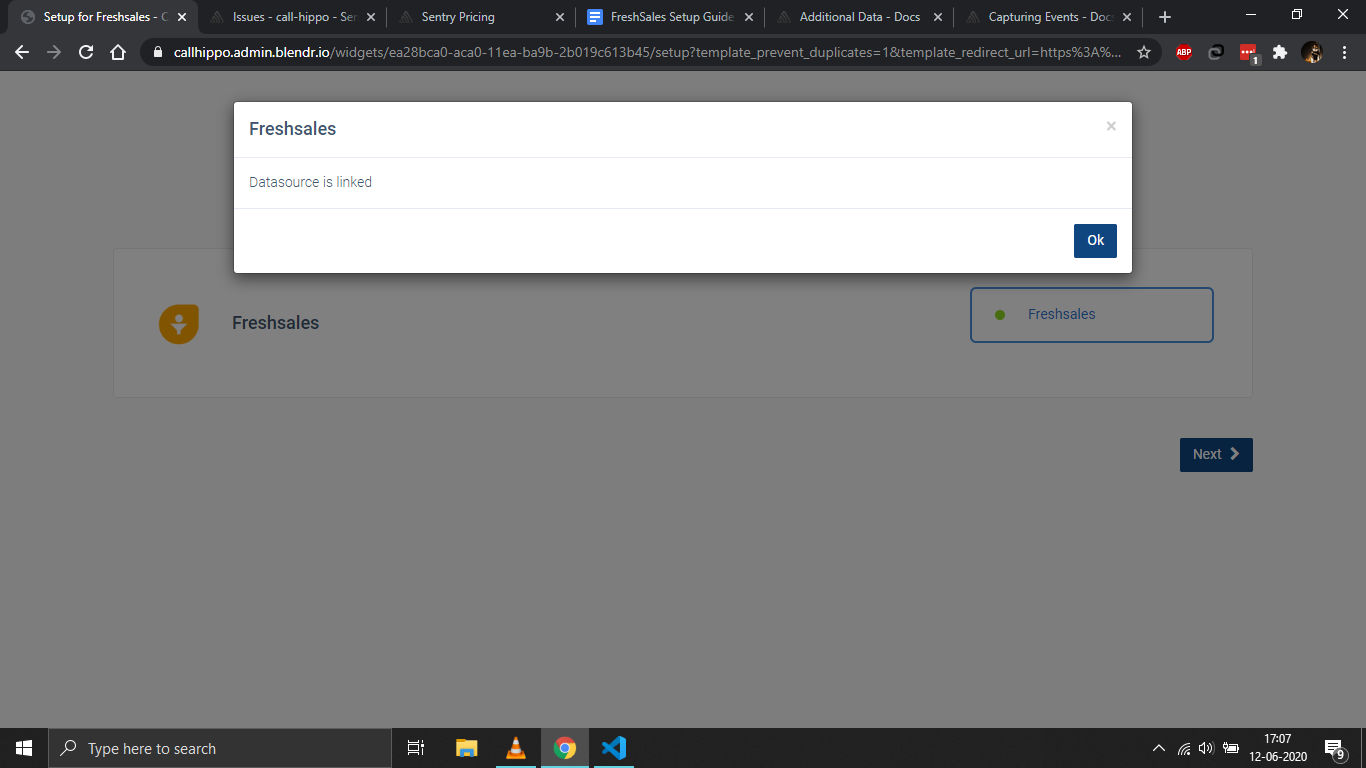
- Click Next. You’ll be redirected back to CallHippo and your status will change to Integrated.
- That’s it — your Freshsales account is now connected to CallHippo.
What the Freshsales integration does
- Contact sync: All your Freshsales contacts are synced with the CallHippo dialer. New or updated contacts can take up to 24 hours to appear.
- Call activity: Every call made to or received from a Freshsales contact is logged in the CallHippo dialer, and you can open the call log in Freshsales for full detail.
- SMS activity: Every SMS sent to or received from a Freshsales contact is logged the same way.
Enable Click to Call
- Install the CallHippo Click-to-Call Chrome extension from the Chrome Web Store.
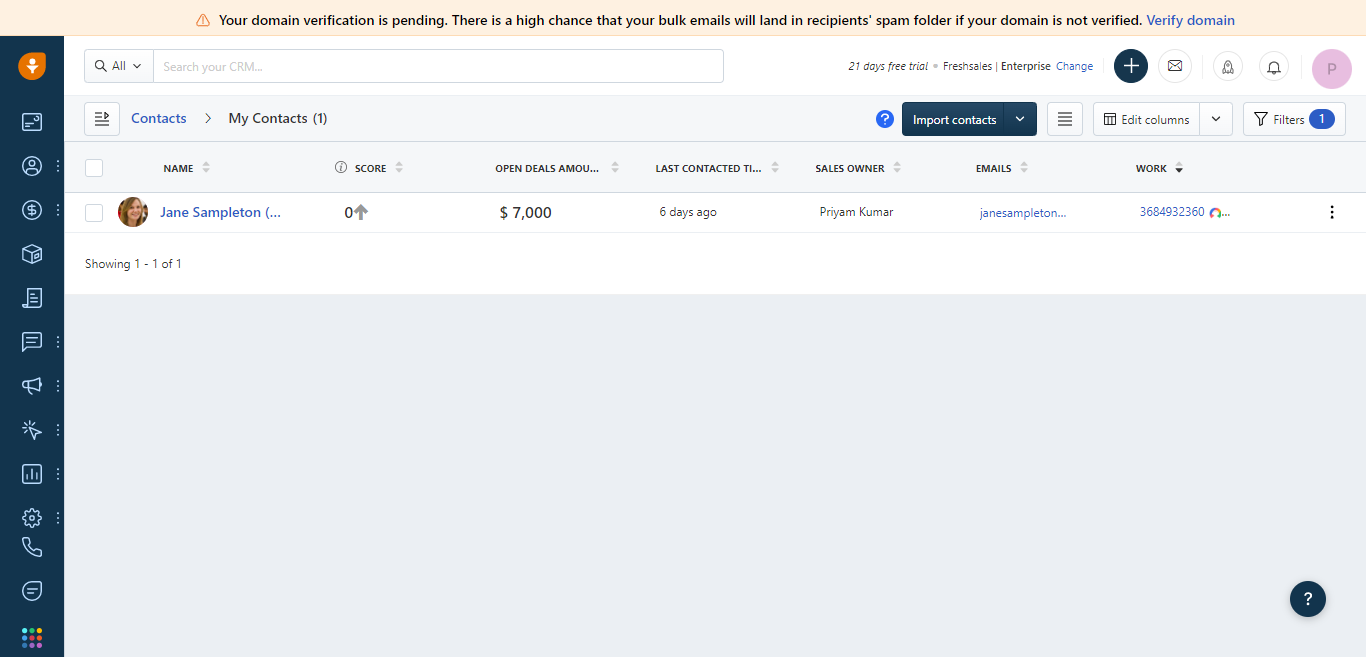
- Once installed, a call icon appears next to every phone number. Click it to dial instantly.
Good to know
Deleting a contact: If you delete a contact in Freshsales after integrating, it is not removed automatically from the CallHippo dialer — you’ll need to delete it manually there. Until you do, you still won’t receive call activity for that contact.
How long does it take for contacts to sync?
New or updated Freshsales contacts can take up to 24 hours to sync with the CallHippo dialer.
Where do I find my Freshsales subdomain?
It’s the first part of your Freshsales URL. For https://callhippo.freshsales.io, the subdomain is “callhippo”.