
Connecting Apify with CallHippo lets you feed scraped web data into your calling workflows, so your outbound lists stay fresh and automated. This guide walks you through grabbing your Apify credentials and linking the two accounts.
Get your credentials from Apify
You will need your Apify User ID and API token before starting the connection in CallHippo.
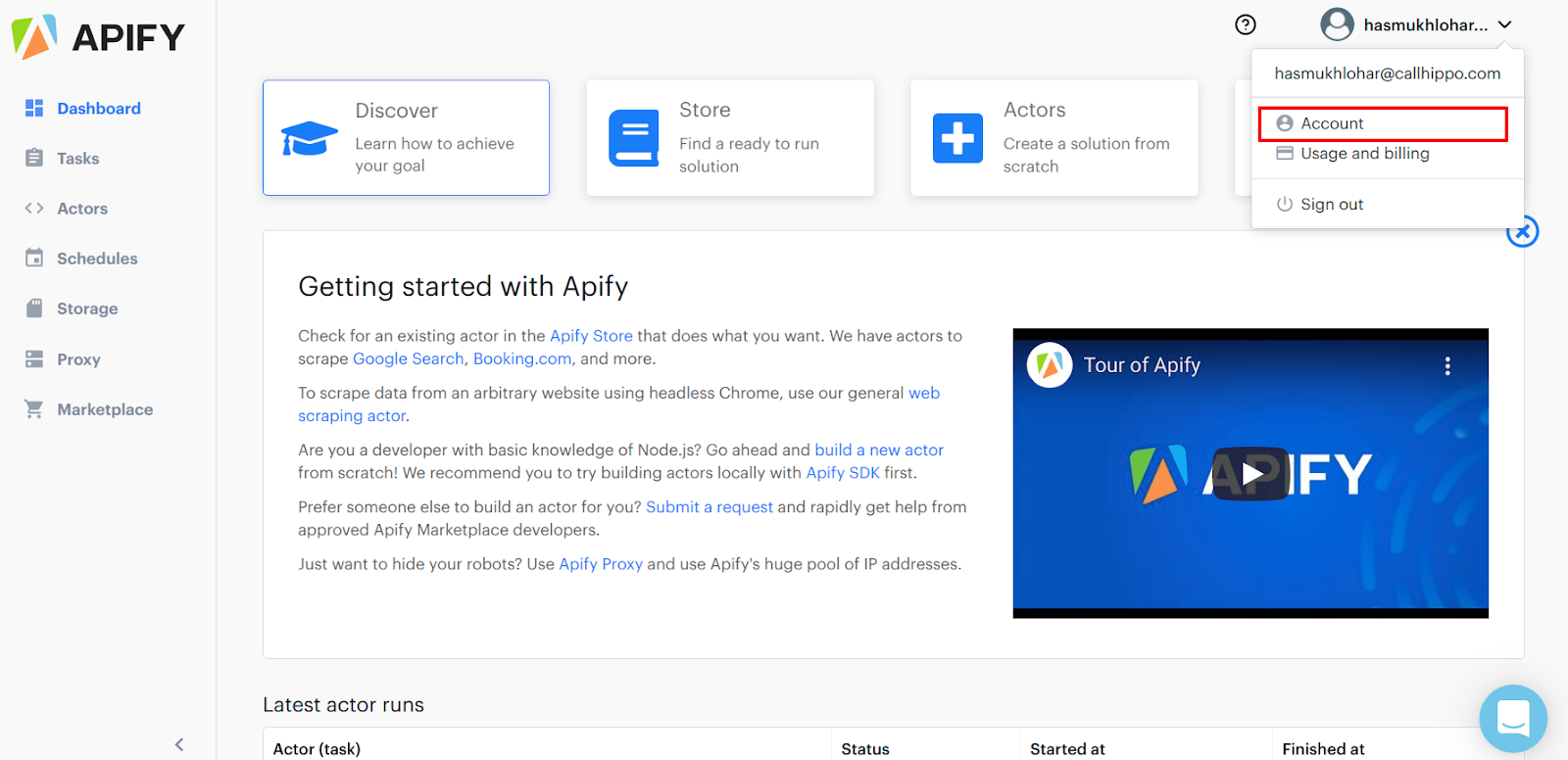
- Log in to Apify and open your dashboard.
- Open your Account: click your profile in the top-right corner and select Account.
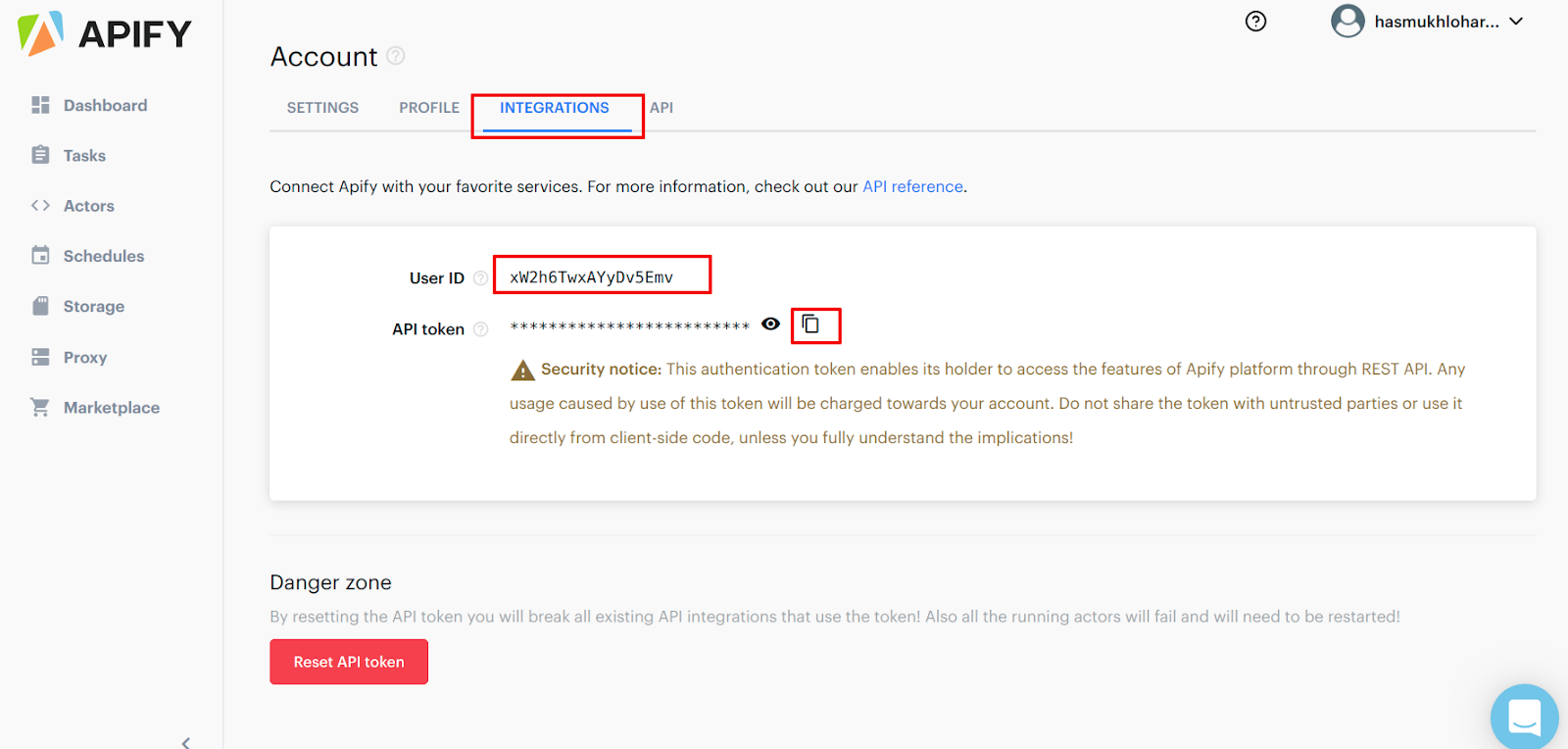
- Go to Integrations: on the Account page, open the Integrations tab. Copy your User ID and reveal and copy your API token (both are highlighted below).
Connect Apify in CallHippo
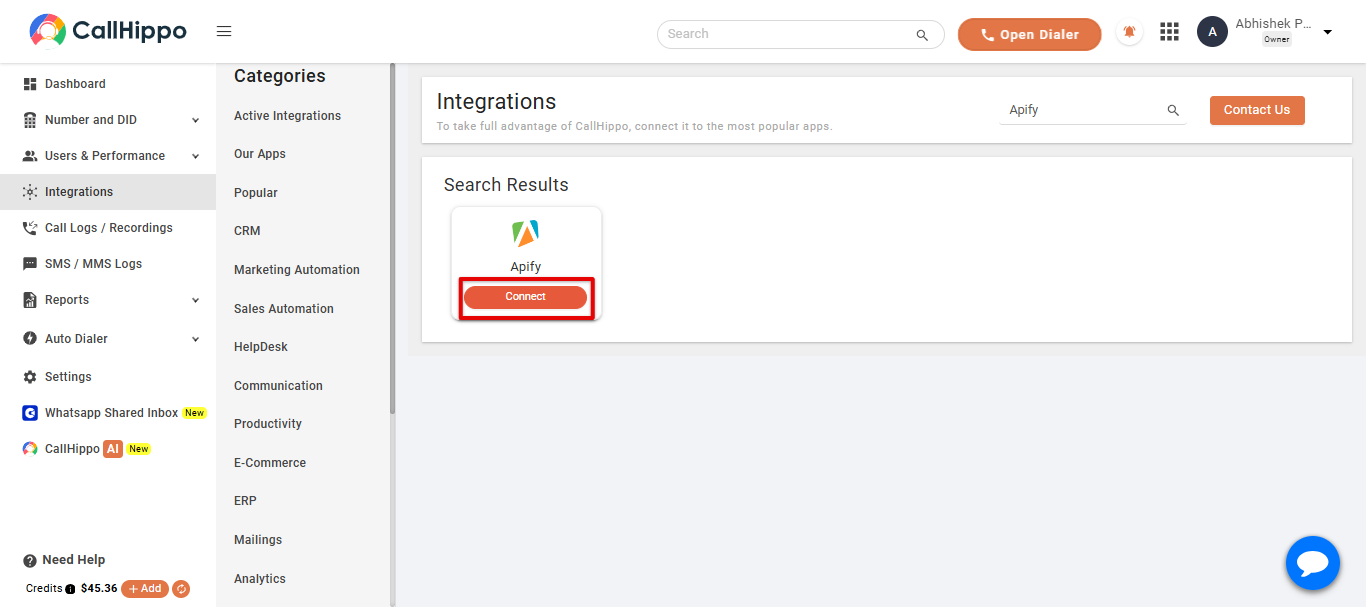
- Open Integrations: log in to CallHippo and click Integrations in the left sidebar.
- Find Apify: search for Apify and click the Connect button on the Apify card.
- Enter your credentials: paste the User Id and Token you copied from Apify, then click Save.
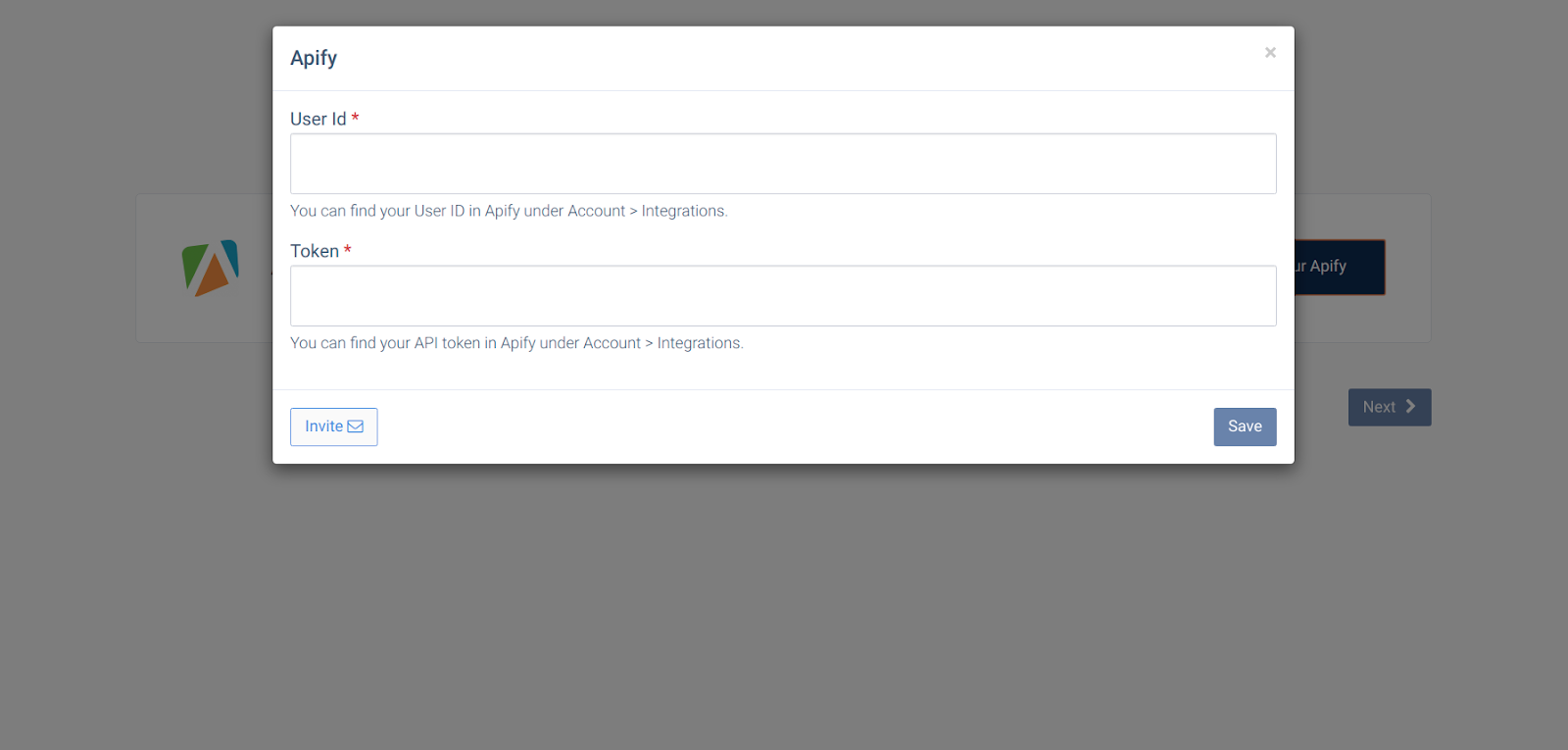
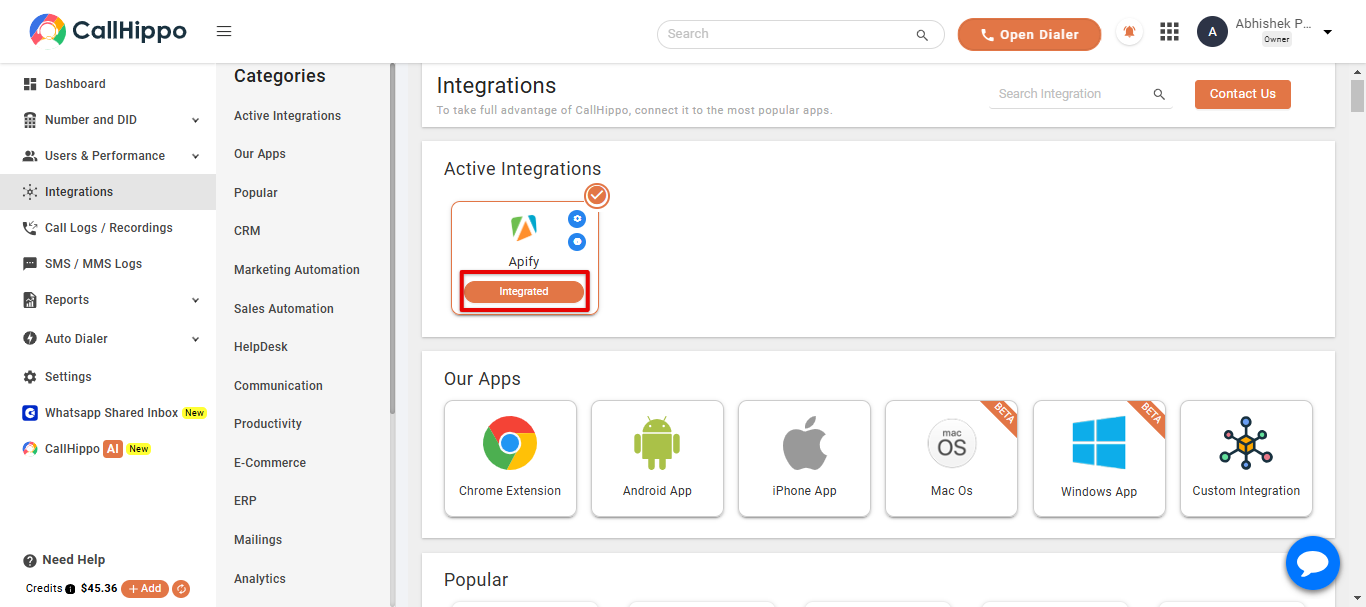
- Finish: click Next. You will be returned to CallHippo and the Apify status will change to Integrated.
Where do I find my Apify User ID and API token?
Both are on the Integrations tab under Account in your Apify dashboard. Use the copy icon next to each so you paste the exact value.
Do I need admin access to set this up?
Yes. You should have admin permissions on your CallHippo account and access to the Apify account whose credentials you are entering.
Need a hand connecting Apify? Reach our team at [email protected] and we will help you get set up.