
Updating your card details or payment method ensures your plan renews automatically without any interruptions. This helps avoid service disruptions due to failed payments and keeps your account running smoothly.
Payment methods accepted by CallHippo
CallHippo accepts the following basic modes of payment:
- Debit Card — from anywhere in the world
- Credit Card — from anywhere in the world
- PayPal account
Steps to update the payment method details
- Log in to your CallHippo dashboard.
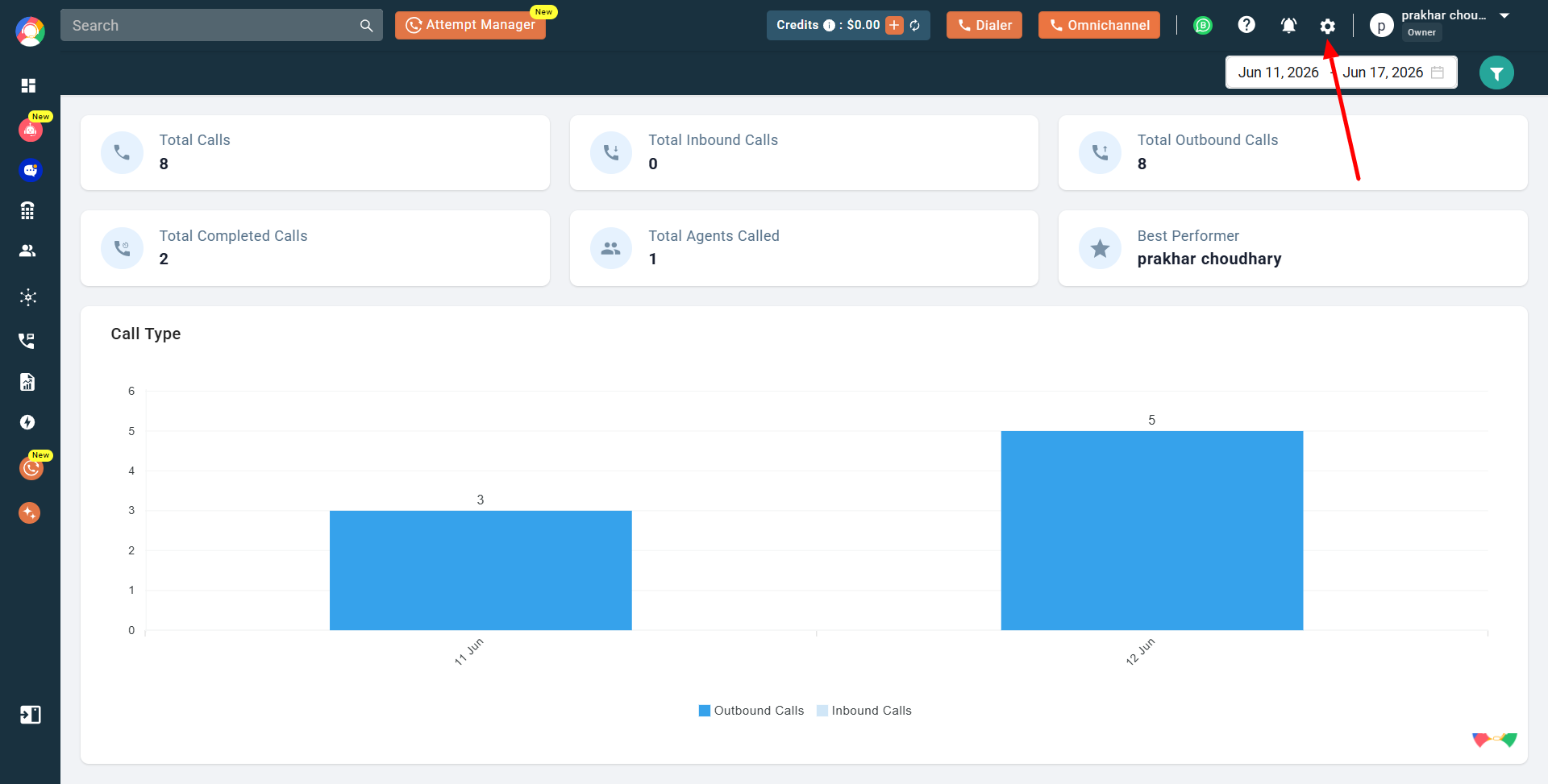
- Navigate to the settings (gear) icon in the top-right corner of the screen, click on the Plan, Billing & Credits section, and select Billing and Cards.
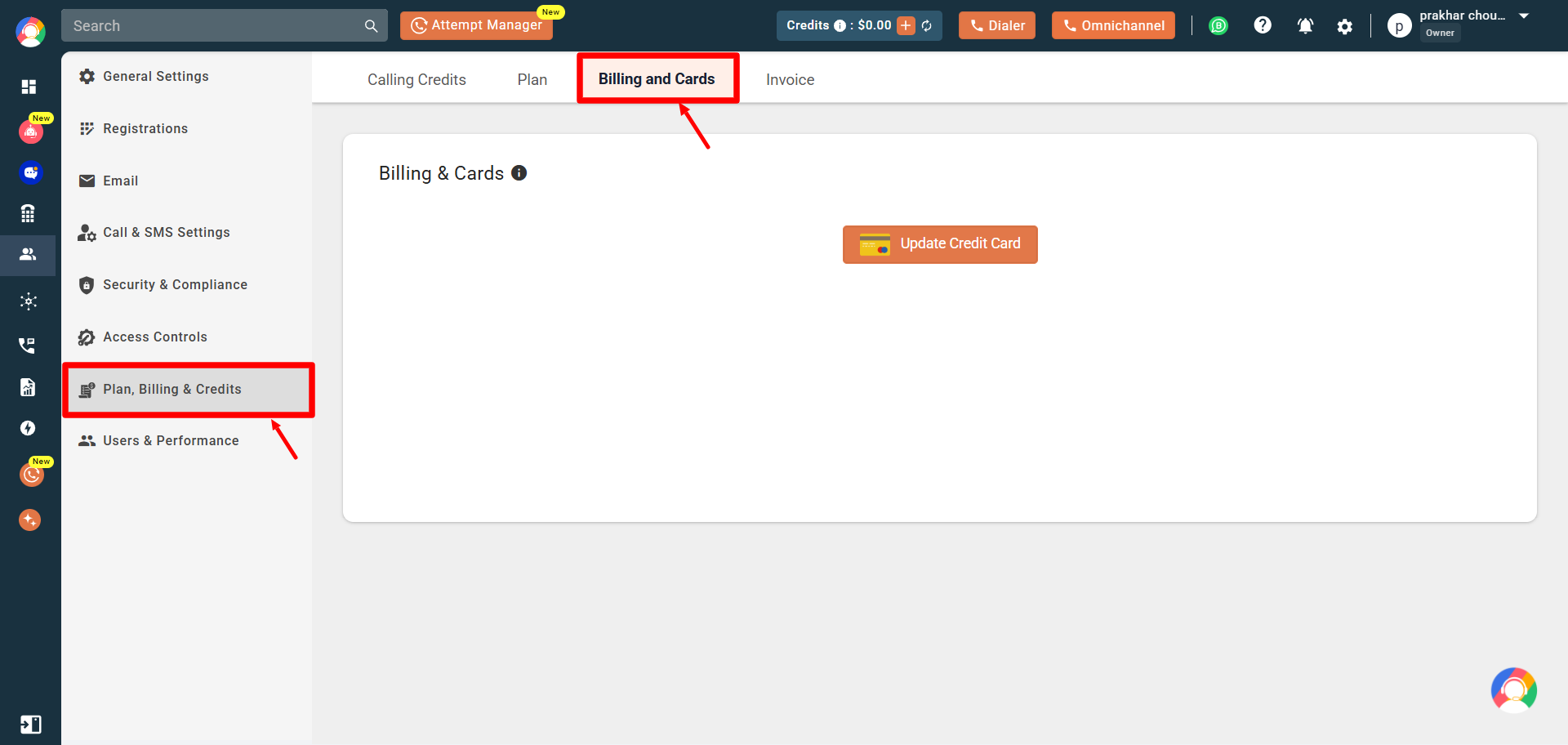
- Click on the Update Credit Card button to see the list of cards already added.
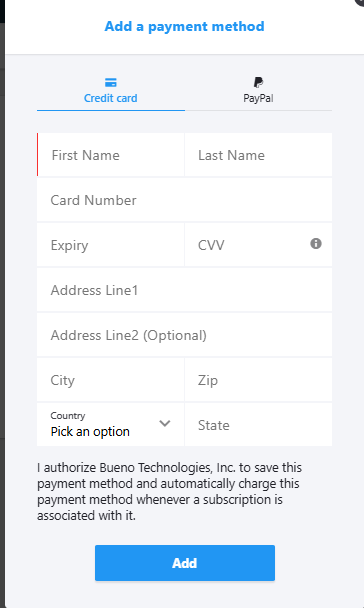
- Once you click the button, you will see the list of available cards and an option to add another card as well.
Important notes
- You can add multiple cards and a PayPal account to your CallHippo account.
- Only one payment method can be set as primary, which will be used for auto-renewal payments.
- It is mandatory to have at least one active payment method added to your account at all times, as CallHippo billing works on an auto-renewal basis.
- Removing all payment methods from your CallHippo dashboard is not allowed.
- If you have a due invoice and the transaction has failed, we recommend updating or changing your primary payment method to successfully process the payment.
Frequently asked questions
Q: Which payment methods does CallHippo accept?
A: CallHippo accepts Debit Cards, Credit Cards (from anywhere in the world), and PayPal accounts.
Q: Can I add more than one card to my CallHippo account?
A: Yes, you can add multiple cards and one PayPal account to your CallHippo account.
Q: Can I set more than one primary payment method?
A: No, only one payment method can be set as primary, which will be used for auto-renewal.
Q: How do I make sure my payment goes through if it failed earlier?
A: Please check the reason for the transaction failure with your added payment method’s bank. Alternatively, you can update or change your primary payment method to process the payment successfully.
Q: What if my saved card has expired?
A: Add a new card and set it as your primary payment method to avoid any service interruptions.
Q: Will removing a secondary card affect my billing?
A: No, as long as your primary payment method is active, removing a secondary card won’t affect billing.
Q: What happens if I remove all payment methods from my account?
A: You cannot remove all the payment methods from your CallHippo account, as it is mandatory to have at least one active payment method at all times.
Q: Do I have the option to pay via UPI for the subscription?
A: No, we do not have the UPI option available to pay for the subscription.
We hope this helps. If you still have questions, feel free to reach out at [email protected].