
Accessing your invoices through the CallHippo dashboard is a quick and convenient way to keep track of your billing history. Whether you need them for expense reports, tax purposes, or simple reference, downloading your invoices ensures you always have the necessary documentation at your fingertips.
Benefits of downloading invoices
- Instant access: Retrieve your invoices anytime, directly from the dashboard, without needing to contact support.
- Easy record-keeping: Simplify your accounting and budgeting by keeping a digital record of all your payments and transactions.
- Time-saving: Skip the wait for customer support and download invoices immediately for your convenience.
- Secure and confidential: Your invoices are safely stored in your account, accessible only to authorized users.
How to download invoices from the dashboard
Follow the steps below to view and download your invoices directly from the CallHippo dashboard:
- Log in to your CallHippo dashboard.
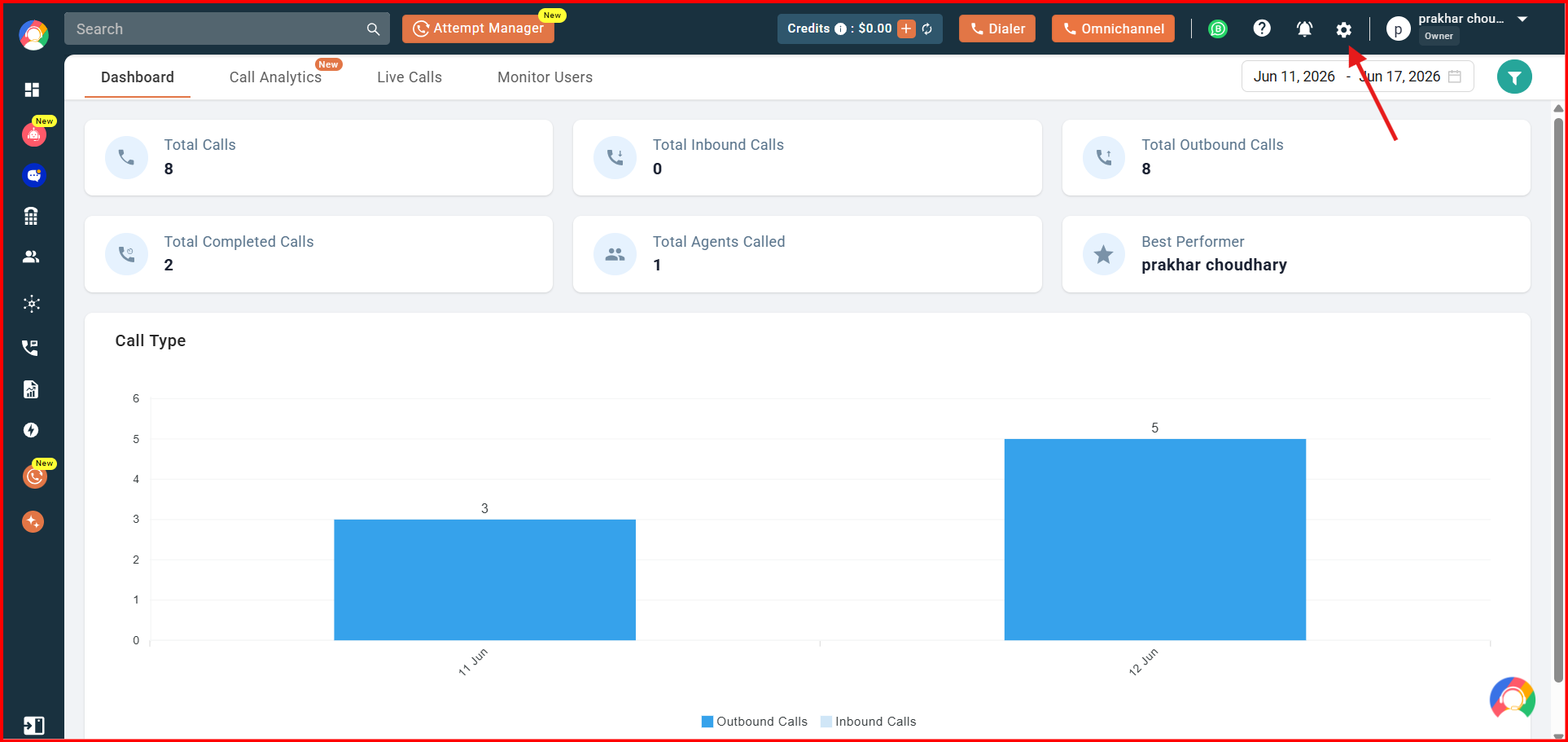
- Navigate to the settings (gear) icon in the top right corner of the screen.
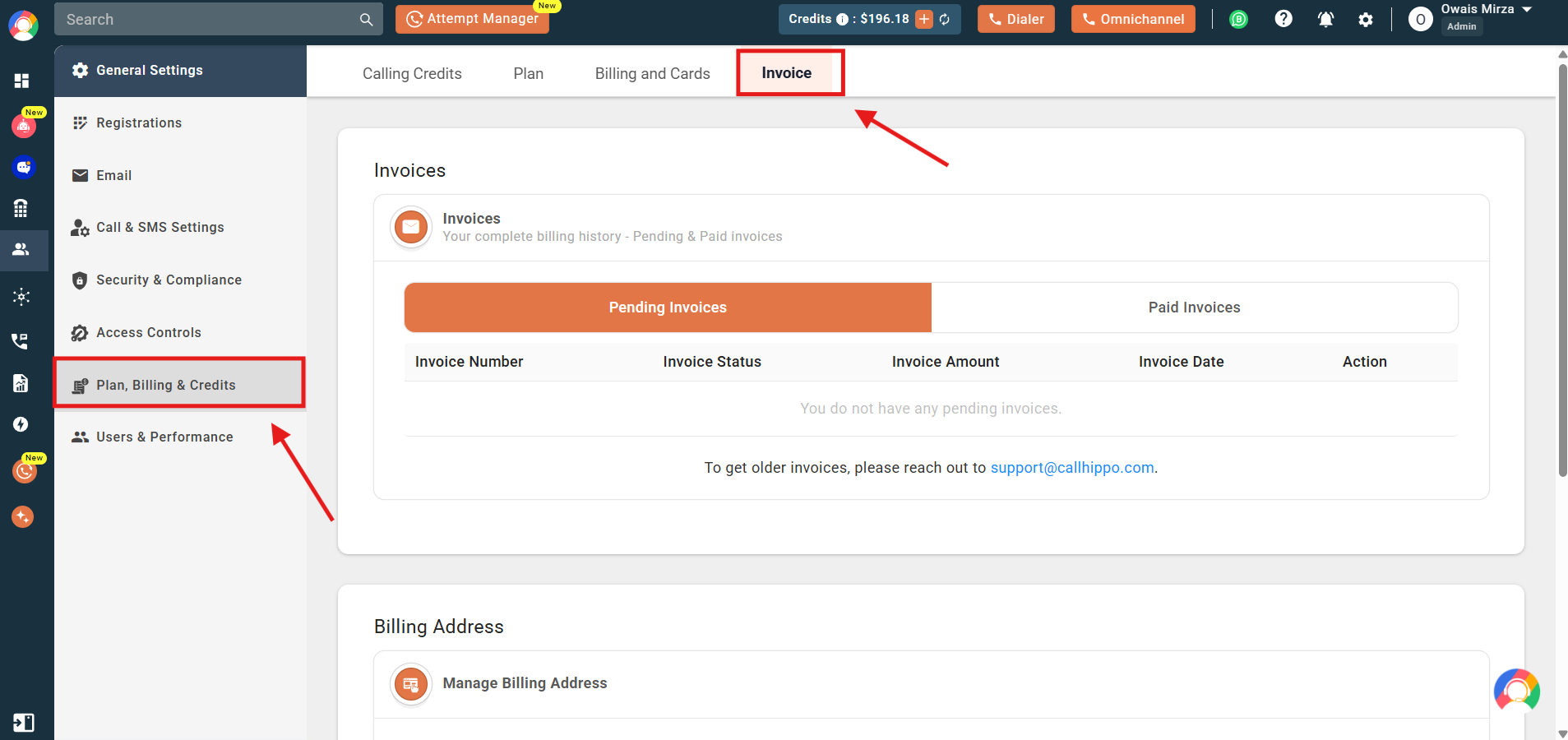
- Click on the Plan, Billing & Credits section, then select the Invoice tab.
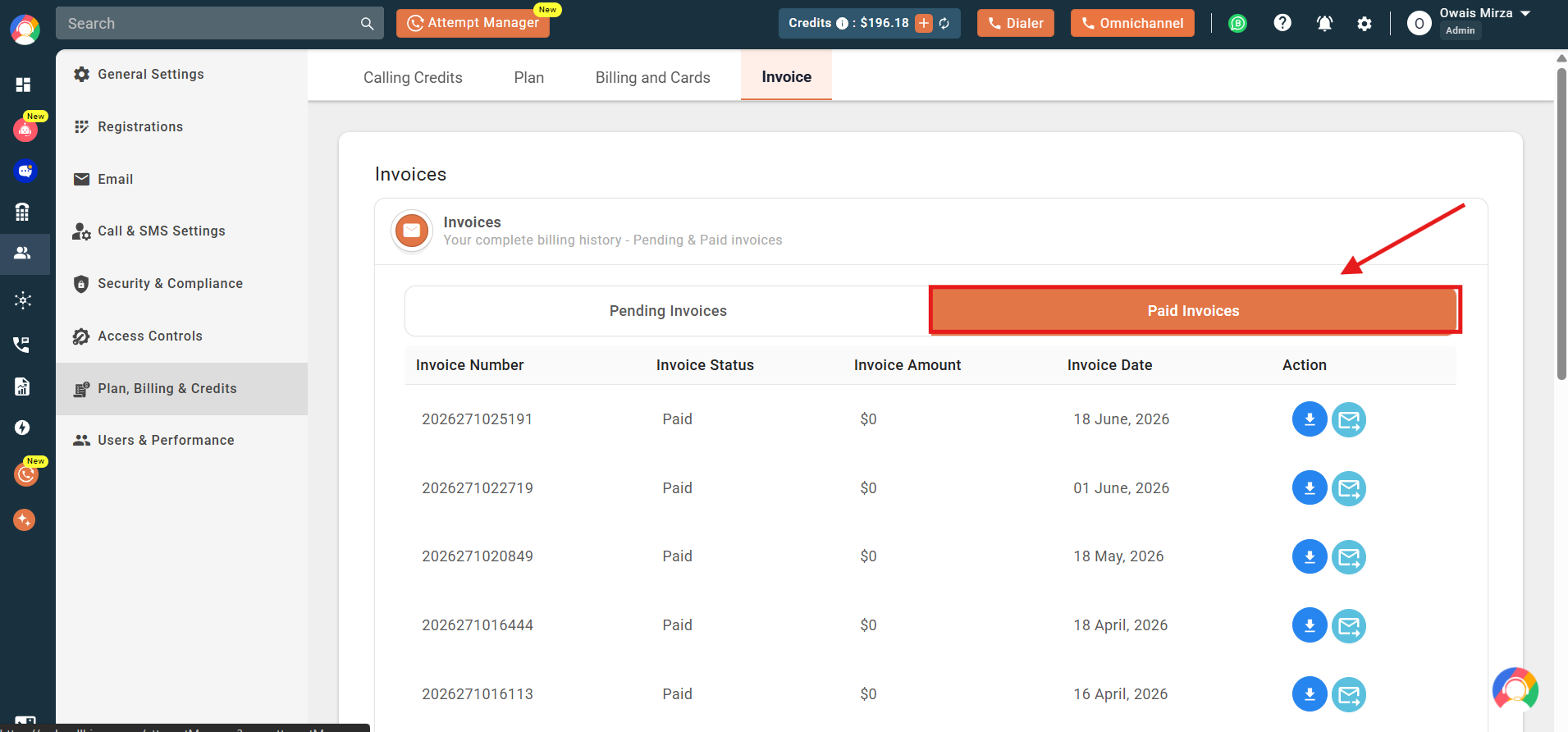
- The Invoices view shows both Pending Invoices and Paid Invoices associated with your account. Click Paid Invoices to see all invoices, along with their invoice number, status, amount, and date.
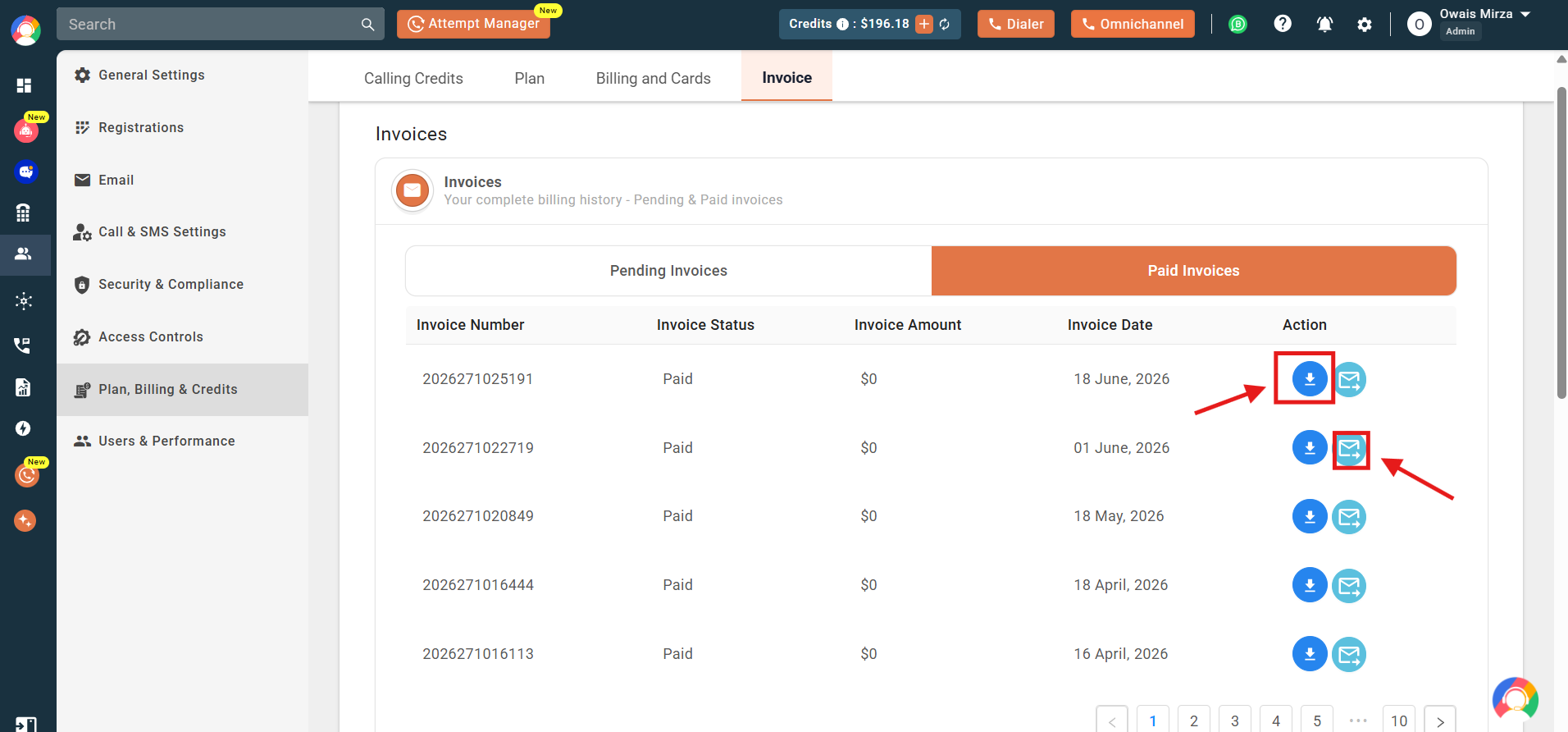
- Under the Action column, you get two options: download the invoice directly to your system, or use the send to email button to have it emailed to you.
Important: You can download invoices from the CallHippo dashboard that are dated within the last 6 months. If you need access to invoices older than 6 months, please contact our support team.
Frequently asked questions
Q: How far back can I download invoices from the dashboard?
A: You can download invoices that are dated within the last 6 months directly from the CallHippo dashboard.
Q: What if I need invoices older than 6 months?
A: If you need invoices older than 6 months, please contact the CallHippo support team for assistance.
Q: I’m billed in INR. Can I still download my invoices from the dashboard?
A: No. If you are on INR billing, you cannot download invoices from the dashboard. Please email [email protected] to request your invoices.
Q: I tried to download my previous invoices, but I received an error. What should I do?
A: If you encounter an error while downloading invoices from the CallHippo dashboard, please first check that the invoice is dated within the last 6 months and that your account is not on INR billing. Invoices older than 6 months are not available for direct download and must be requested from support. If you are on INR billing, invoice downloads are not available through the dashboard — please email [email protected] to request your invoice. If you are not on INR billing and the invoice is within the valid date range, but you are still seeing an error, please contact our support team at [email protected] for further help.
Q: I just purchased a plan. Where can I find my invoice or payment receipt?
A: After purchasing a plan, your invoice or payment receipt can be found in the Plan, Billing & Credits section of your dashboard. Click the settings icon at the top right, select Plan, Billing & Credits, then navigate to the Invoice tab to view and download your latest invoice.
We hope this helps. If you still have questions, feel free to reach out at [email protected].