
Connecting Simplicate with CallHippo keeps your project and client data in sync and logs call activity automatically, so you can run your business operations from one place.
Get your credentials from Simplicate
You will need your Simplicate API key and API secret before connecting in CallHippo.
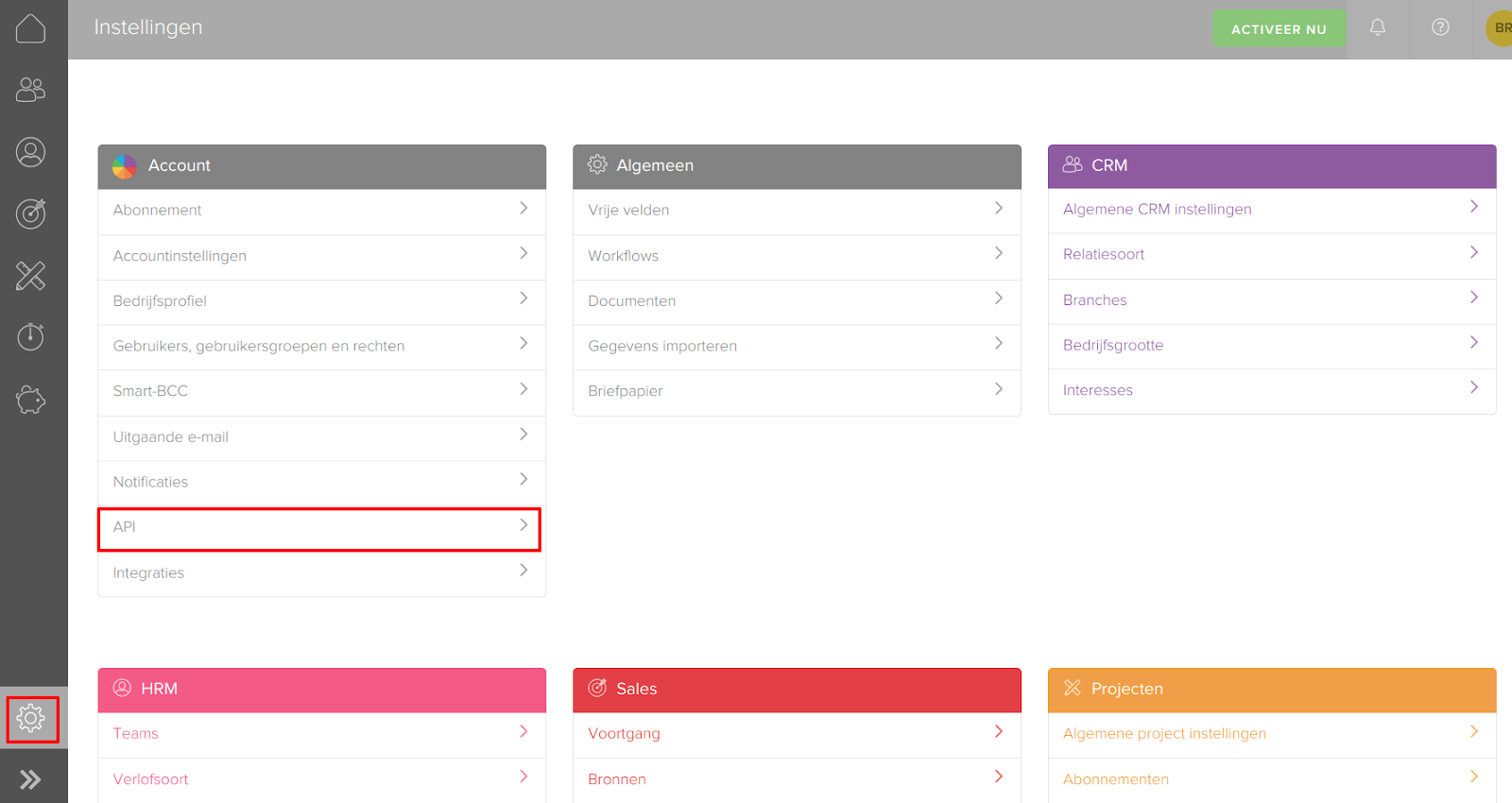
- Log in to Simplicate and open the Settings page.
- Open API: under Account, click API.
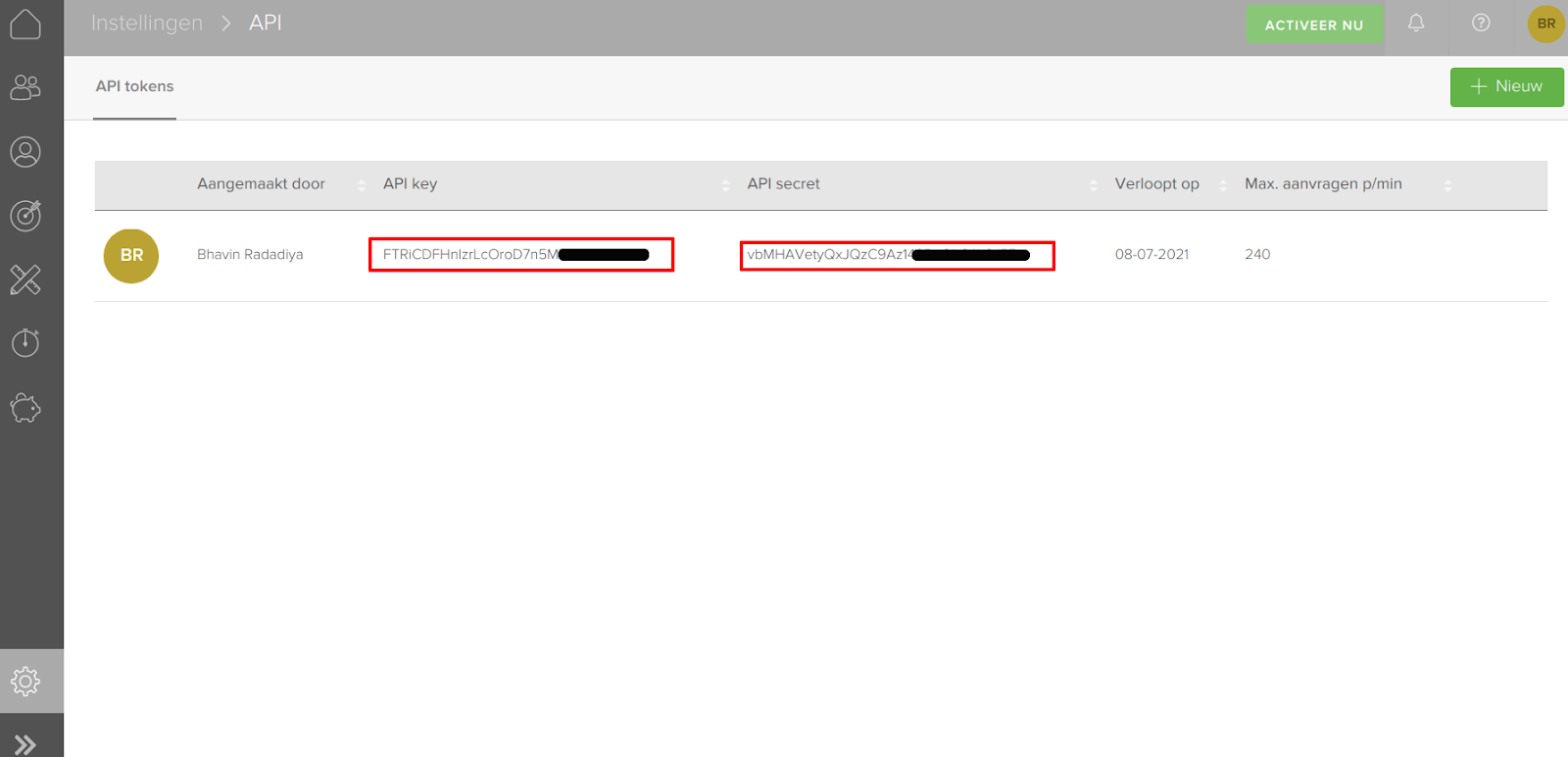
- Copy your keys: copy the API key and API secret shown on the API tokens page. If you do not have one yet, create a new token with + Nieuw (New).
Connect Simplicate in CallHippo
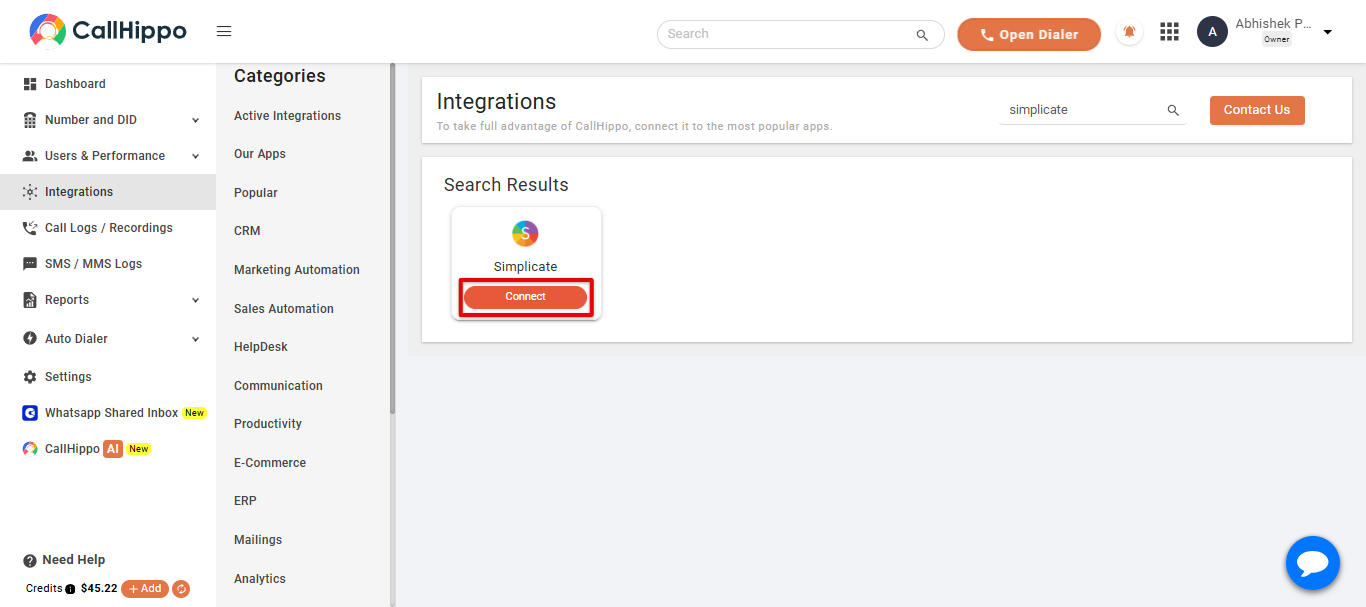
- Open Integrations: log in to CallHippo and click Integrations in the left sidebar.
- Find Simplicate: search for Simplicate and click Connect.
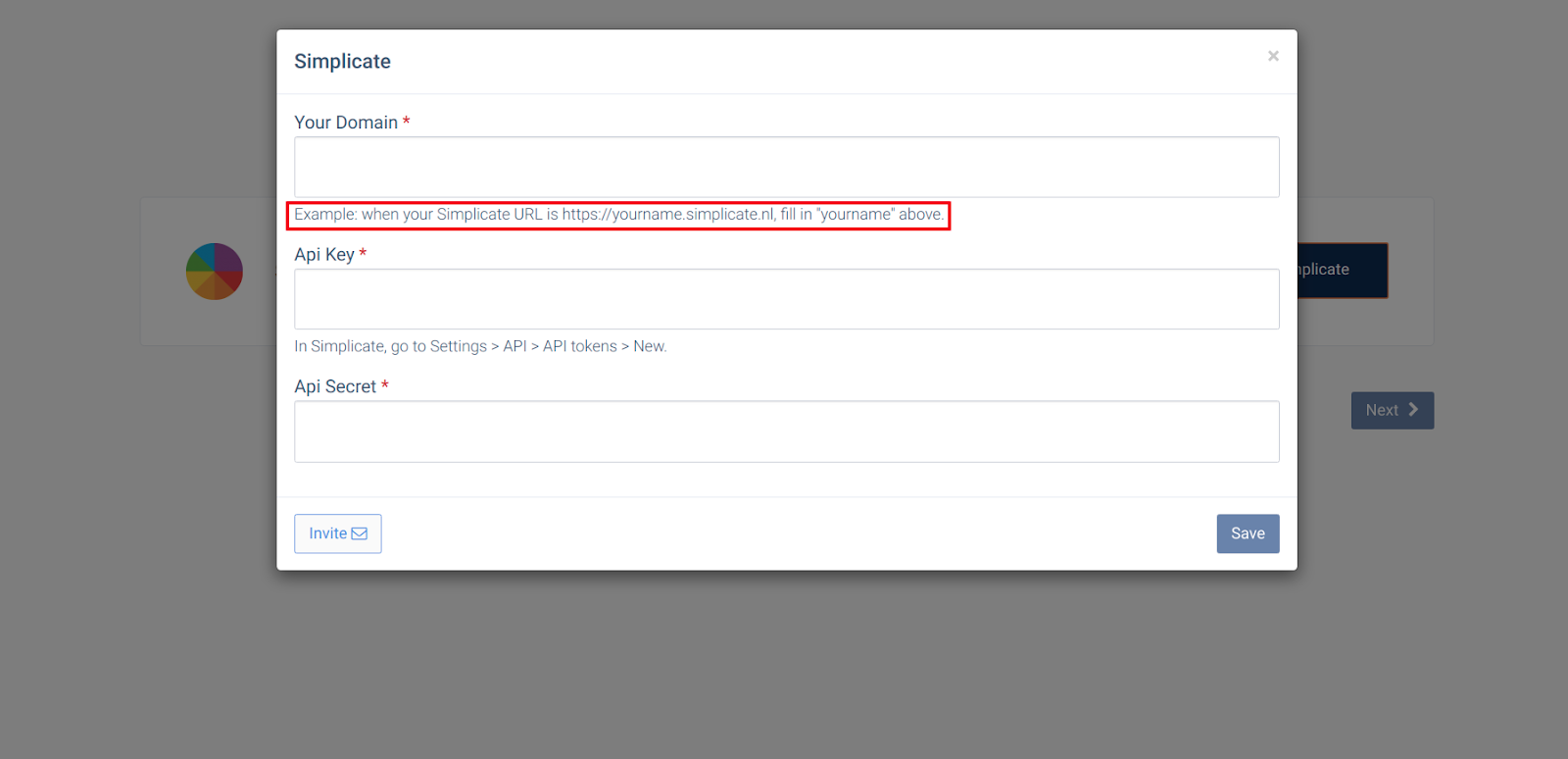
- Enter your details: add your domain name (the part before .simplicate.nl in your Simplicate URL), then paste the Api Key and Api Secret you copied. Click Save.
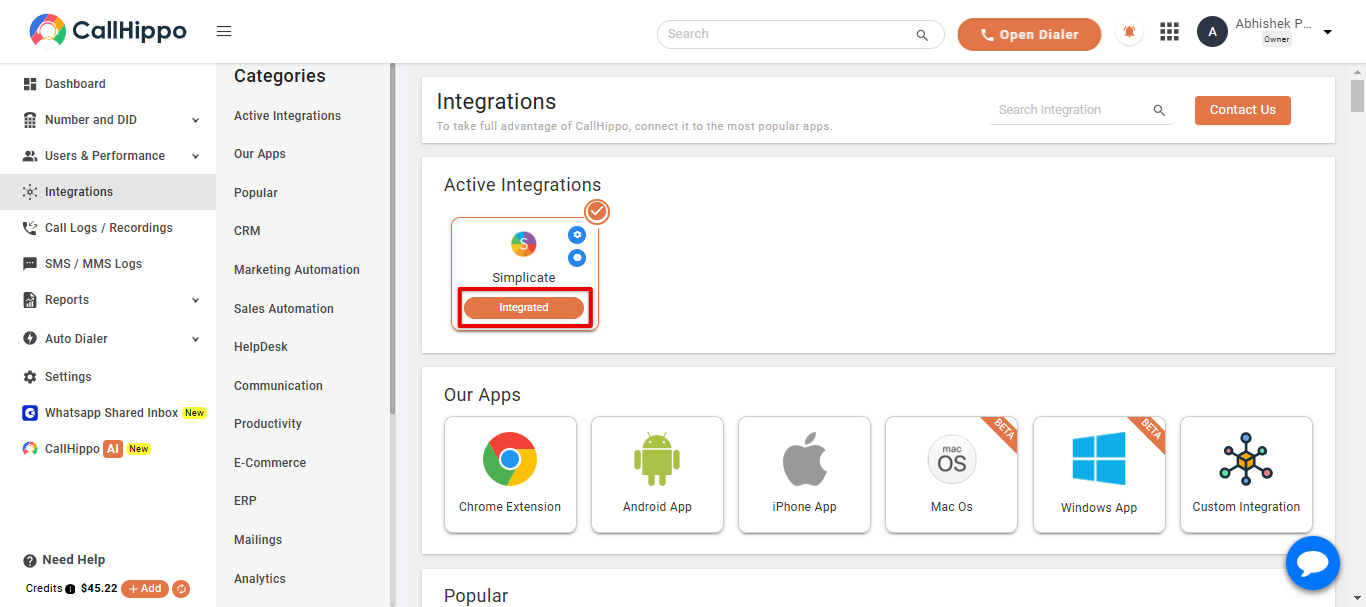
- Finish: click Save and Next. You will be returned to CallHippo and the Simplicate status will change to Integrated.
Where do I find my Simplicate domain name?
It is the first part of your Simplicate URL. For example, if your URL is https://yourname.simplicate.nl, enter yourname as the domain.
Where are the API key and secret in Simplicate?
Go to Settings > API > API tokens. Copy an existing token or create a new one with New.
Need a hand connecting Simplicate? Reach our team at [email protected].