
The Salesforce SOAP integration connects CallHippo to your Salesforce org for advanced call logging and data sync, using your Salesforce credentials and a security token.
Get your Salesforce security token
Salesforce SOAP authentication requires a security token in addition to your username and password.
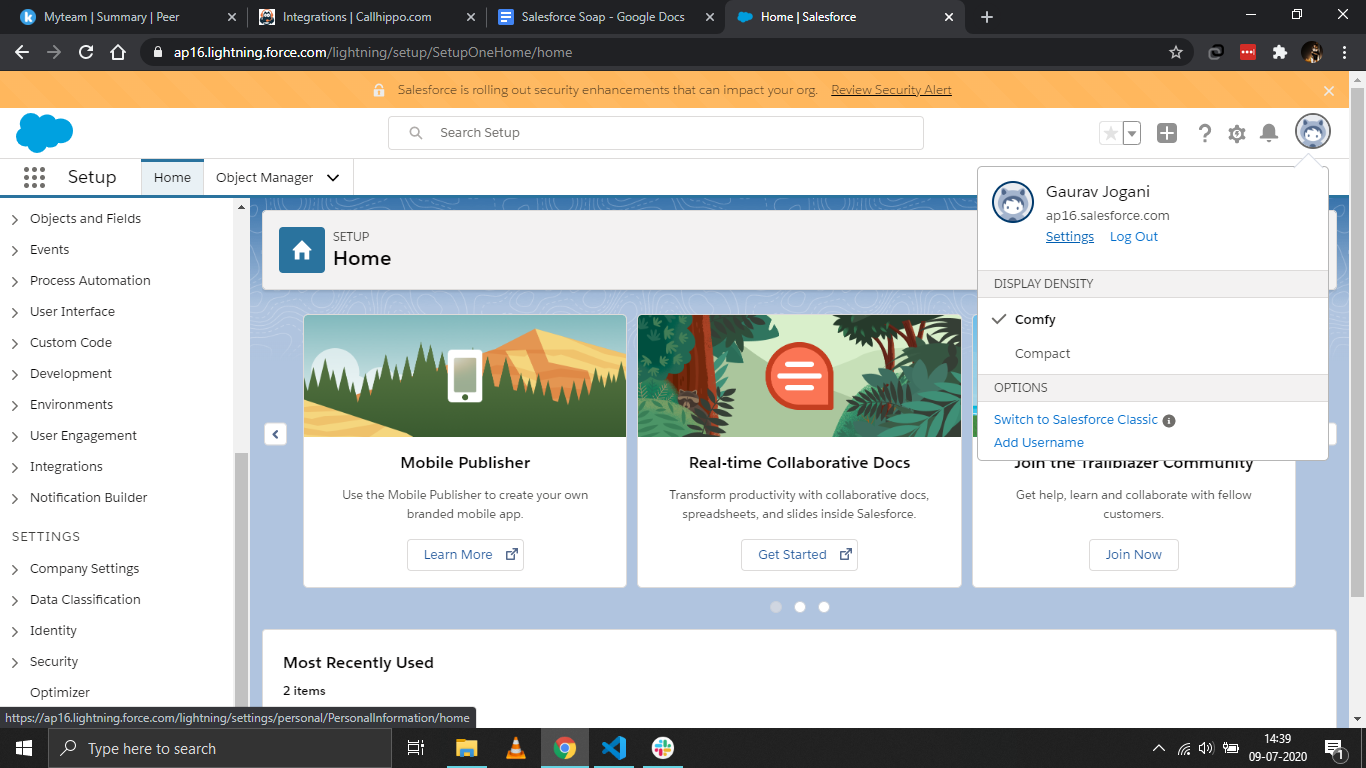
- Open your Salesforce settings: log in to Salesforce, click your profile icon in the top-right corner and select Settings.
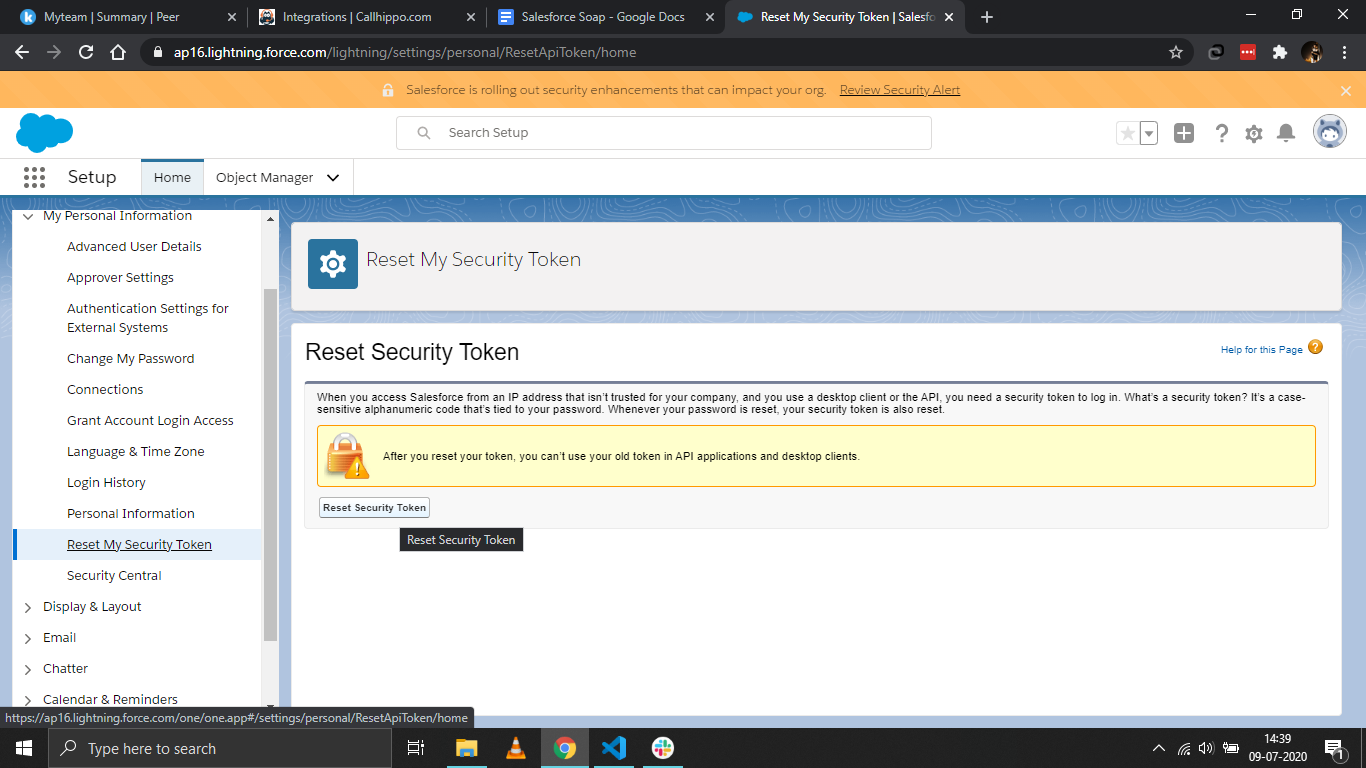
- Reset your security token: go to My Personal Information > Reset My Security Token and click Reset Security Token. A new token is emailed to your Salesforce account, so note it down.
Connect Salesforce SOAP in CallHippo
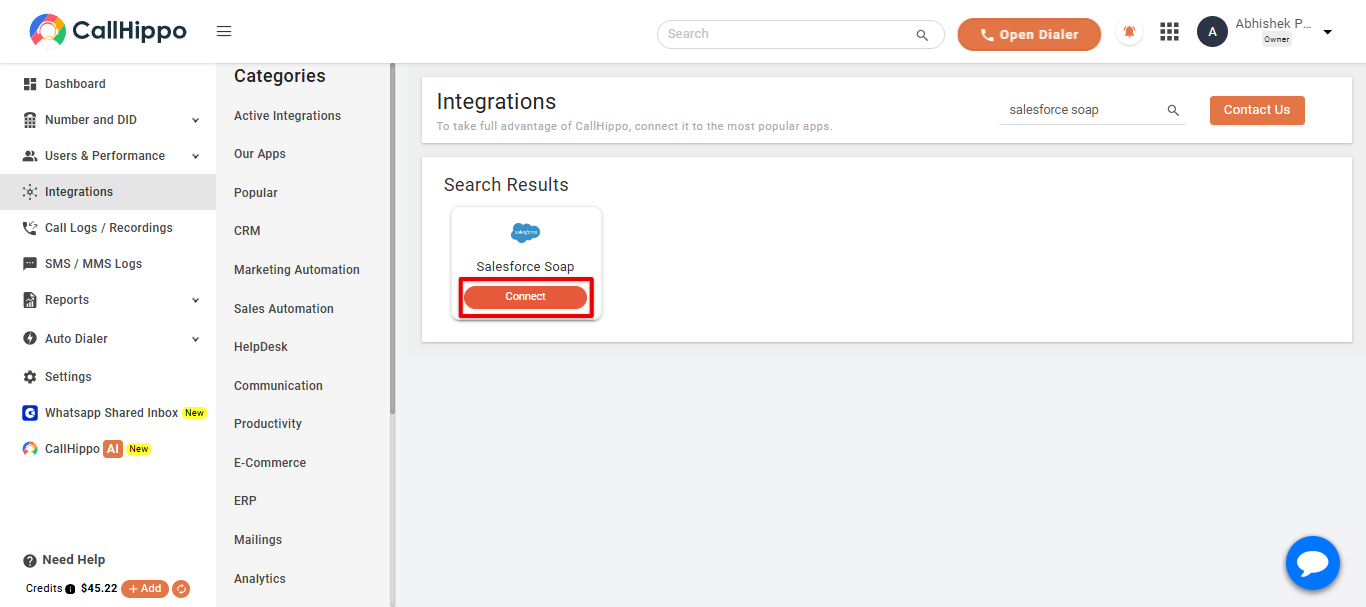
- Open Integrations: log in to CallHippo and click Integrations in the left sidebar.
- Find Salesforce Soap: search for Salesforce Soap and click Connect.
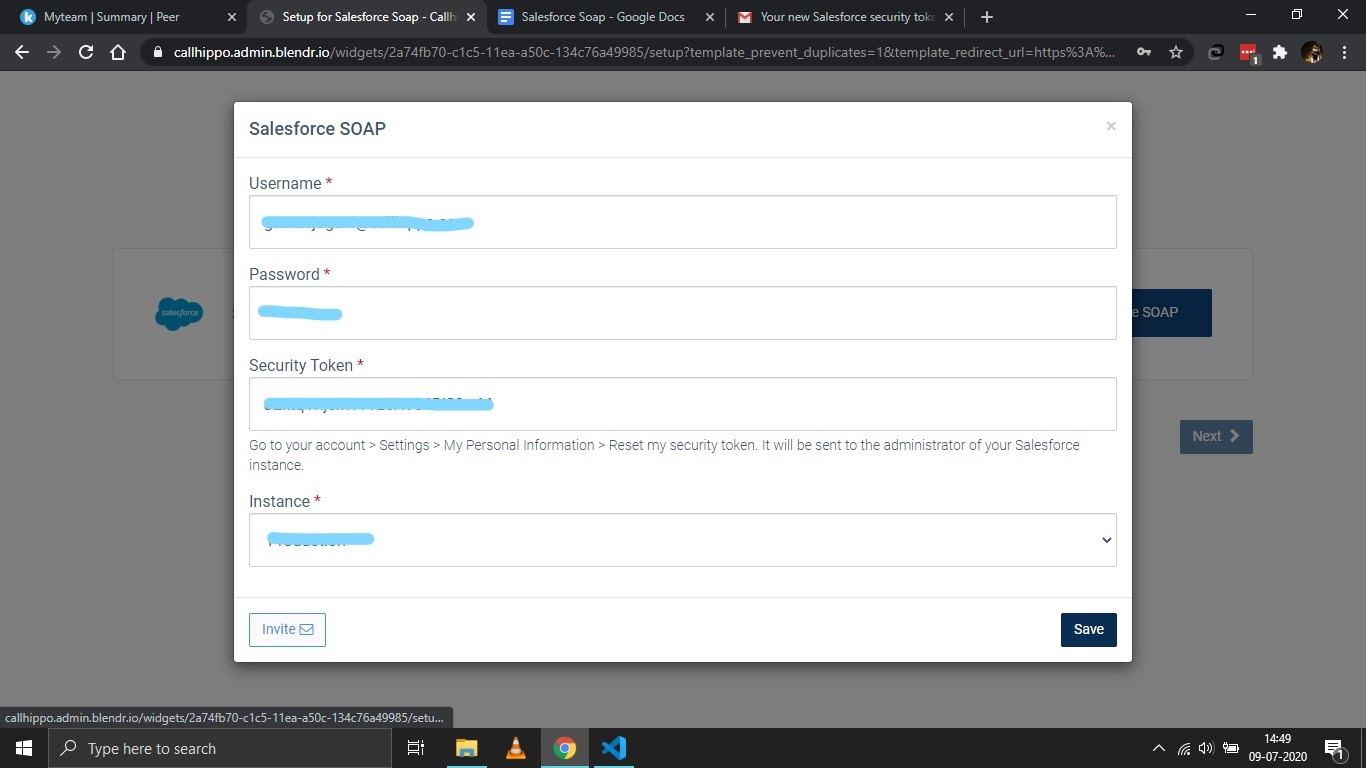
- Enter your details:
- Username – your Salesforce username or email address.
- Password – your Salesforce account password.
- Security Token – the token you received by email.
- Instance – choose Production or Sandbox as appropriate.
Then click Save.
- Confirm the link: you should see Datasource is linked. Click Ok, then Next.
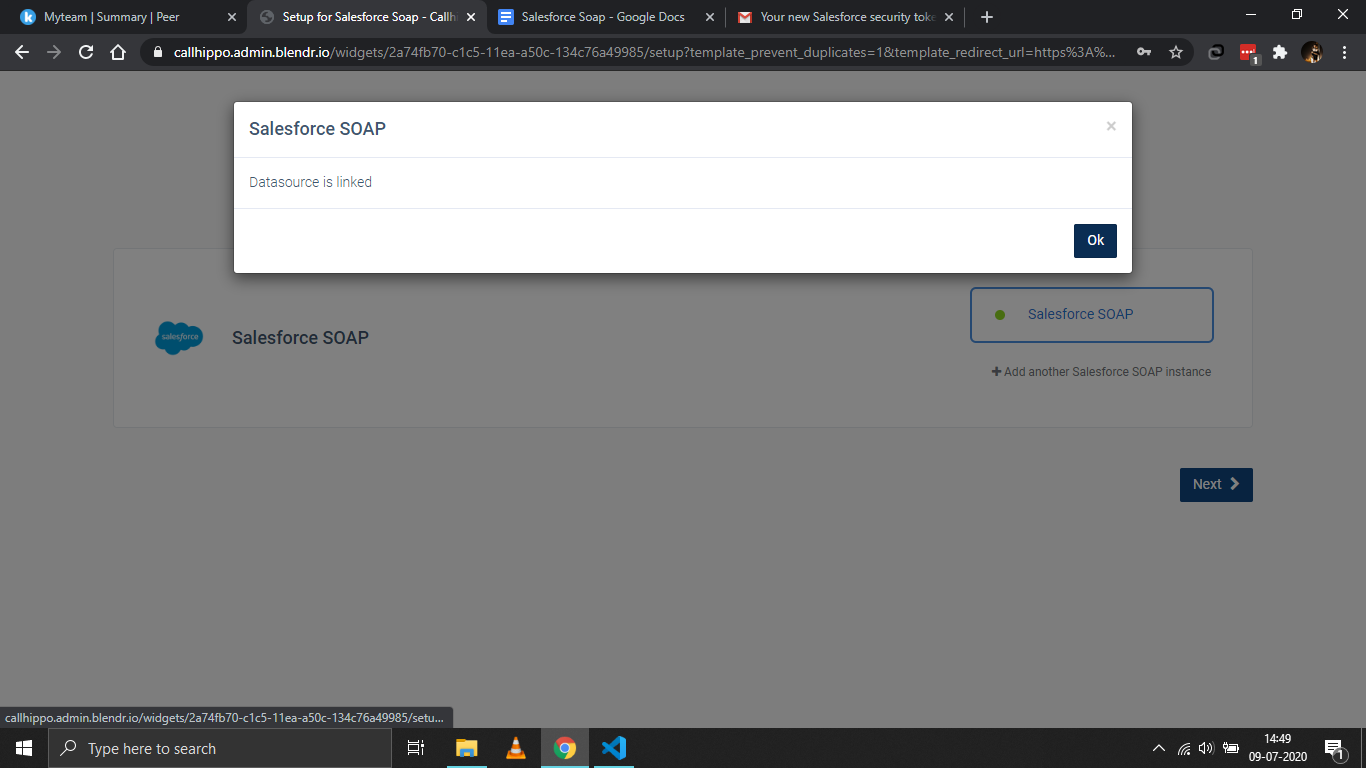
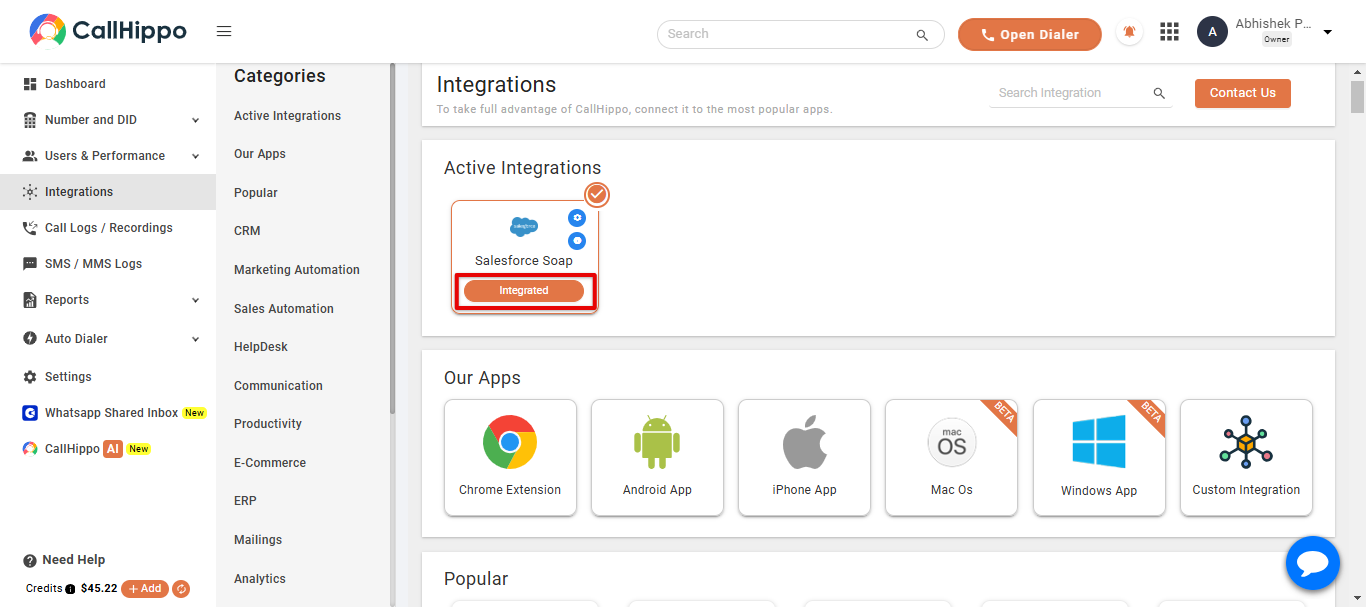
- Finish: you will be returned to CallHippo and the Salesforce Soap status will change to Integrated.
Where do I get my security token?
Reset it under Settings > My Personal Information > Reset My Security Token in Salesforce. The new token is emailed to you and is required for the SOAP connection.
Should I choose Production or Sandbox?
Select the instance that matches the Salesforce org you are connecting. Use Sandbox for a test org and Production for your live org.
Need help with the Salesforce SOAP integration? Contact our team at [email protected].