
True to its name, connecting Less Annoying CRM with CallHippo is refreshingly simple. Grab an API key from your CRM, plug it into CallHippo, and you’re set for click-to-call, automatic call logging, and two-way contact syncing.
Before you begin
- You need the Owner or Admin role in CallHippo.
- You need access to your Less Annoying CRM account settings to generate an API key.
Get your Less Annoying CRM API credentials
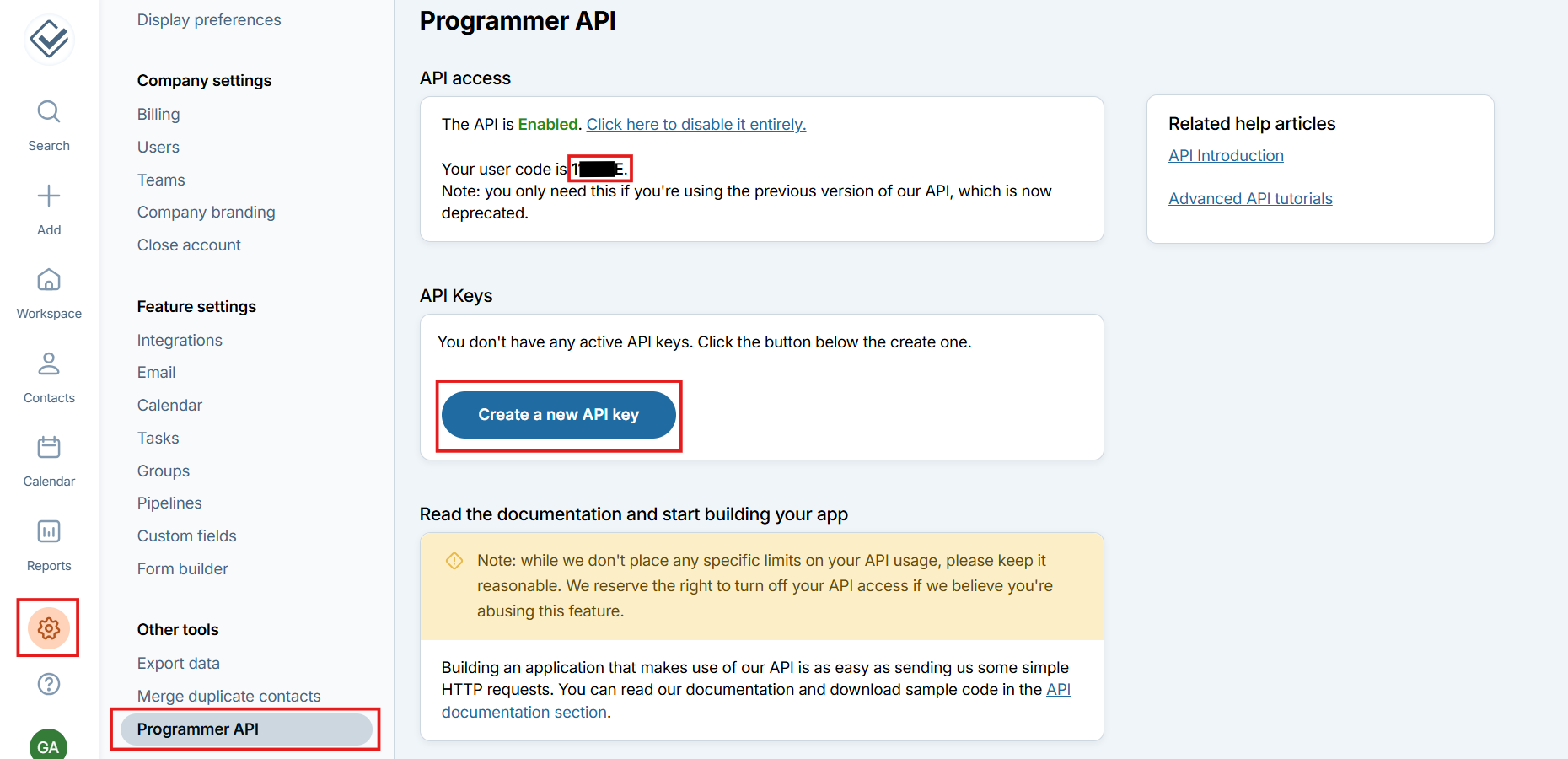
- Log in to Less Annoying CRM, open Settings, and go to Programmer API. Copy your User code, then click Create a new API key.
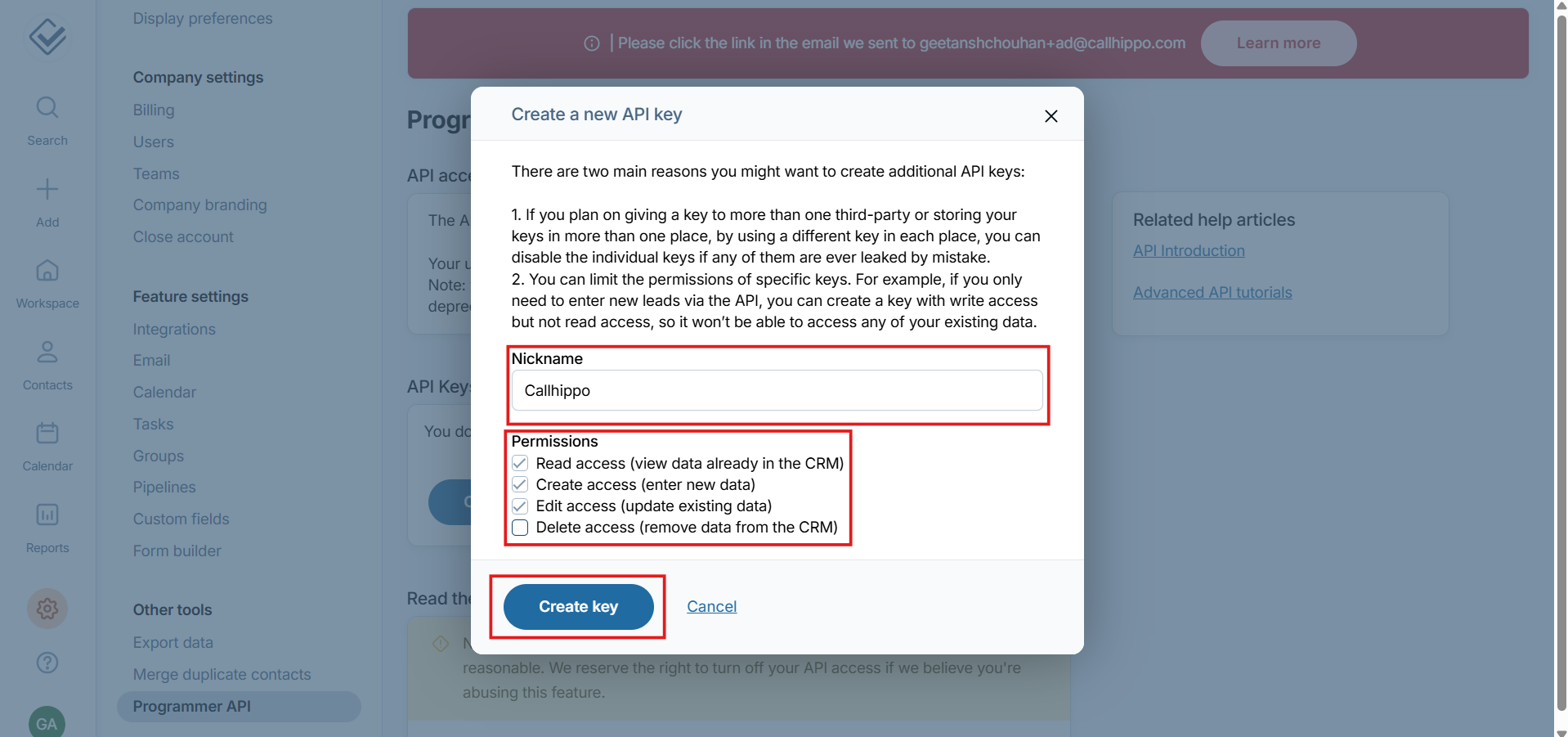
- In the popup, enter a Nickname (for example, “CallHippo”), select the permissions shown below, and click Create key.
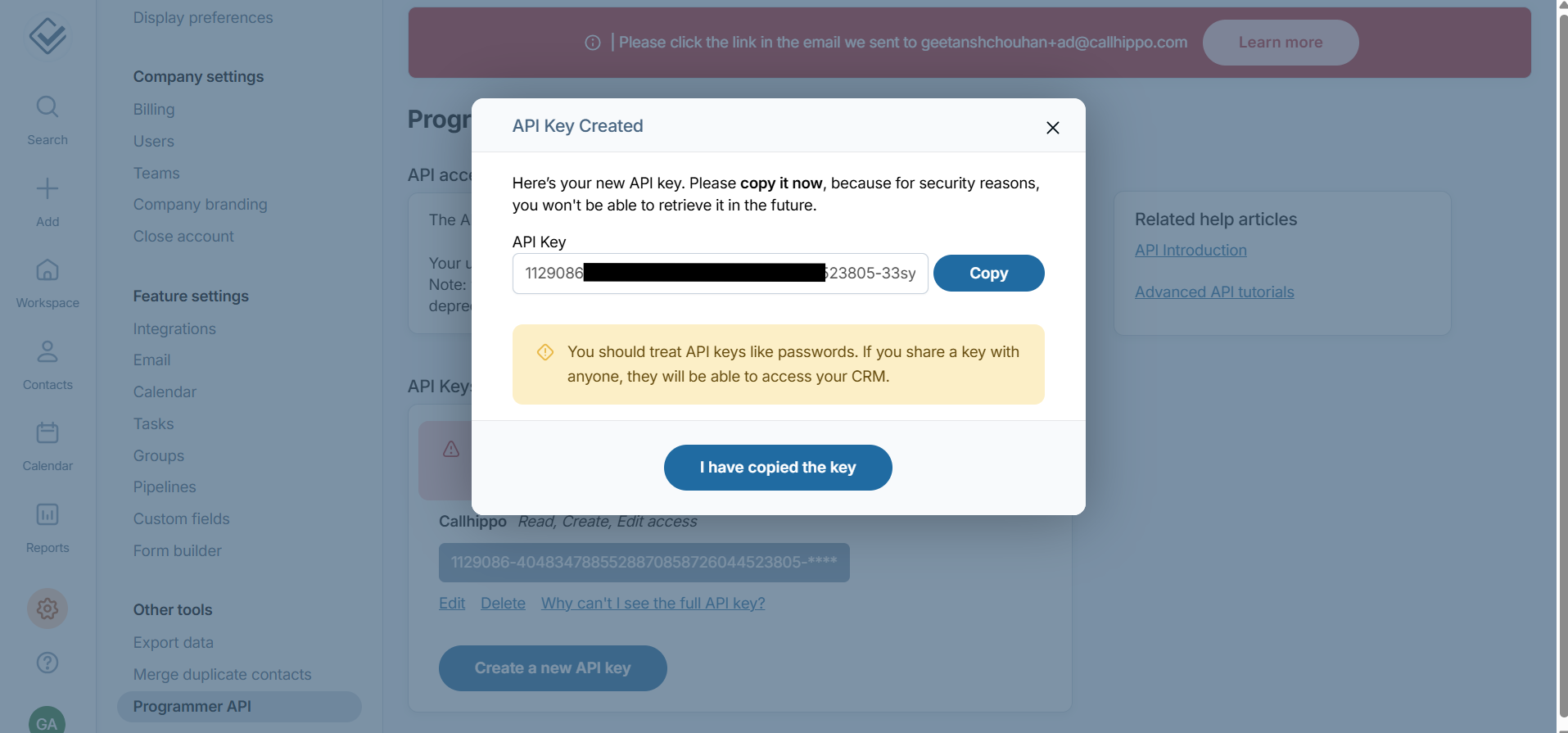
- Your API key is generated. Copy it and note it down now — for security, you won’t be able to retrieve it again later.
Connect CallHippo to Less Annoying CRM
- Log in to your CallHippo account with the Owner or Admin role.
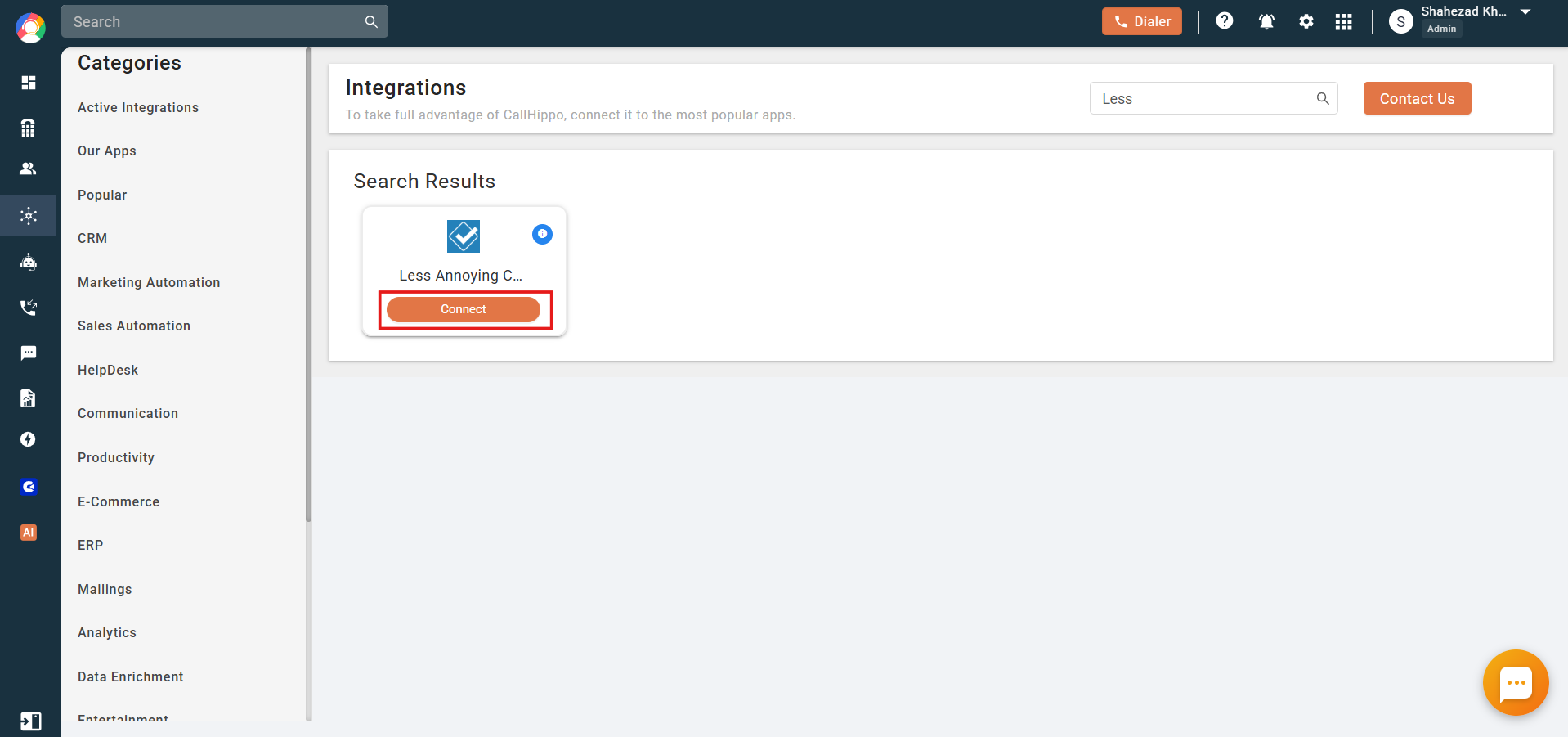
- From the left sidebar of your dashboard, click Integrations.
- Find Less Annoying CRM and click Connect.
- In the Integration Setup popup, enter your Less Annoying CRM API key and User code, then click Connect Now.
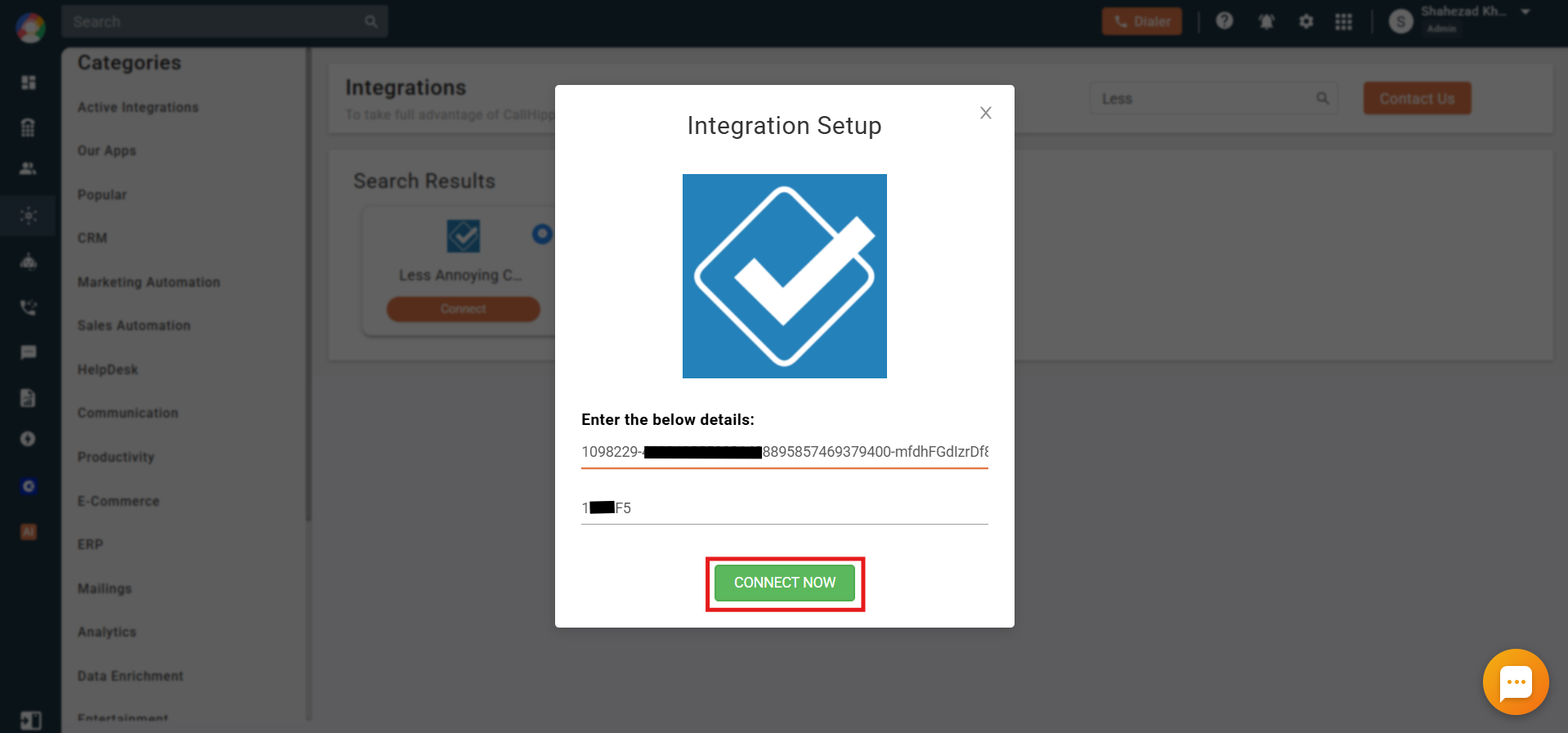
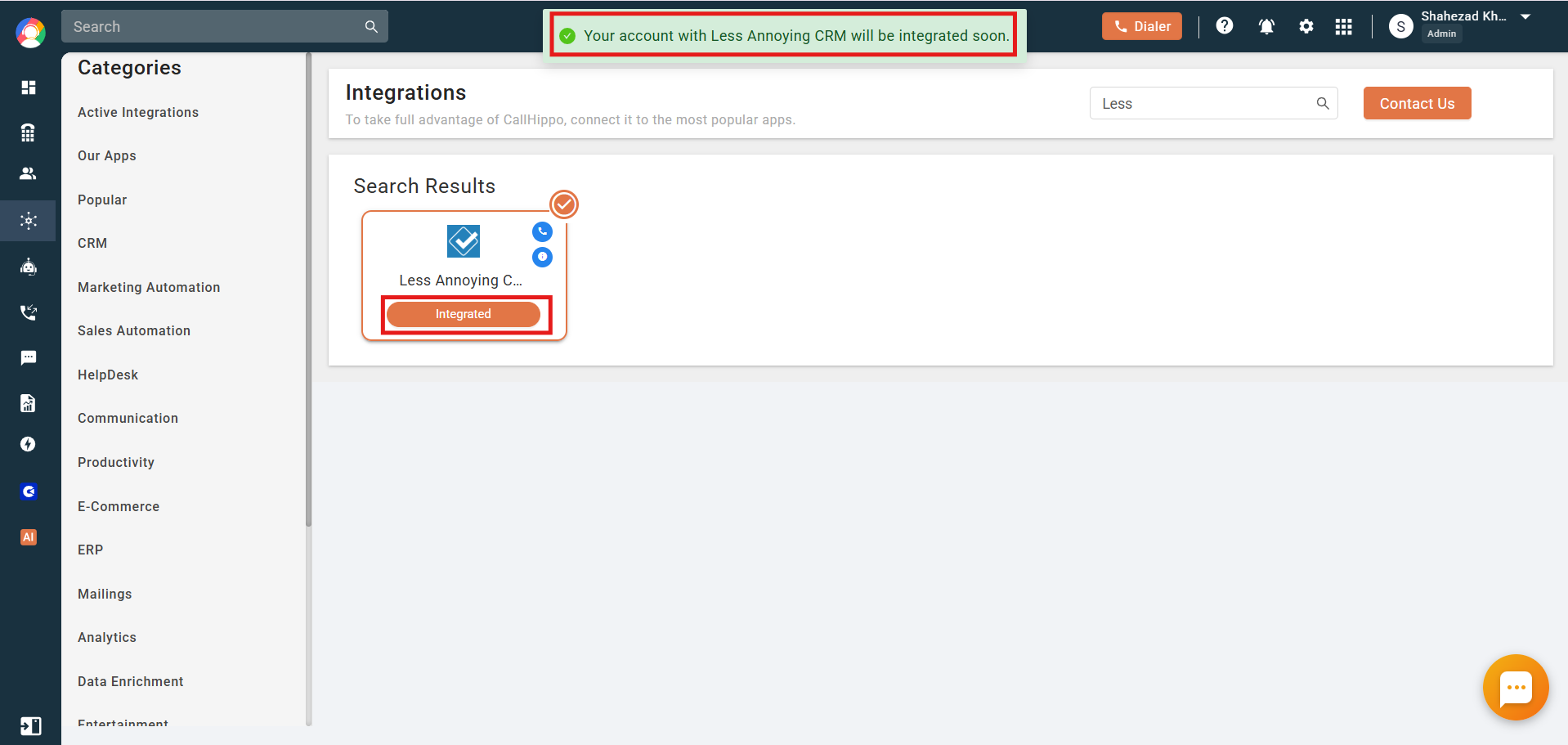
- You’re done. The integration status now shows Integrated.
Enable Click to Call
- Install the CallHippo Click-to-Call Chrome extension from this link.
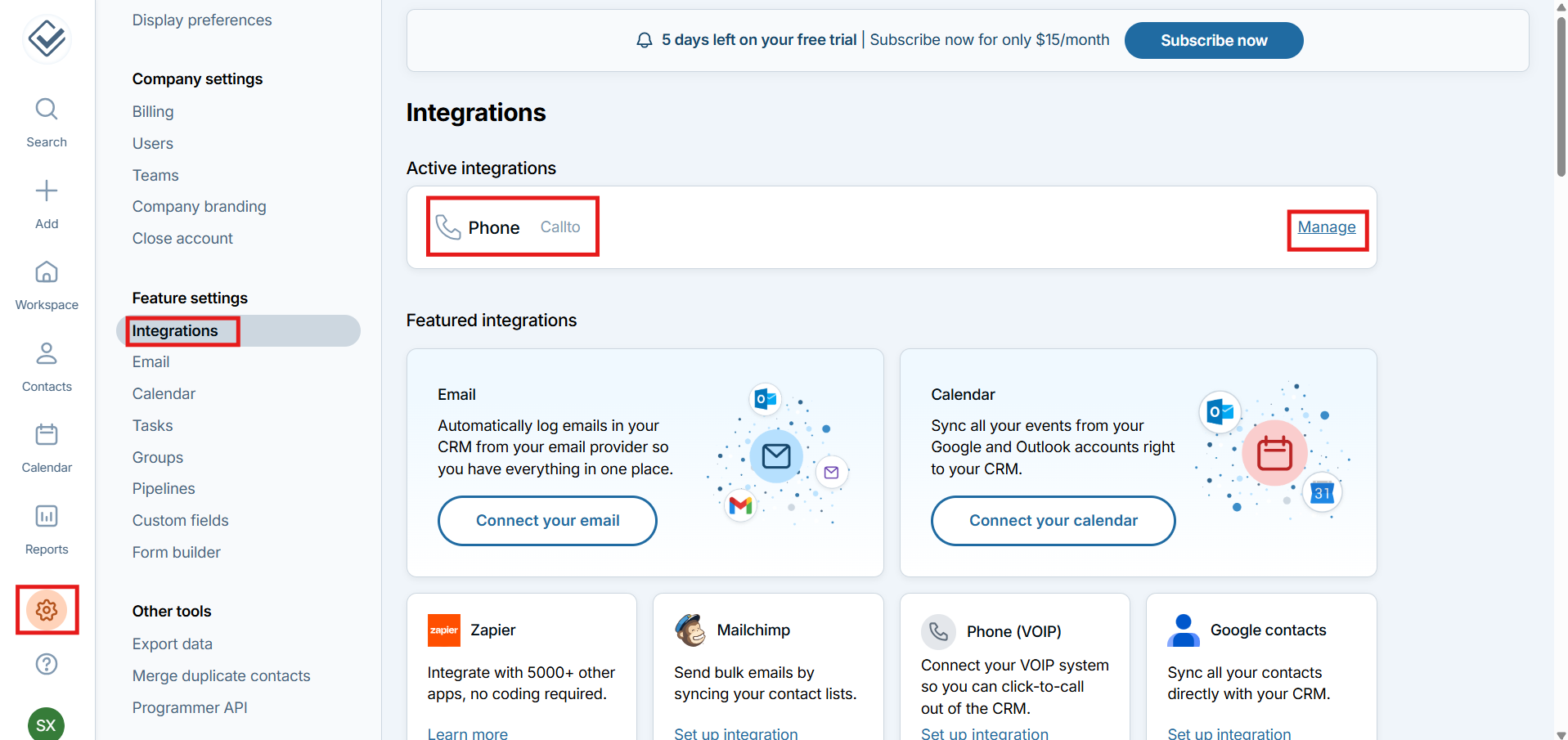
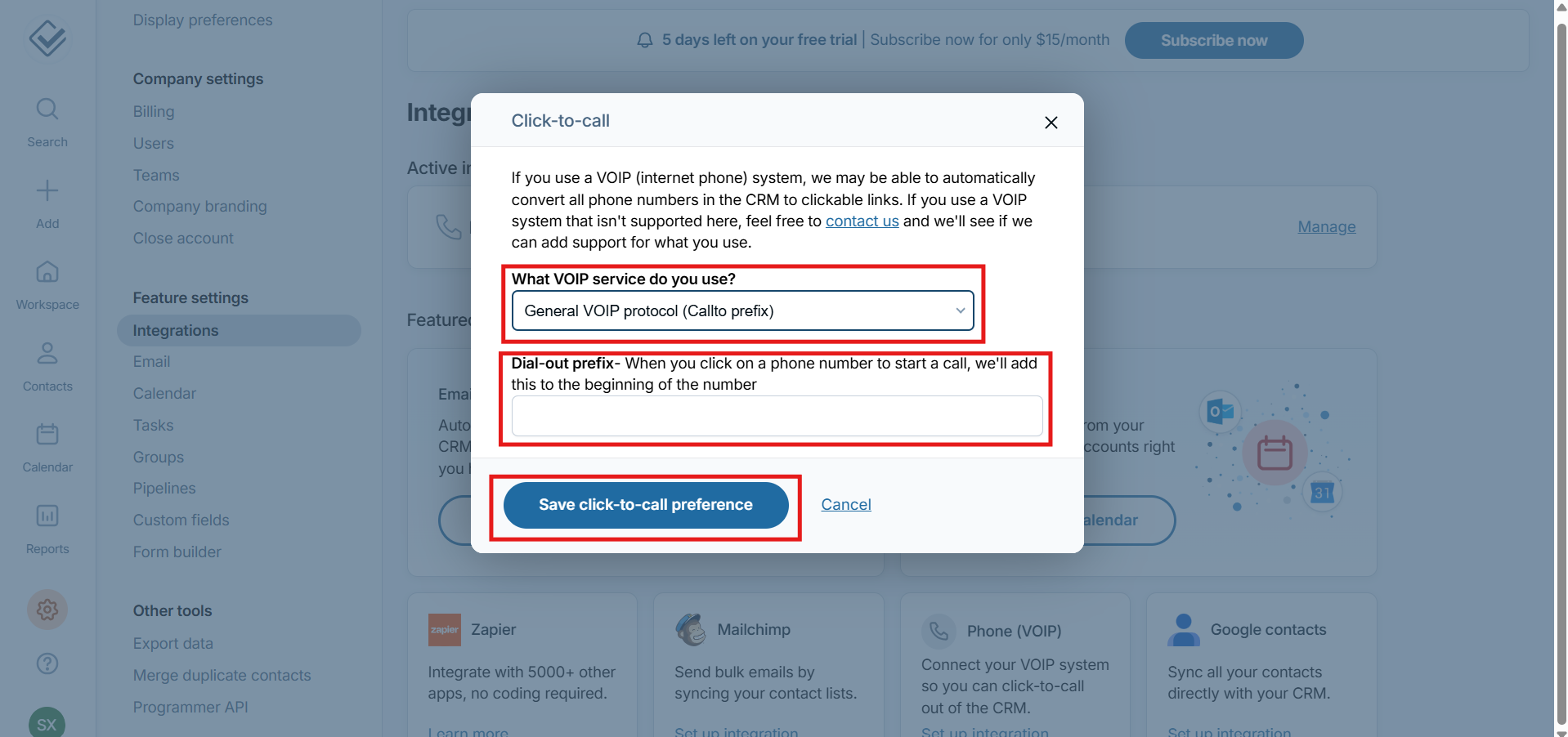
- Log in to Less Annoying CRM and go to Settings → Integrations → Phone, then click Manage.
- In the Click-to-call popup, open the VOIP service dropdown.
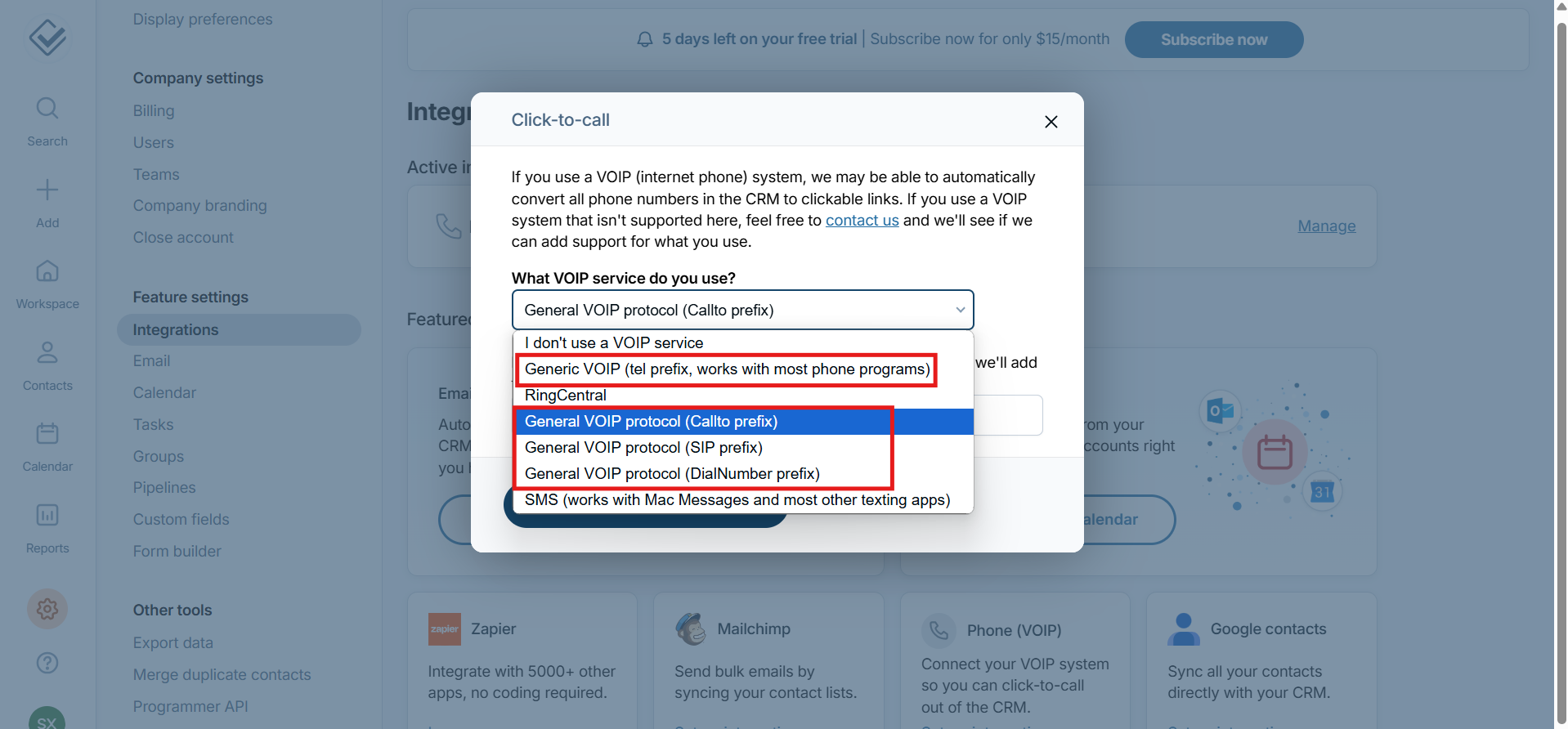
- Select one of the General VOIP protocol options (for example, General VOIP protocol (Callto prefix)), leave the Dial-out prefix field blank, and click Save click-to-call preference.
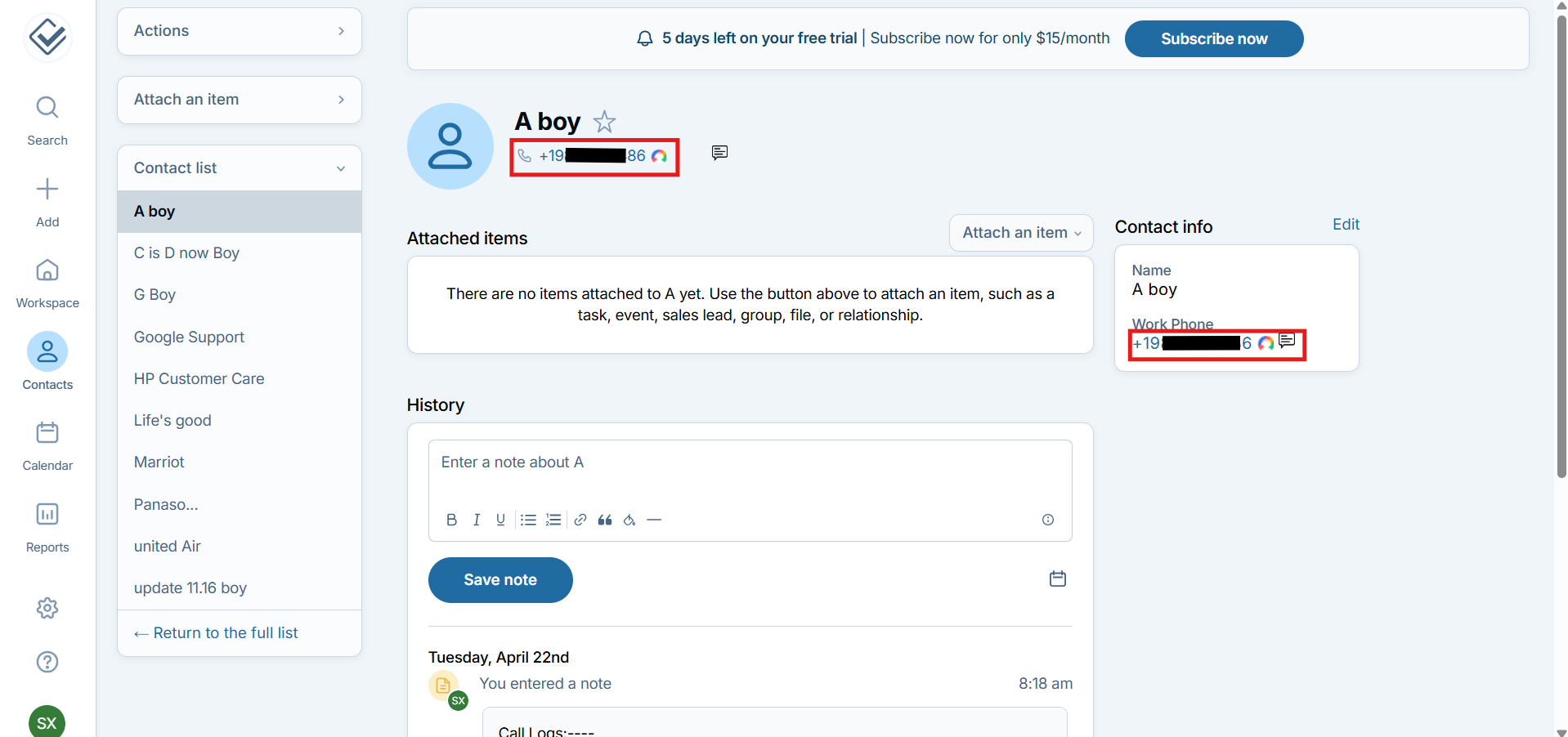
- Hard reload your browser window. You can now call any contact straight from the CRM by clicking their phone number.
What the integration does
- All your Less Annoying CRM contacts sync to the CallHippo dialer whenever a Click to Call action is performed on that contact.
- When you add, update, or delete a contact in Less Annoying CRM, the change syncs to CallHippo the next time a Click to Call action runs on that contact.
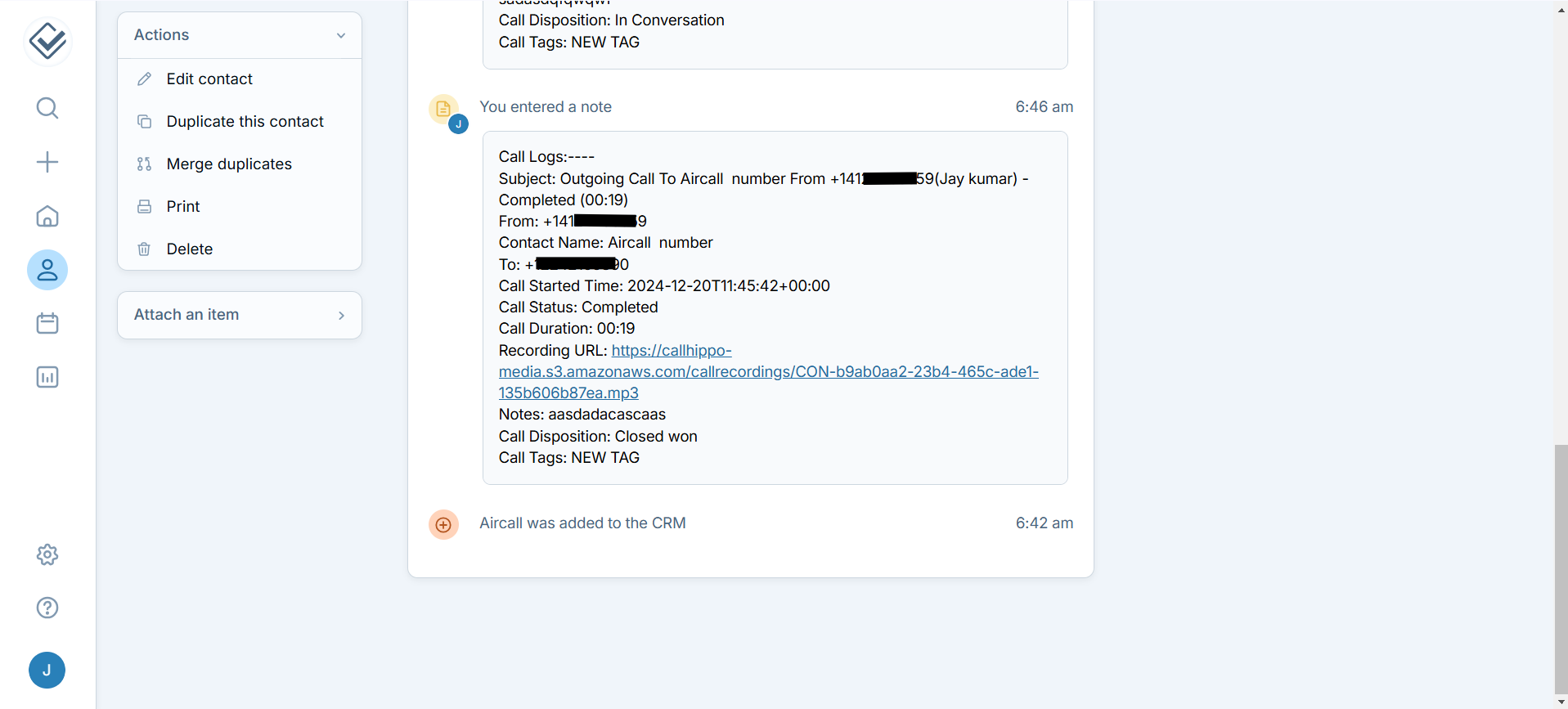
- Every call made to or received from a Less Annoying CRM contact is logged in the CallHippo dialer.
- SMS activity for messages sent to or received from your contacts also appears in the CallHippo dialer.
- Call and SMS activity is displayed in the Less Annoying CRM contact notes.
After Call Work activity
If your CallHippo plan includes Call Tags and Disposition and the feature is enabled, the activity pushed to Less Annoying CRM will include the tags and disposition data you add on the After Call Work (ACW) screen.
Note: Tags and disposition sync only when they are added on the After Call Work screen. If you add them later from the Call Logs or another feed, they will not sync to Less Annoying CRM.
Limitation
- Deleting a contact from Less Annoying CRM does not remove it from CallHippo. You’ll need to remove that contact from the CallHippo dialer manually.
Still need help? Reach us at [email protected].