
HIPAA compliance is an ongoing practice that healthcare organizations follow to protect the privacy, security, and integrity of protected health information (PHI). CallHippo supports HIPAA compliance and gives you a setting to automatically erase data so your patient information stays protected.
How CallHippo supports HIPAA compliance
CallHippo follows HIPAA compliance to help safeguard the privacy, security, and integrity of protected health information. To support this, CallHippo provides a HIPAA Compliant feature that lets you automatically erase data from CallHippo, so sensitive information is not retained longer than needed.
How to enable the HIPAA Compliant feature
- Log in to your CallHippo dashboard.
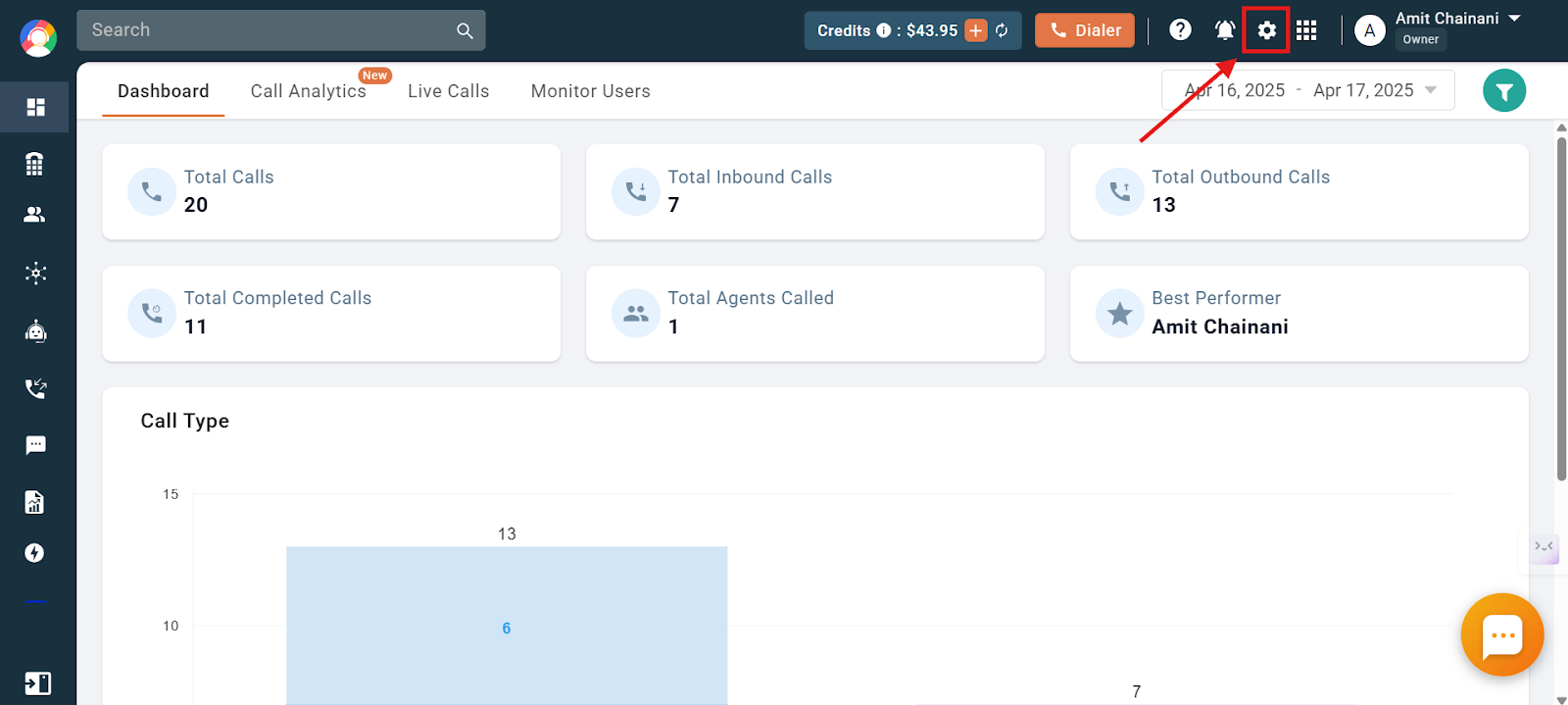
- Click the Settings icon at the top of the dashboard.
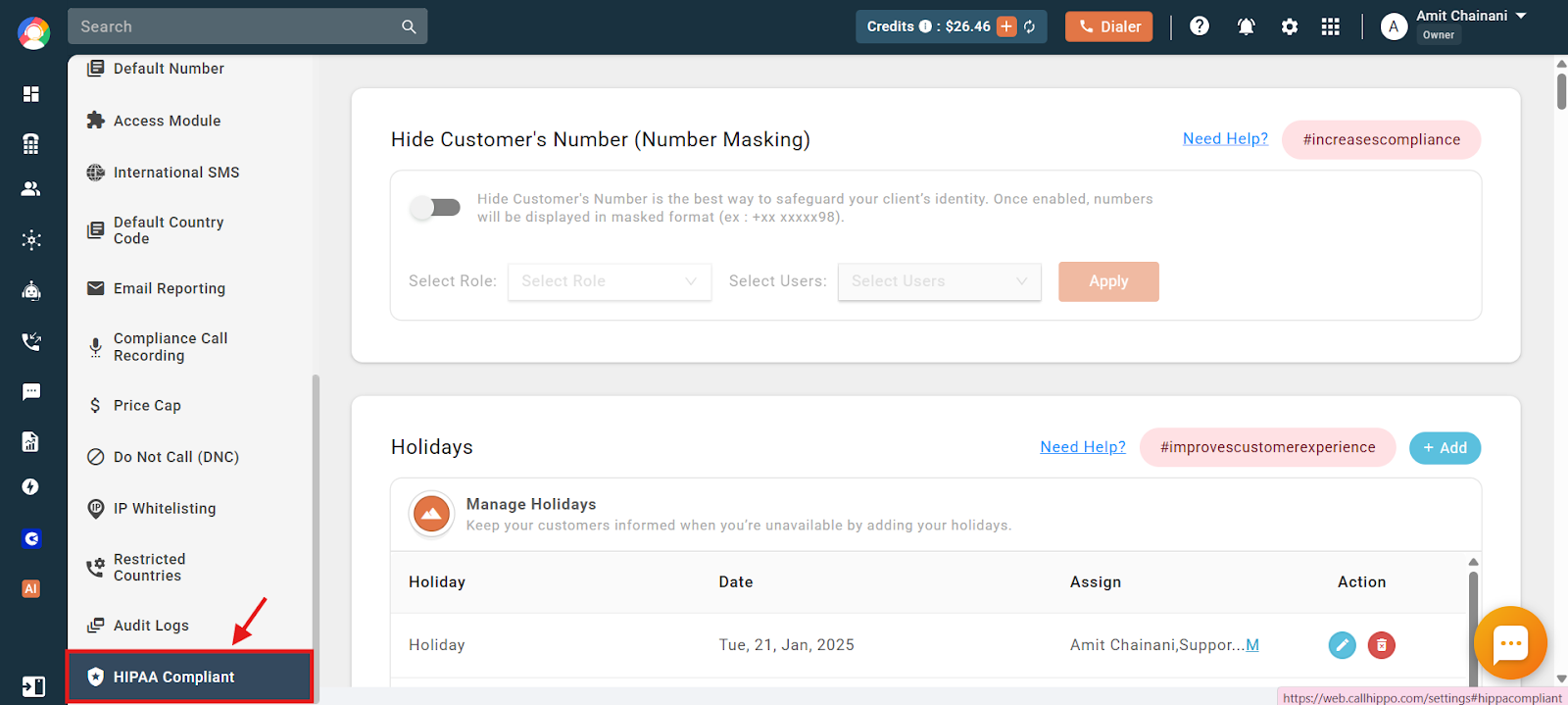
- Scroll down and open the HIPAA Compliant section in the Settings sidebar.
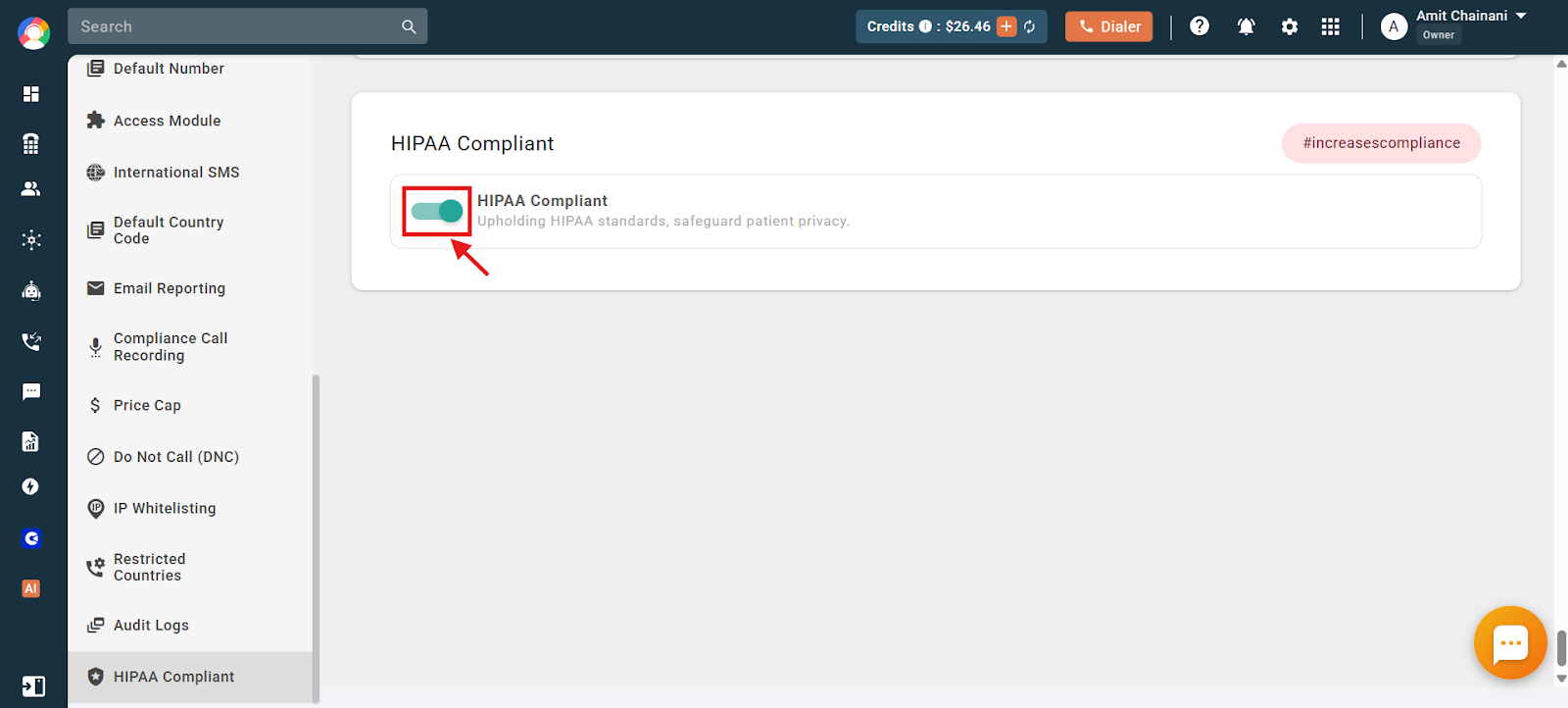
- Click the toggle to enable (or disable) HIPAA Compliant. When it is on, CallHippo upholds HIPAA standards to help safeguard patient privacy.
That is all it takes to protect your data with the HIPAA Compliant feature.
FAQ
Who should enable HIPAA Compliant mode?
Healthcare businesses and any organization that handles protected health information through CallHippo should enable it to help meet HIPAA requirements.
Can I turn the feature off later?
Yes. The same toggle in the HIPAA Compliant section lets you enable or disable the feature at any time.
Still need help? Reach us at [email protected].