
CallHippo’s AI Voice Agent handles inbound and outbound calls automatically, holding natural conversations with your callers so your team can focus on higher-value work. This guide covers what the agent does and how to get started from your dashboard.
What is the AI Voice Agent?
The AI Voice Agent is an automated voice bot that answers or places calls on your behalf. It follows a conversation flow you design, understands what the caller says, and responds in real time. You can use it to qualify leads, answer common questions, or run outbound campaigns without a live agent on every call.
Before you begin
- Make sure you have an active CallHippo account with admin access.
- Confirm the AI Voice Agent feature is enabled on your plan.
- Have a CallHippo number ready to assign to the agent.
Step 1: Log in to your dashboard
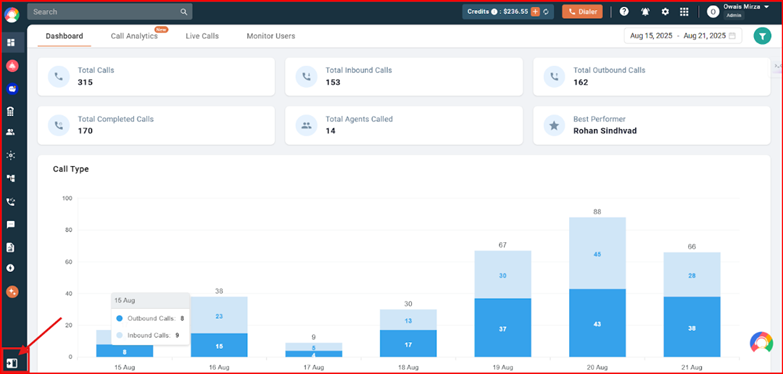
- Go to your CallHippo Dashboard and sign in.
- Click the expand icon in the sidebar to open the full navigation, as shown below.
Next steps
From the expanded dashboard, open the AI Voice Agent section to build your conversation flow, set up responses, and activate the agent on your number. You can also personalize each conversation using dynamic variables such as the caller’s first name, so every call feels tailored to the customer.
Frequently asked questions
Do I need coding knowledge to set up the AI Voice Agent?
No. The AI Voice Agent is configured visually from your dashboard, so you build the conversation flow without writing any code.
Can the AI Voice Agent handle both inbound and outbound calls?
Yes. You can assign it to answer incoming calls or to place outbound calls as part of an Auto Dialer campaign.
Still need help? Reach us at [email protected].