
If you are seeing calling issues, one-way audio, a dialer that will not load, or unexpected glitches in the CallHippo web app, clearing site data often resolves the problem. This removes the cached files and cookies that can conflict with how the application runs.
When to clear site data
Clearing site data is especially useful when you experience:
- Calling-related issues or one-way audio
- The dialer not loading or not functioning as expected
- Persistent login problems
- Unexpected glitches after an update
Step-by-step instructions
- Open your CallHippo Web Dialer.
- Right-click anywhere on the Web Dialer screen.
- Click Inspect from the dropdown menu.
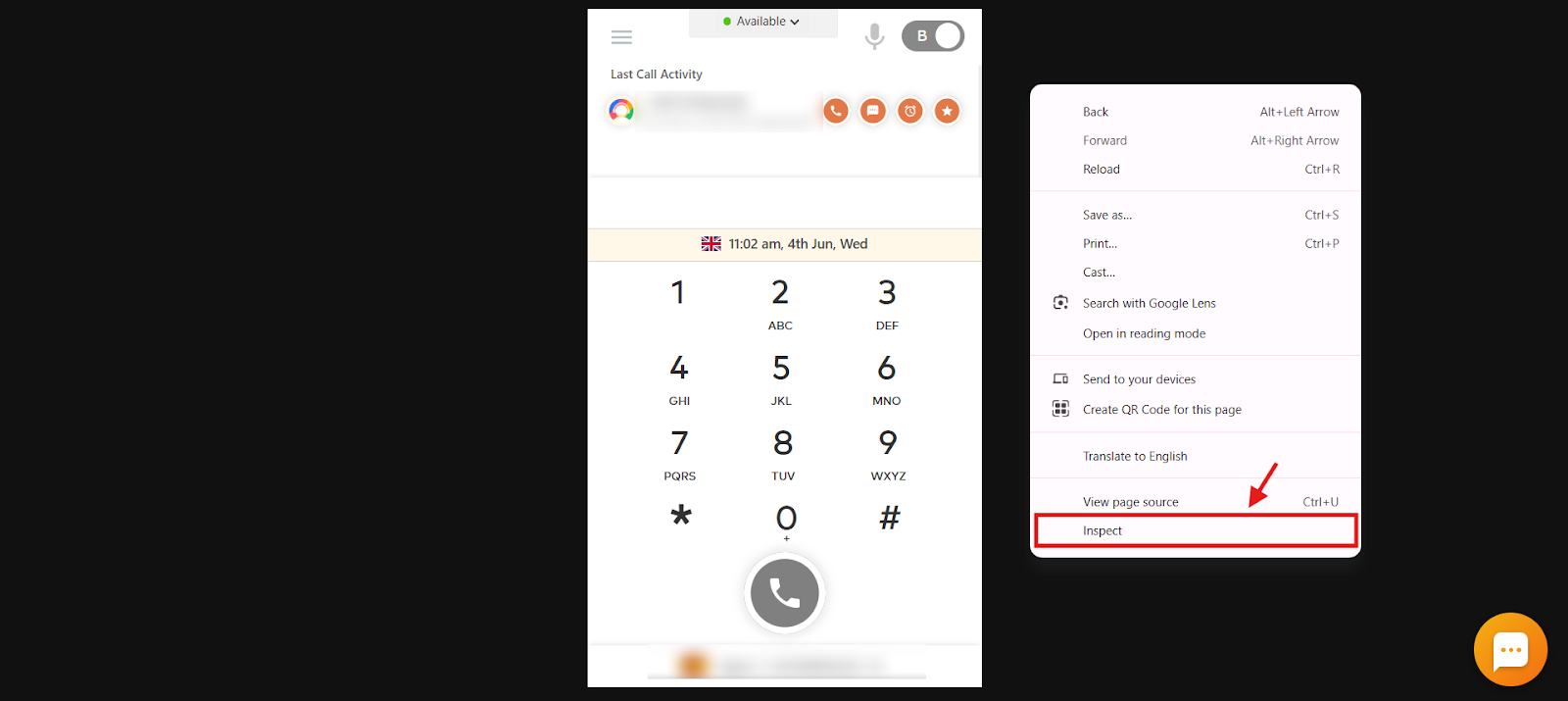
- In the panel that opens, click the Application tab.
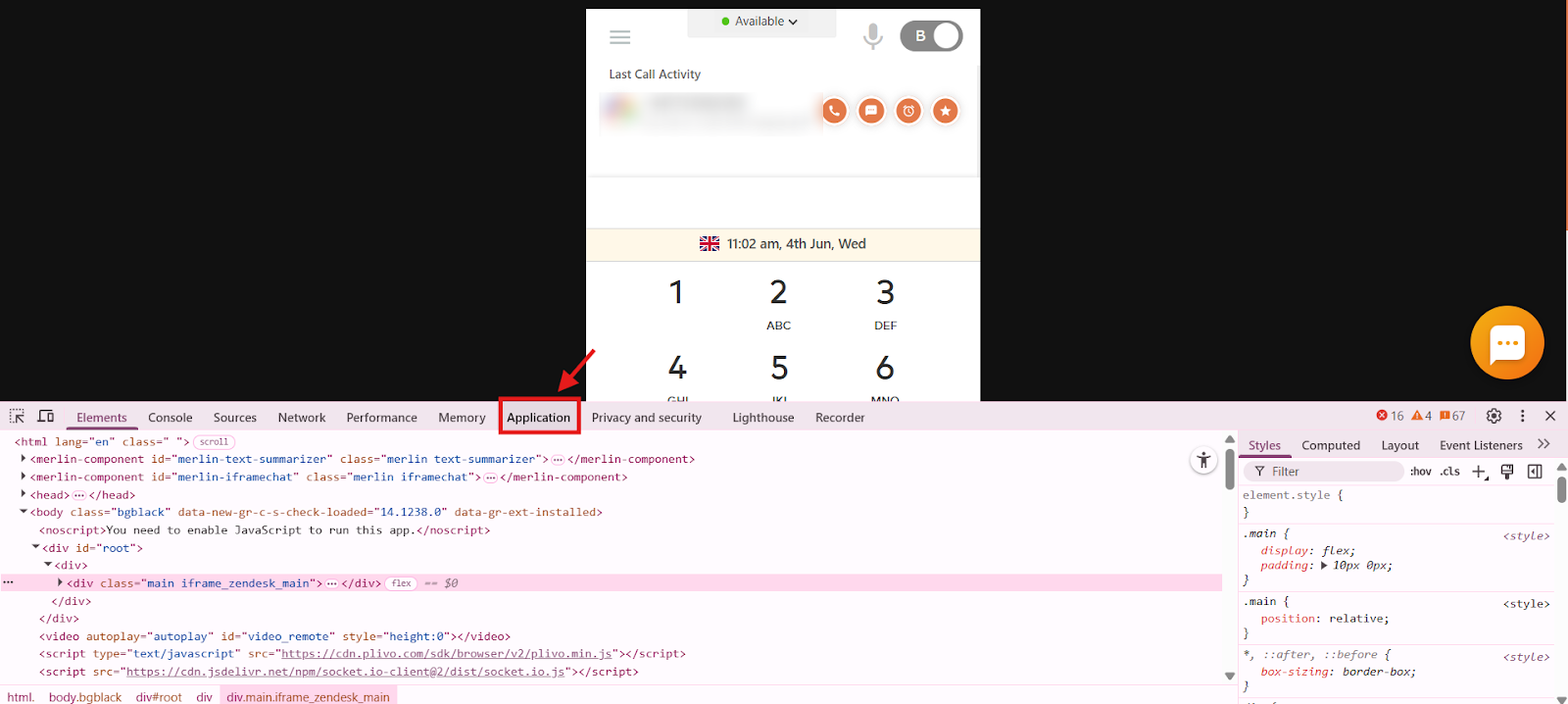
- Scroll down a little and click Clear site data.
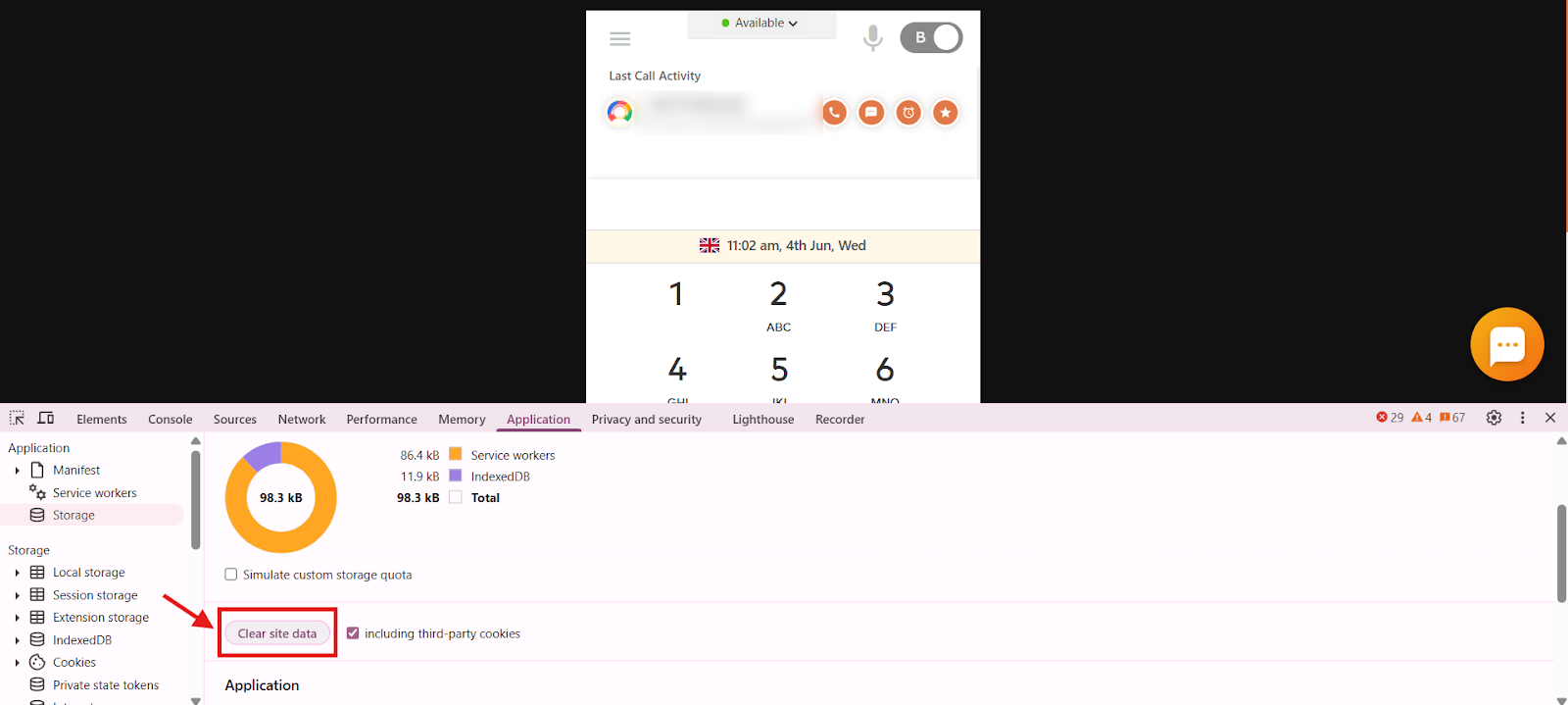
- Close the panel.
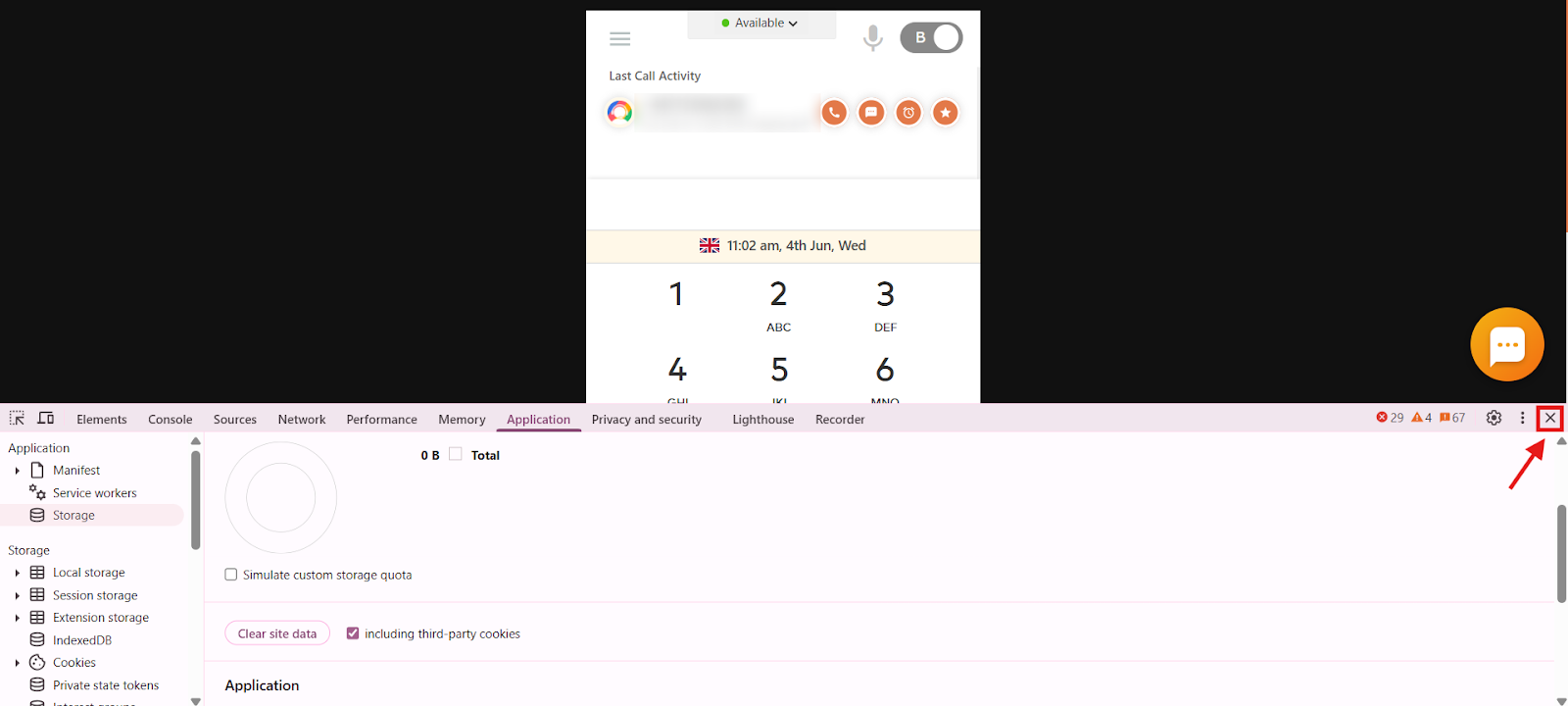
- Once done, log back in to your CallHippo Web Dialer to resume using the service.
What to expect
Clearing site data signs you out of the dialer and removes locally stored files, so you will need to log in again. Your account, numbers, and settings are stored on CallHippo’s servers and are not affected.
Still need help? Reach us at [email protected].