
CallHippo lets you decide whether you receive general communication by email, such as product updates, tips, promotional offers, and event news. You can enable the “Receive Updates” setting to stay informed, or turn it off at any time to keep your inbox lean.
About the Receive Updates setting
The Receive Updates option in your CallHippo account controls whether you get general (non-essential) communication from CallHippo. Turning it off only pauses marketing and informational emails, you will still receive essential service emails tied to your account.
When the setting is enabled, you will receive:
- Product updates
- Helpful tips
- Promotional offers
- Event-related emails
Enable or disable Receive Updates
To update this preference, follow the steps below:
- Log in to your CallHippo dashboard.
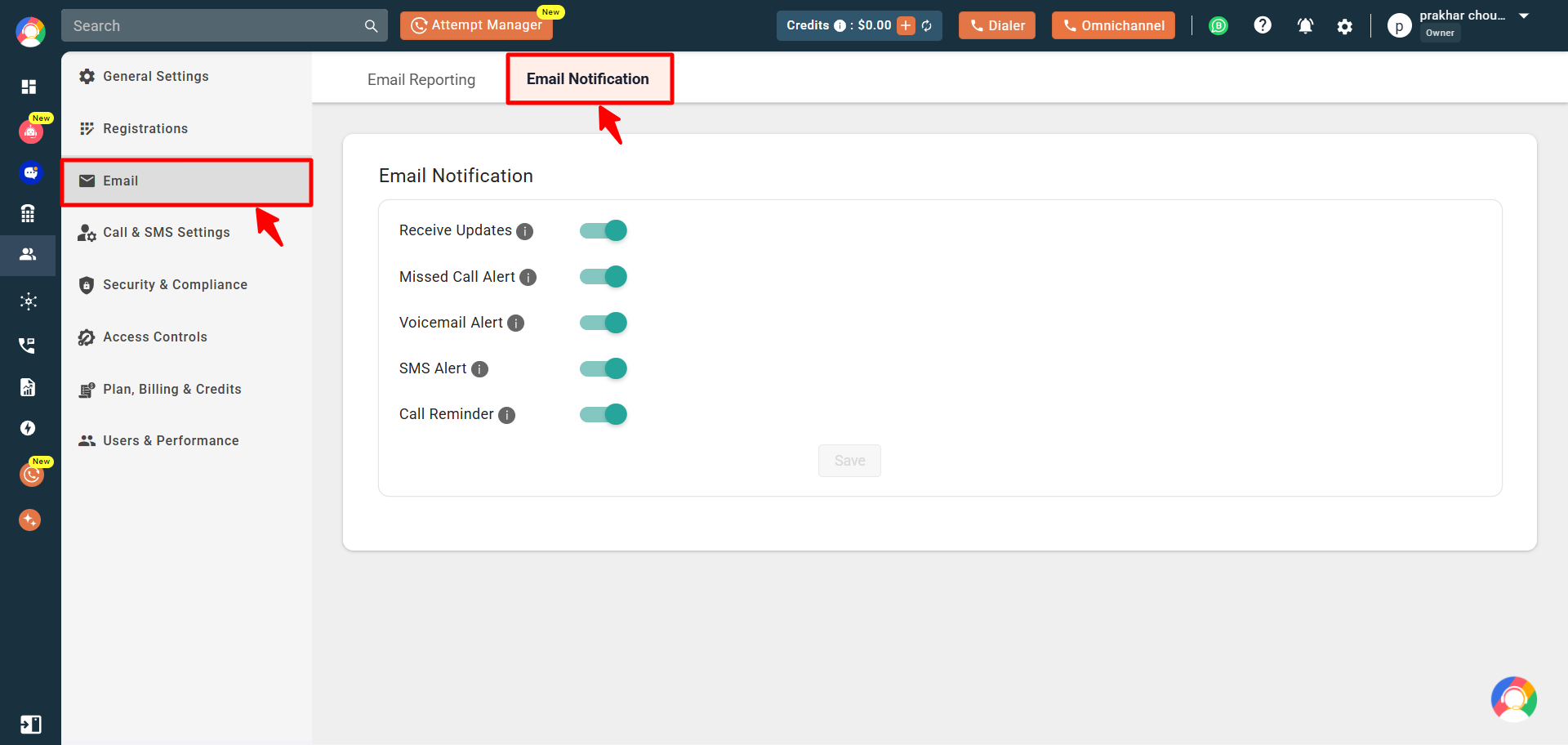
- Click the Settings (gear) icon in the top-right corner, open the Email section, and select the Email Notification tab.
- Toggle the Receive Updates option on or off, then click Save to apply your changes.
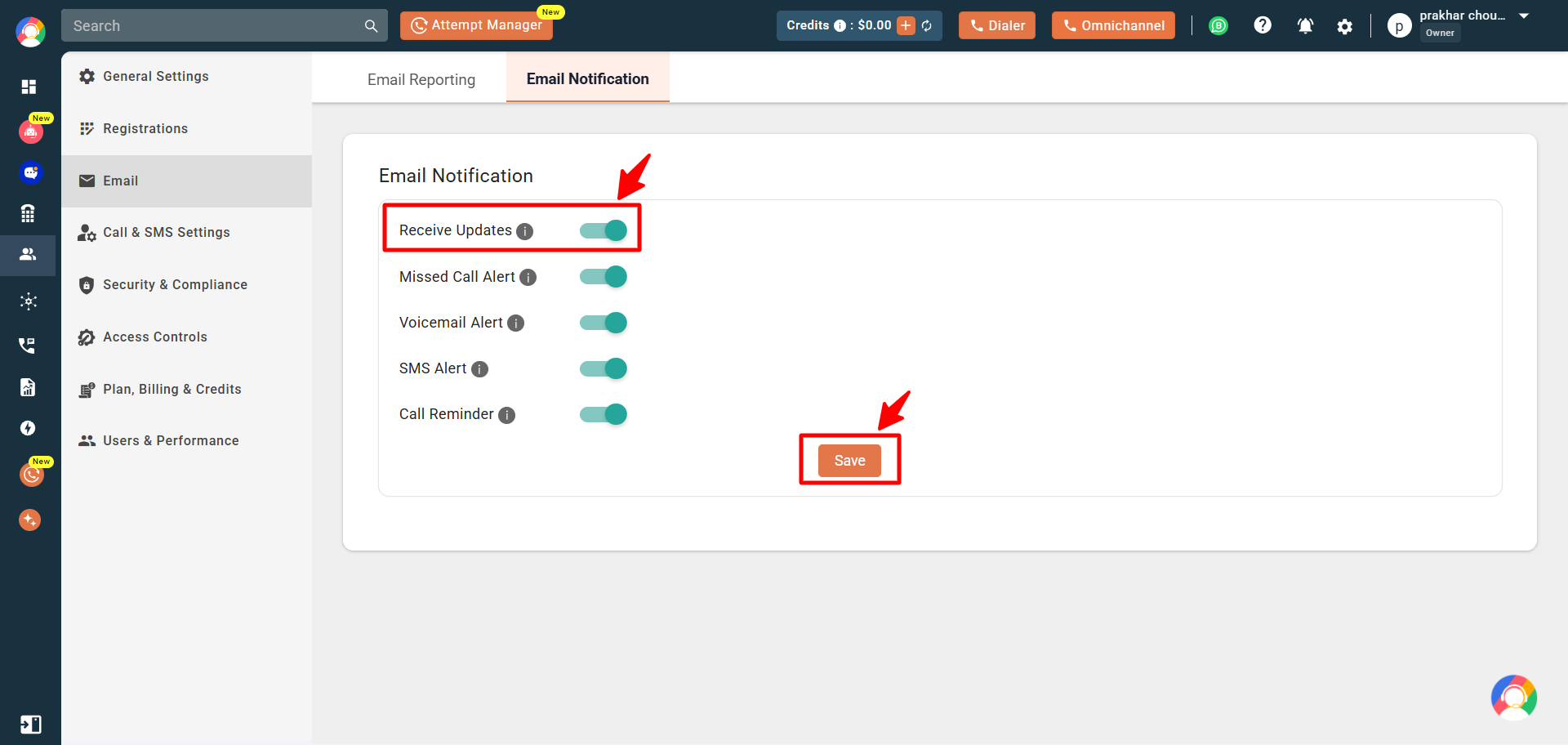
- You will see a “User updated successfully” confirmation on screen.
Frequently asked questions
What types of emails will I receive if I enable the “Receive Updates” option?
You’ll receive general communication such as product updates, helpful tips, promotional offers, and event-related information.
Will I stop receiving all emails from CallHippo if I disable this option?
No. You will still receive essential service emails. Only general marketing and informational emails are paused.
Can I receive only product update emails without promotions or tips?
No. The “Receive Updates” setting covers all general communication, there is no separate option to filter specific types of emails.
Still need help? Reach us at [email protected].