
CallHippo can email you whenever a call is missed, so you can follow up promptly even when you’re away from your device or busy on another call. Enable the Missed Call Alert setting to stay in the loop, or disable it any time from your account settings.
Why use Missed Call Alert notifications
- Respond quickly – be notified instantly when you miss a call so you can act promptly.
- Improve customer service – ensure no customer or lead inquiry goes unanswered.
- Track calls better – stay aware of incoming communication, even when you’re not online.
Note: The missed call alert tells you that a call was missed, but it does not include the number the call originated from.
Enable or disable Missed Call Alert
To update this preference, follow the steps below:
- Log in to your CallHippo dashboard.
- Click the Settings (gear) icon in the top-right corner, open the Email section, and select the Email Notification tab.
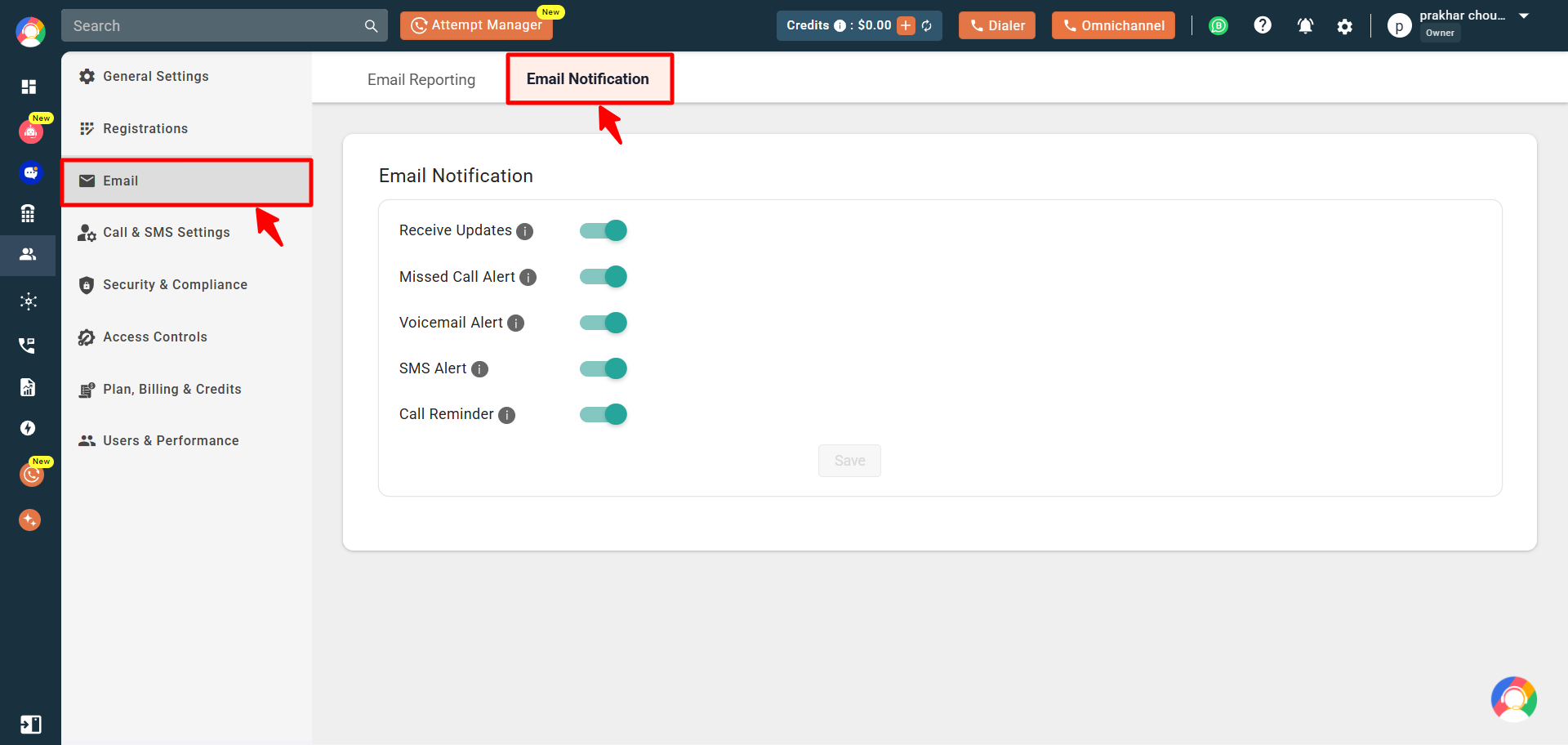
- Toggle the Missed Call Alert option on or off, then click Save to apply your changes.
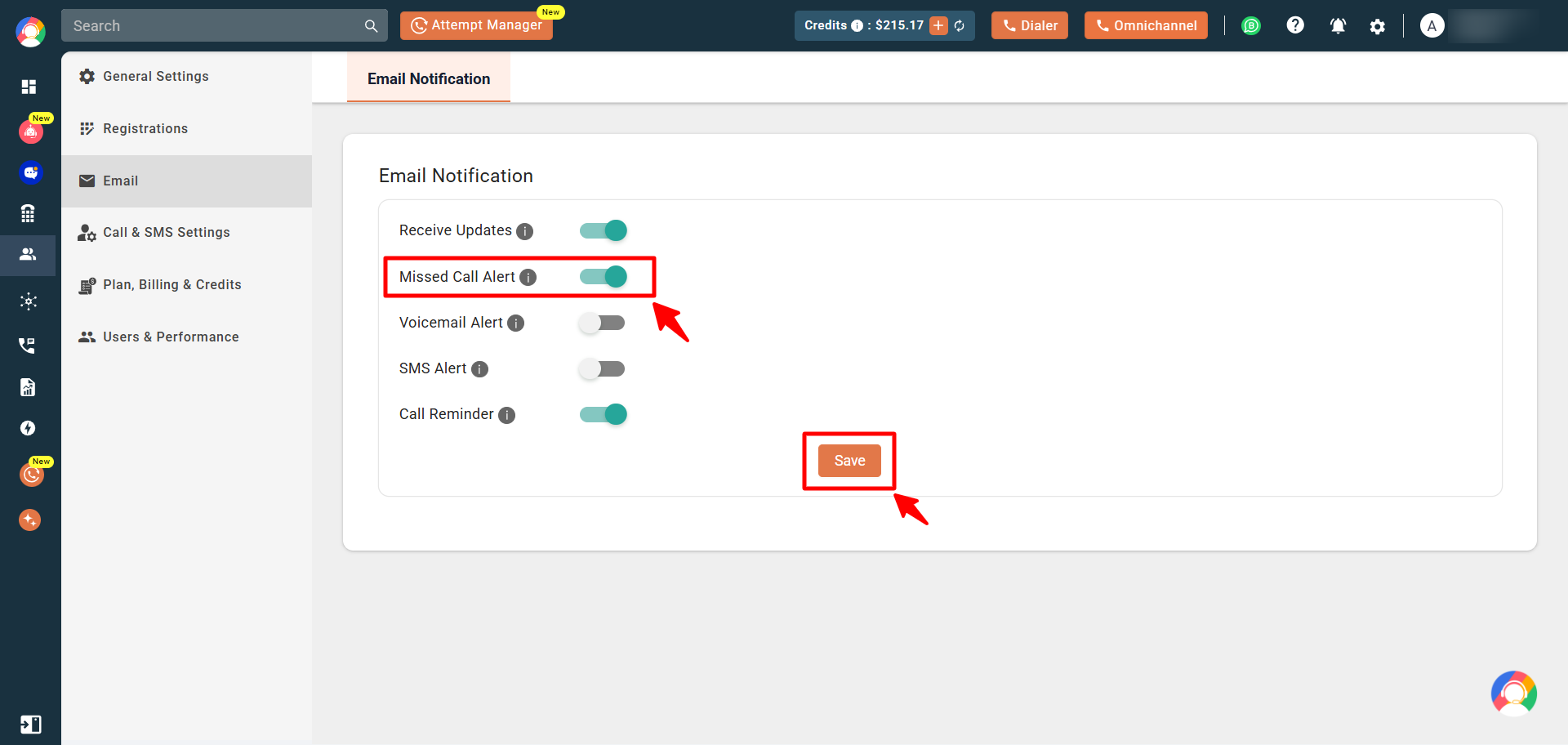
- You will see a “User updated successfully” confirmation on screen.
Frequently asked questions
Why am I not getting missed call notifications?
Check that the number where the missed call occurred is assigned to your account, then make sure the Missed Call Alert setting is enabled in your profile.
I received an alert but there is no recent missed call in my logs. Why?
The email may relate to an earlier missed call that was delayed by an email server issue. If no matching missed call appears in your logs, you can ignore it.
If a number is assigned to multiple users, will all of them get the alert?
Yes, as long as the Missed Call Alert setting is enabled for each of those users.
Can I enable or disable this setting for another user?
No. Each user must log in to their own dashboard to update their Missed Call Alert setting.
Still need help? Reach us at [email protected].