
Admins can update a sub-user’s name in CallHippo in just a few clicks, whether to reflect a legal name change, fix a typo, or match your company’s naming conventions.
Steps to Edit a Sub-User’s Name
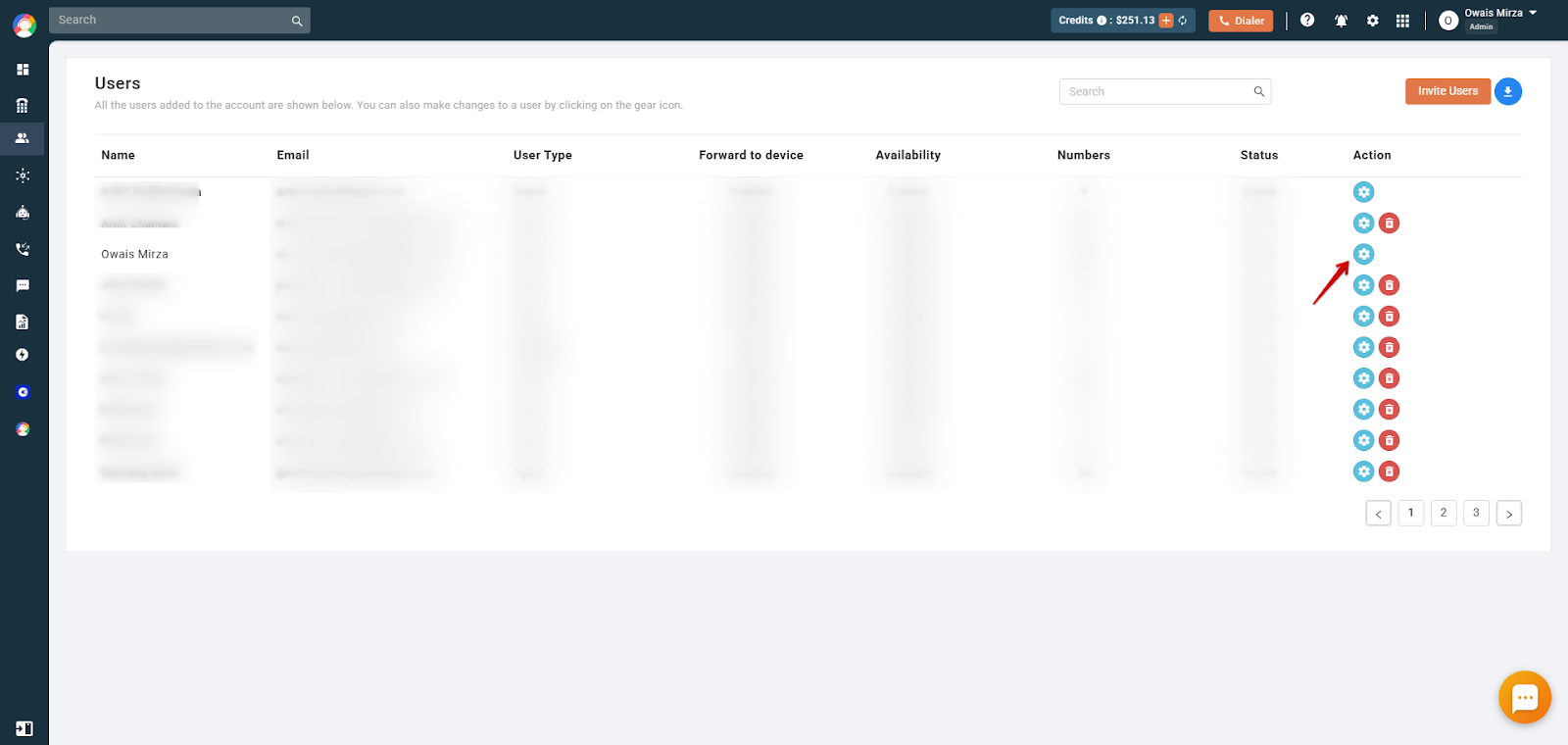
- Log in to your account on the CallHippo web dashboard, then open Users & Performance from the left-hand menu and click the settings (gear) icon of the user whose name you want to change.
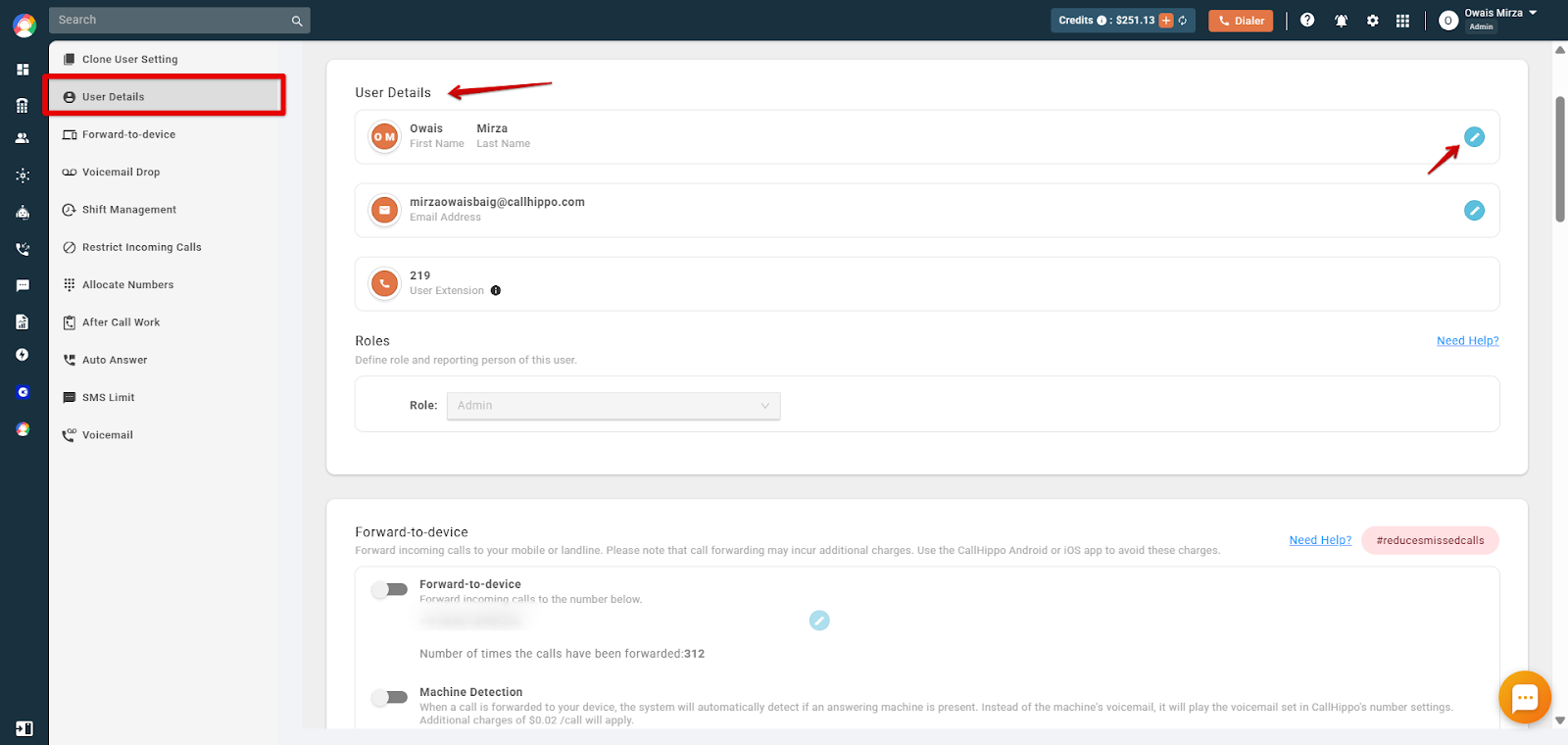
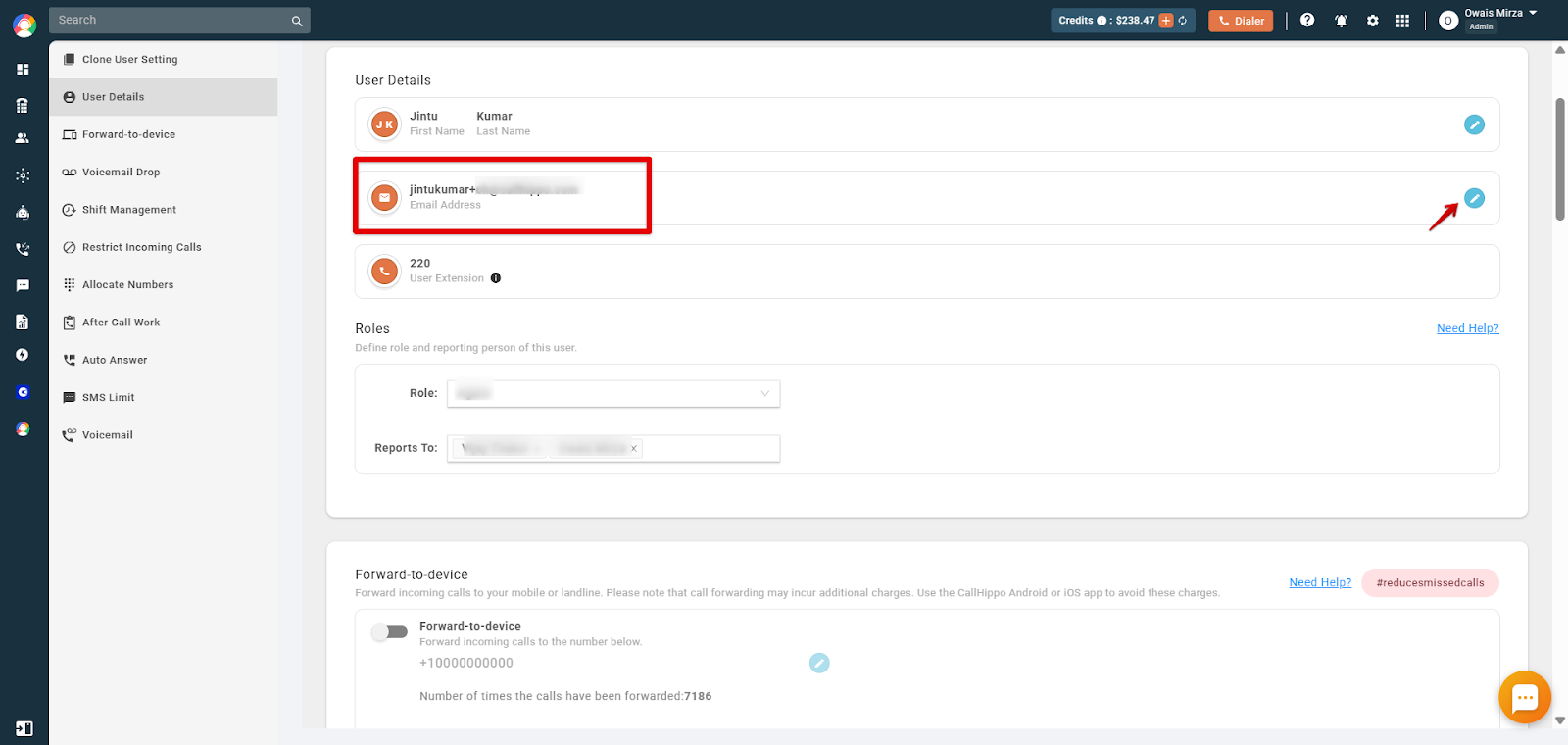
- Open User Details and, in the “First and Last Name” field, click the Edit button next to the current name.
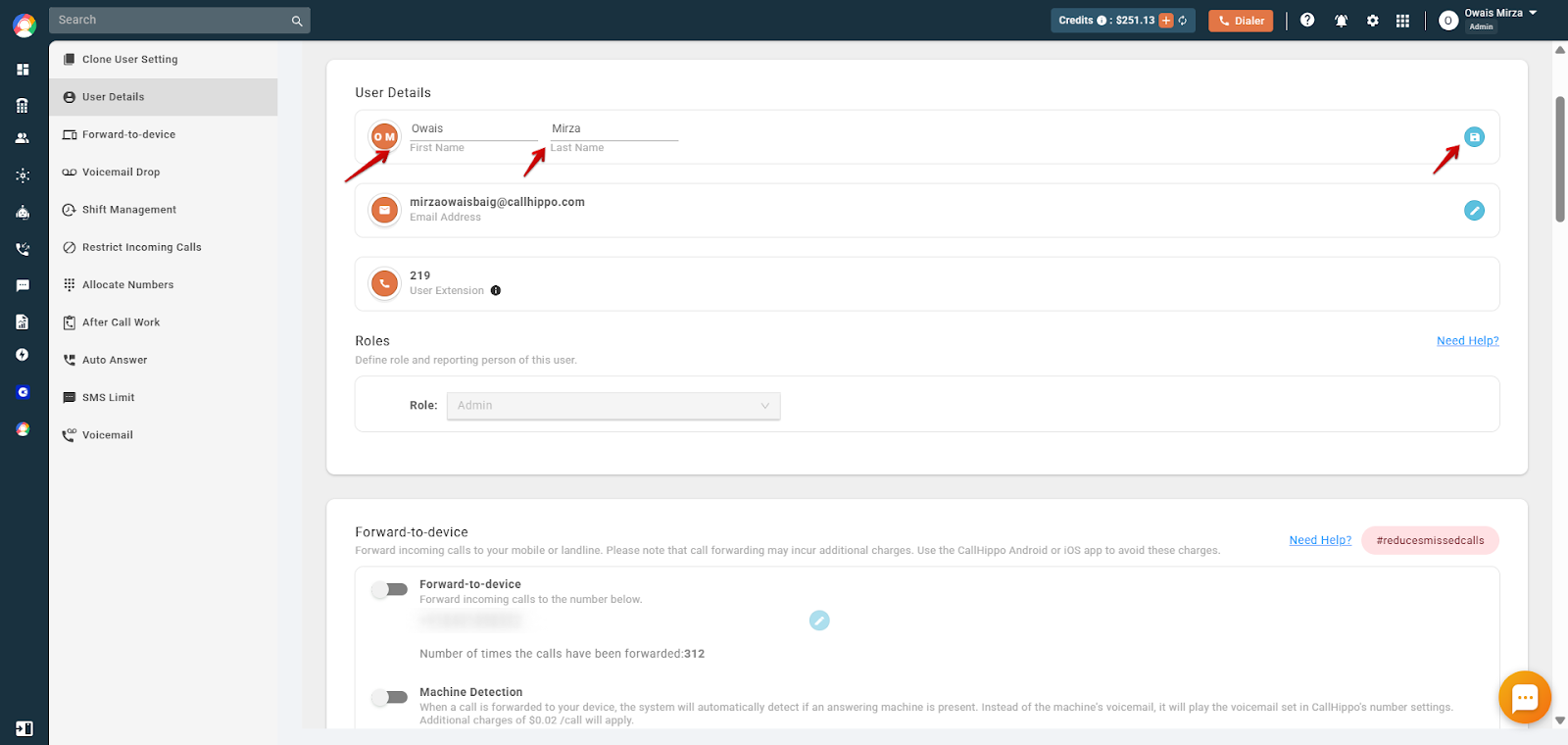
- Enter the new name in the First Name and Last Name fields. Make sure it contains no numeric values, then click Save.
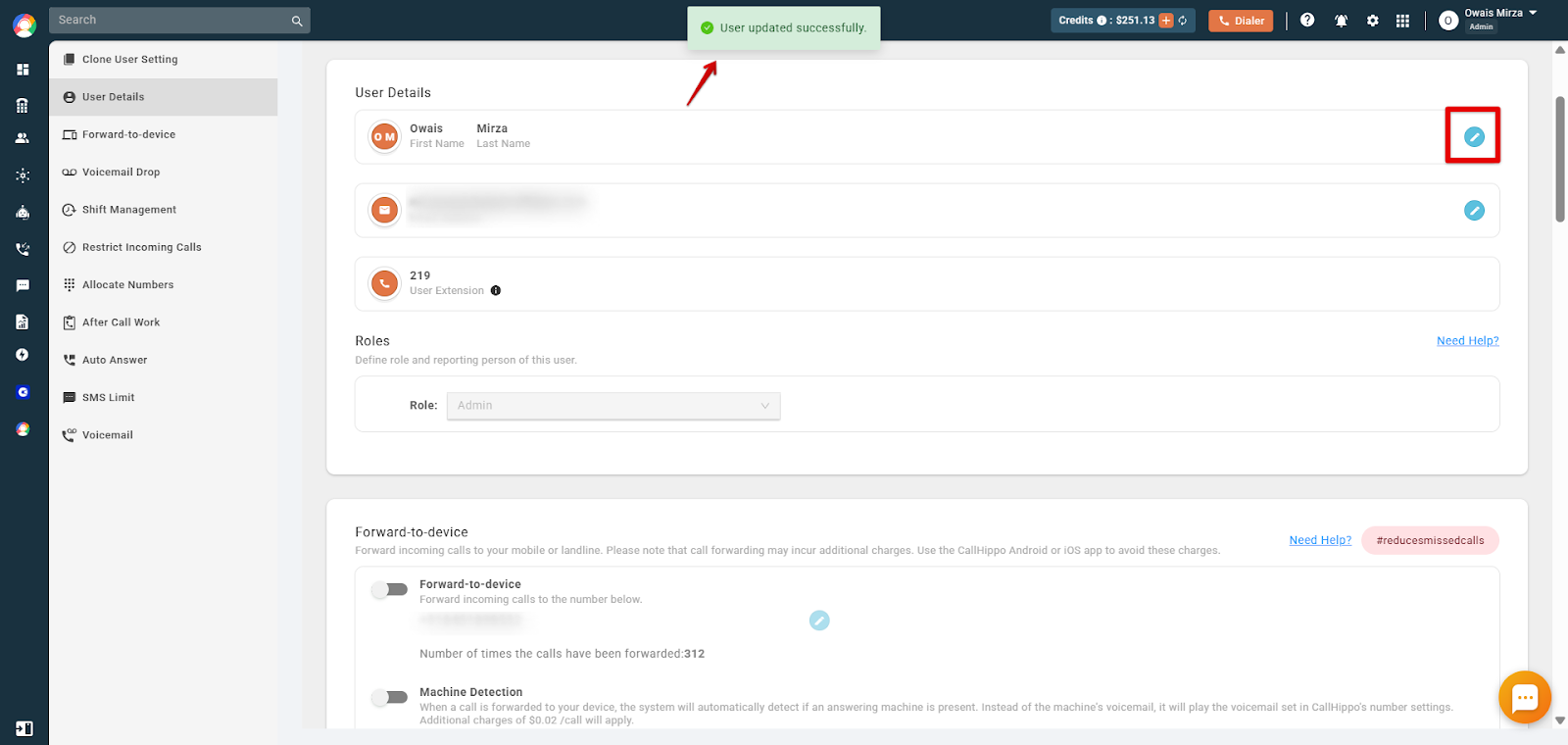
- Confirm the change. You will see a message confirming that the user has been updated successfully.
Editing Other User Details
As an admin you can also update other details from the same User Details page:
- Email address: Click the edit button next to the email field to change or add a new email ID for the user.
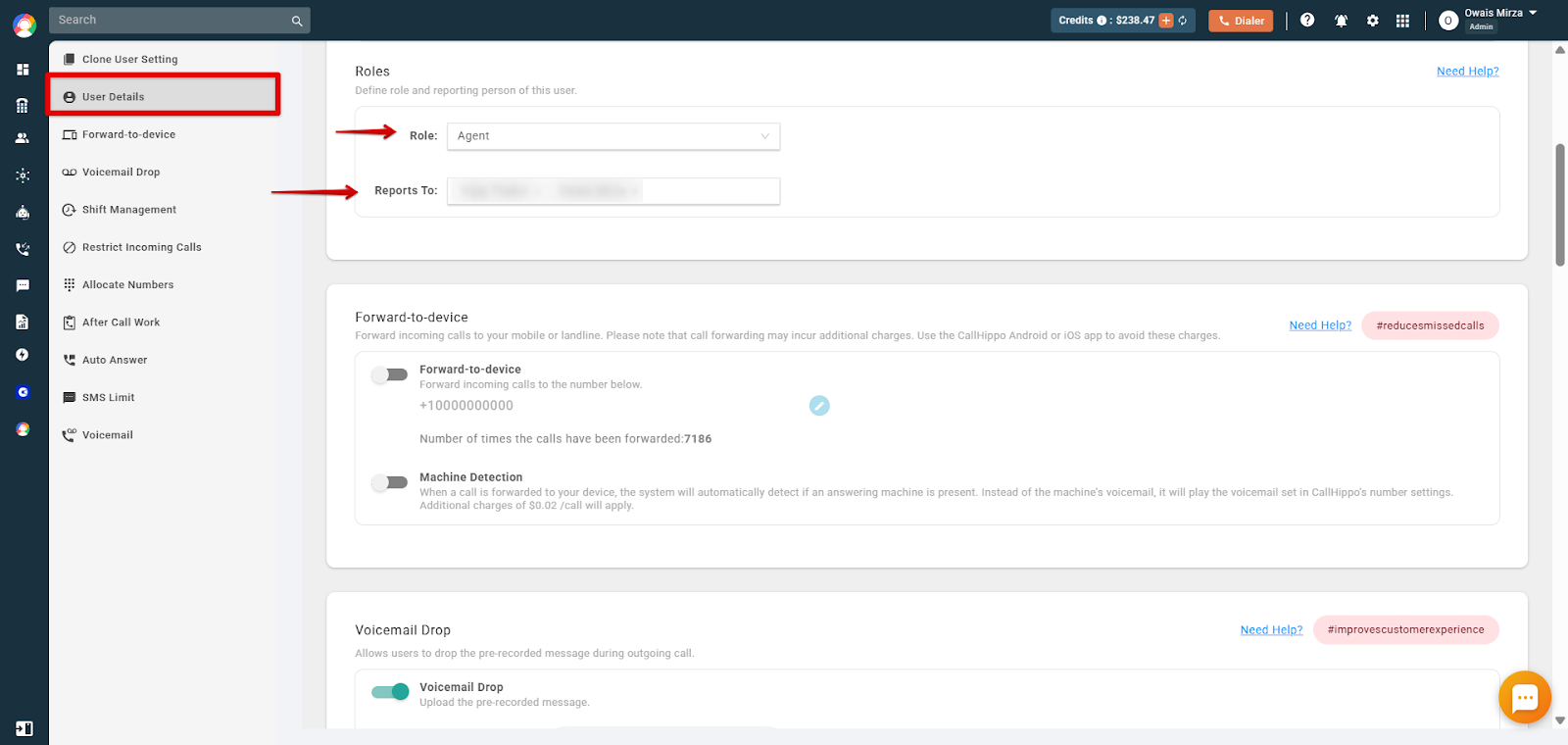
- Role and reporting: Set the user’s role and choose who they report to under the Roles section, as per your needs.
If the option to change a username is not available or you hit any issue, write to us at [email protected].
Frequently Asked Questions
Why can’t I change a user’s name in CallHippo?
There may be restrictions based on user roles or permissions. Make sure you have the necessary administrative rights to make the change.
Will changing a username affect call logs or data associated with the user?
No. Changing a username typically does not affect historical data.
Is there a limit to how often I can change a username?
No, there is no limit to how often you can change a username.
Can I revert to a previous username after making a change?
Yes, reverting to a previous username may be possible by editing the name again.
Are there any formatting requirements for usernames in CallHippo?
Yes. The field should contain text only, numeric values are not allowed, and the name should be at least 3 characters long.