
Reports Download Rights let the account Owner decide exactly which users are allowed to download call reports from the CallHippo dashboard, keeping sensitive call data in the right hands.
By default, everyone in your account can download call reports. Once this feature is enabled, only the users you select keep that ability, while everyone else loses it. This makes it easy to reserve reporting access for Admins, Managers, or specific agents who need it for performance tracking.
How to Enable and Assign Reports Download Rights
- Log in to your CallHippo dashboard.
- Open Settings using the gear icon at the top of the dashboard.
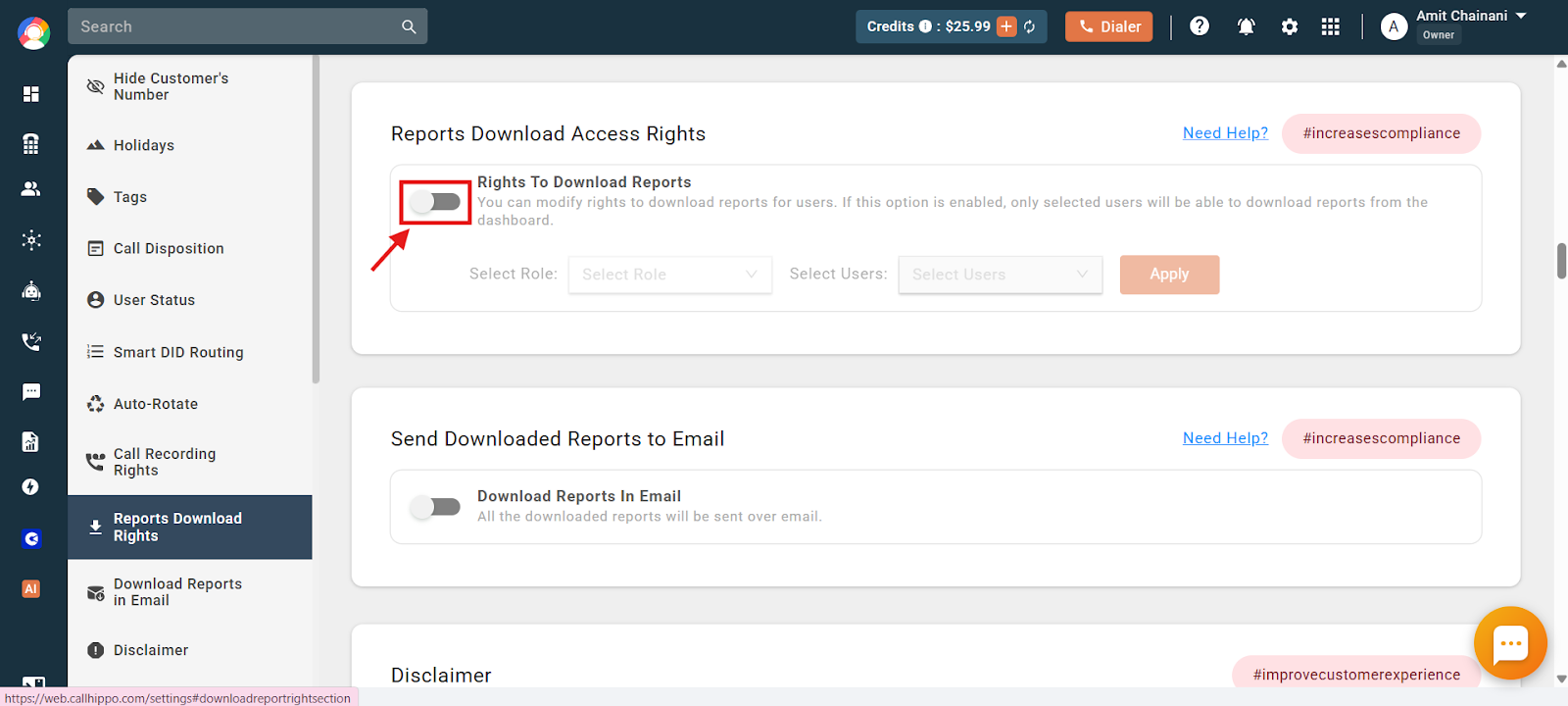
- Go to Access Controls, select the Agent Access Control tab at the top, and scroll to the Reports Download Access Rights section.
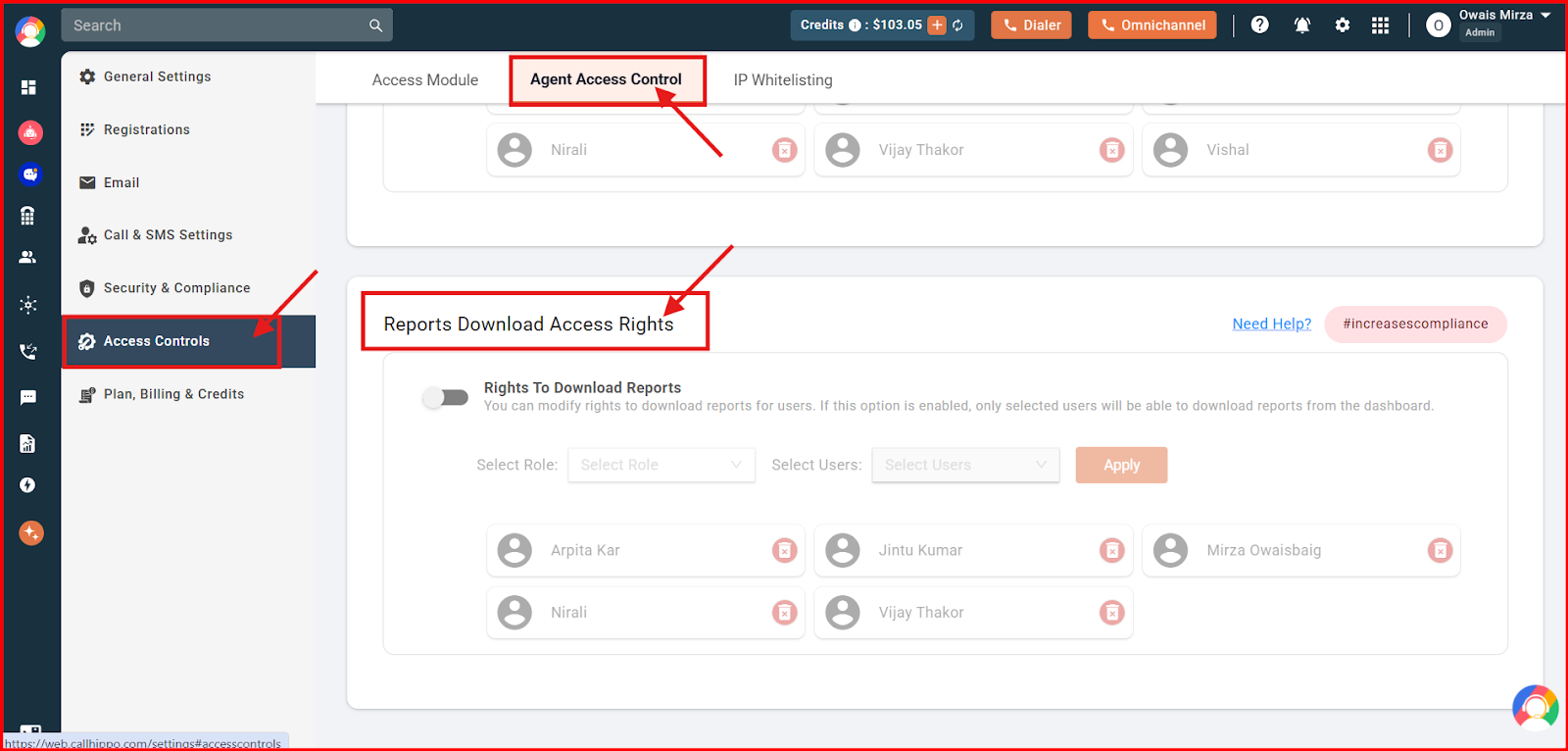
- Turn on the toggle for “Rights To Download Reports” to activate the feature.
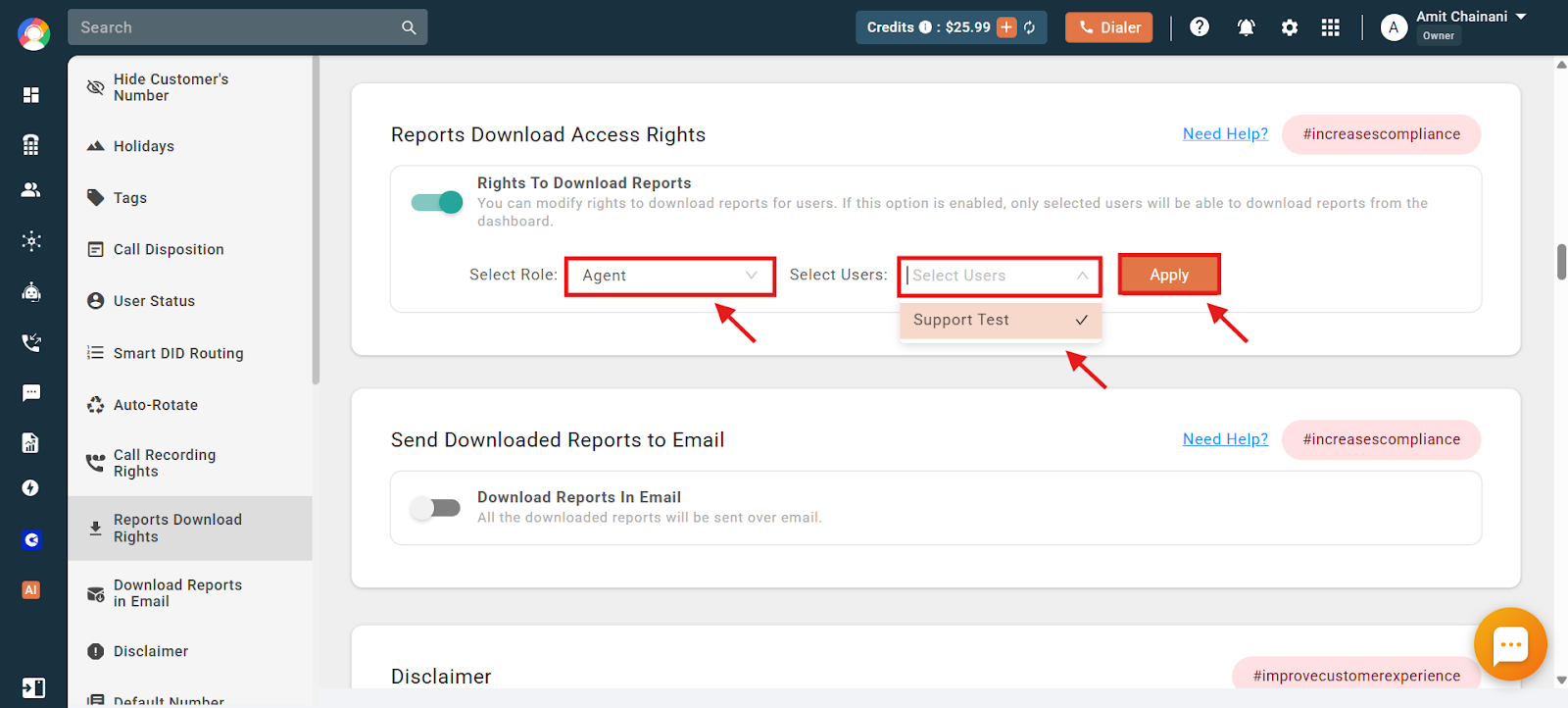
- Select the role and user you want to grant access to, then click Apply to confirm.
- Look for the green confirmation message that appears once the change is saved.
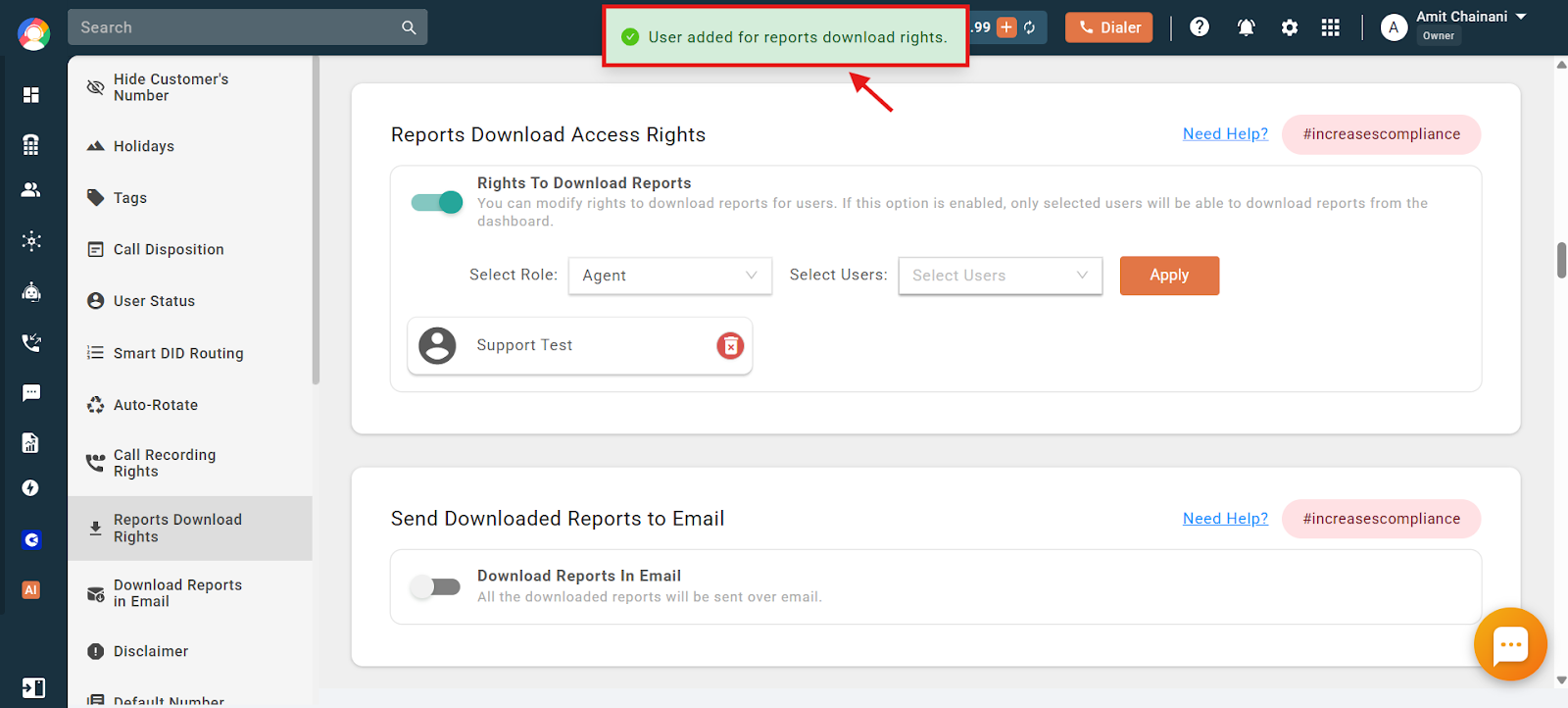
From this point, only the users listed under the toggle can download call reports. Anyone not on the list will no longer have that option.
Key Points to Remember
- Default access: Before the feature is switched on, all users can download call reports.
- Restricted access: Once enabled, only the selected users can download reports.
- Per-user, not per-team: Rights are assigned to individual users across any role. They cannot be assigned to an entire team.
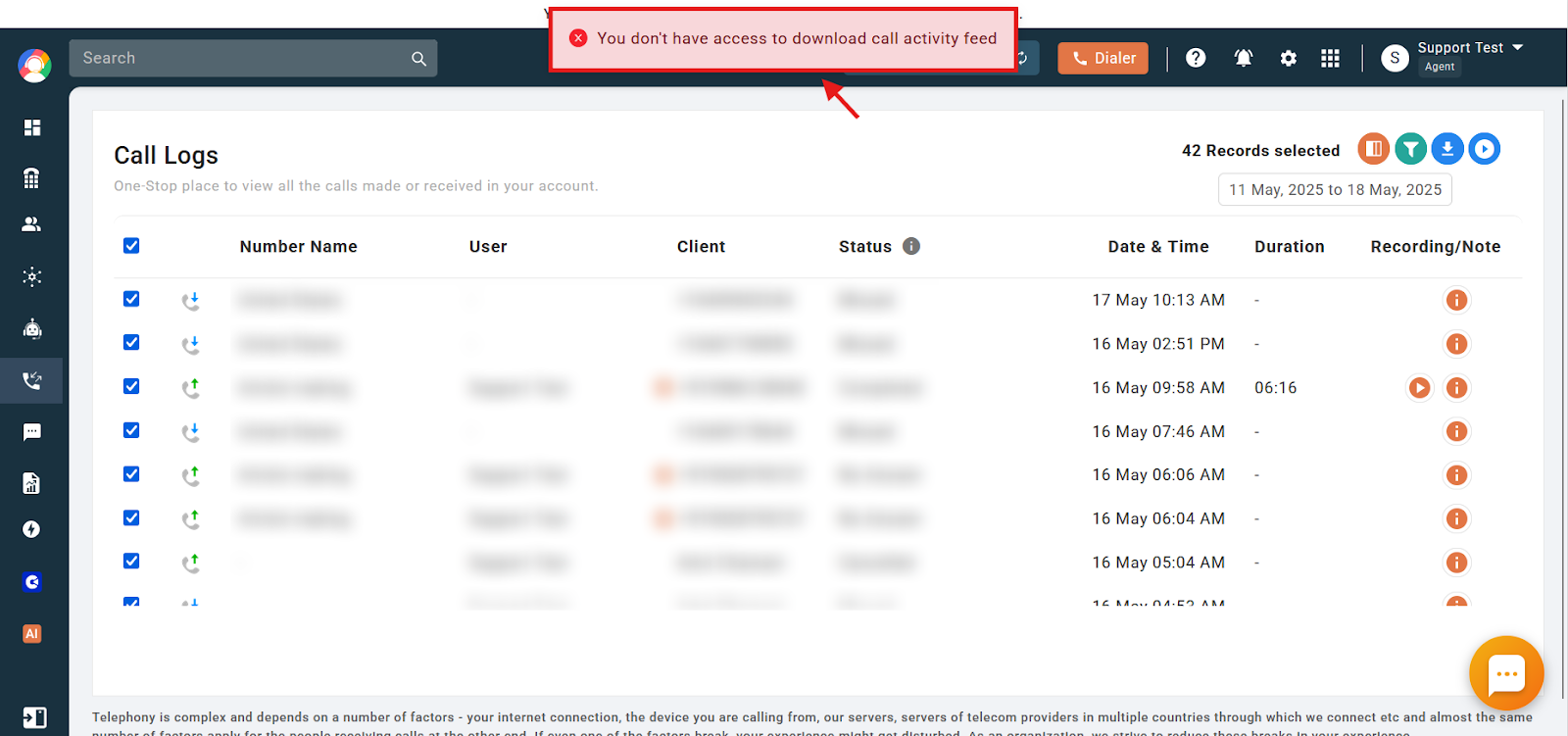
- What unlisted users see: A user without rights who tries to download reports gets the error “You don’t have access to download the activity feed.”
Frequently Asked Questions
What are Reports Download Rights in CallHippo?
They let the account Owner control which users can download call reports from the dashboard, helping protect sensitive call data.
I’m an Admin, but I can’t see the download button in the reports section. Why?
The feature is likely enabled and your access has not been granted. Ask the account Owner to add you to the list of allowed users.
Why do I get an error saying “You don’t have access to download the activity feed”?
This appears when the feature is on and you are not among the users allowed to download reports.
Can I give download rights to an entire team instead of individual users?
No. Rights can only be assigned to individual users, not to teams.
What happens if the feature is turned off?
If it is disabled, all users in the account automatically regain access to download call reports.
Can users with different roles, like Agents or Managers, be granted rights?
Yes. The Owner can assign download rights to individual users across any role.
I accidentally gave the wrong user access. How do I fix it?
Return to the Reports Download Rights section, remove the user from the list, and click Apply to save.
Will users be notified when their download rights change?
No. Users are not notified when access is granted or removed.