
Deleting a user in CallHippo removes them from your account in just a few clicks, while keeping all their historical data safely stored.
Steps to Delete a User
- Log in to your CallHippo dashboard.
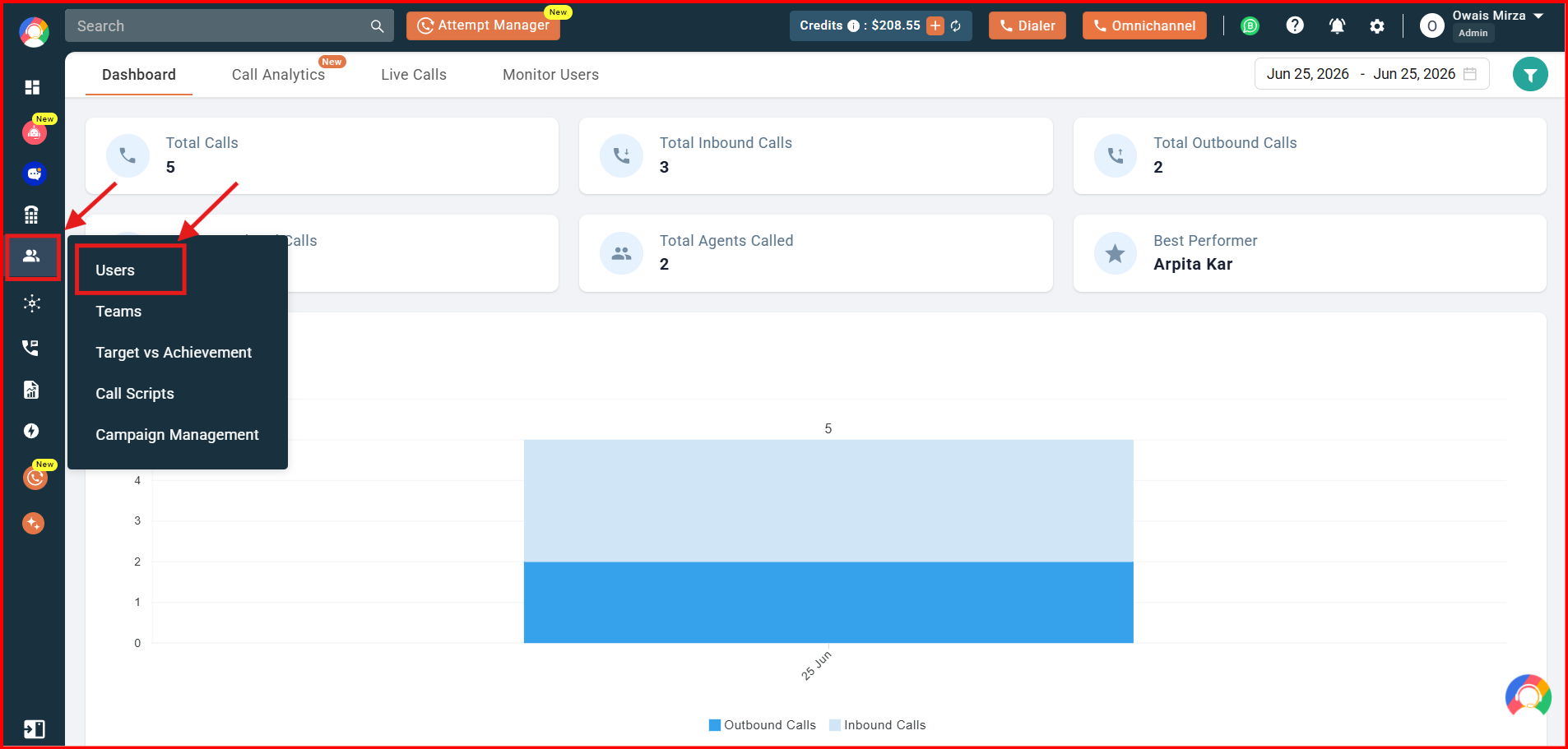
- Open Users: Navigate to the “Users & Performance” section on the left of the screen and click “Users”.
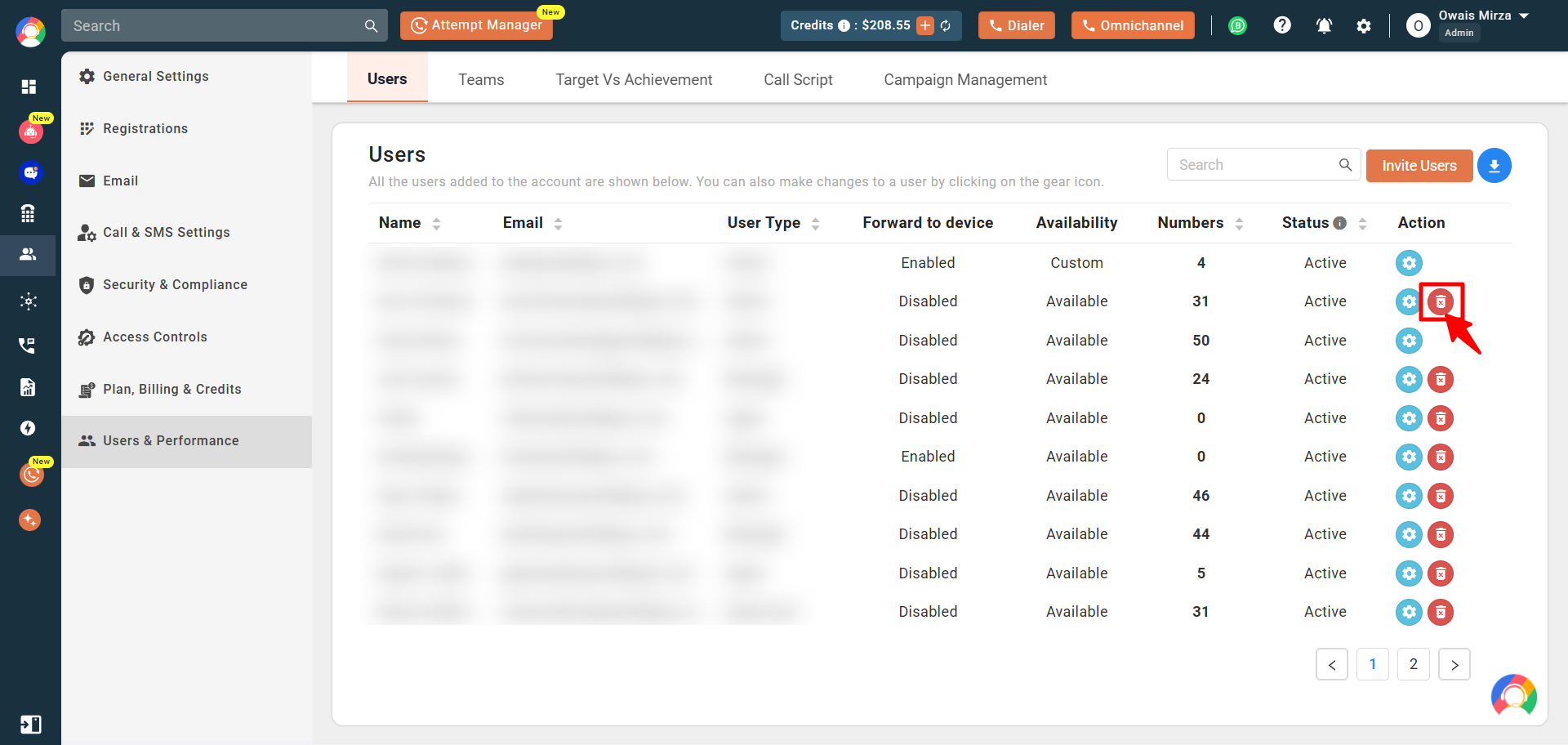
- Delete the user: On the list of active users, click the red delete-user button in the Action column for the user you want to remove.
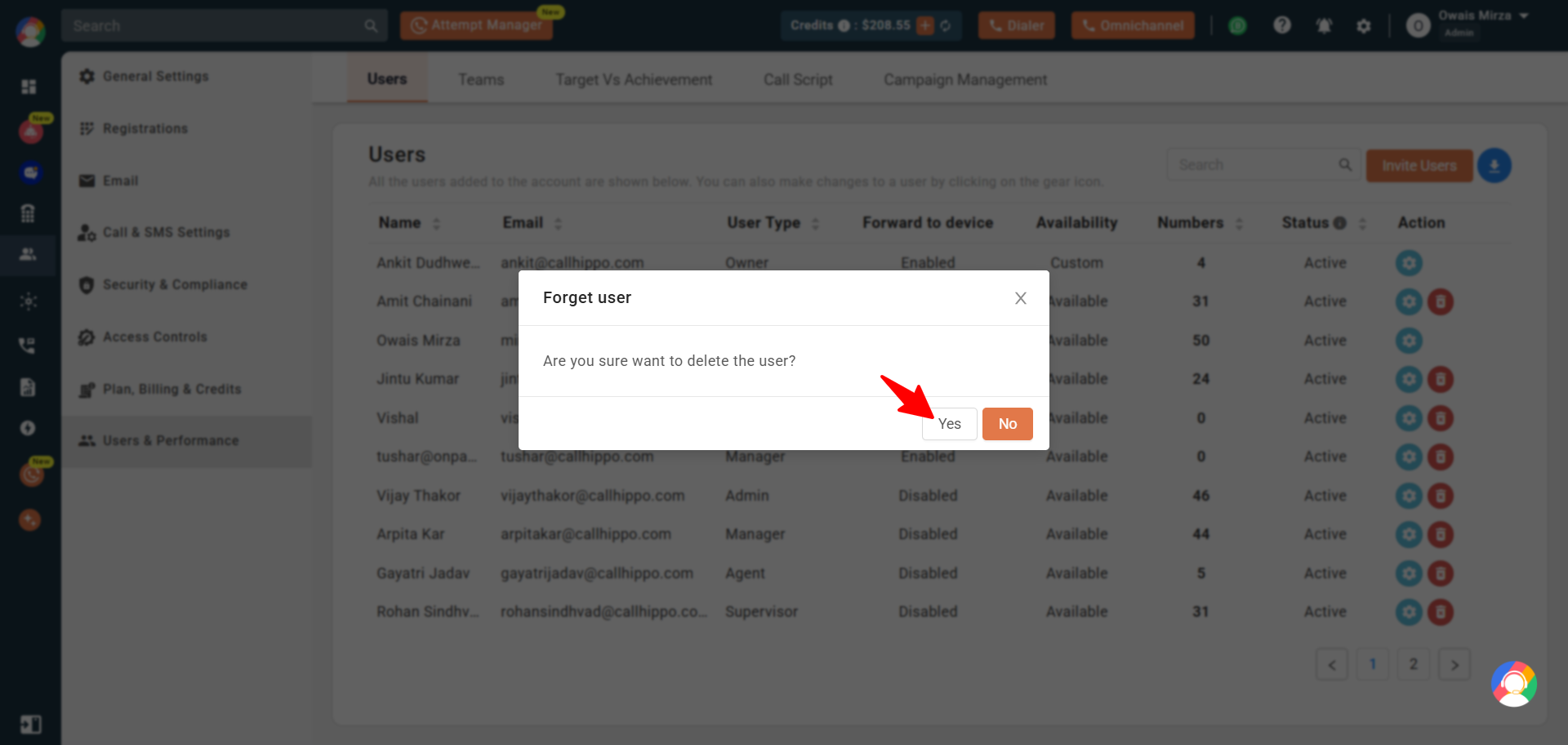
- Confirm: Click “Yes” to confirm the deletion. The user is now removed from your account.
How to Reduce the Number of Seats
- Log in to your CallHippo dashboard.
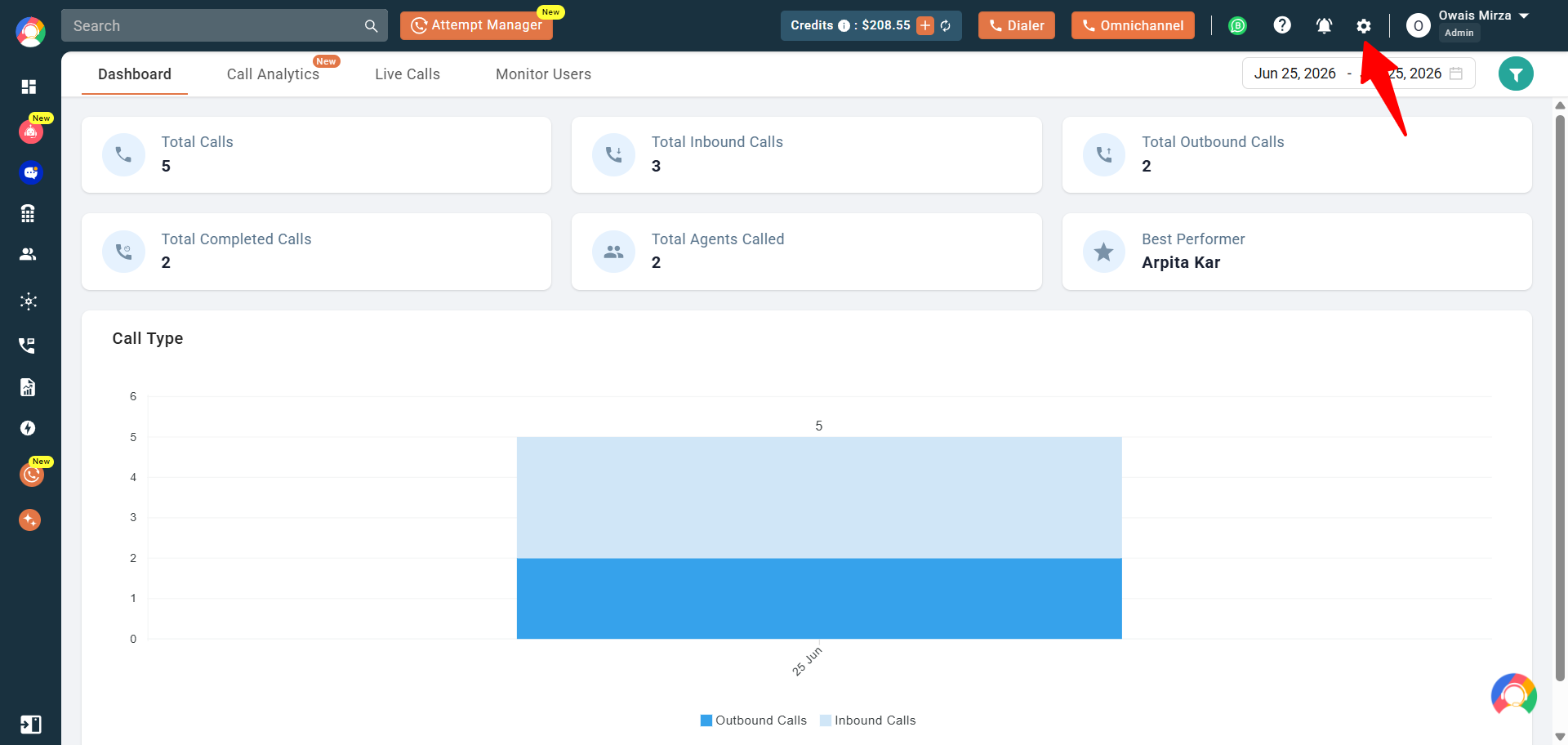
- Open settings: Click the settings (gear) icon in the top-right corner.
- Go to Plan: Click “Plan, Billing & Credits” and select the “Plan” tab. Scroll down to the “Total Seats” option.
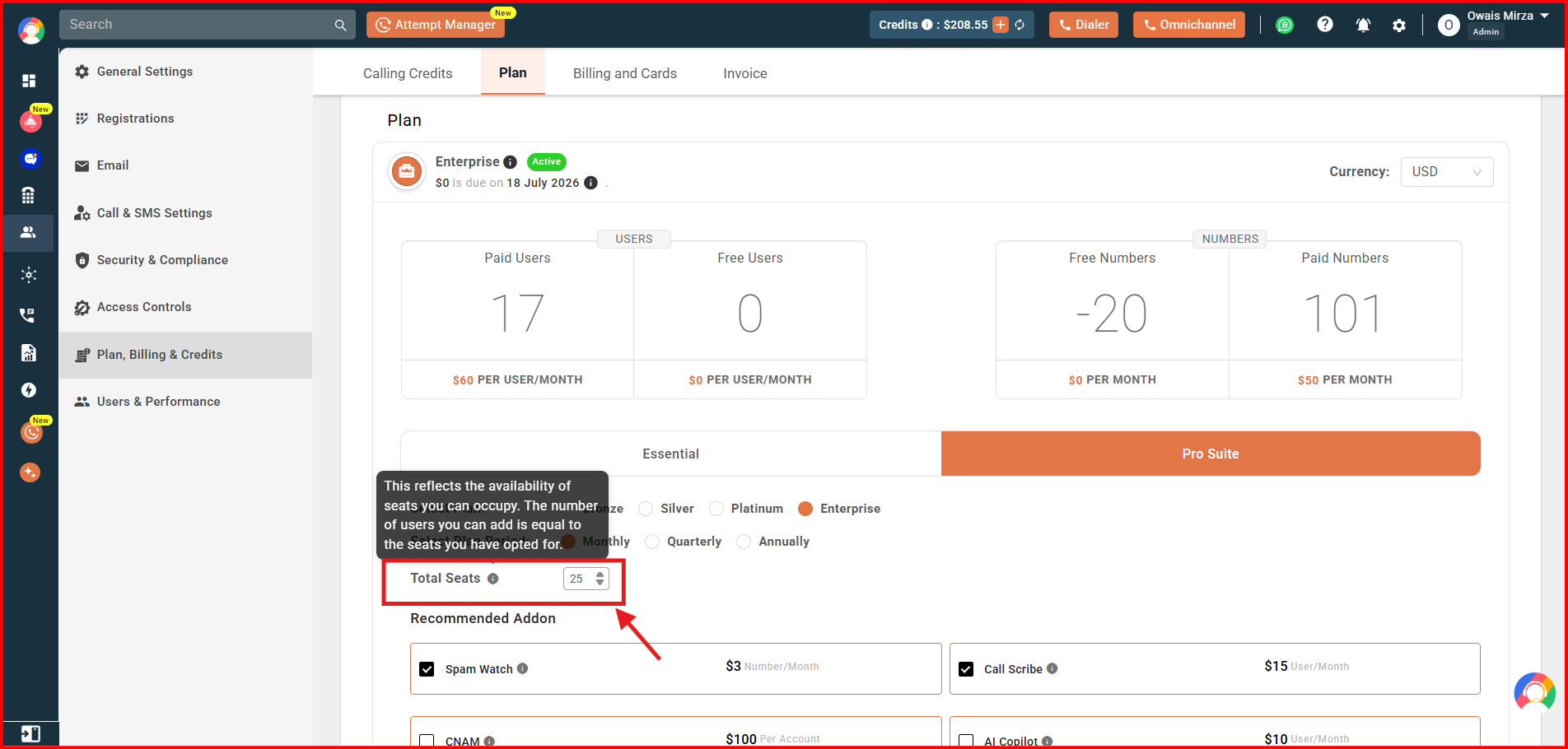
- Adjust seats: Use the arrow keys or type in the number of seats you want. Once the count changes, the “Change Plan” button turns red and becomes active. Click it to proceed.
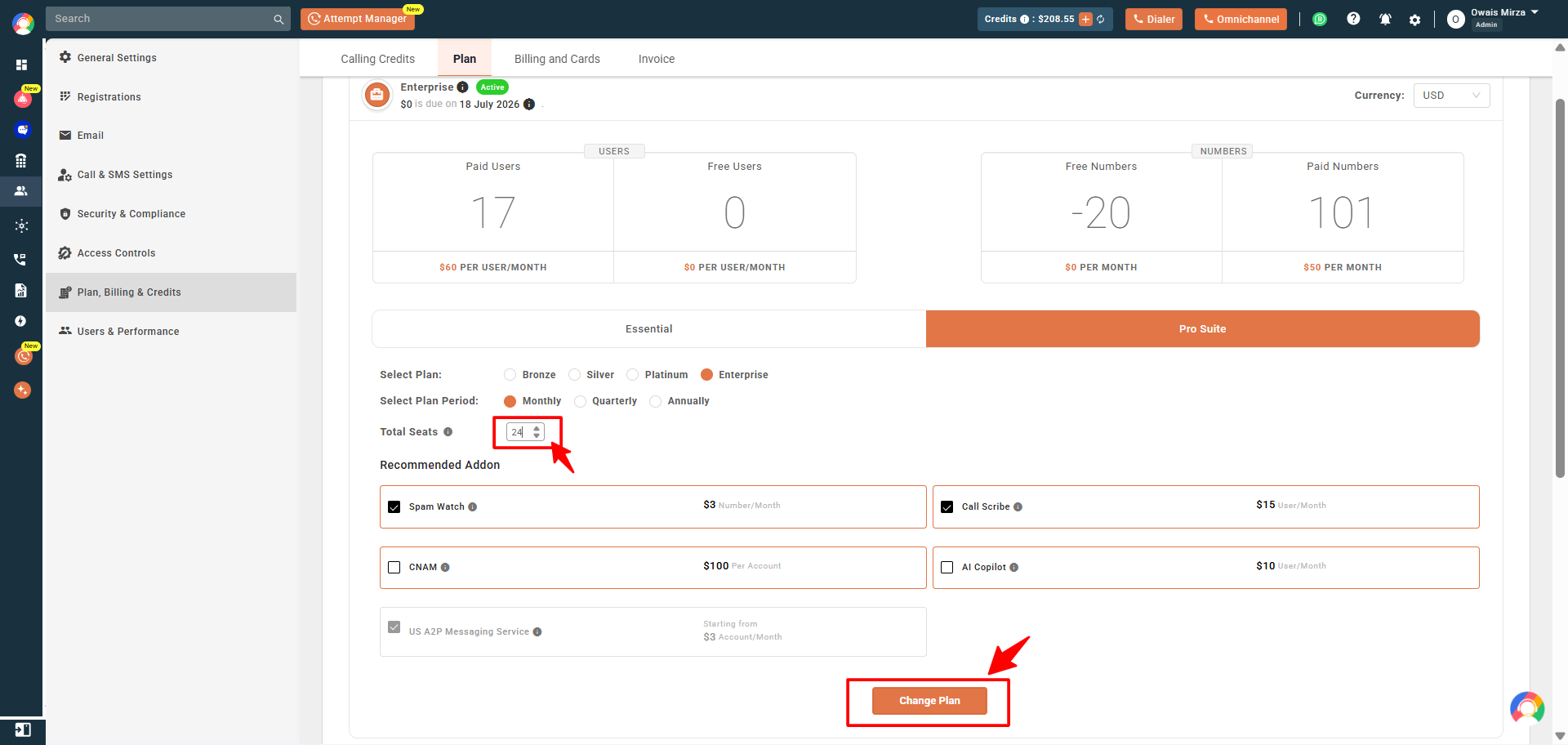
- Confirm the change: A dialog appears showing the change in pricing. Click “Upgrade” to finalize.
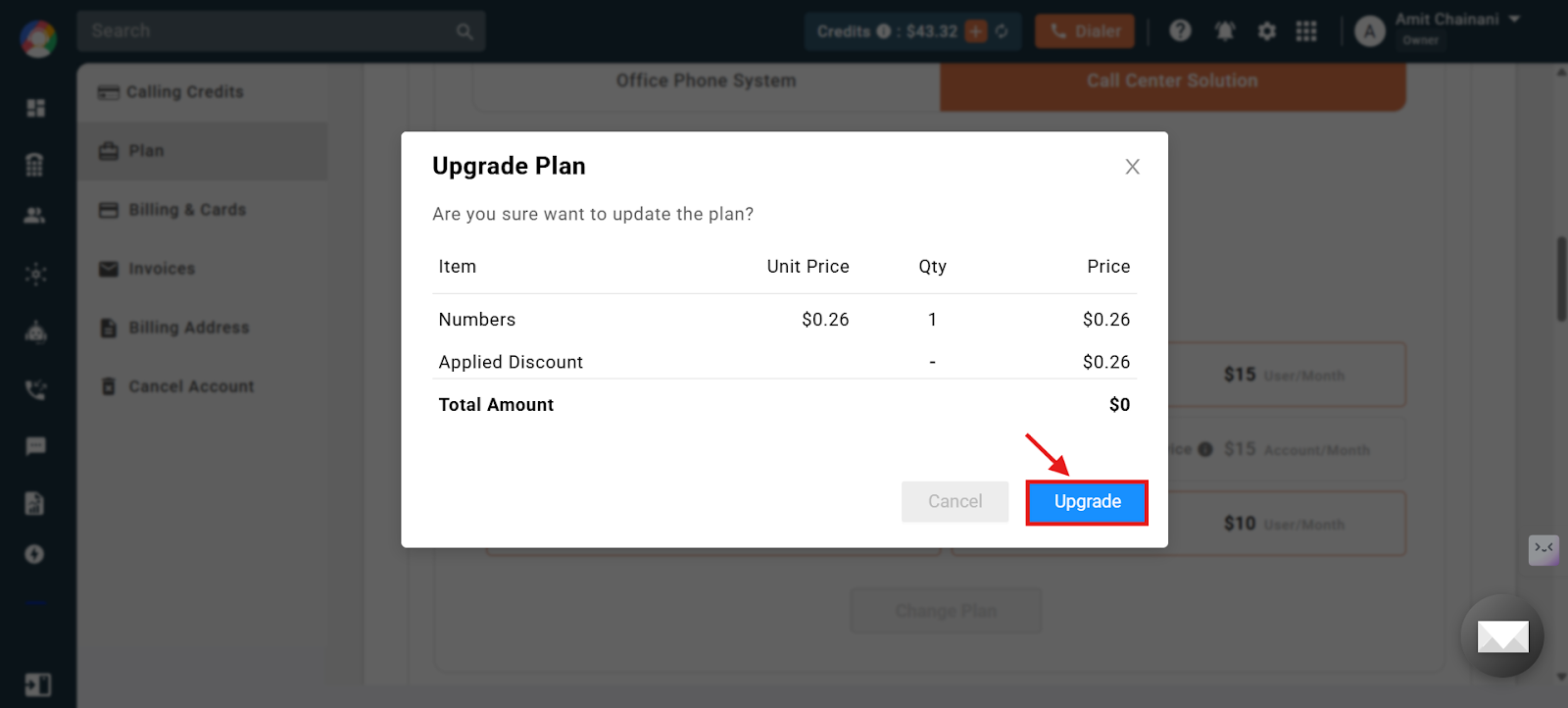
Your seat count is now updated, and you will not be charged for the empty seat from the next billing cycle.
Frequently Asked Questions
Will I lose the data of the deleted user?
No. Deleting a user does not cause any data loss. All historical data, including call logs and activity, remains securely stored in your account.
Will I still be able to access the call logs of the deleted user?
Yes. You continue to have full access to the call logs and other data related to the deleted user even after they are removed.
Can I delete multiple users at once?
No. Users must currently be deleted one by one using the delete-user button.
I deleted a user but see no reduction in billing. Why?
Billing stays the same because you still have the same number of seats. Reduce the seats manually in the Plan section to lower your charges.