
CallHippo can automatically email your call reports on a daily, weekly, or monthly schedule, so you stay on top of team performance and call activity without logging in every day.
These reports track the complete call history of all users in your account, and once email reporting is switched on, they are delivered straight to the account owner’s inbox on the schedule you choose.
How to Enable Email Reports in CallHippo
- Log in to your CallHippo dashboard at web.callhippo.com.
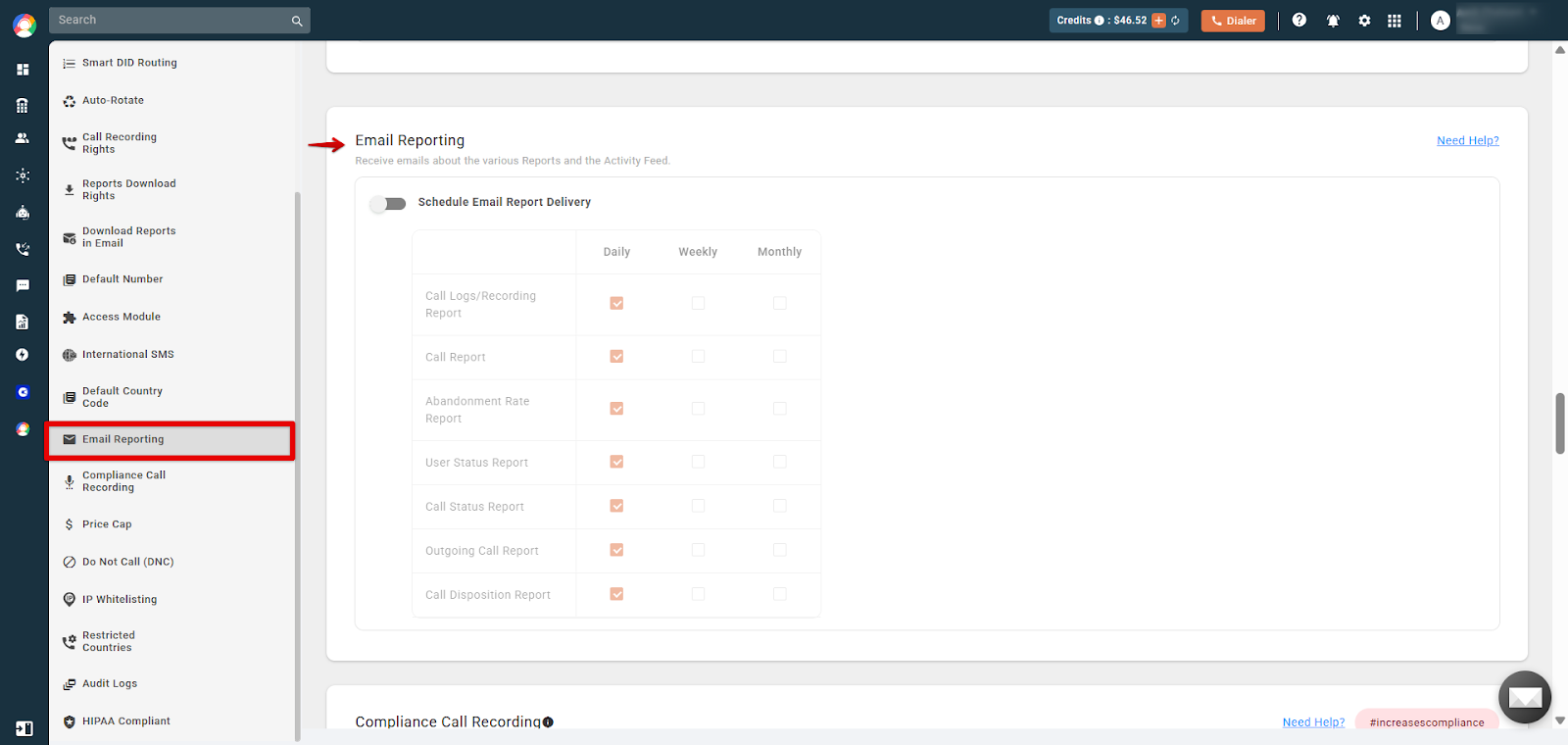
- Navigate to Settings > Email Reporting > Call Reports.
- Enable email reporting by toggling the Schedule Email Report Delivery button to the on position.
- Select the report frequency:
- Daily: the report is sent once a day to the admin user.
- Weekly: the report is sent once a week to the admin user.
- Monthly: the report is sent once a month to the admin user.
- Save the settings. The selected reports will now be sent automatically via email.
Note: Only the account owner has access to this feature.
Why Are Call Reports Important?
- Performance tracking: helps admins monitor team call activity, call volumes, and agent performance.
- Data-driven decisions: provides insights to improve business strategies based on call trends.
- Improved accountability: keeps a transparent record of call interactions.
- Operational efficiency: automates call-log analysis instead of manual review.
- Custom scheduling: reports can be delivered at your preferred frequency.
Frequently Asked Questions
Can I customize the reports I receive via email?
No, the emailed reports cannot be customized.
Can multiple users receive the reports?
No. Only the account owner can receive the reports.
What details are included in call reports?
Call duration, call status (answered, missed, voicemail), agent activity, and overall call history.
Can I download past reports?
Yes, you can access historical call logs directly from the CallHippo dashboard.
What should I do if I stop receiving email reports?
Check that the email reporting feature is enabled, verify the recipient’s email address, and check the spam folder. If the issue persists, write to us at [email protected].