
With CallHippo connected to Pipedrive, you can instantly see whether a phone number is dialable before you place a call, saving you time and avoiding wasted attempts on bad numbers.
How to Check Number Validity in Pipedrive
- Log in to your Pipedrive CRM account.
- Open Contacts: navigate to the Contacts section and select People.
- Hover over the number: move your cursor over any phone number to see its validity status pop up, powered by CallHippo.
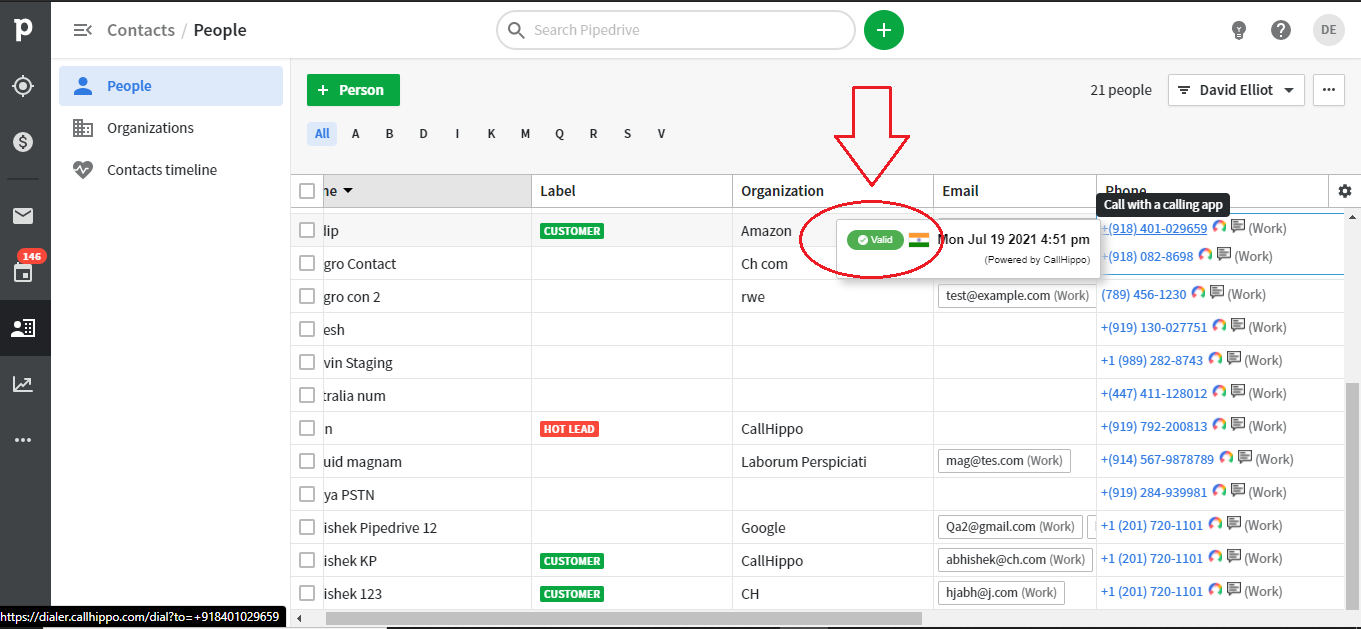
Number Status Indicators
- Valid number: the number appears with a green “Valid” label, meaning it is reachable and you can go ahead and place the call.
- Invalid number: the number appears with a red “Invalid” label, meaning it cannot be called and should be corrected or removed.
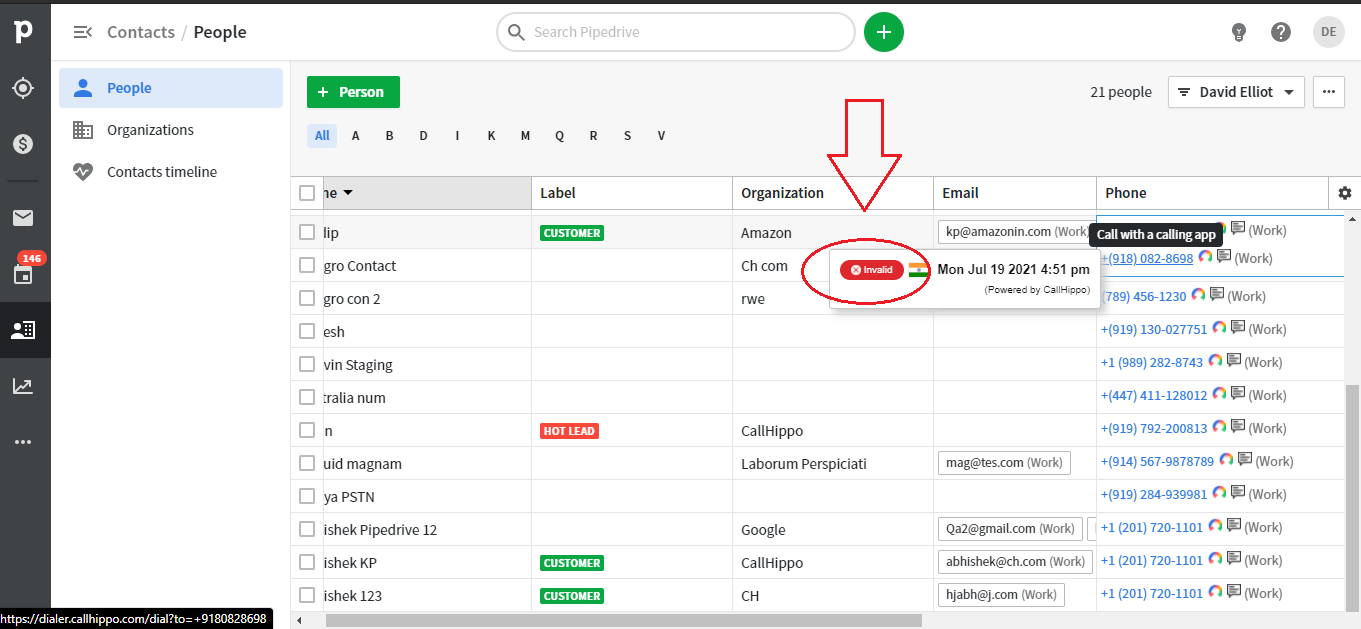
Why does a number show as invalid?
An invalid status usually means the number is incomplete, incorrectly formatted, or not a real dialable line. Update the contact with the correct number and hover again to recheck.
Need help validating numbers in Pipedrive? Reach our team at [email protected].