
Voice broadcast lets you send a single pre-recorded message to thousands of contacts at once, so announcements, offers, and reminders reach your audience instantly.
What Is Voice Broadcasting?
Voice broadcasting is a communication technology that sends pre-recorded voice messages to a large number of recipients at the same time. Businesses use it for announcements, promotional offers, surveys, and emergency notifications. Because the calling process is automated, your message is delivered consistently and on time without any manual dialing.
Benefits of Voice Broadcasting
- Wide reach: Communicate with thousands of contacts at once so your message reaches a broad audience.
- Cost-effective: Removes the need for manual calls, saving both time and labor costs.
- Consistency: Delivers a uniform message to every recipient, reducing the risk of miscommunication.
- Engagement: Interactive options such as surveys or response prompts allow for immediate feedback.
Common Use Cases
- Marketing promotions: Tell customers about new products, services, or special discounts.
- Surveys and feedback: Collect customer opinions or run market research efficiently.
- Reminders: Send appointment reminders or payment-due notifications.
- Emergency alerts: Share urgent information quickly during critical situations.
How to Access Voice Broadcast in CallHippo
Follow these steps to open Voice Broadcast and set up a campaign:
- Log in to CallHippo: Access your account at https://web.callhippo.com/dashboard.
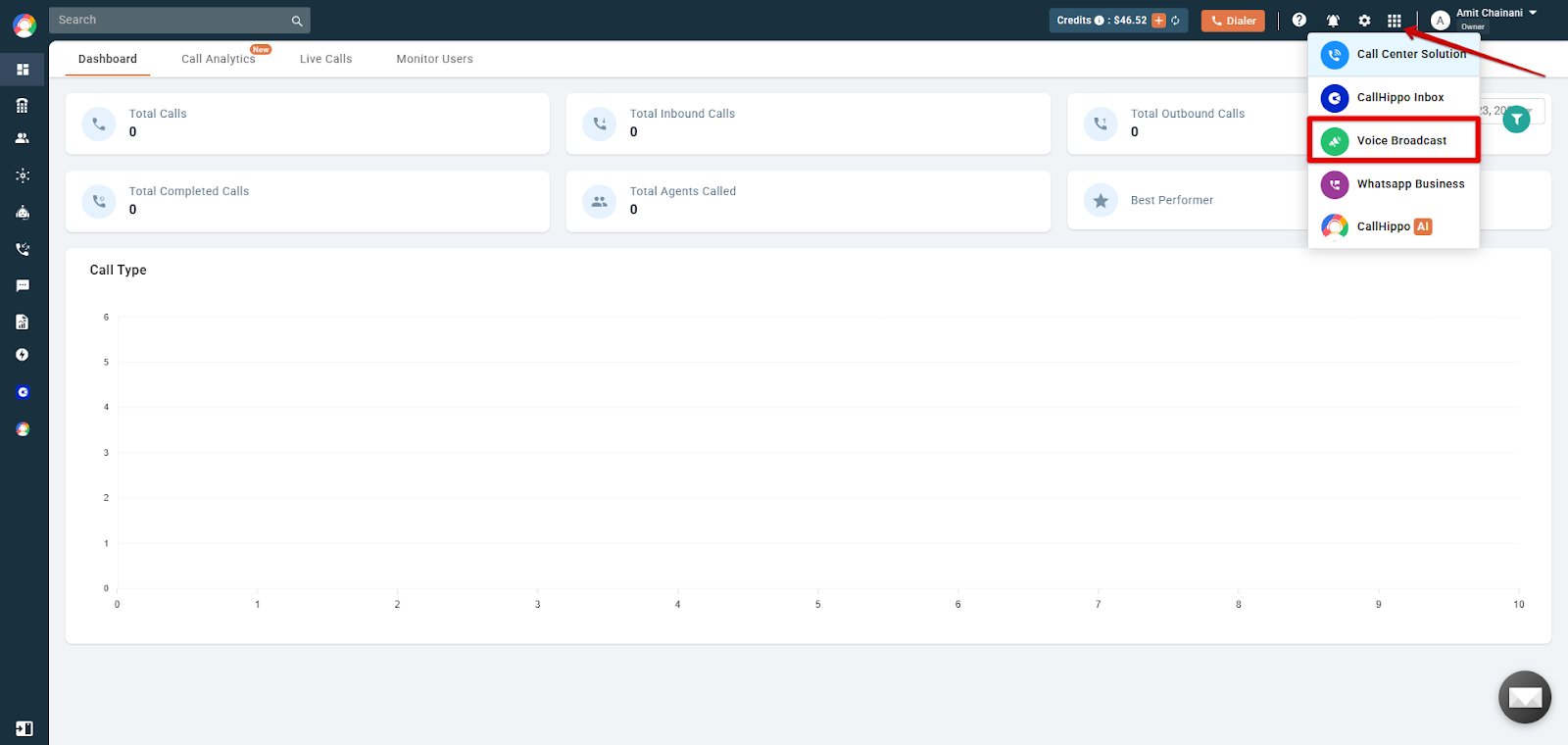
- Open Voice Broadcast: Click the app grid on the top-right of the dashboard and select Voice Broadcast.
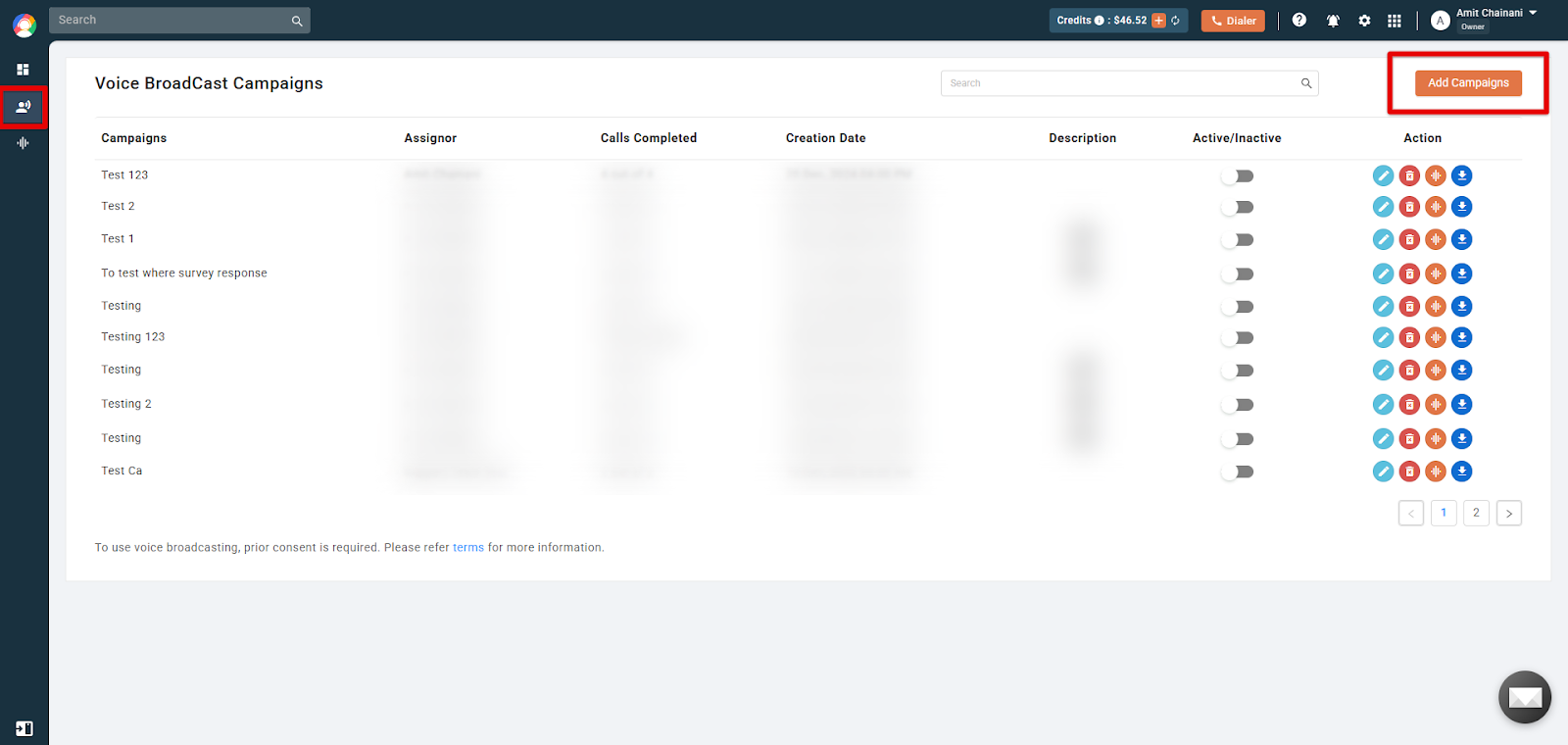
- Create a new campaign: Go to the Campaign tab and click Add Campaigns.
- Configure campaign details: Choose the message type (Greeting or Voicemail), give the campaign a unique name, and select the From Number you want to broadcast from.
- Compose the broadcast message: Type your message or upload a pre-recorded audio file. You can also pick the language and a male or female voice.
- Import your contacts: Upload a CSV/XLSX file of phone numbers using the defined template, or pull a list from a connected CRM. CallHippo currently supports three CRM integrations: LeadSquared, Zoho, and HubSpot.
- Add a description: Write a short description of the campaign you are targeting.
- Activate the campaign: Review all settings, then toggle the Active/Inactive switch to turn it on.
Monitoring Campaign Performance
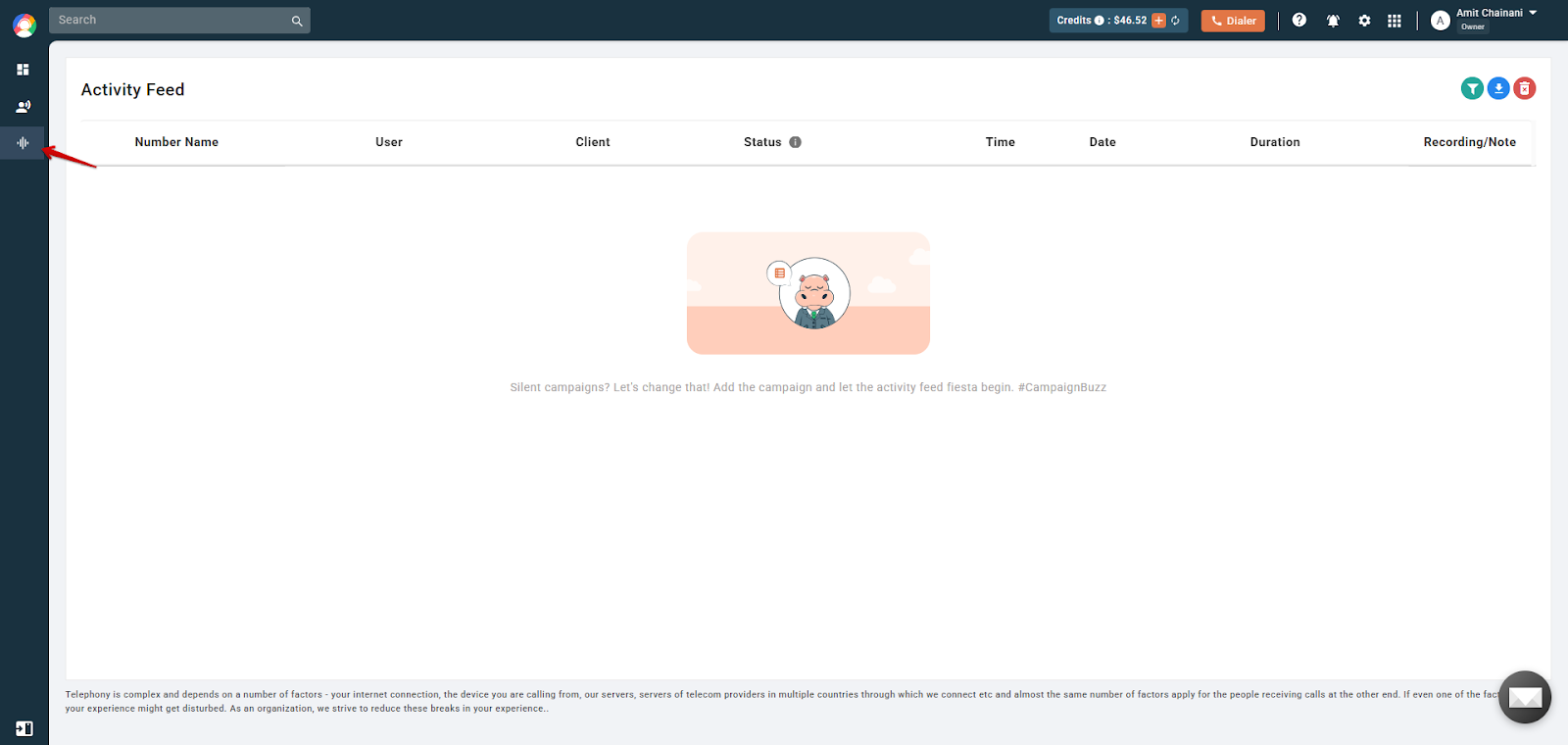
- Activity Feed: Track call activities and responses in real time.
- Dashboard: View analytics such as the number of campaigns initiated, total calls made, and active campaigns.
Frequently Asked Questions
Is voice broadcasting legal?
Yes, but you must comply with local regulations, such as obtaining consent from recipients and offering an opt-out option.
Can recipients interact with the broadcasted message?
Yes. Interactive features such as pressing a key to respond or participate in a survey can be included.
How is the contact list managed?
Contacts can be uploaded via a CSV/XLSX file or pulled directly from a compatible CRM.
Can I schedule broadcasts for a specific time?
No. Scheduling broadcasts for a specific time is not currently supported.
How do I measure the success of a campaign?
Use the dashboard and activity feed to review metrics such as call completion rates, recipient responses, and overall engagement.