
The Abandonment Rate Report shows how often incoming or Power Dialer calls go unanswered, giving you a clear, country-wise view of your team’s call handling efficiency.
For each country, the report breaks down the total calls received, how many were abandoned, and the resulting abandonment rate as a percentage, all in an easy-to-read table you can review or export.
When and Why to Use It
Use this report when you want to understand how effectively your team handles incoming or outbound (Power Dialer) calls. A high abandonment rate can signal missed opportunities or understaffing during peak hours. Reviewing it regularly helps you spot problem areas and sharpen your call-response strategy. It is especially useful:
- Evaluating team performance and workload distribution.
- Analyzing campaigns for Power Dialer calls.
- Adjusting staffing or schedules based on call-volume trends.
What the Report Shows
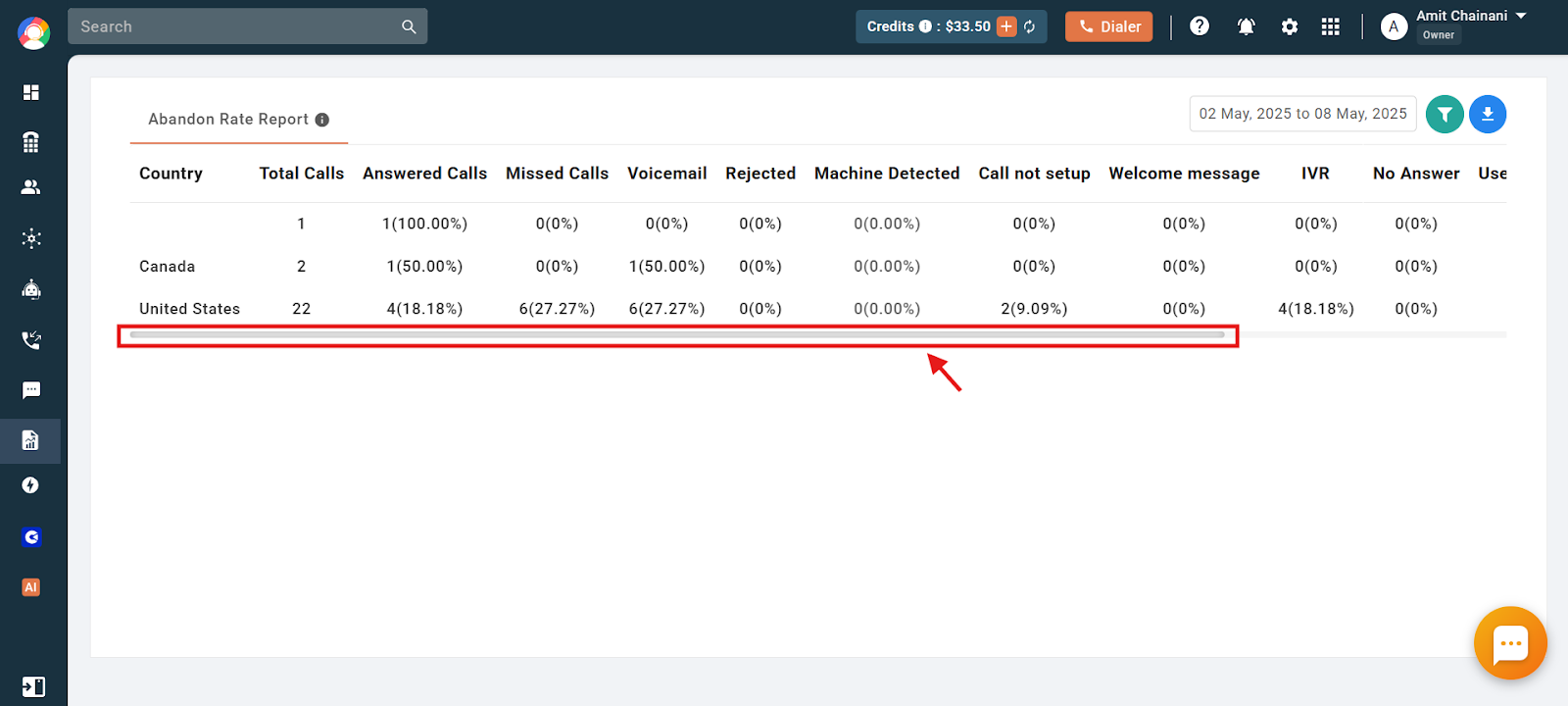
The report gives a country-wise summary of unattended calls, with columns including:
- Country – The countries where incoming calls originated.
- Total Calls – Number of incoming calls in a day.
- Answered Calls – Calls the agents attended.
- Missed Calls – Calls that went unattended, including missed calls and voicemails.
- Voicemail – Unattended calls that went to voicemail.
- Rejected Calls – Calls that were rejected.
- Call Not Set Up – Calls that failed to connect, including unavailable numbers.
- Welcome Message / IVR – Calls where the welcome message or IVR played but never reached an agent.
- No Answer – Unanswered Power Dialer calls.
- User / Number Not Available – Calls missed due to user or number unavailability.
How to Check the Abandonment Rate Report
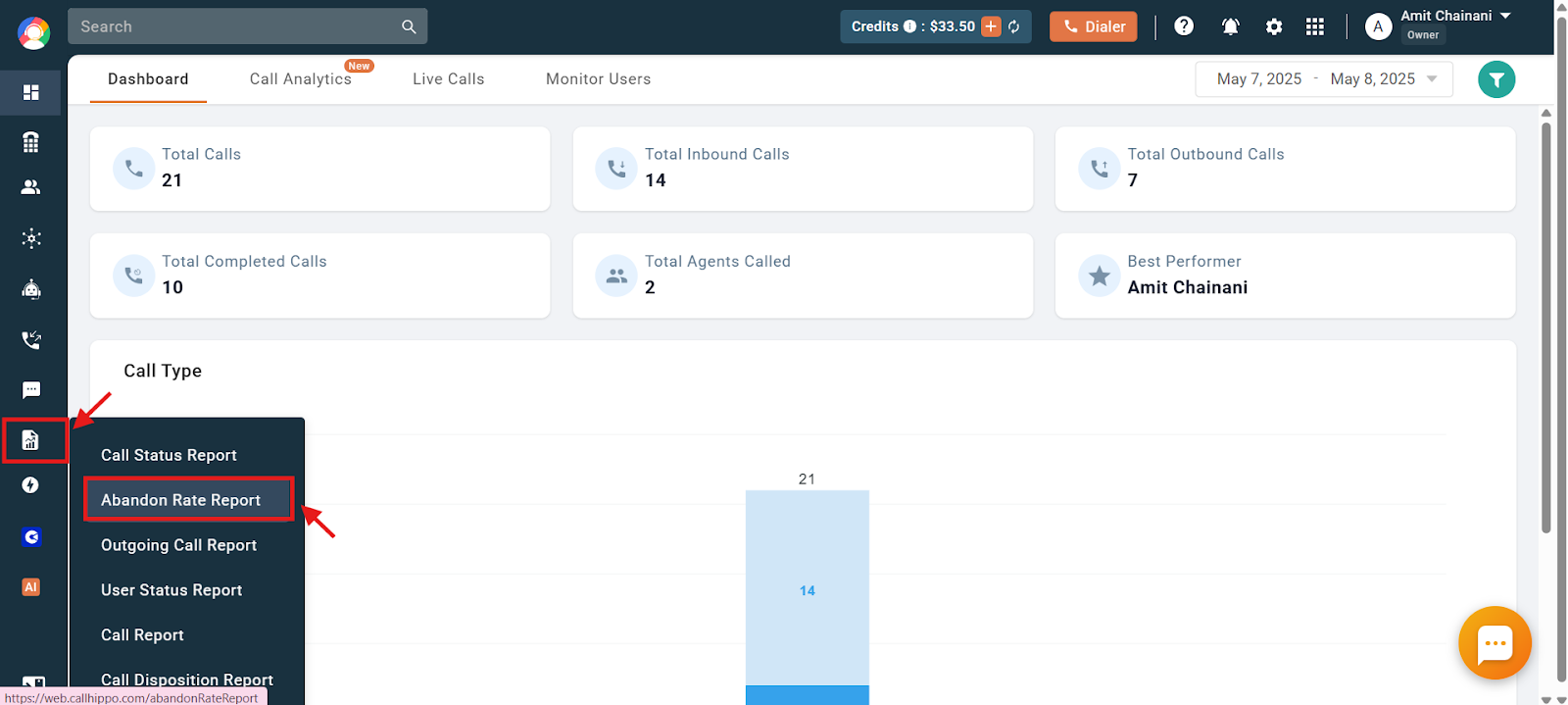
- Log in to your CallHippo dashboard.
- Open the Reports section and click Abandon Rate Report.
- Use the horizontal slider to view every column of data.
- Apply a filter to narrow the data by call type and date range, then download the report in Excel format.
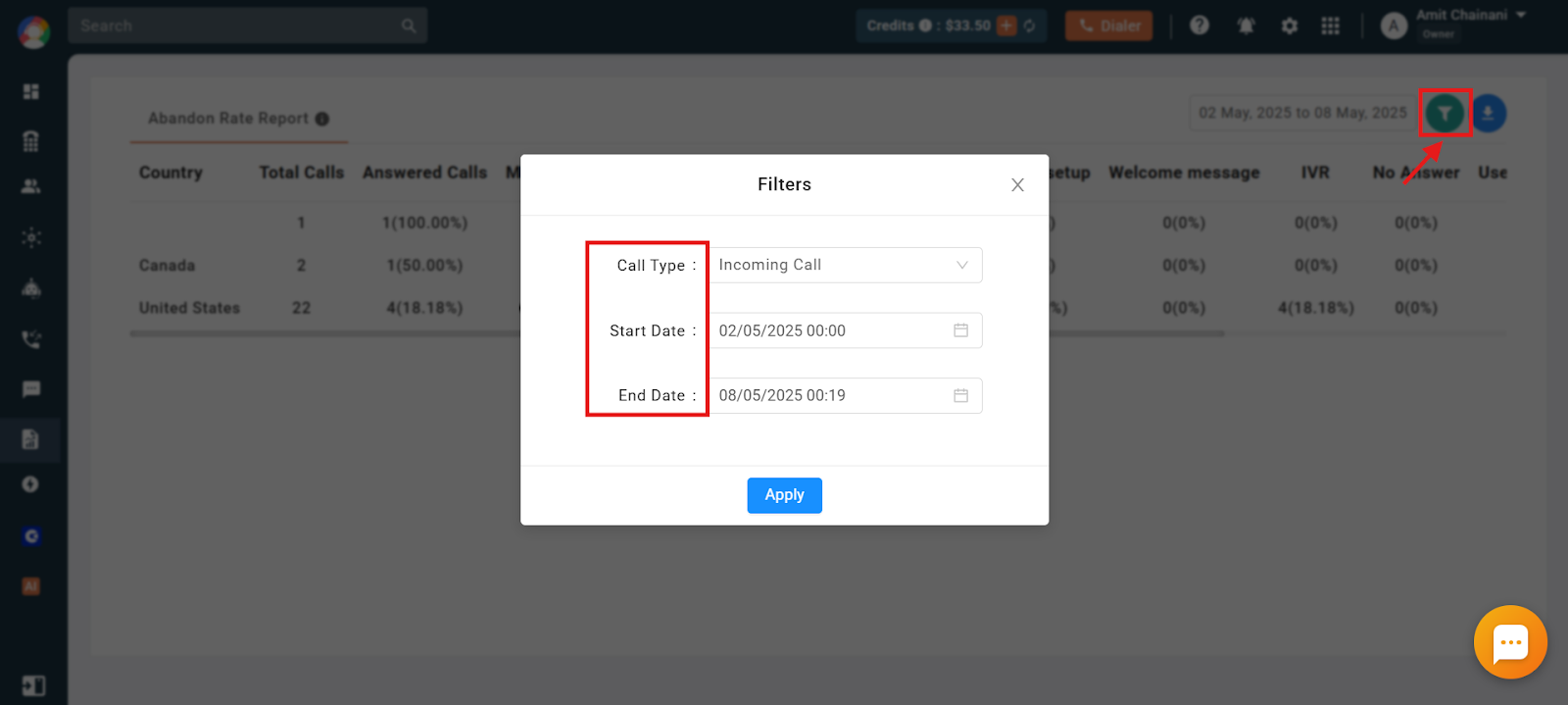
Under call type, you get three choices: All (both incoming and Power Dialer calls), Incoming Calls only, or Power Dialer only.
Important Information
- The maximum selectable date range is 30 days.
- You can view data from the last 3 months directly on the dashboard.
- For any range older than 3 months, the report is sent to your registered email address instead.
Frequently Asked Questions
What does the Abandonment Rate Report show, and how is it useful?
It shows the percentage of unanswered calls, helping you spot inefficiencies like missed opportunities so you can improve your call-handling strategy.
How can I filter the data for a specific time period?
Use the date range filter to select a period, up to a maximum of 30 days, and view the data for that window.
Why are some calls showing as “Rejected” or “Voicemail” instead of “Answered”?
“Rejected” calls were dismissed, while “Voicemail” refers to unanswered calls that were routed to voicemail.
My Power Dialer calls have a high abandonment rate. What could be causing this?
High rates are often due to too few available agents or call setup issues.
How can I download the report for further analysis?
Open the Reports section, select the report, and download it in Excel format for offline review.