
Connecting Act! 365 with CallHippo lets you keep call activity tied to your contacts and manage your customer relationships alongside your calling.
First you’ll copy an API key from Act! 365, then paste it into CallHippo to link the two accounts. Follow the steps in order.
Get your API key from Act! 365
- Log in to your Act! 365 account.
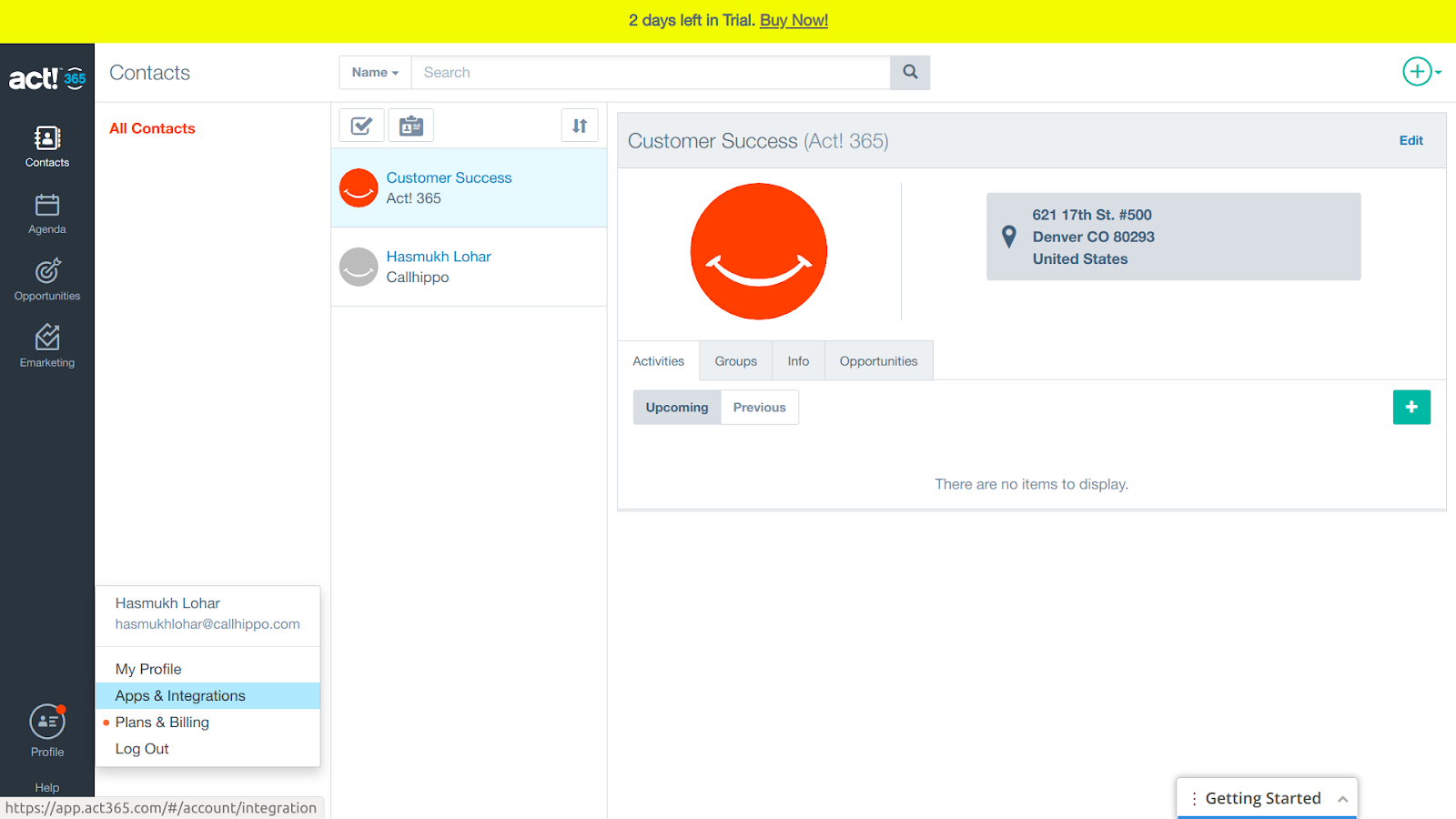
- Open Apps & Integrations. Click your Profile at the bottom-left and choose Apps & Integrations.
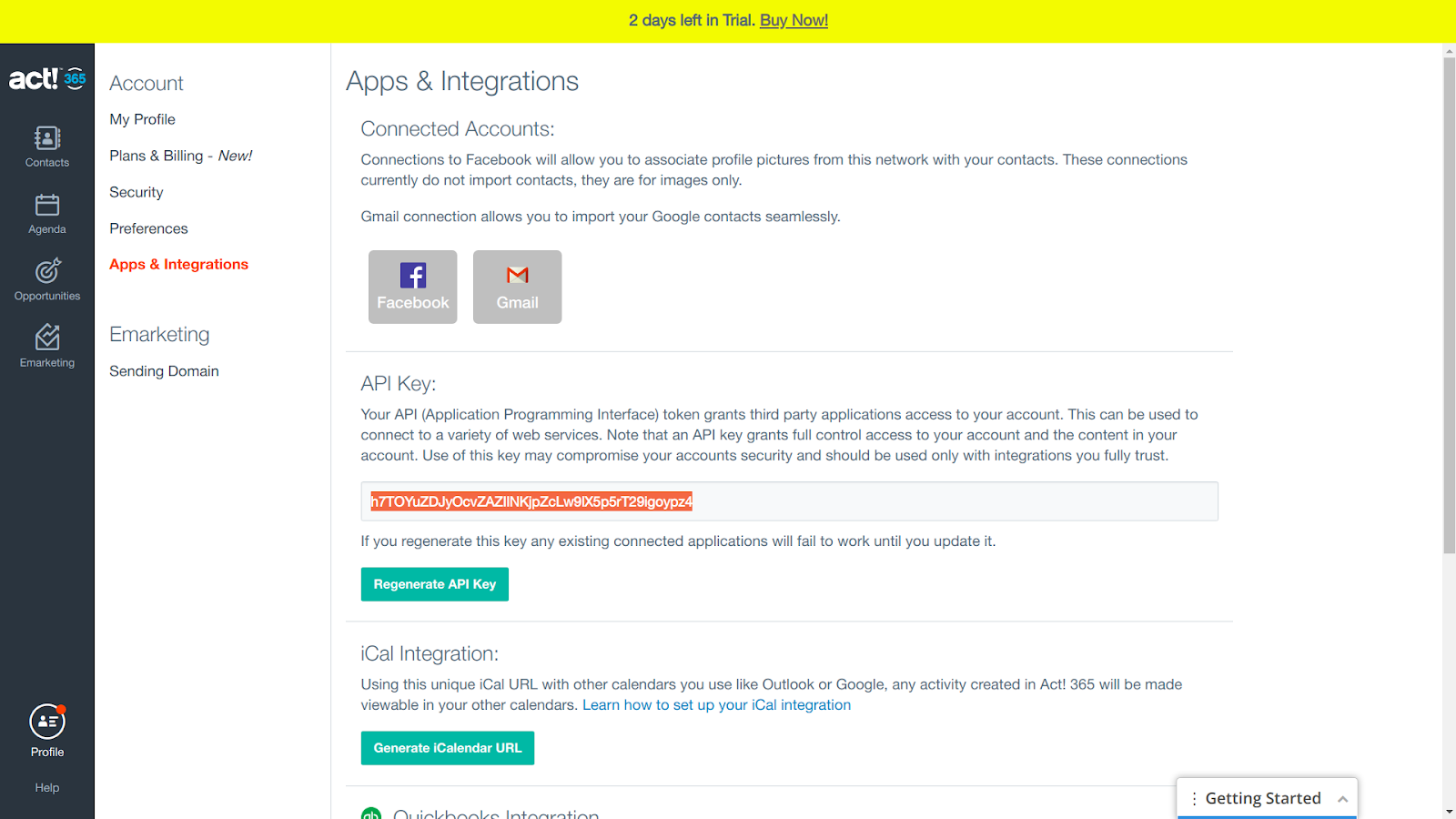
- Copy your API key from the API Key section and save it somewhere for the next stage.
Connect Act! 365 in CallHippo
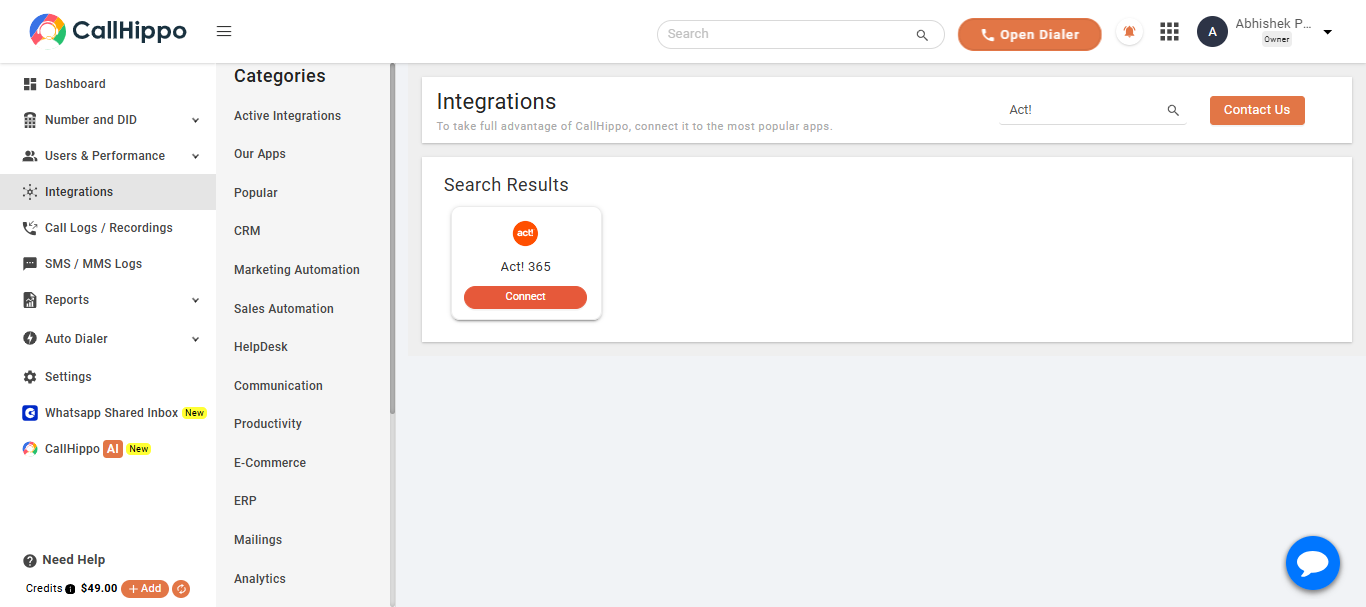
- Log in to CallHippo and open the Integrations tab, then find Act! 365 and click Connect.
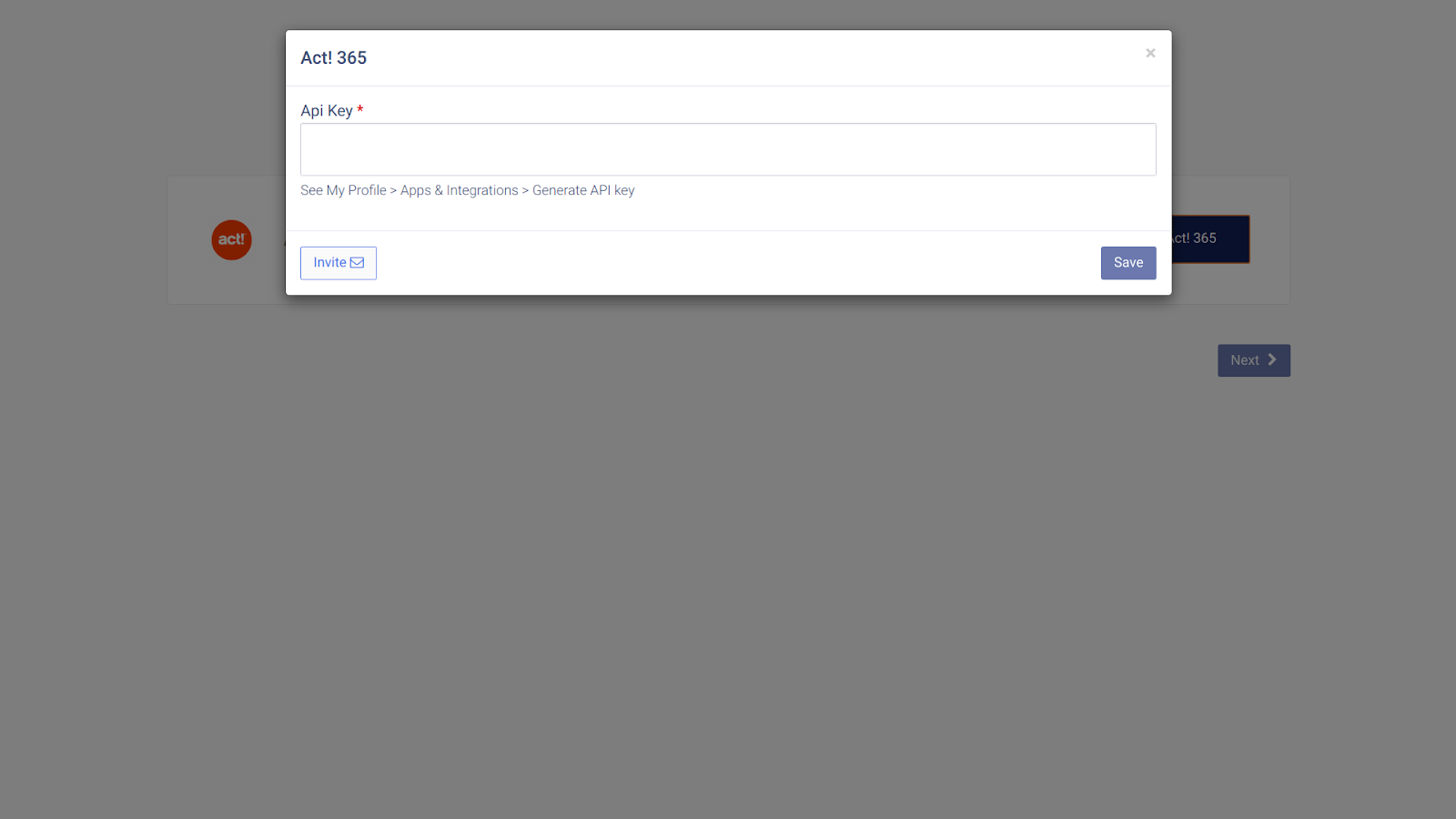
- Click Connect Your Act! 365, enter the API key you copied earlier, and click Save.
- You should see “Datasource is linked.” Click Ok.
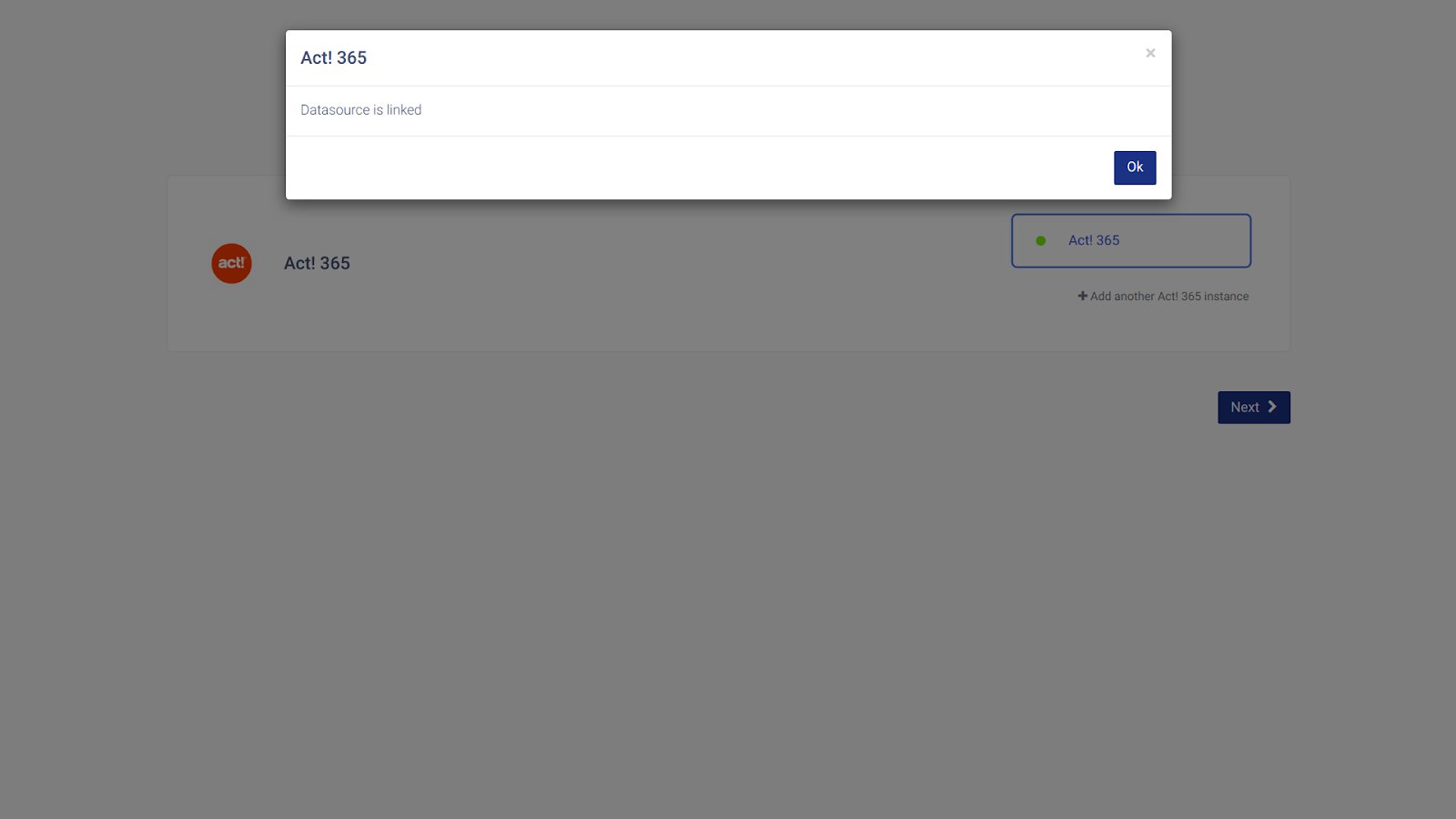
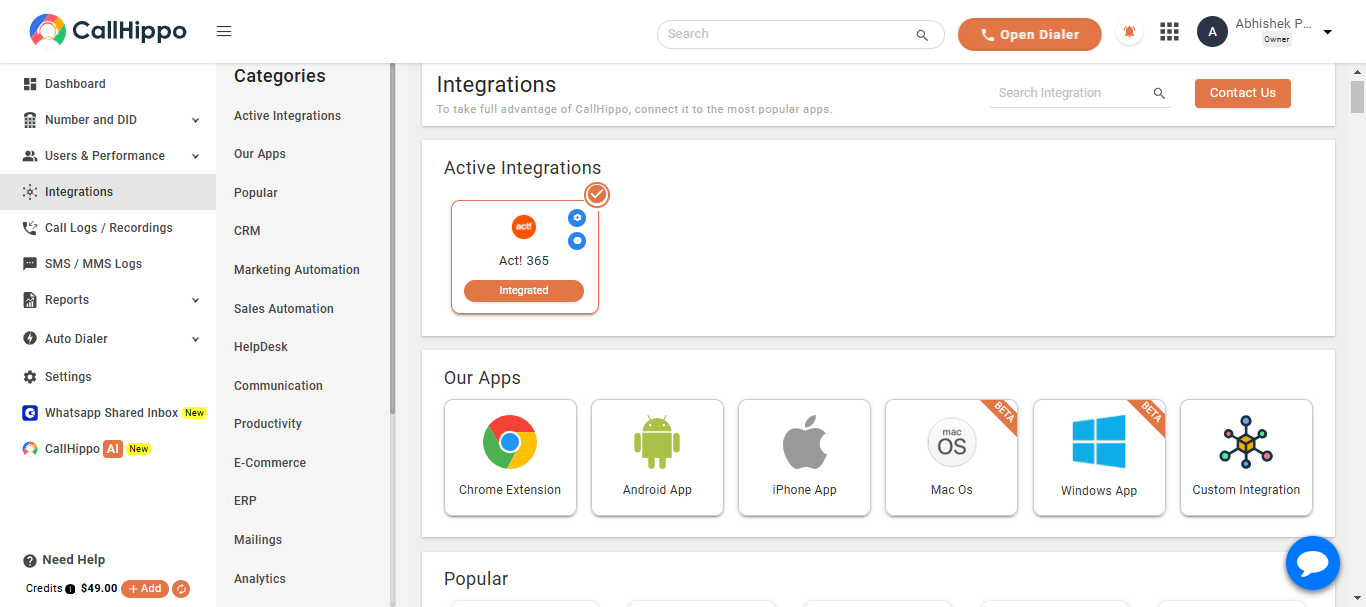
- Click Next. You’ll be redirected back to CallHippo and your status will change to Integrated.
- That’s it — your Act! 365 account is now connected to CallHippo.
Good to know
Where do I find my Act! 365 API key?
Click your Profile, choose Apps & Integrations, and look under the API Key section. Note that this key grants full access to your account, so only share it with integrations you trust.
What if I regenerate my API key?
Regenerating the key will break any connected applications until you update them with the new key, so you’d need to reconnect CallHippo with the fresh key.
Need help connecting Act! 365? Reach our team at [email protected] and we’ll walk you through it.