
AI Copilot is a comprehensive call analysis tool that evaluates every call across multiple conversation parameters and turns them into actionable coaching insights. Here’s what it does and how to get the most from it.
What is AI Copilot?
AI Copilot analyzes each call and offers AI-powered call transcription, voicemail transcription, key topic analysis, call summaries, a custom topic tracker, sentiment analysis, and talk-ratio analysis. After evaluating a call, it generates personalized coaching insights, giving agents continuous, customized guidance. A smart dashboard makes it easy to monitor and manage all of your call data in one place.
What is AI Copilot used for?
AI Copilot helps support and sales teams work more productively. It uses AI-driven insights to improve call performance, automate workflows, and extract valuable data from customer conversations. Key capabilities include:
- Sentiment analysis to gauge customer emotions during calls.
- Topic extraction to identify common issues or recurring themes.
- Talk-to-listen ratio tracking to optimize how agents communicate.
- Performance rating for each call to drive continuous improvement.
A closer look at AI Copilot
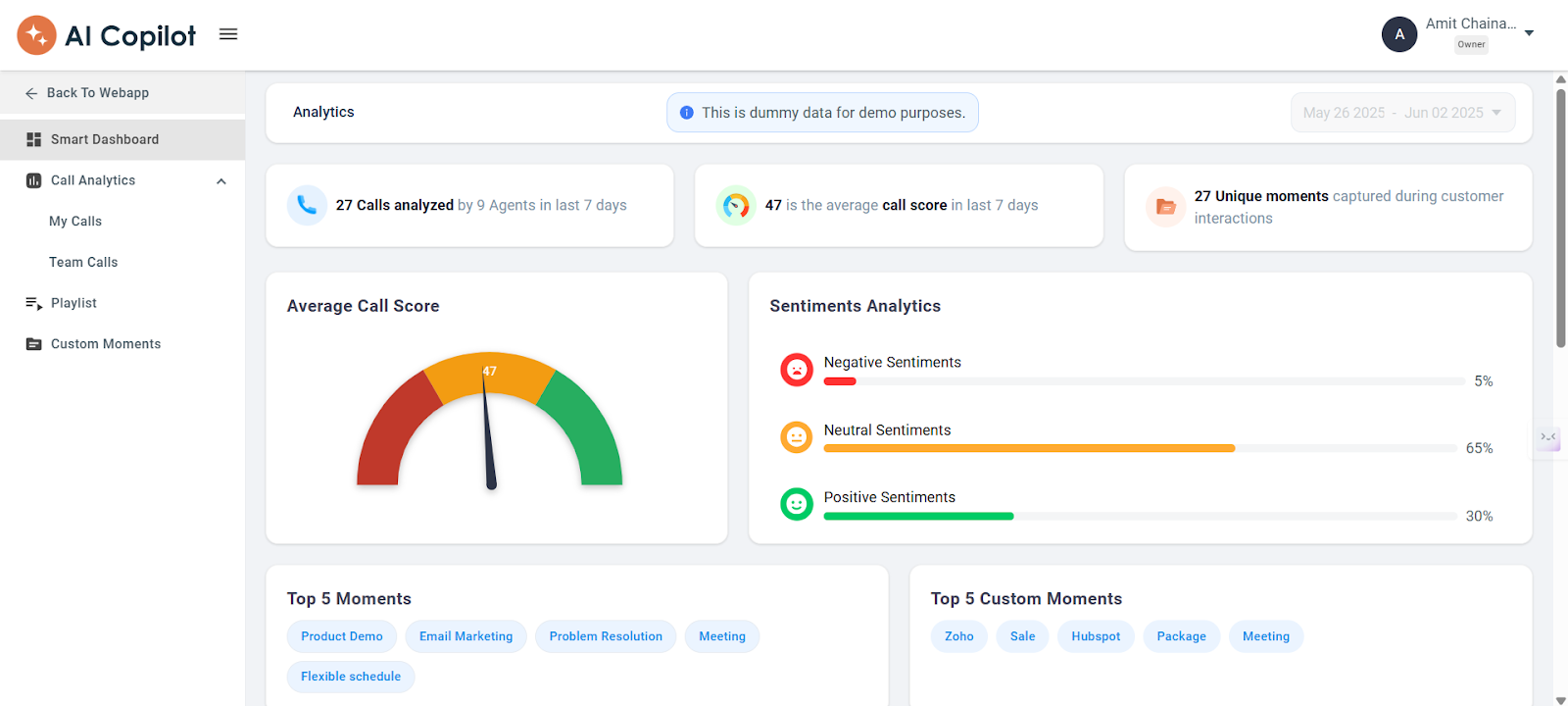
- Smart Dashboard — a comprehensive overview of your calls, including sentiment analysis, key moments, and extracted topics that reveal customer preferences, pain points, and trends. Agent analytics measure customer sentiment, satisfaction, and the average call score.
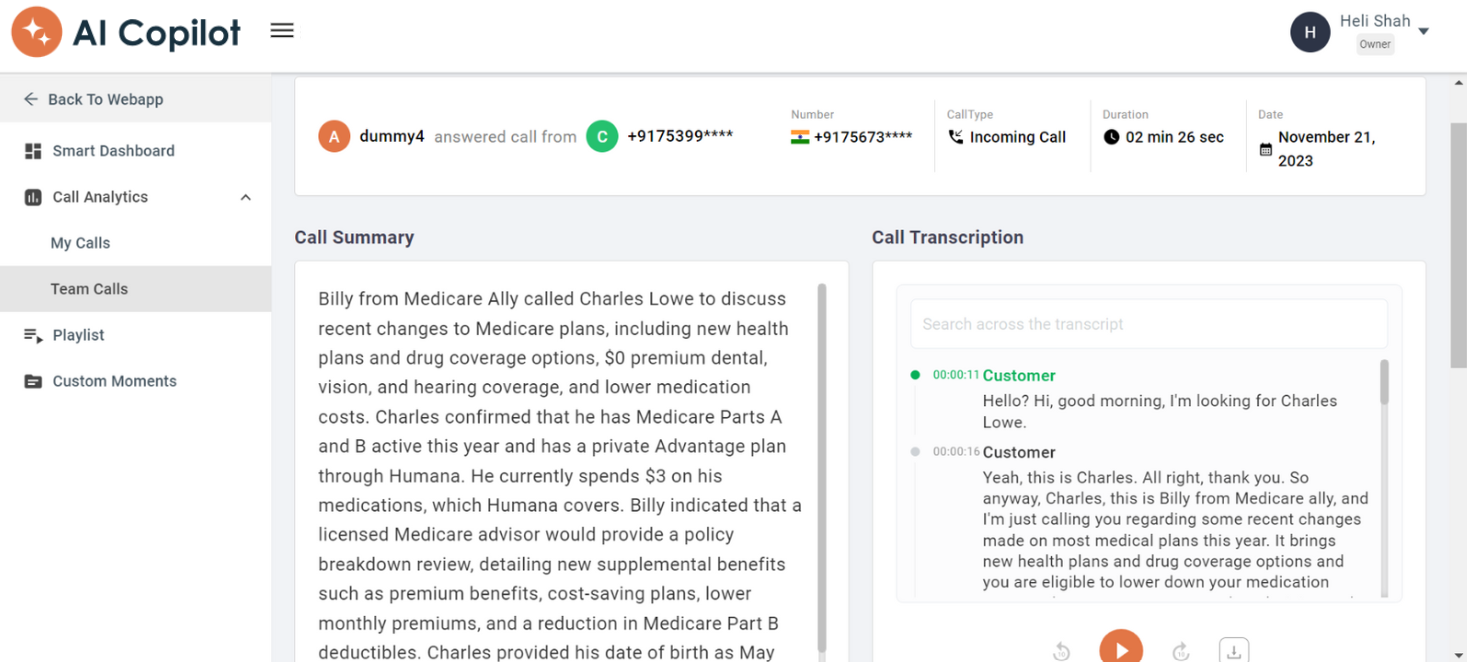
- Call Summary and Call Transcription — a concise summary of each call’s key points and outcomes, plus a full transcription of the conversation for in-depth review.
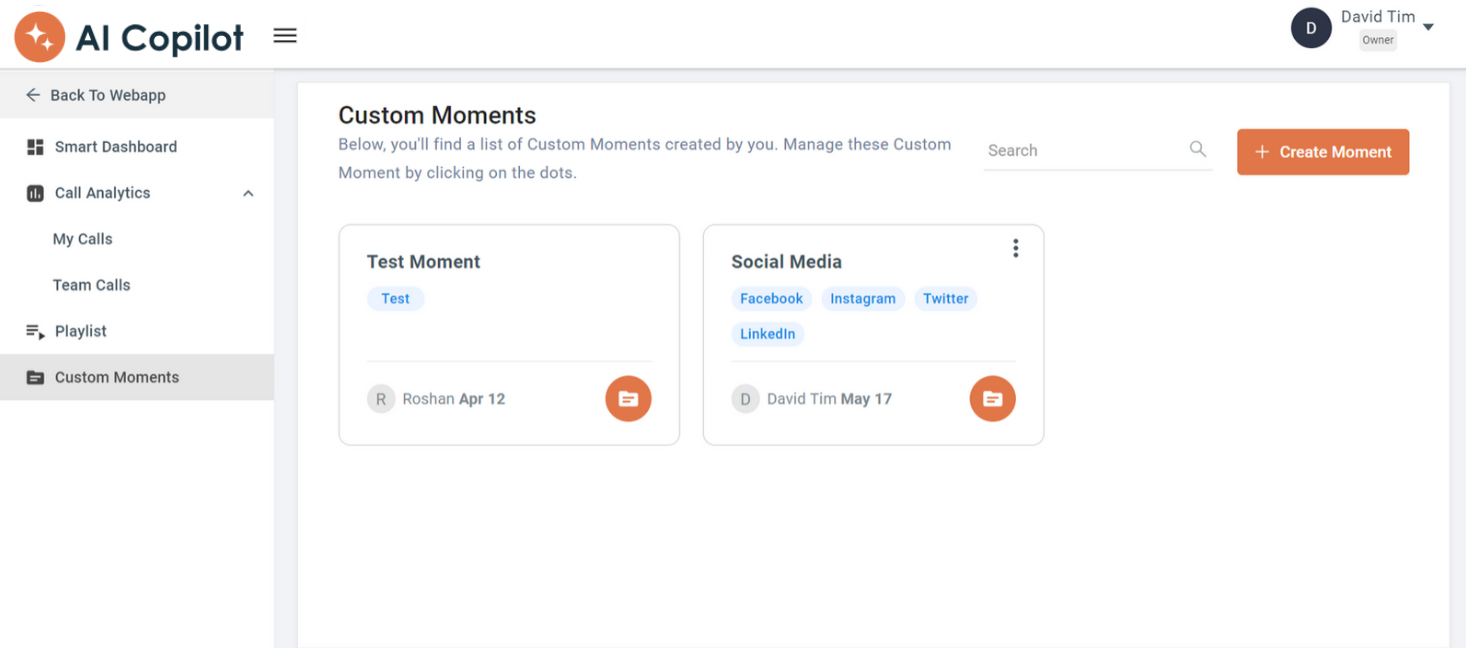
- Custom Moments — a moment name is a broader term connected to your keywords. For example, “Marketing” can group related terms such as content marketing, demand generation, and SEO.
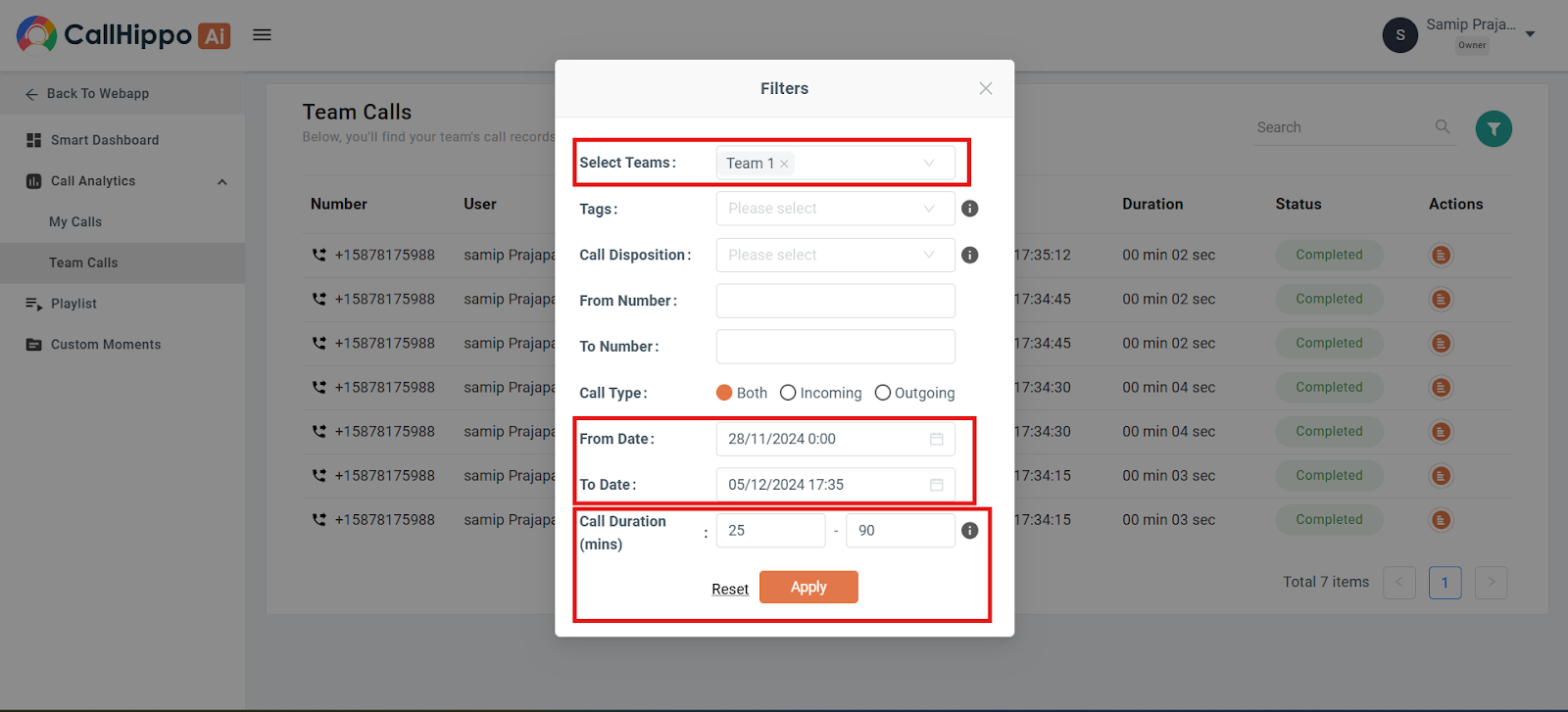
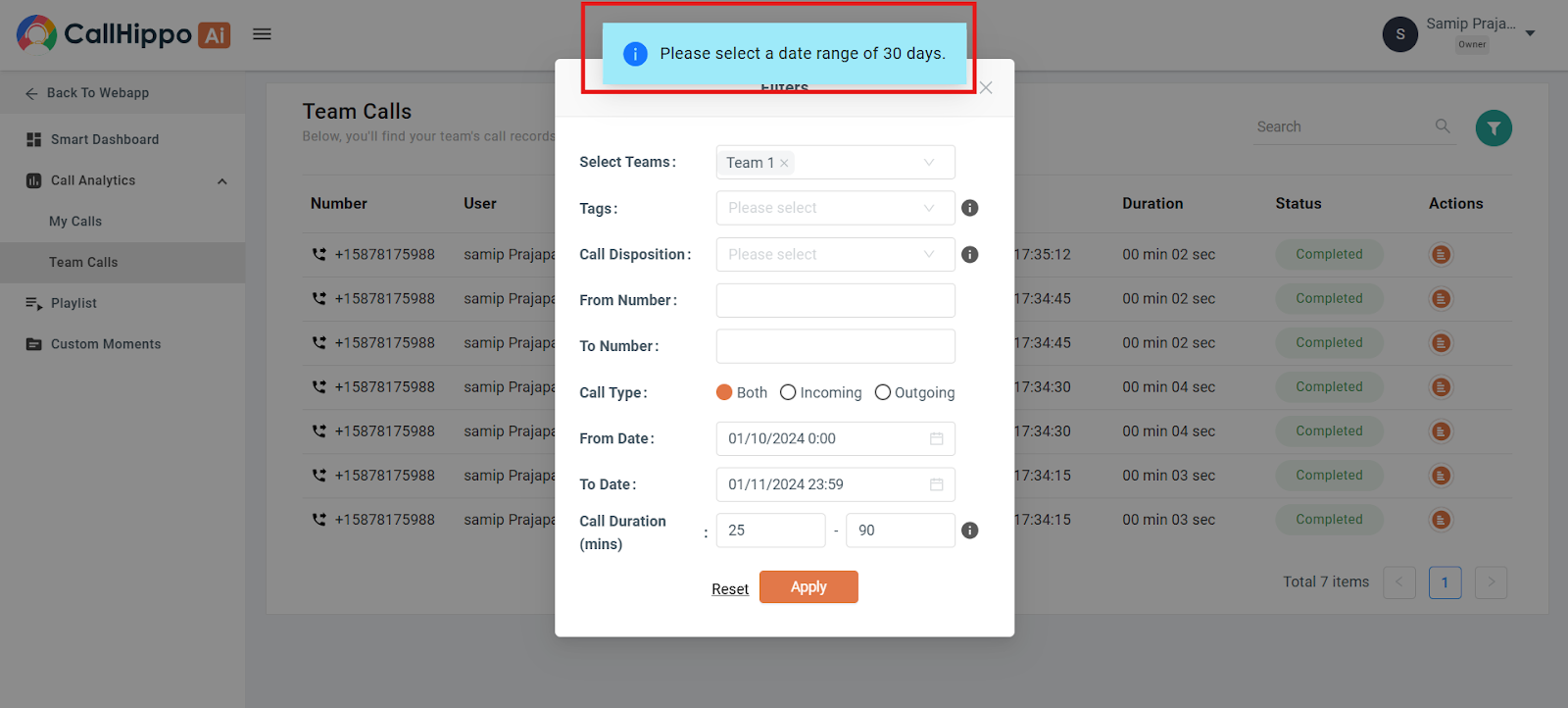
- Team Calls filters — filter team calls for sharper analytics. The Call Duration filter sorts calls by length, from a minimum (default 0 minutes) to a maximum (default 90 minutes), validated within the 0–90 minute range.
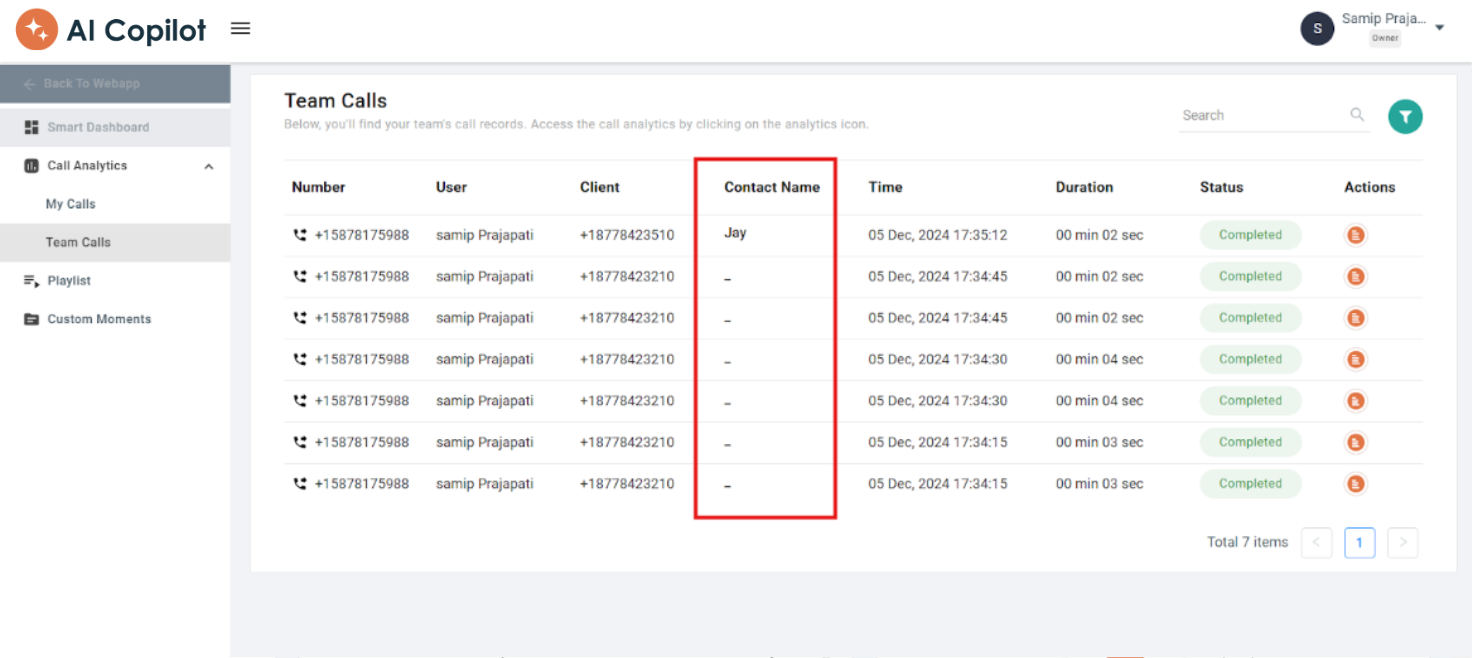
- Contact Name column — a Contact Name column beside the Client column displays the contact names for each call.
- Date range selection — the date range is limited to 30 days, with automatic adjustments and a notification when a longer range is selected.
Things to keep in mind
- The CallHippo AI add-on is applied on a per-user basis.
- All users can access the CallHippo AI dashboard.
- Call Recording must be enabled on your numbers for AI Copilot to work.
- If you change your subscription, the CallHippo AI add-on count automatically updates to match the total user count.
- In “My Calls,” data is shown only for the logged-in user. “Team Calls” is visible only to the Owner or Admin.
- Owner, Admin, or Manager roles can view all team members’ calls. The Dashboard User role cannot.
Frequently asked questions
What do I need to enable before AI Copilot can analyze my calls?
You must enable Call Recording on your phone numbers. Without call recordings, AI Copilot cannot generate transcriptions or insights.
Why can’t my team member see the “Team Calls” section?
Only Owner, Admin, or Manager roles can view Team Calls. Standard and Dashboard users do not have access to team-wide call data.
I’m an agent, but I can’t see anyone else’s calls — why?
In “My Calls” you only see your own call data. Access to team members’ calls is restricted to Owner, Admin, or Manager roles.
I selected a date range but not all calls are showing — what’s wrong?
The dashboard allows a range of up to 30 days. If you select a longer range, the system auto-adjusts it and shows a notification.
How do I know AI Copilot is analyzing my calls?
Once a call is recorded, features like sentiment analysis, call summary, transcription, and performance score appear on your dashboard.
What kind of coaching insights does AI Copilot provide?
It generates personalized coaching suggestions based on call performance, sentiment, talk-to-listen ratio, and key discussion points, helping agents improve continuously.
Still need help? Reach us at [email protected].