
CallHippo gives you a full suite of reporting tools to measure how your team is performing and pinpoint where productivity can improve.
Whether you manage a sales team, a support centre, or any call-based operation, these reports deliver the insights you need to evaluate and improve user performance. You can access all of them from the Reports or Users & Performance sections of the dashboard.
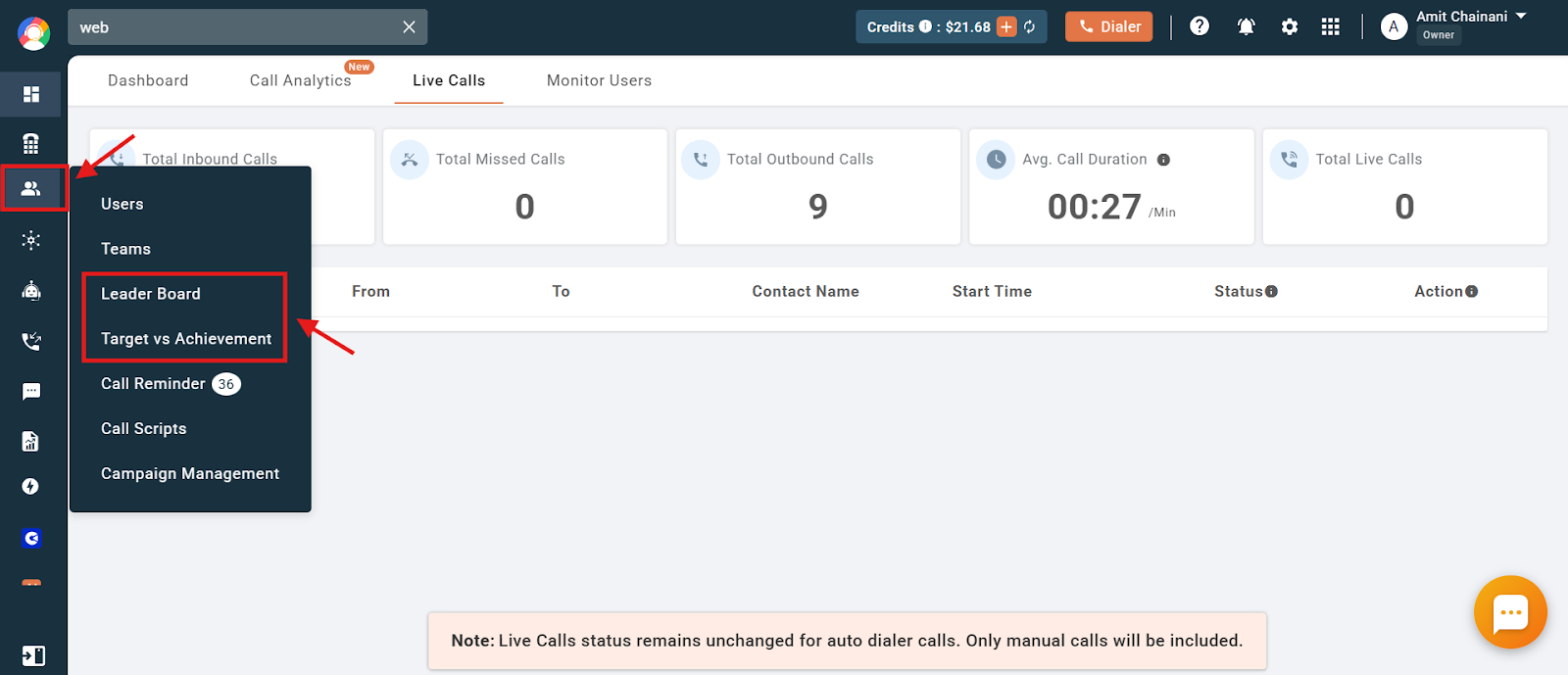
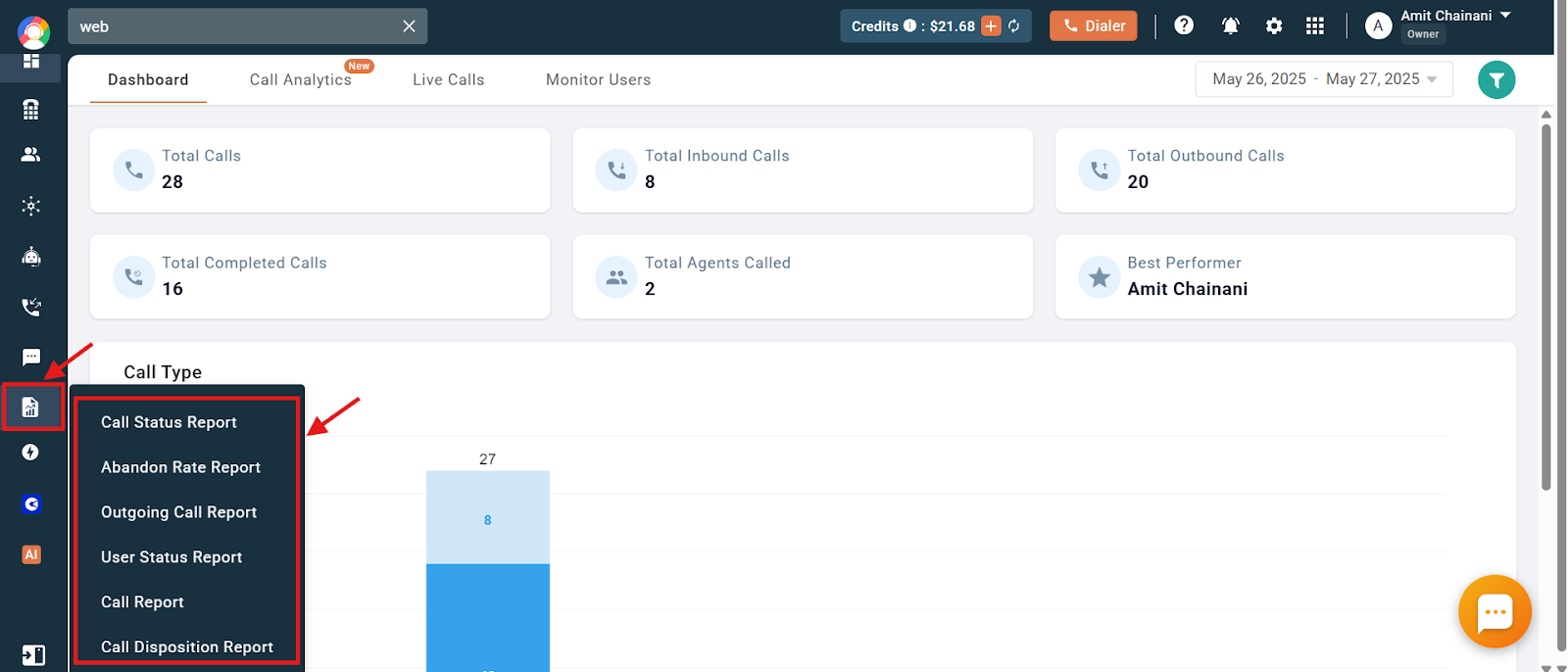
Tools to Analyse User Productivity
Below are seven built-in features that help you measure user efficiency and performance.
- Call Report: An overview of each user’s call activity, including total calls made and received, call durations (under/over 30s), hold and after-call work time, talk time vs. target talk time, and dial-out achievements. Use it to track whether users are meeting their calling goals. (Search: “What is a Call Report?”)
- User Status Report: Breaks down how users spend their logged-in time, covering login hours, on-call time, idle time, breaks, lunch, meetings, and custom unavailability statuses. Helps you spot idle or unproductive time. (Search: “What is User Status Report?”)
- Outgoing Call Report: Shows daily outbound activity by country and user, including completed, cancelled, rejected and failed calls, no-answer, call-not-setup, and total outbound calls per region. (Search: “What is the Outgoing Call Report?”)
- Abandonment Rate Report: Evaluates how often incoming or Power Dialer calls go unanswered, with answered/missed/rejected/voicemail stats, a country-wise breakdown, and an abandonment-rate percentage. (Search: “What is an Abandonment Rate Report?”)
- Call Status Report: Shows the final status of every call, such as completed, missed, rejected, failed, voicemail, unavailable, no answer, call not setup, IVR and welcome message. Ideal for understanding call outcomes and connection rates. (Search: “What is a Call Status Report?”)
- Target vs Achievement: Lets you set and evaluate performance goals for number of calls, login hours and talk time, then compare targets against actual performance in the Call Report section. (Search: “What is Target vs Achievement?”)
- Leader Board: Ranks users by number of calls made, with weekly rankings and badges (Sharpshooters, Calling Masters, and more) to recognise top performers. Admins can restrict user access to the leaderboard if desired. (Search: “What is the Leader board?”)
Best Practices for Productivity Analysis
- Combine reports: Use multiple reports together for a 360-degree view of user activity.
- Set realistic targets: Use the Target vs Achievement feature to define achievable goals.
- Identify performers: Spot top and low performers using the Leader Board and Call Report.
- Investigate idle time: Look into high idle time or low talk time with the User Status Report.
- Track call trends: Monitor call outcomes with the Call Status and Outgoing Call reports.
- Review missed calls: Check the Abandonment Rate Report regularly.
Final Note
All of these reports are designed to help you make data-driven decisions and support your team’s performance. Use the report titles listed above to find each report’s full article in the CallHippo support centre and start optimising your team’s productivity today.
Need help getting more from your reports? Contact our support team at [email protected].