
A campaign list is the contact base your CallHippo auto-dialers work through, so getting it formatted correctly is the first step to a smooth outbound campaign.
What Is a Campaign List?
A campaign list is a structured spreadsheet (Excel or CSV) that holds the names and phone numbers of the prospects or customers you want to reach. It does not place calls on its own. Instead, it feeds your dialer so the system knows exactly who to call. Without a campaign list, your auto-dialers have no contacts to work through.
Where Can You Use a Campaign List?
Campaign lists are used with the following CallHippo dialing features:
- Power Dialer
- Predictive Dialer
- Speed to Dial
Get the Correct List Format
Before uploading, download the official template from your CallHippo dashboard and edit that file. Starting from the template avoids the formatting errors that often cause uploads to fail.
- Log in to your CallHippo dashboard.
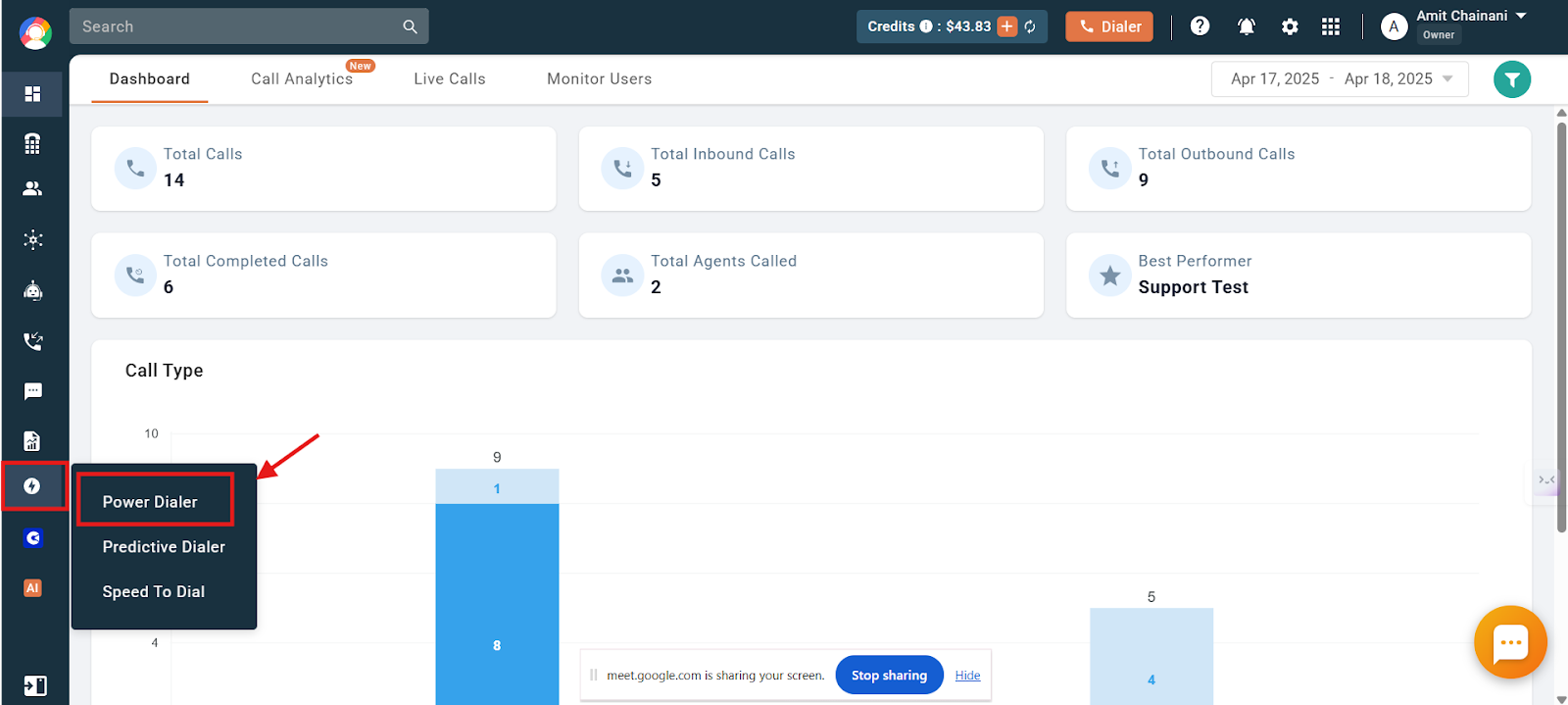
- Open the Auto-dialer menu on the left of the dashboard, then click Power Dialer.
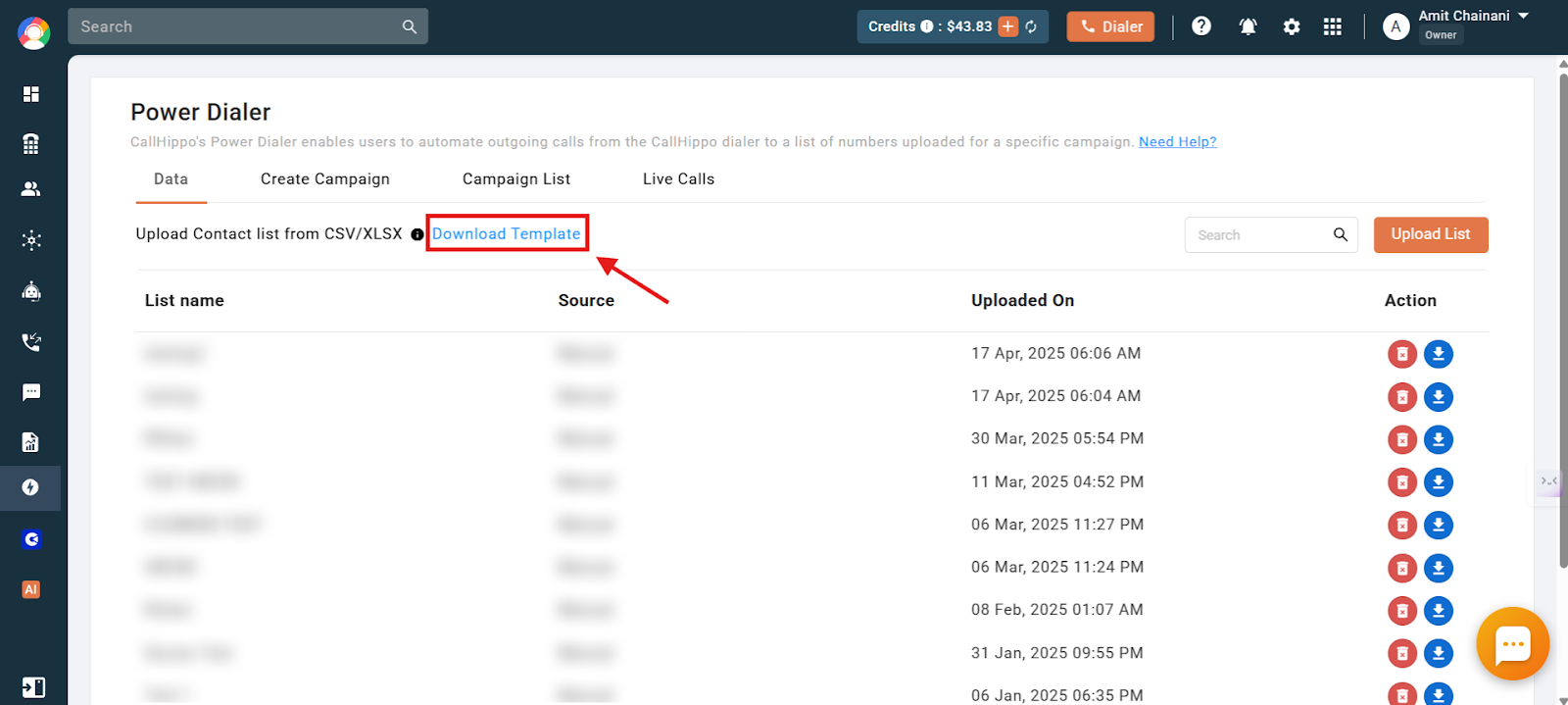
- Click Download Template to save the campaign list template to your computer.
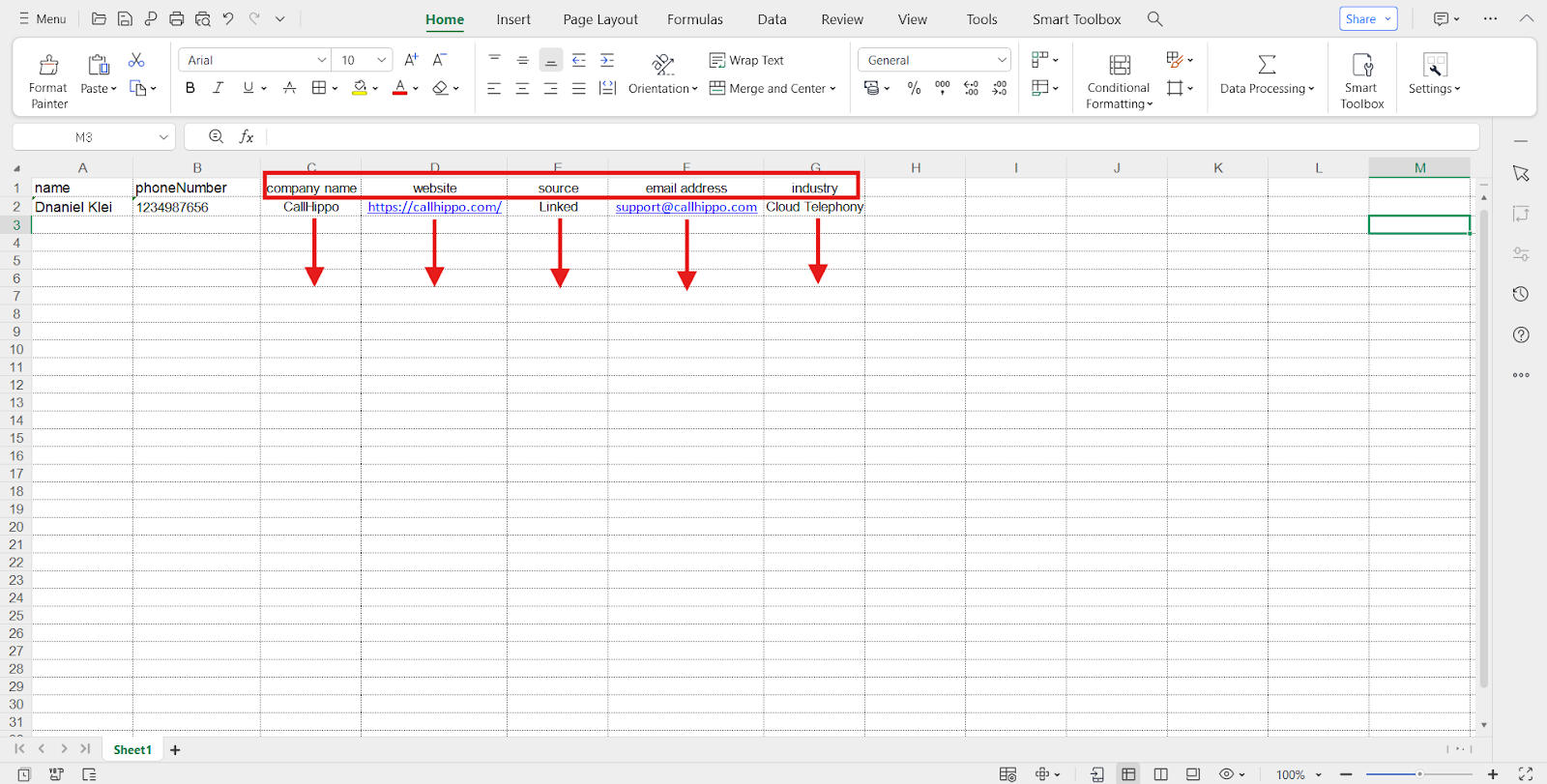
- Add your contacts by entering names and phone numbers under the respective columns.
Important: The two column headers name and phoneNumber must stay exactly as they appear in the template. Renaming them will trigger an error when you upload the list. Also make sure every number is in the correct international format.
Adding Extra Details to Your List
You can include more information for each lead, such as company name, website, email address, or industry. Simply add new columns to the template without changing the default name and phoneNumber headers.
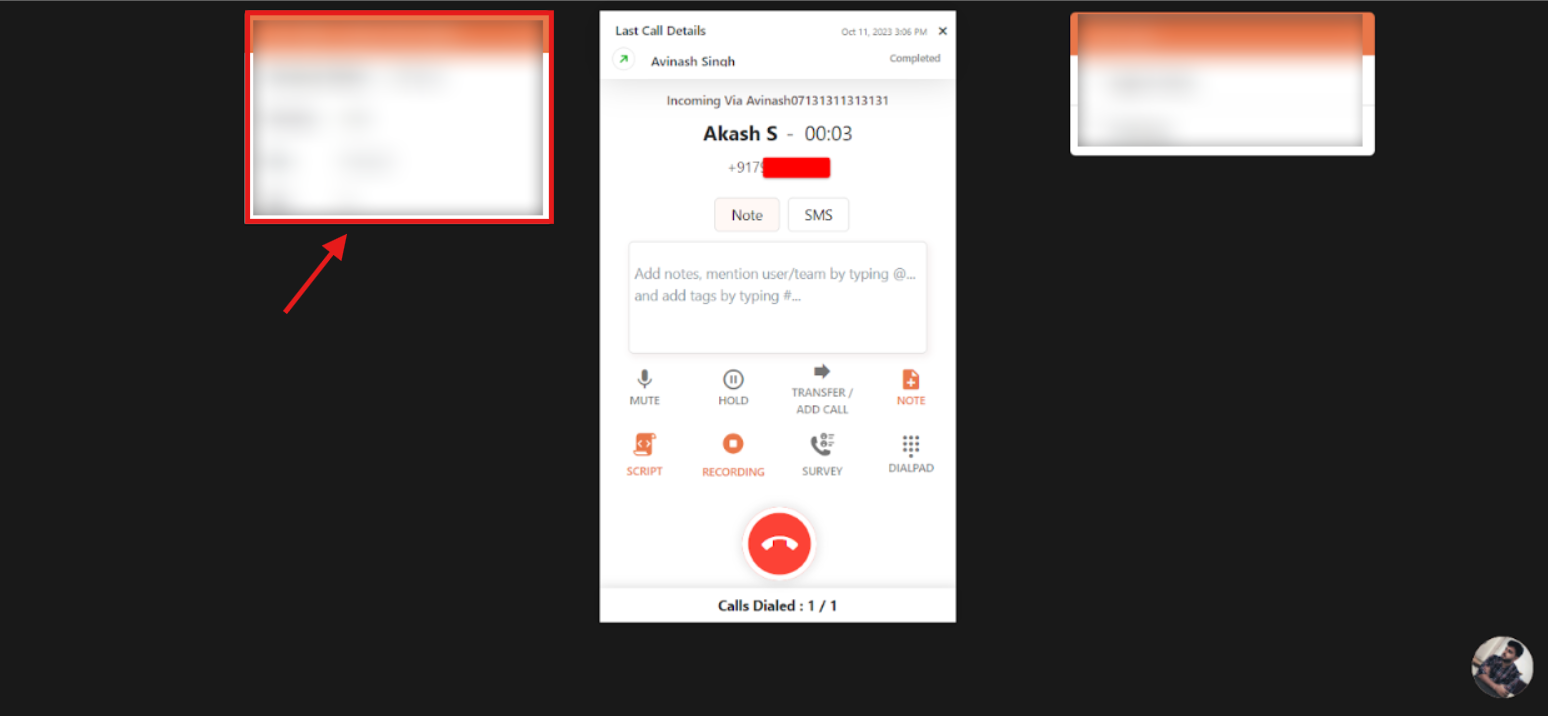
The extra details you add appear in a dialog box next to the dialer on the assigned agent’s screen once the call connects, giving them useful context during the conversation.
Note that the auto-dialer automatically skips any contact whose name or phoneNumber cell is empty. Using your own CSV or XLSX file is fine as long as the structure matches this format; the template itself is not mandatory.
Frequently Asked Questions
Can I add extra details besides name and number?
Yes. Add columns such as company name, email, or website, but do not alter the default name and phoneNumber columns.
Will the extra details be visible to agents?
Yes. Any additional information appears in a dialog box on the agent’s screen when the call connects.
What happens if I change the column names?
The upload will fail. The headers must remain exactly as name and phoneNumber.
Do I need to include a country code?
Yes. Enter numbers in full international format to avoid dialing issues, especially for global calling.
Can I edit the list after uploading it?
No. Once uploaded the file cannot be edited in the dashboard. Make changes in your spreadsheet and re-upload the updated list.
Can I delete a campaign list after uploading?
Yes. You can delete old or unused lists from the relevant dialer section of your dashboard.
What if I upload an incorrectly formatted list?
You will see an error message and the list will not be accepted. Always start from the downloaded template and check for formatting or special-character issues.
Can CallHippo check for duplicate contacts?
No. There is no built-in duplicate check during upload, so remove duplicates in your spreadsheet before uploading.
What happens if the name or phoneNumber cell is empty?
The auto-dialer skips that contact and leaves it out of the dialing process.