
Campaign management lets you plan, run, track, and analyze your outbound calling so you can measure agent productivity across every campaign.
Campaign management is the process of planning, executing, tracking, and analyzing sales or marketing campaigns to hit specific business goals. In CallHippo, it helps you break down data by campaign and measure how each agent performs.
Why You Need Campaign Management
- Efficiency: Organizes your outreach so sales and marketing efforts stay streamlined.
- Performance evaluation: Tracks and measures both team and individual agent productivity.
- Optimization: Highlights successful strategies and areas that need improvement.
- Scalability: Helps you manage large-scale campaigns effectively.
How to Create a Campaign
- Log in to CallHippo and open the dashboard.
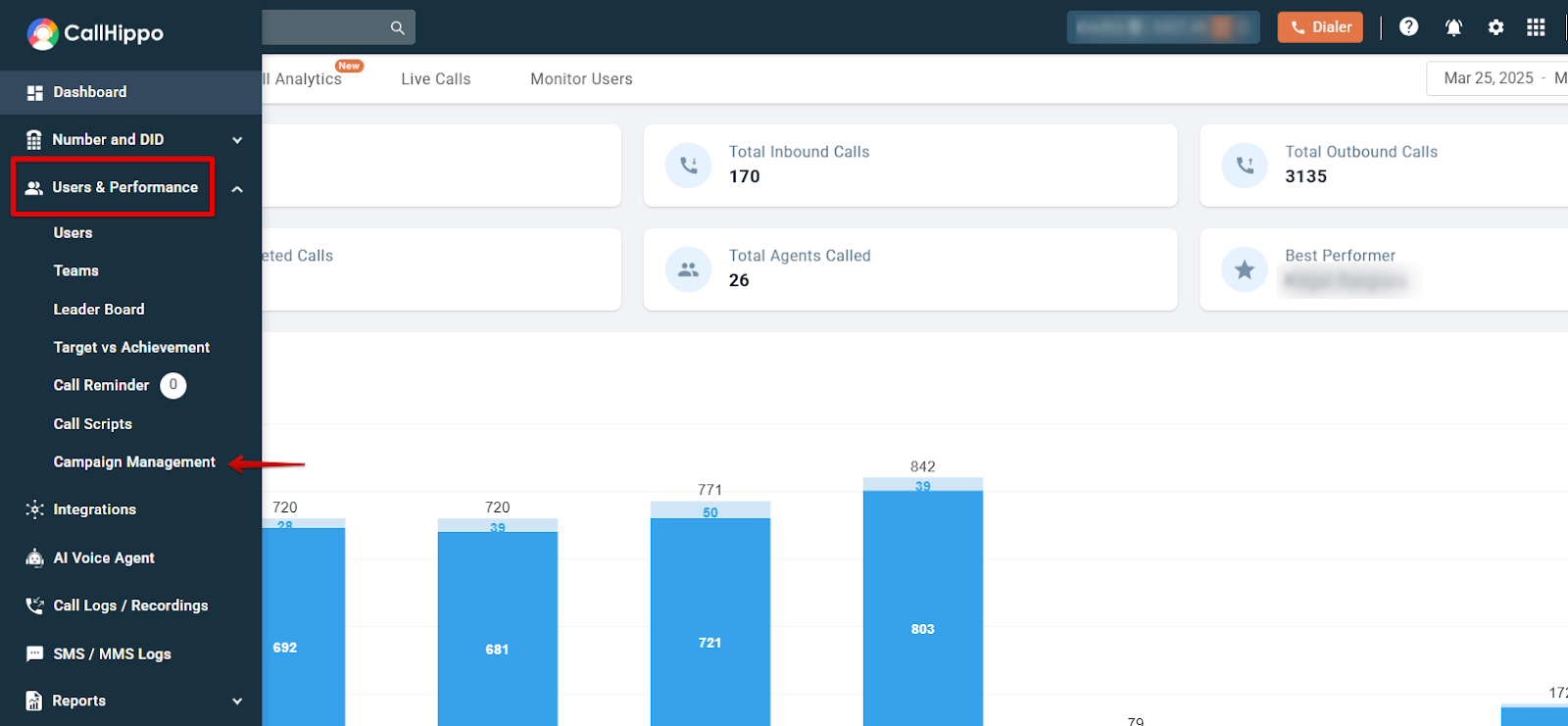
- Go to Users & Performance > Campaign Management.
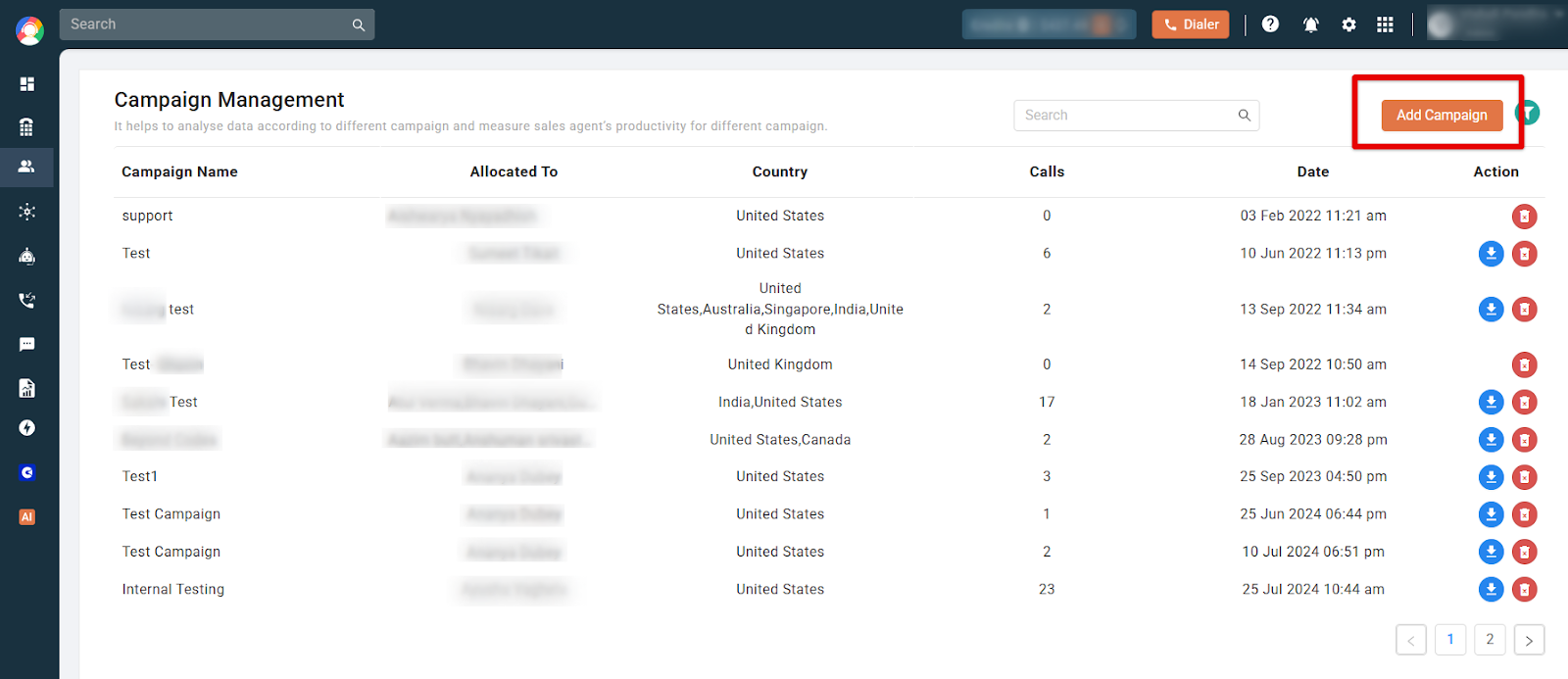
- Click Add Campaign.
- Enter the campaign details: Add a campaign name and description, select the users or teams, choose the phone number that calls will be made from, and set the start and end dates. Selecting multiple agents lets you monitor their calling performance collectively.
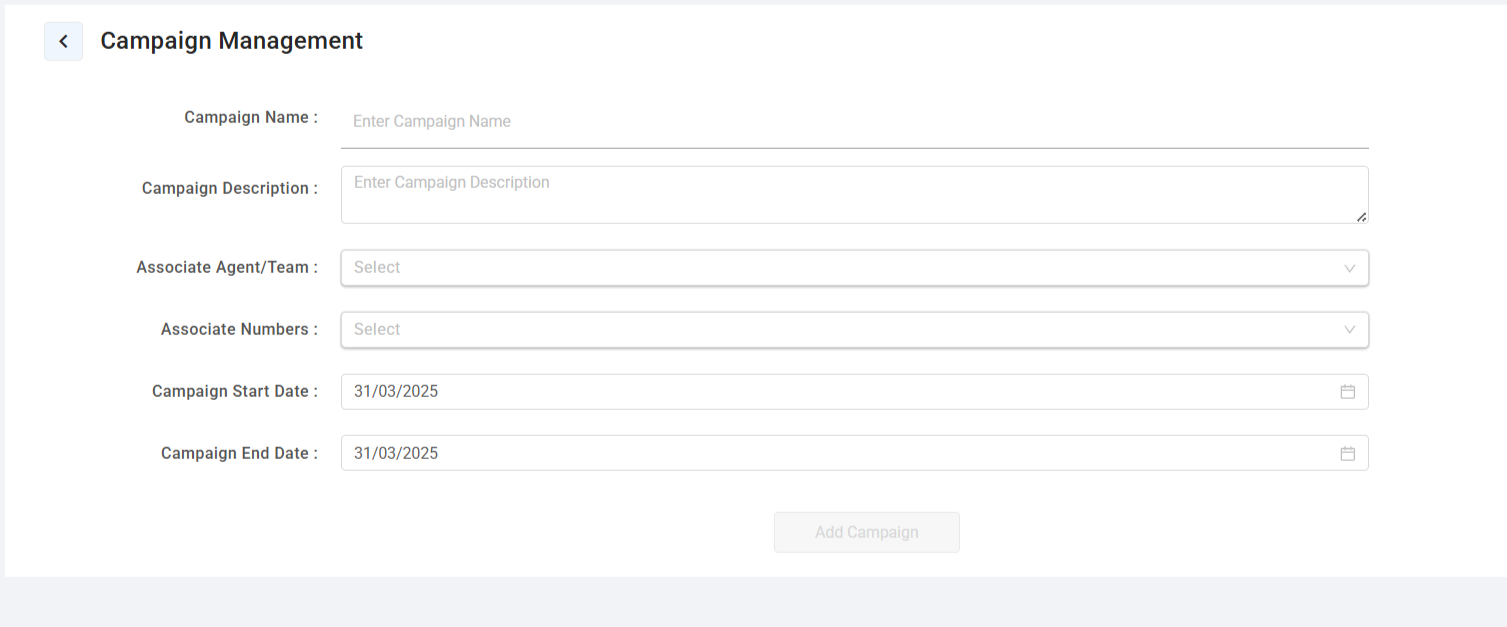
- Start the campaign: Once all details are entered, click Add Campaign to launch it.
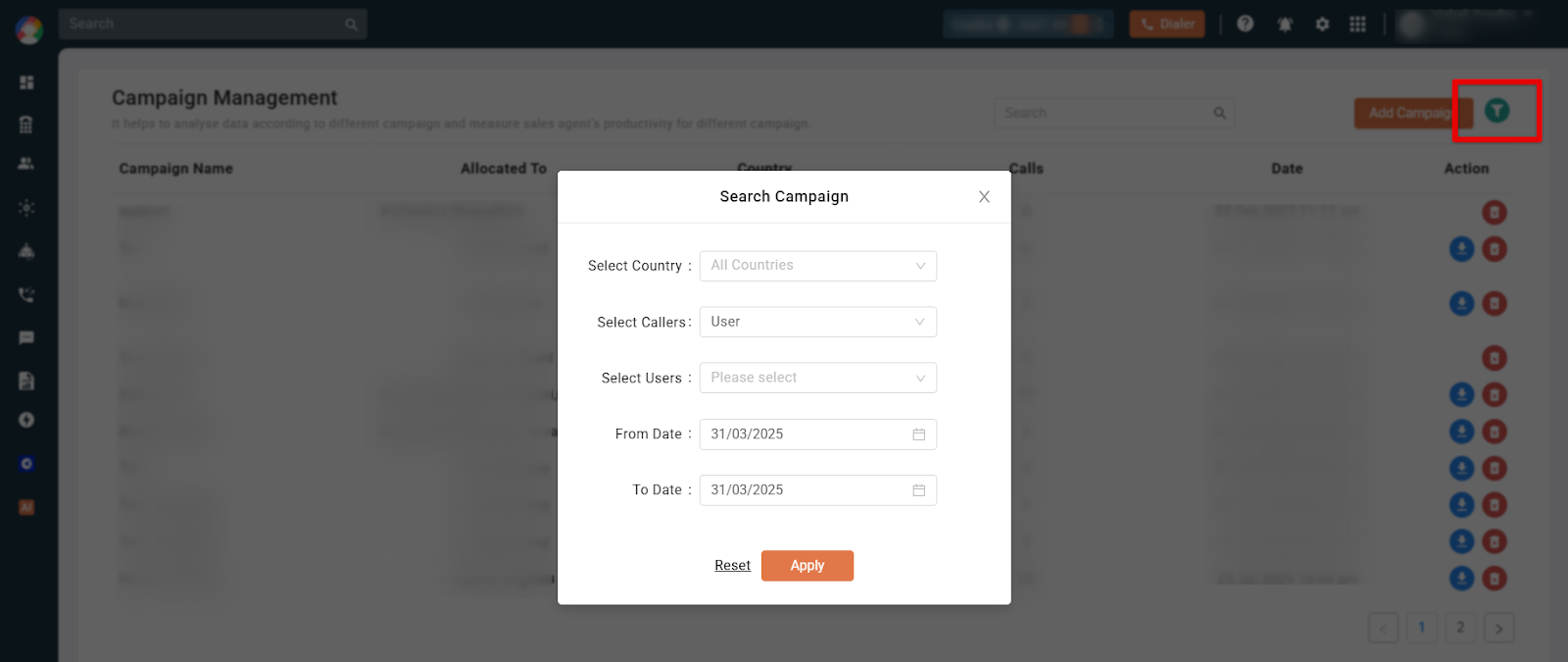
- Filter and analyze data: Click the Filter icon, apply your conditions, and click Apply to view the filtered results.
Common Use Cases
- Sales tracking: Track the number of calls made by agents and measure their performance.
- Marketing campaigns: Run outreach for promotions, lead generation, and customer engagement.
- Team performance analysis: Compare the productivity of different teams and agents.
- Data-driven decisions: Use insights to refine strategies for better conversion and engagement.
Frequently Asked Questions
What is the purpose of campaign management?
It helps businesses track and optimize their sales and marketing efforts by monitoring agent performance and customer interactions.
Can I track multiple agents in a campaign?
Yes. Select multiple agents during setup to monitor their calling performance collectively.
How do I analyze campaign performance?
Use the filter feature in the Campaign Management section to apply conditions and view specific data insights.
Can I edit an existing campaign?
Yes. You can modify campaign details after creation based on performance data and changing business needs.
How does campaign management improve productivity?
It provides data-driven insights that help you optimize team efficiency, identify high-performing agents, and refine your outreach strategy.