
Connecting CCVShop with CallHippo lets your ecommerce and order data flow into your calling workflow — you just enable the CCVShop API and paste your credentials into CallHippo.
Set up the CCVShop API
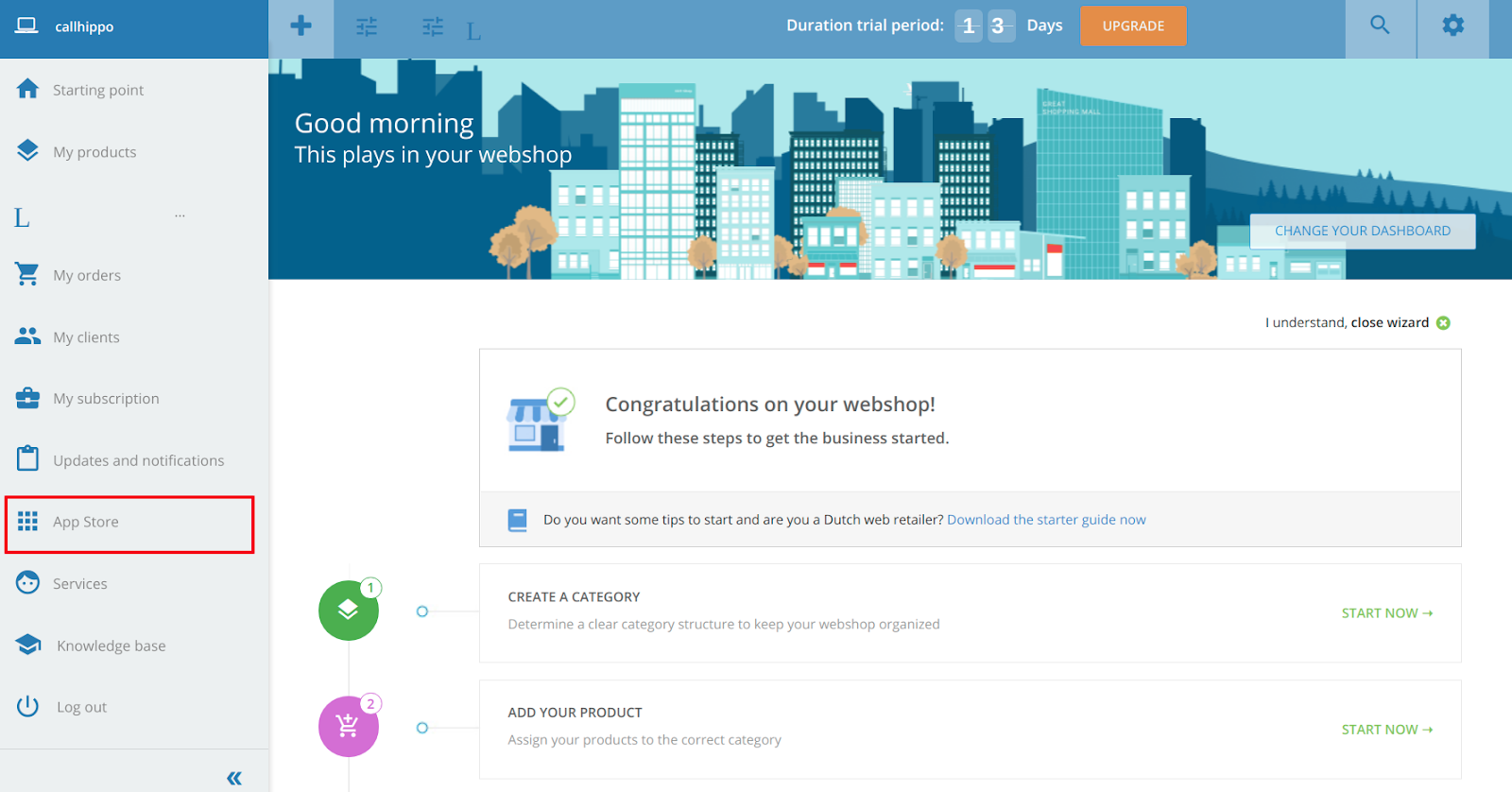
- Open the App Store. Log in to your CCVShop account and click App Store in the sidebar.
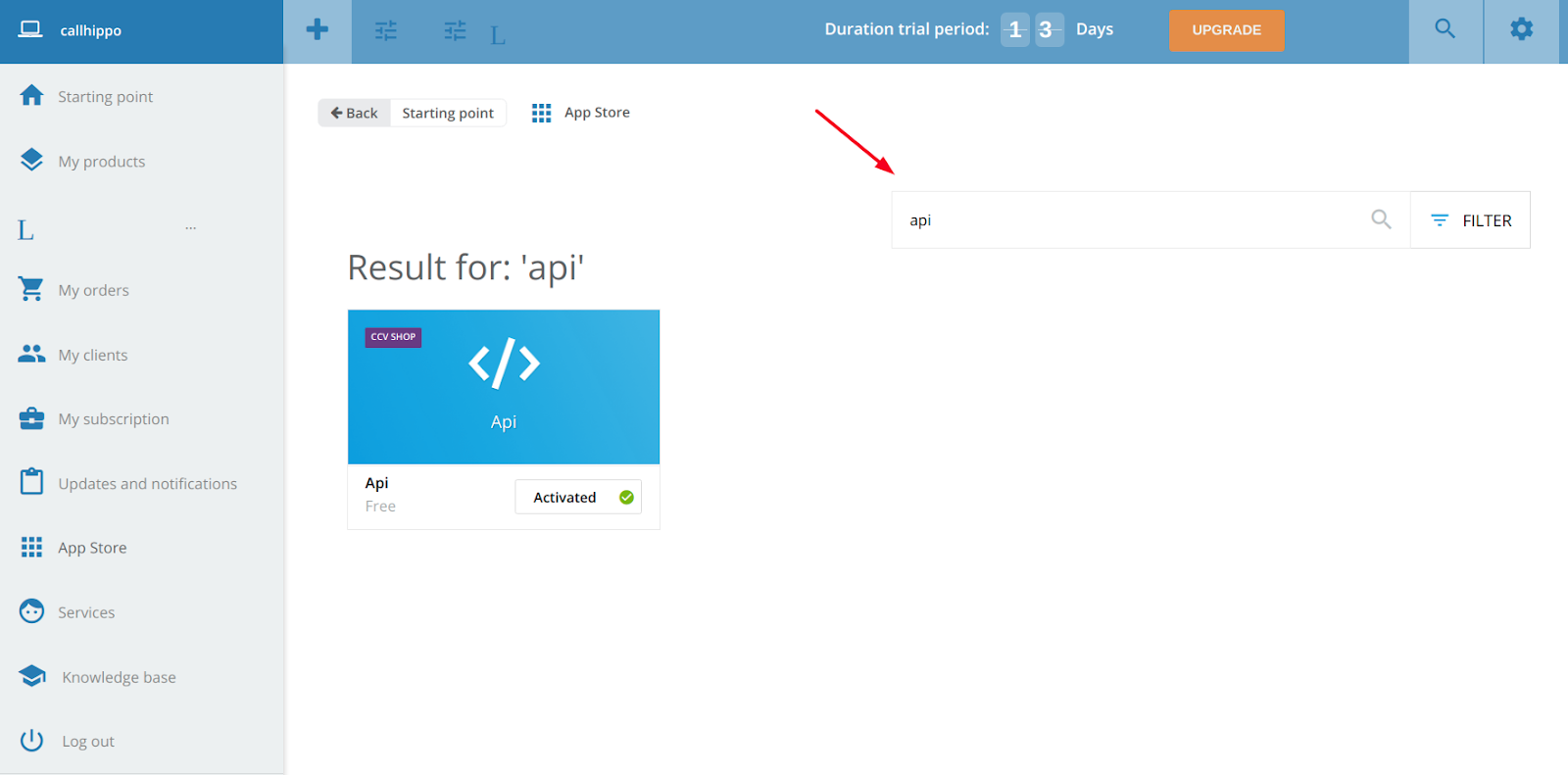
- Activate the API app. Search for API and click the Activate button on the API app.
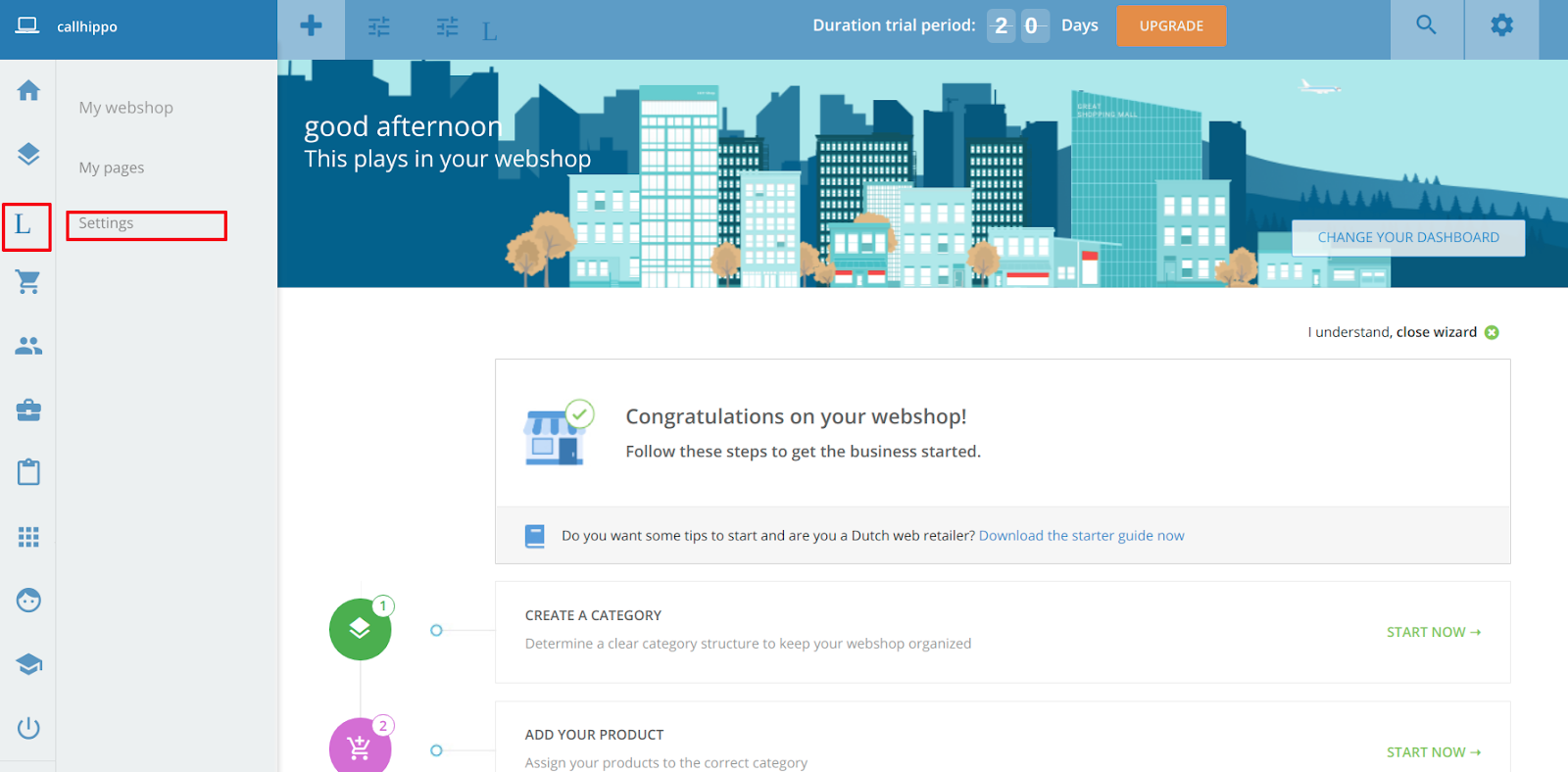
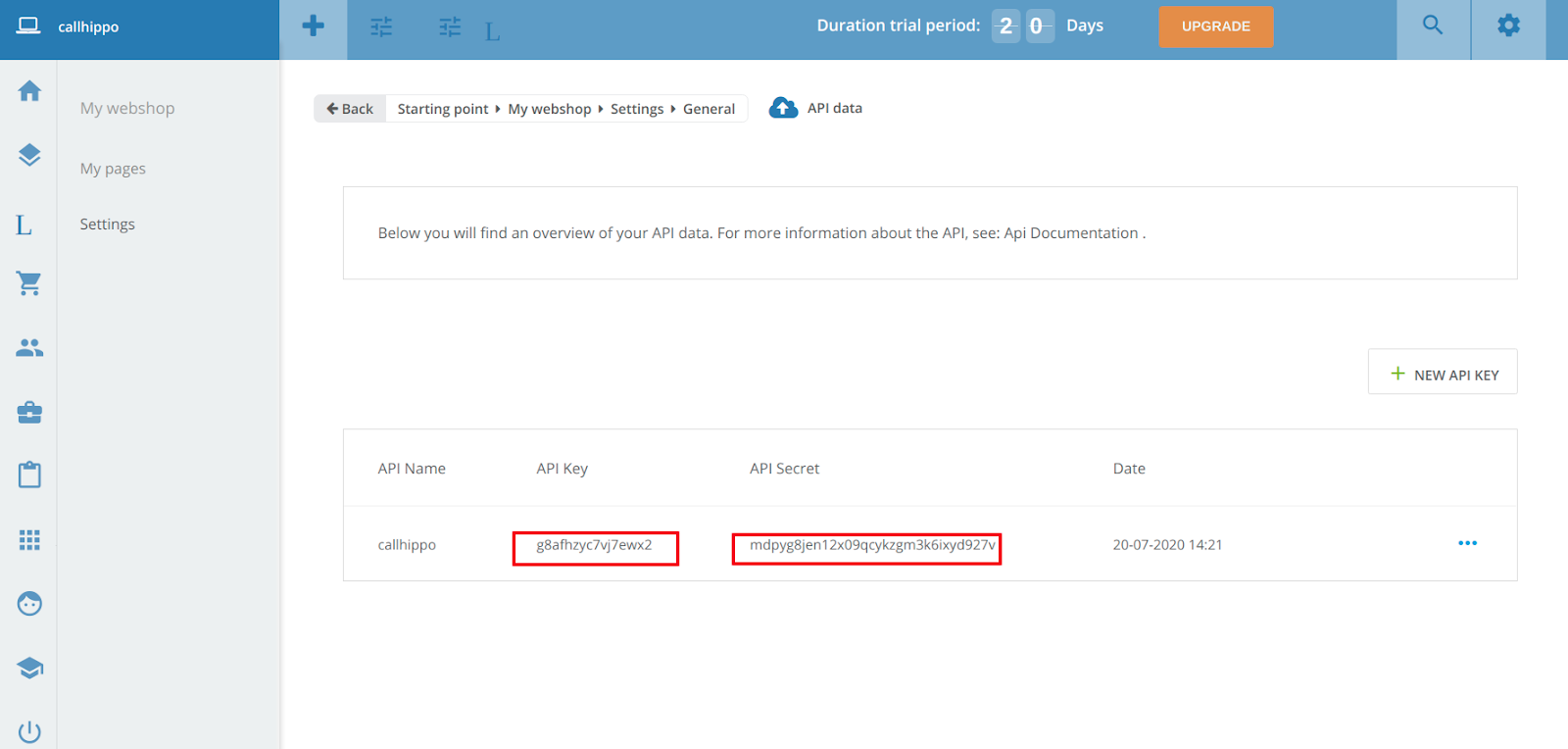
- Open settings. Go to My webshop and click Settings.
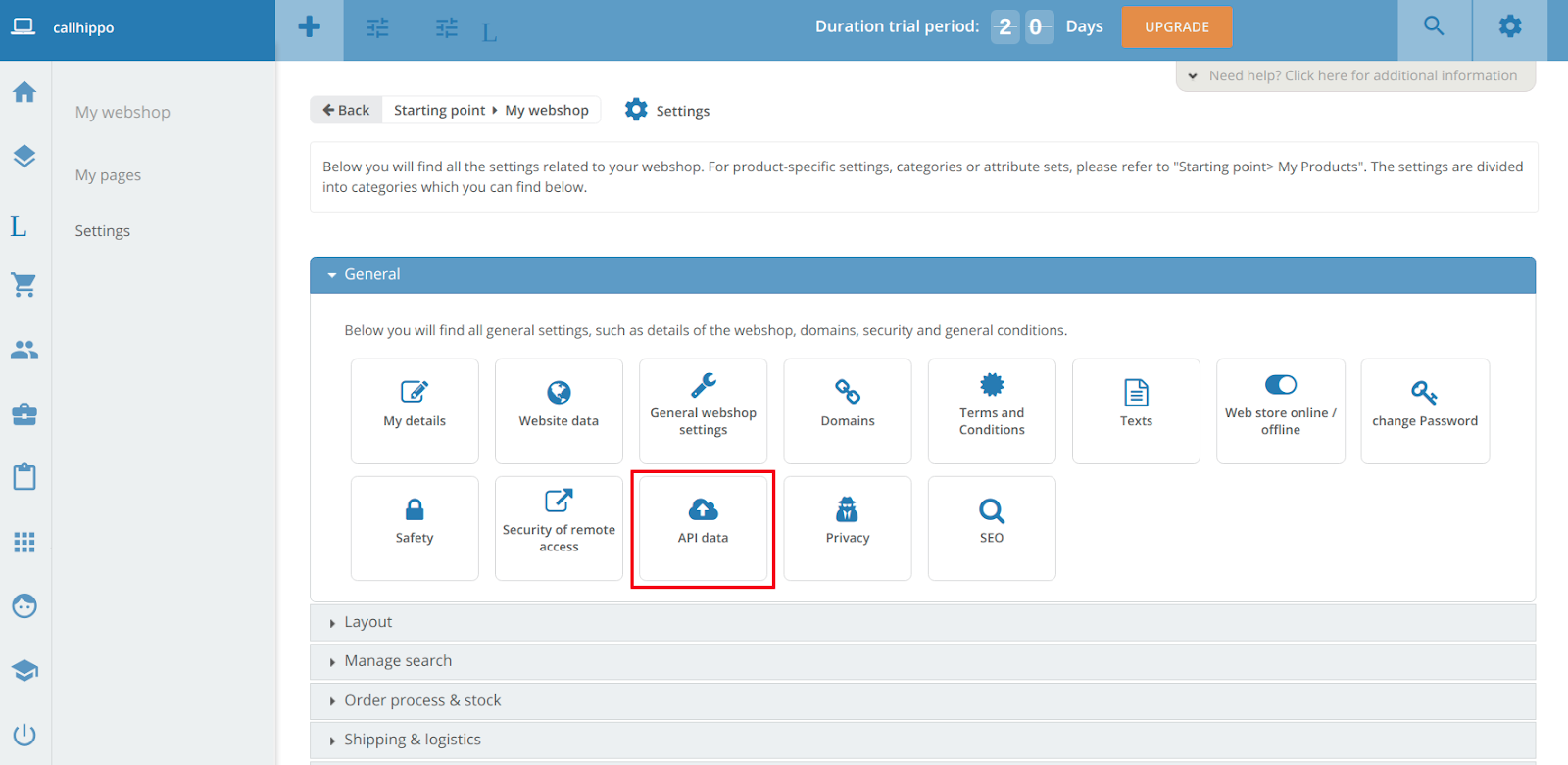
- Open API data. Under General, click API data to open the API key page.
- Copy your credentials. Copy the API Key and API Secret and keep them somewhere safe.
Connect CCVShop in CallHippo
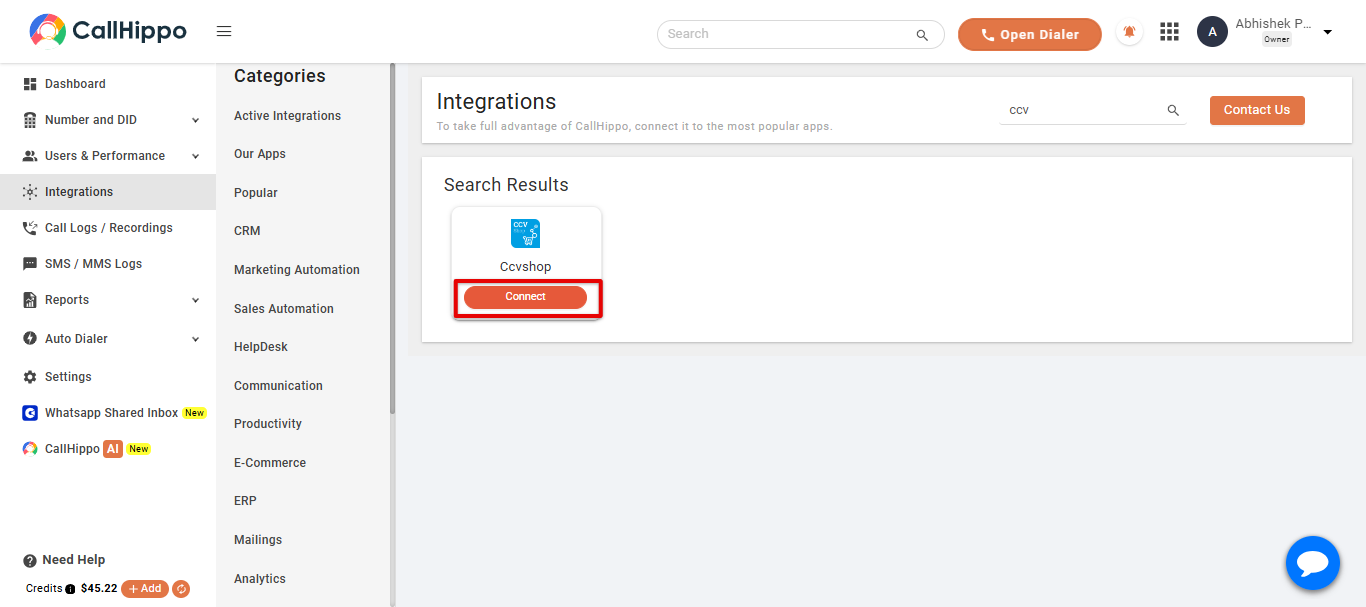
- Open Integrations. Log in to CallHippo, go to the Integrations tab, find Ccvshop and click Connect.
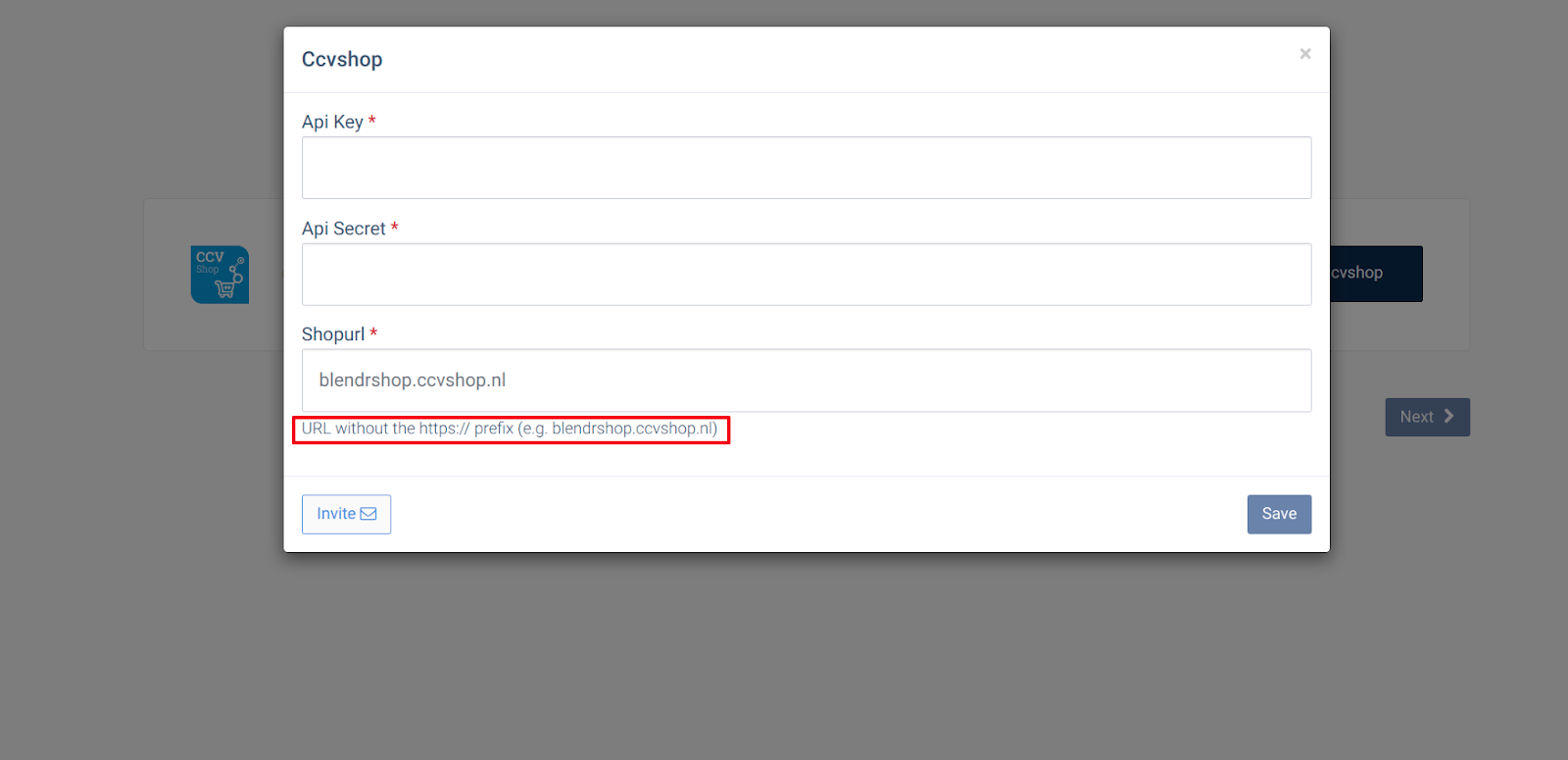
- Enter your details. Paste the API Key and API Secret you copied earlier, then enter your Shop URL without the
https://prefix (for example,blendrshop.ccvshop.nl). - Save and continue. Click Save, then Next.
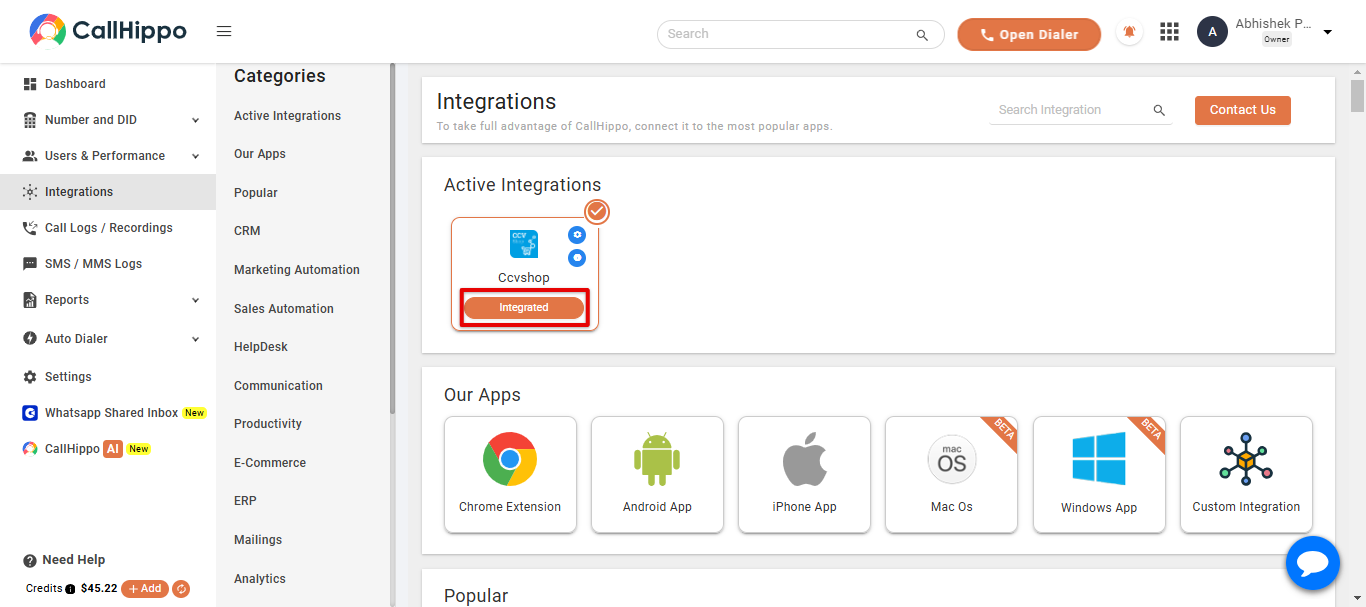
- Done. You are returned to your CallHippo account and the status changes to Integrated — your CCVShop account is now connected.
Frequently asked questions
Do I need to activate the API app in CCVShop first?
Yes. Activate the free API app from the CCVShop App Store before you can generate the API key and secret.
How should I enter the shop URL?
Enter it without the https:// prefix — for example, blendrshop.ccvshop.nl.
Stuck connecting CCVShop? We’re here to help at [email protected].