
Changing the default country code in CallHippo ensures that your outbound calls and number entries align with your target region, saving time and reducing dialing errors. This is especially helpful when your list of leads does not include country codes—if you know you are primarily targeting a specific country, setting a default code helps ensure your calls connect correctly. If you use a CRM integration with CallHippo, a default country code also ensures that numbers synced from your CRM are formatted properly for outbound dialing.
Set a default country code from the dashboard
- Log in to your CallHippo account.
- Click the Settings icon at the top of the dashboard.
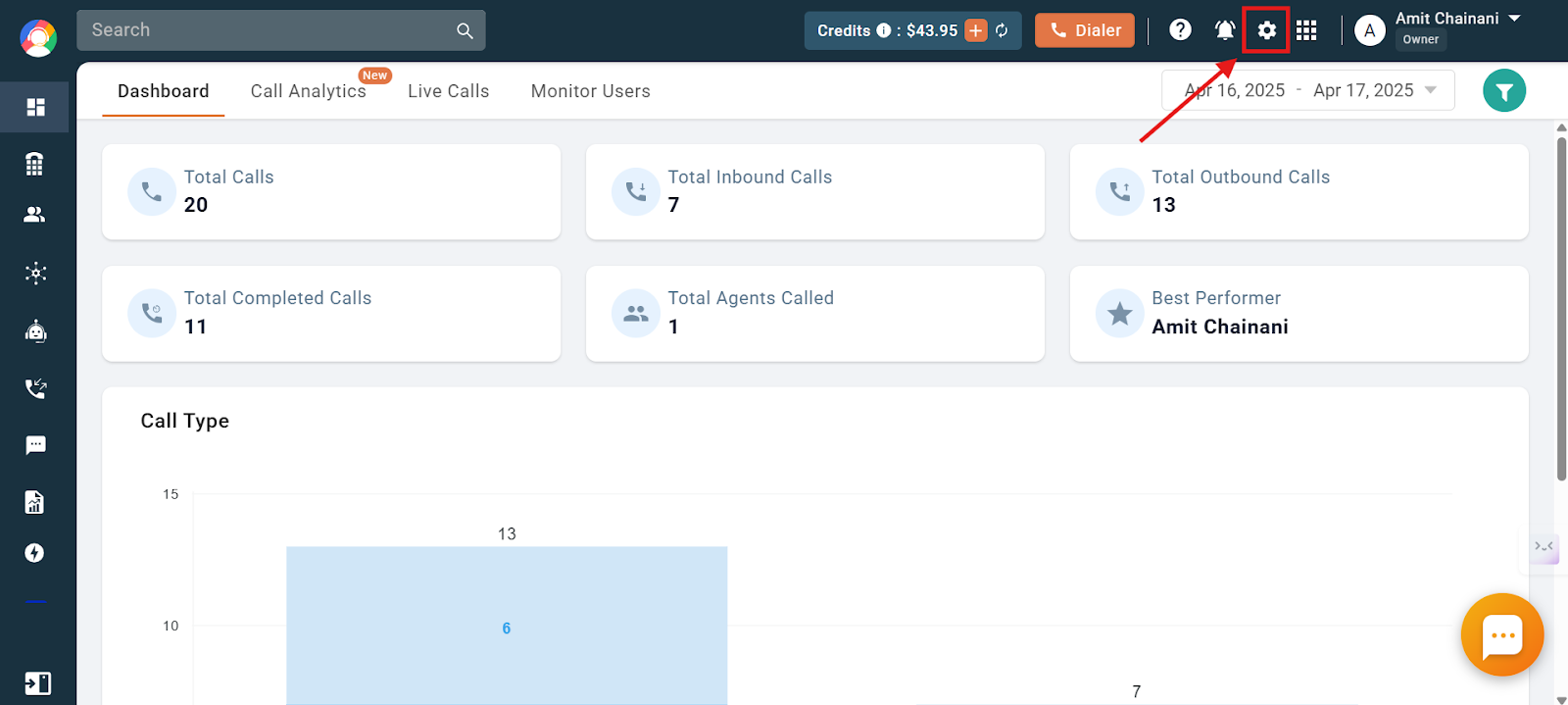
- Scroll down the options list on the left side of the dashboard and click Default Country Code.
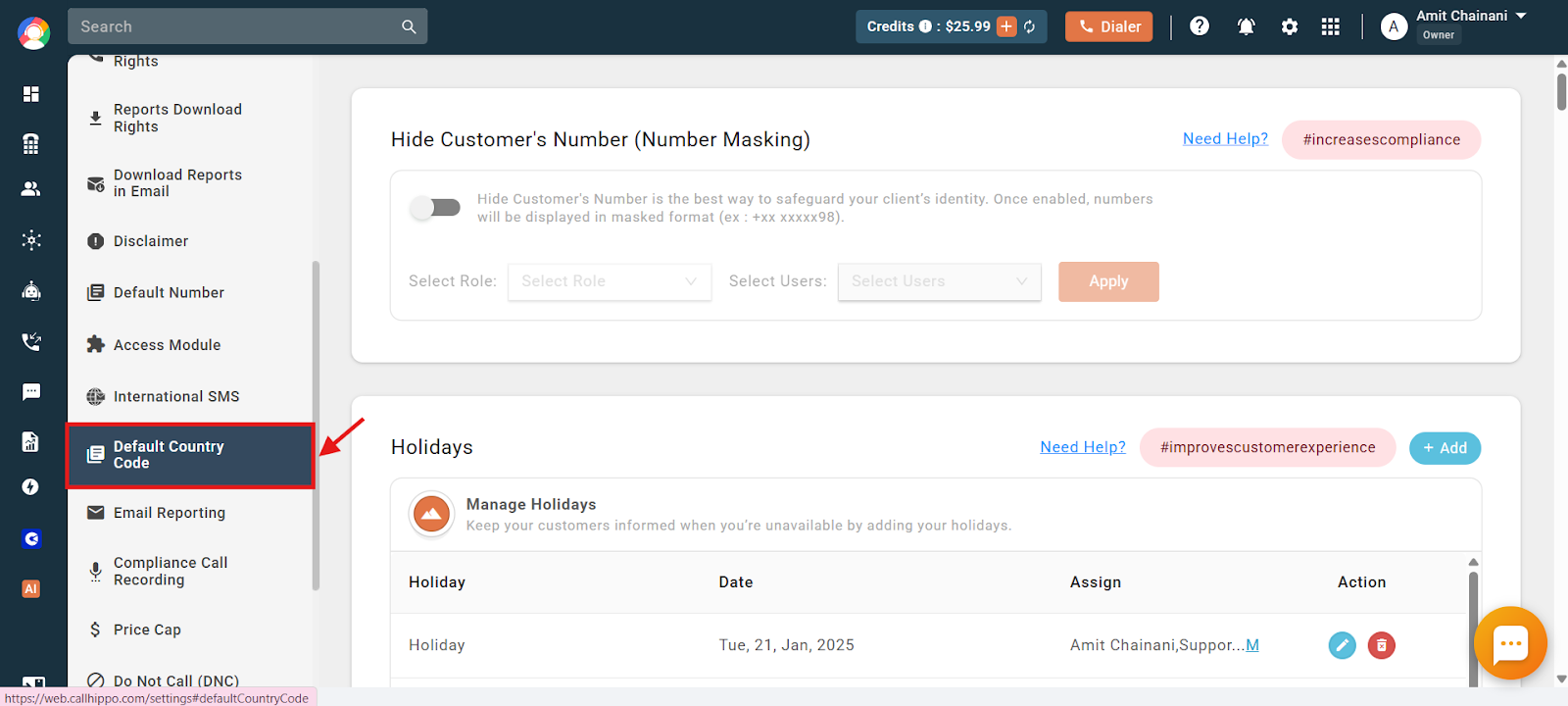
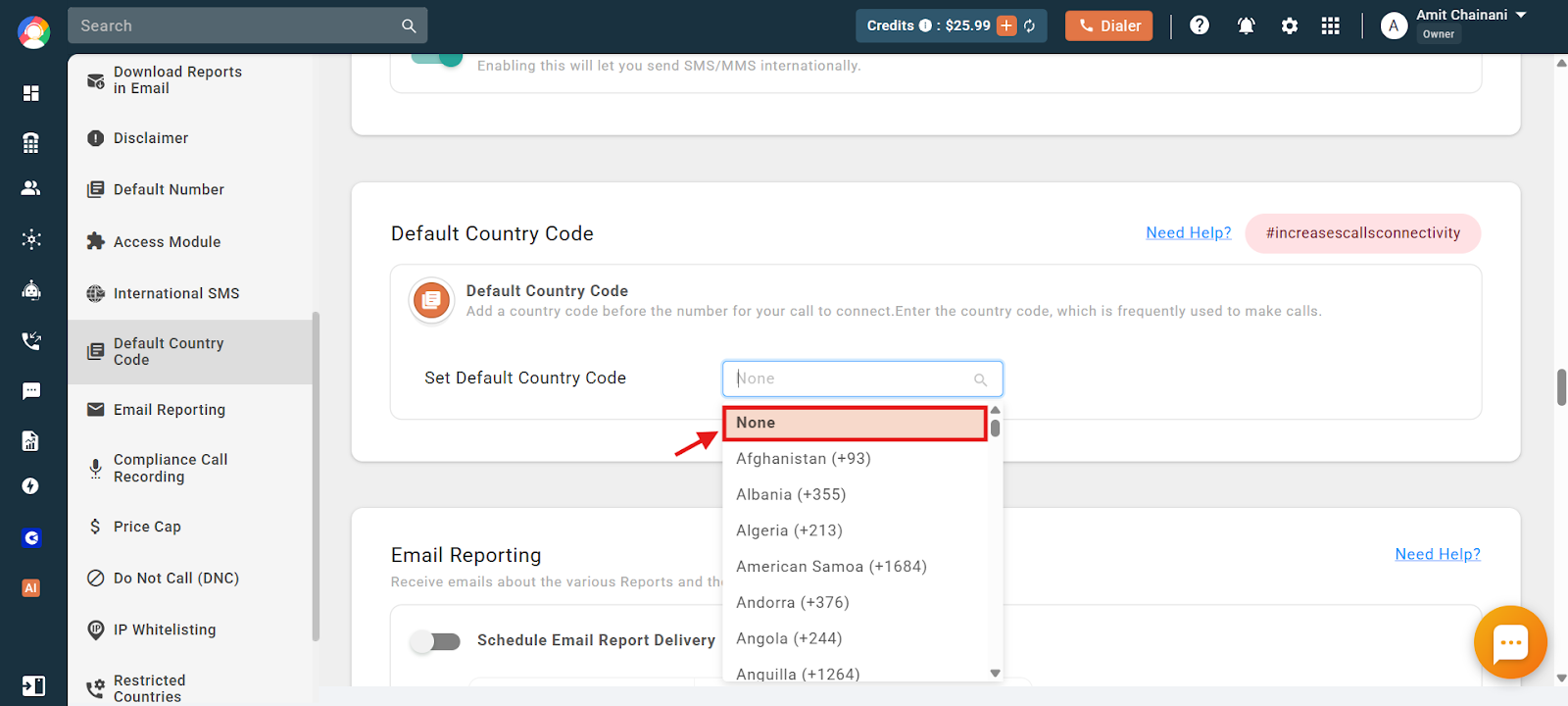
- Click the dropdown menu under Set Default Country Code.
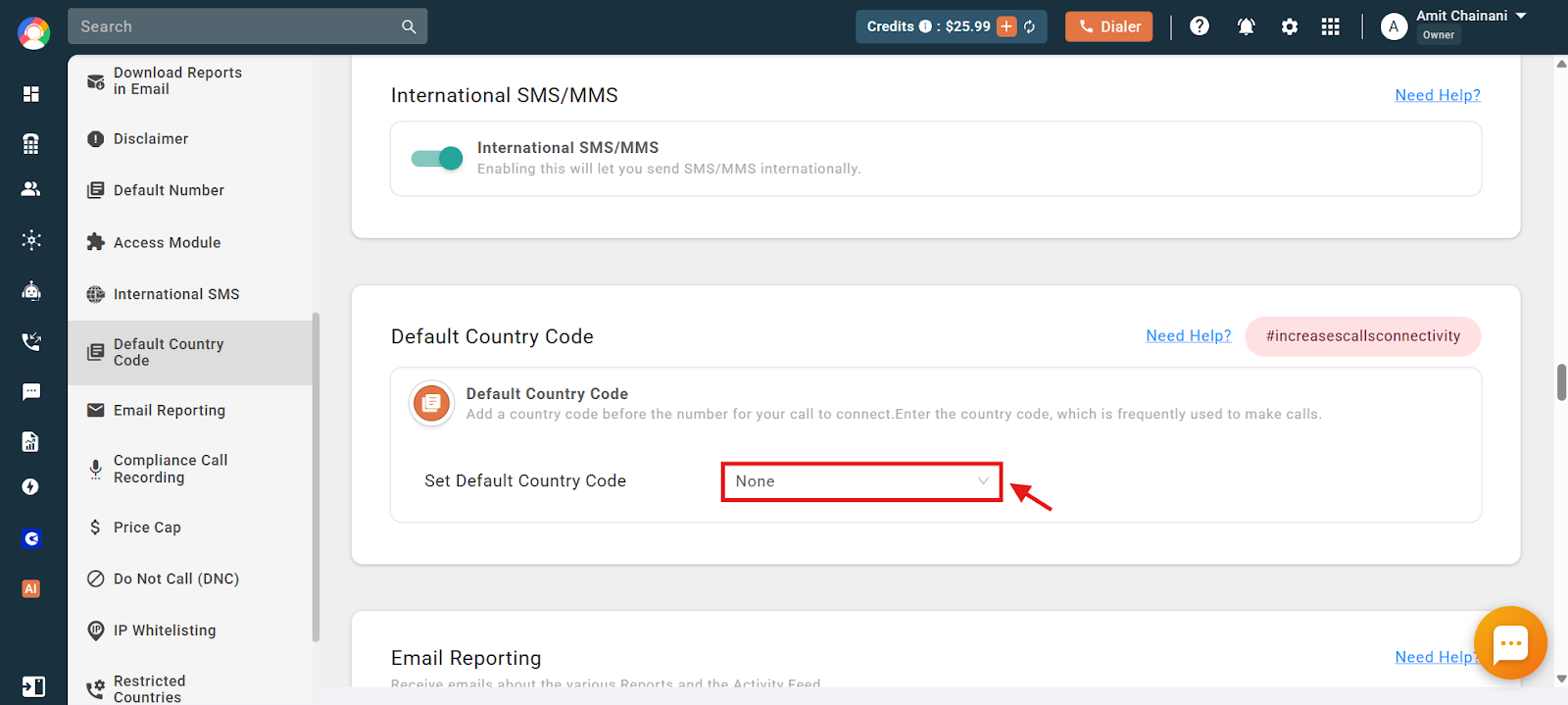
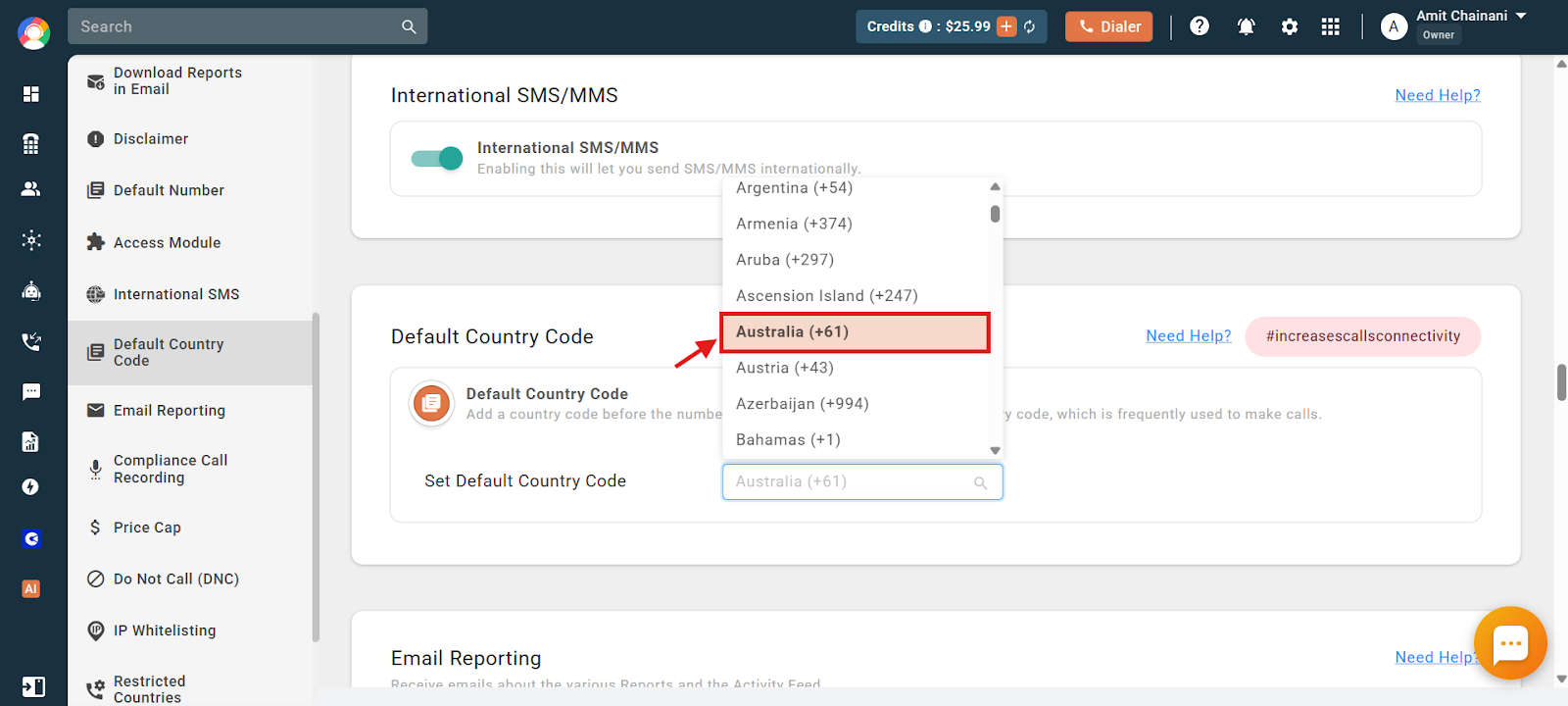
- Select the country whose code you want to set as the default.
- A confirmation message appears at the top of the dashboard.
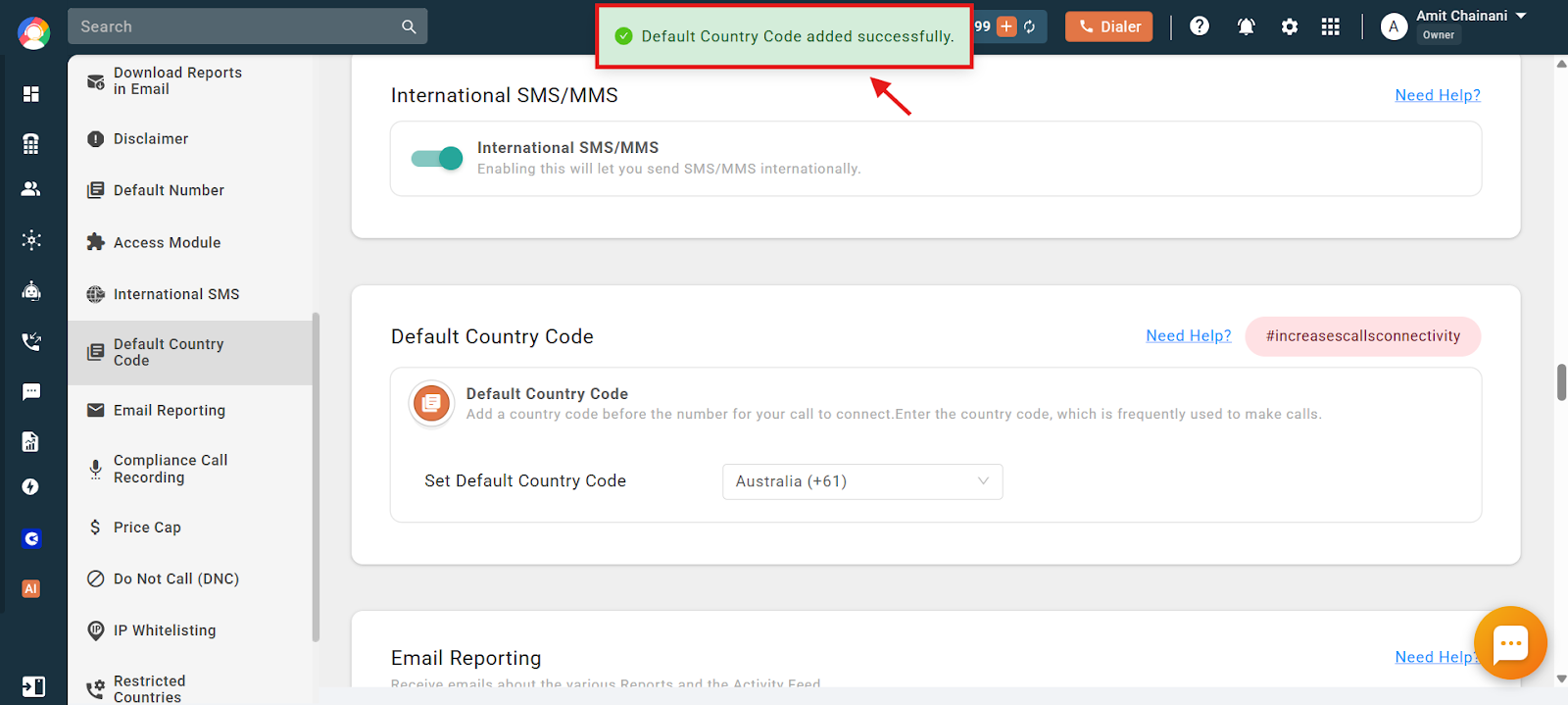
- To deselect a previously set default country code, select None from the top of the dropdown.
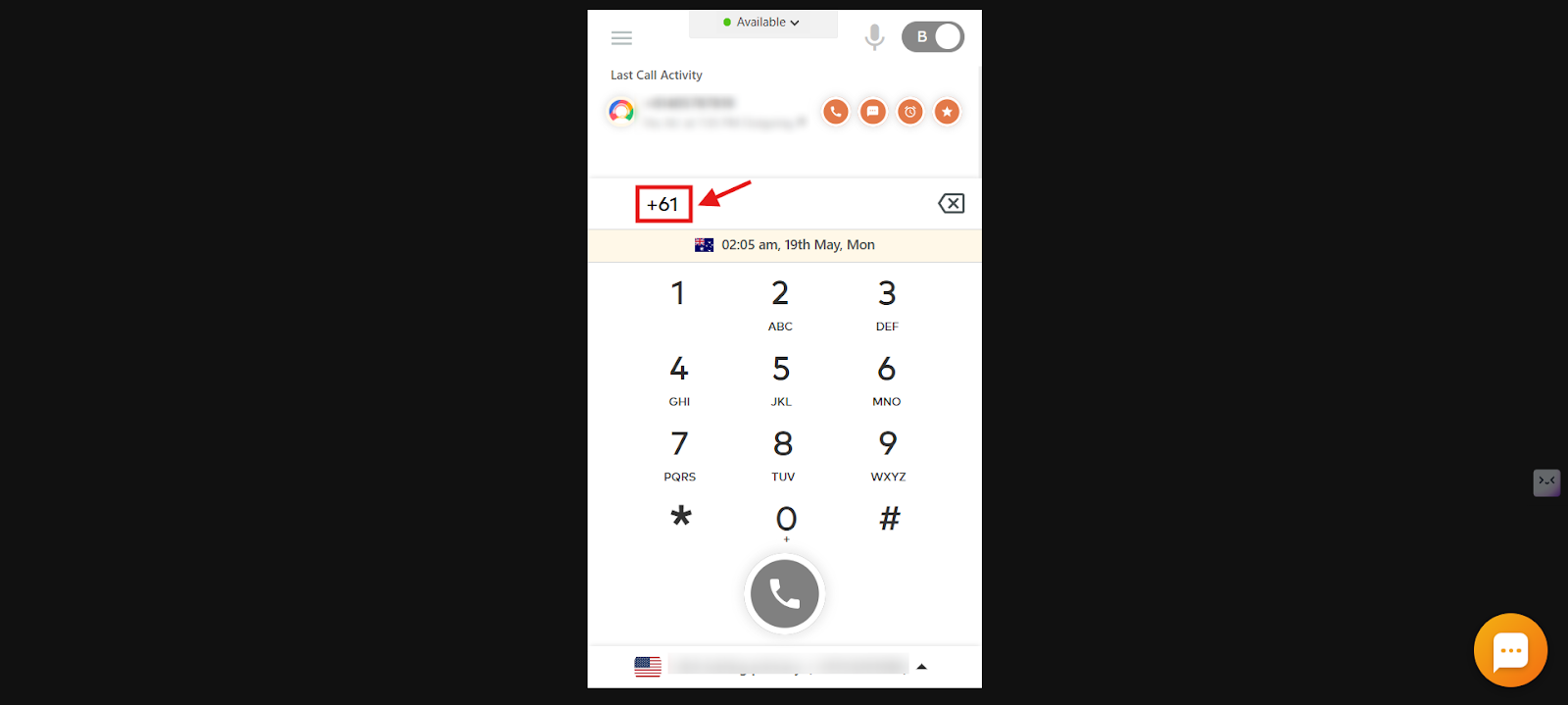
- After you log in again, the default country code is automatically entered and displayed in the CallHippo dialer.
Set a default country code from the dialer
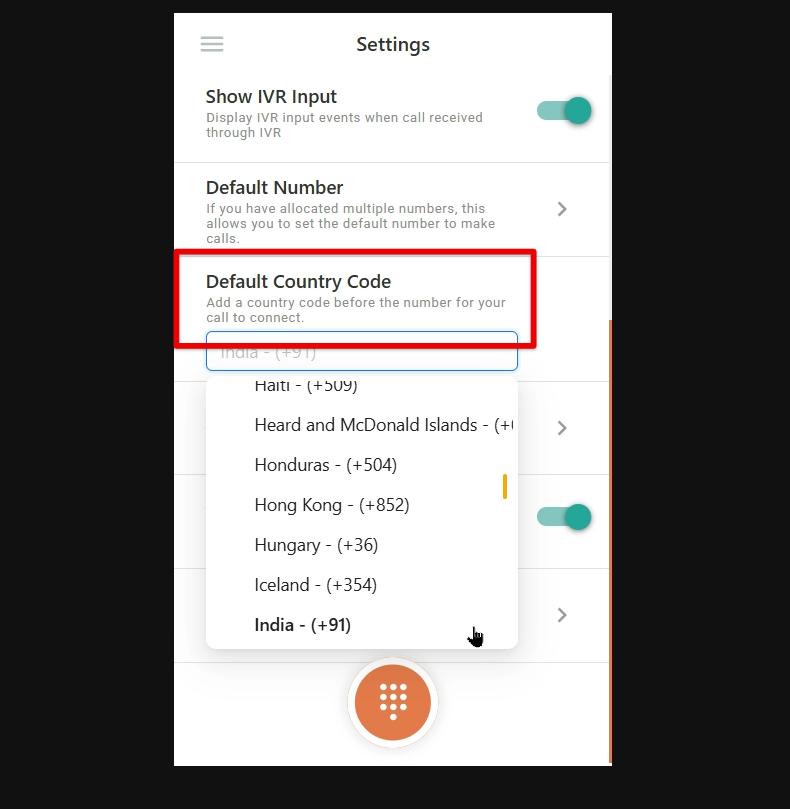
- Log in to your CallHippo account: Access your CallHippo dialer using your credentials.
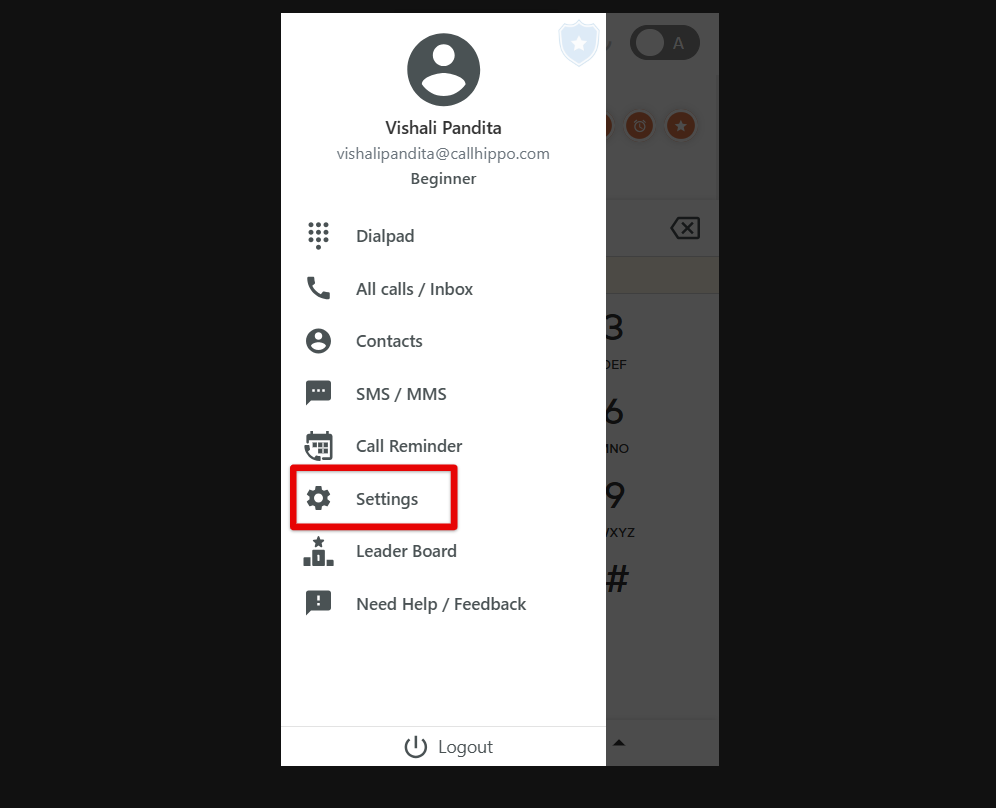
- Navigate to Settings: Click the Settings option in the left-hand menu.
- Set the default country code: In the Dialer Settings, find the option labeled Default Country Code and select your desired country. For example, choose the United States for “+1” or the United Kingdom for “+44.” As soon as you select a prefix, the setting is applied immediately.
What happens if no default country code is selected?
If you have not set a default country code and you dial a number without manually entering a country code, CallHippo automatically tries to decide which country code to use. In such cases, the system applies the country code of the last successfully dialed number from your dialer. This is why you might notice the system automatically picking a specific country code even though you did not select one—it is using your most recent successful call as a reference.
How to avoid this or fix it:
- Set a default country code so that all numbers without a country code are dialed using the correct prefix.
- Manually dial the first number with the correct country code if you will be calling multiple contacts from the same country. The system continues using that country code until a new successful call is made with a different one.
This helps ensure accurate call routing and avoids dialing errors.
Business use cases for a default country code
- Streamlined international calling: Eliminates the need to manually enter country codes for each call, ensuring faster dialing, fewer errors, and improved agent efficiency.
- Call center and sales teams: Helps teams focused on a specific region avoid mistakes when dialing numbers and ensures consistency when reaching out to leads in the same country.
- Customer support and service-based businesses: Ensures seamless connectivity by automatically applying the correct country prefix and reduces call failures due to incorrect dialing formats.
- Remote and global teams: Helps businesses with international clients standardize outbound calling and ensures that remote employees follow a uniform dialing format.
- E-commerce and delivery services: Ensures accurate dialing when coordinating with local delivery agents and helps verify customer phone numbers correctly before placing calls.
Frequently asked questions
Q: Can I set different country codes for different agents?
A: Yes.
Q: Will the country code be applied to all calls automatically?
A: Yes. Once set, the default country code is automatically added to numbers dialed without a country prefix.
Q: Can I change the default country code later?
A: Yes. You can update the country code anytime by navigating to the Dialer Settings.
Q: What happens if I enter a number with a different country code?
A: The system recognizes the existing country code in the number and does not override it.
Q: Does setting a default country code affect incoming calls?
A: No. It only applies to outbound calls made from your CallHippo account.
Q: Will this setting work on both desktop and mobile apps?
A: Yes. The default country code setting applies across all platforms where CallHippo is used.
Q: Can I set multiple country codes as default?
A: No. Only one country code can be set as the default, but you can manually enter other codes when needed.
Q: What if I make calls to multiple countries frequently?
A: You can manually enter the country code for each call if you need to dial numbers from different regions regularly.
Q: Why is my Australian number being dialed with the Indian country code?
A: This usually happens when the default country code is set to India. You can update it by going to the Default Country Code settings in your dashboard or dialer and selecting Australia from the dropdown.
Q: I am trying to call Malaysia, but the system keeps using the Indian country code. What should I do?
A: Your default country code is likely set to India. You can change it to Malaysia by updating the Default Country Code setting in your account’s Settings section.
Q: My CallHippo dialer keeps automatically using +91. How can I change it to +1?
A: You can change the default country code to +1 (USA) by navigating to Settings > Default Country Code in your CallHippo account and selecting the United States. This change applies to all outbound calls made without a country code.
Q: Why is CallHippo using the wrong country code even though I did not set any default?
A: If you have not set a default country code and dial a number without one, CallHippo automatically uses the country code from your last successful outbound call. This helps the system decide how to route your call when no country code is provided.
Q: How can I stop CallHippo from automatically picking the wrong country code?
A: To prevent this, either set a default country code in your settings or manually dial the first number with the correct country code. This ensures all following calls use the correct format.
Setting a default country code helps businesses maintain consistency, reduce dialing errors, and improve call efficiency, making it an essential feature for teams handling international communication.
We hope this helps. If you still have questions, feel free to reach out at [email protected].