
Connecting Chorus.ai with CallHippo pushes every completed call recording into Chorus automatically, so your team gets AI-powered conversation intelligence without any manual uploads.
Step 1: Get your API key from Chorus
Start in your Chorus account to grab the credential CallHippo needs:
- Log in to your Chorus account.
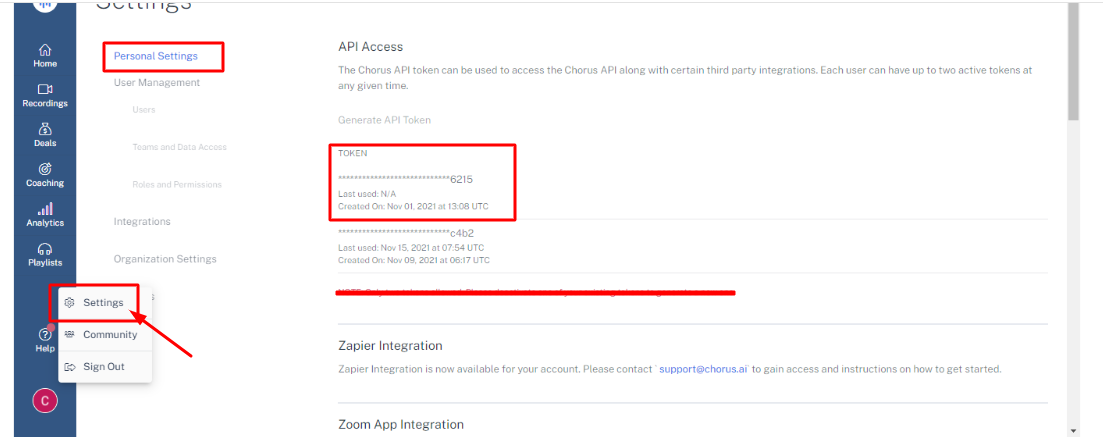
- Open the Settings → Personal Settings menu.
- In the API Access section, copy the API token. You’ll paste this into CallHippo in the next step.
Step 2: Connect Chorus in CallHippo
With the API key in hand, complete the connection in CallHippo:
- Log in to your CallHippo account.
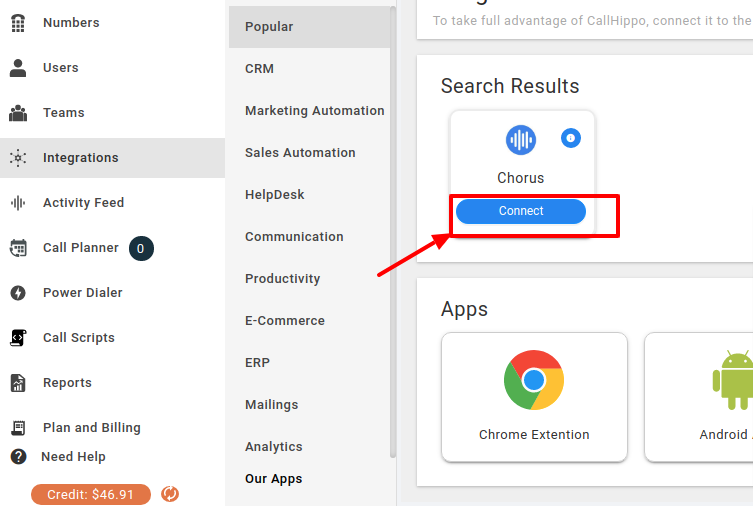
- In the left sidebar of your dashboard, click Integrations.
- Search for Chorus and click the + Connect button.
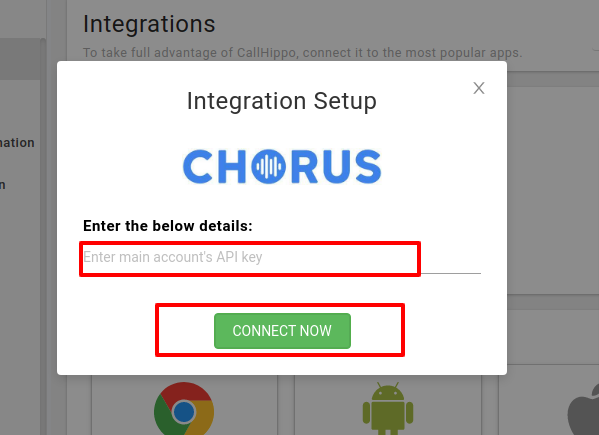
- A popup opens with a credentials field. Paste your API key and click Connect Now.
- CallHippo validates your credentials and shows a success message. Chorus is now integrated.
How the Chorus integration works
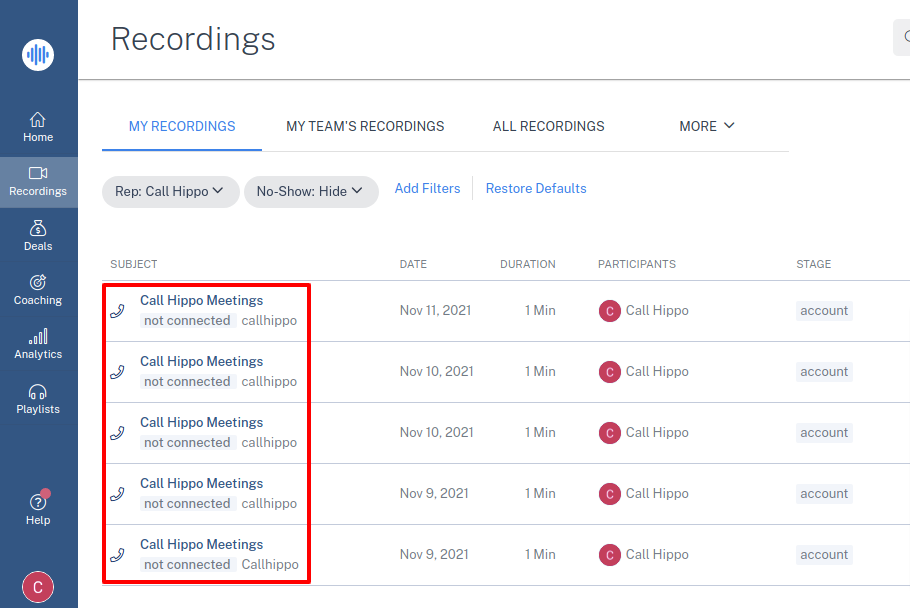
After every successful call from the CallHippo dialer, the recording URL is sent to Chorus along with the rest of the call data. You’ll find it in the My Recordings section of Chorus.
Call data is sent to Chorus only when all of the following are true:
- Call status is Completed or Voicemail.
- Call recording is enabled in CallHippo.
- The agent who placed the call is registered in Chorus.ai and has rights to access recordings.
Why aren’t my calls showing up in Chorus?
Recordings sync only for calls that are Completed or Voicemail, with recording enabled in CallHippo, placed by an agent who is registered in Chorus.ai with rights to access recordings. If any of these conditions isn’t met, the call won’t appear.
Where do I find the recordings in Chorus?
Synced CallHippo recordings appear in the My Recordings section of your Chorus account.