
Connecting Clearbit with CallHippo enriches your caller data with company and contact intelligence, giving your agents useful context before they even pick up.
Get your Clearbit API key
Start in Clearbit to copy the secret API key CallHippo needs.
- Log in to your Clearbit account.
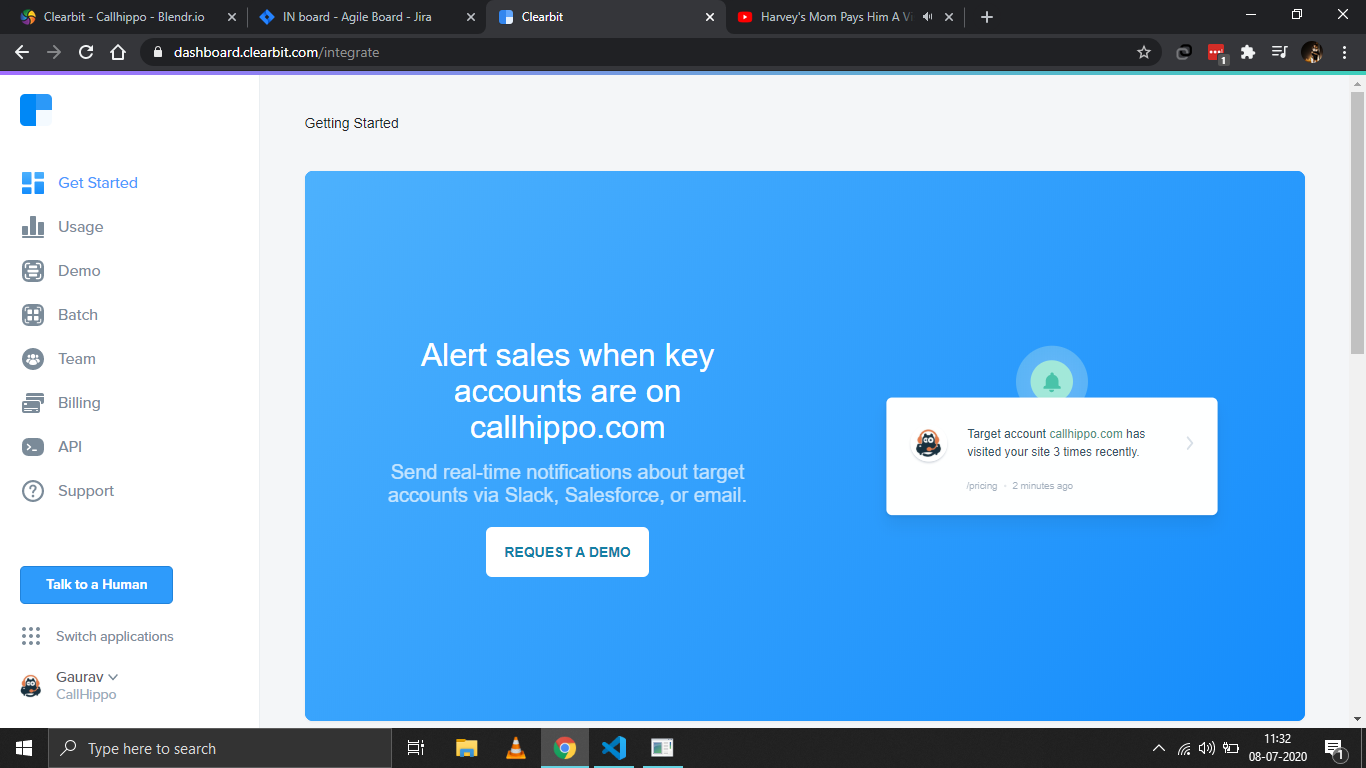
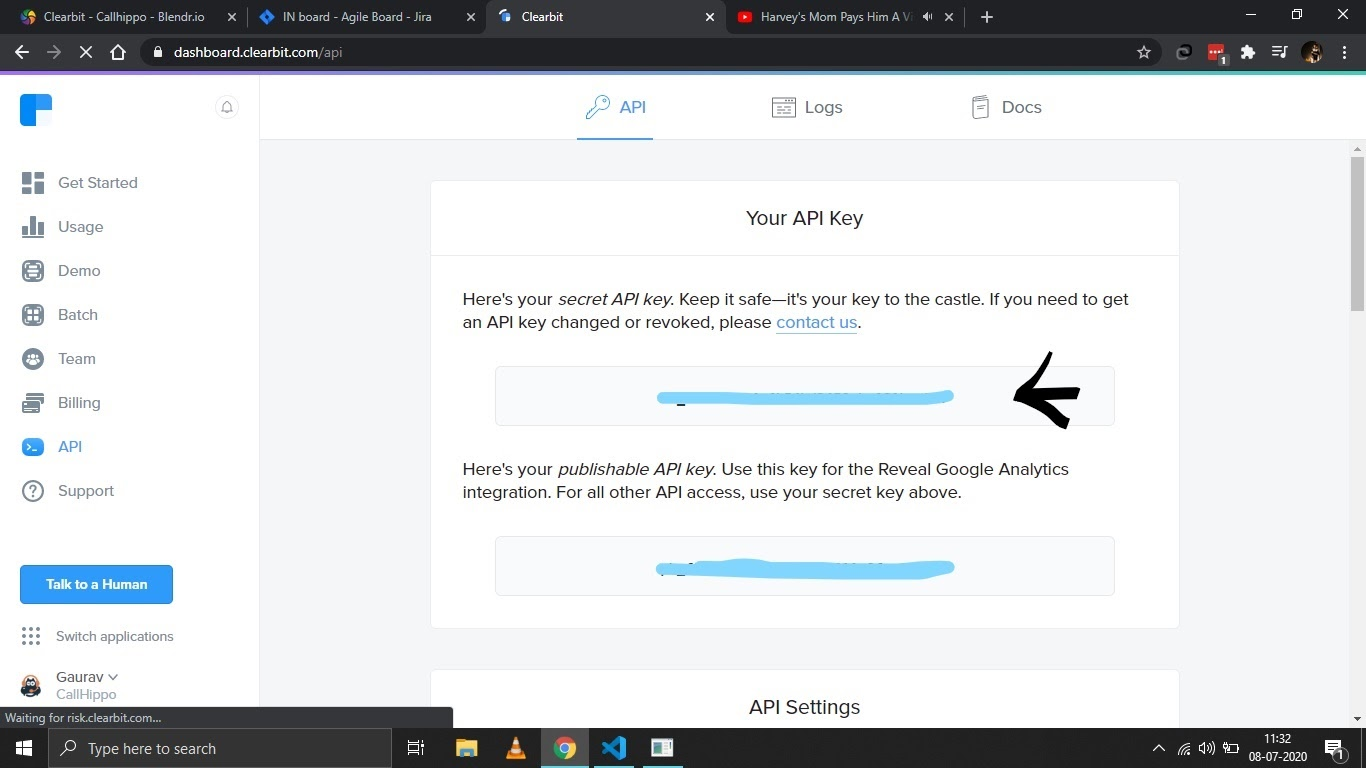
- Click the API tab in the left sidebar and copy your first (secret) API key.
Connect Clearbit in CallHippo
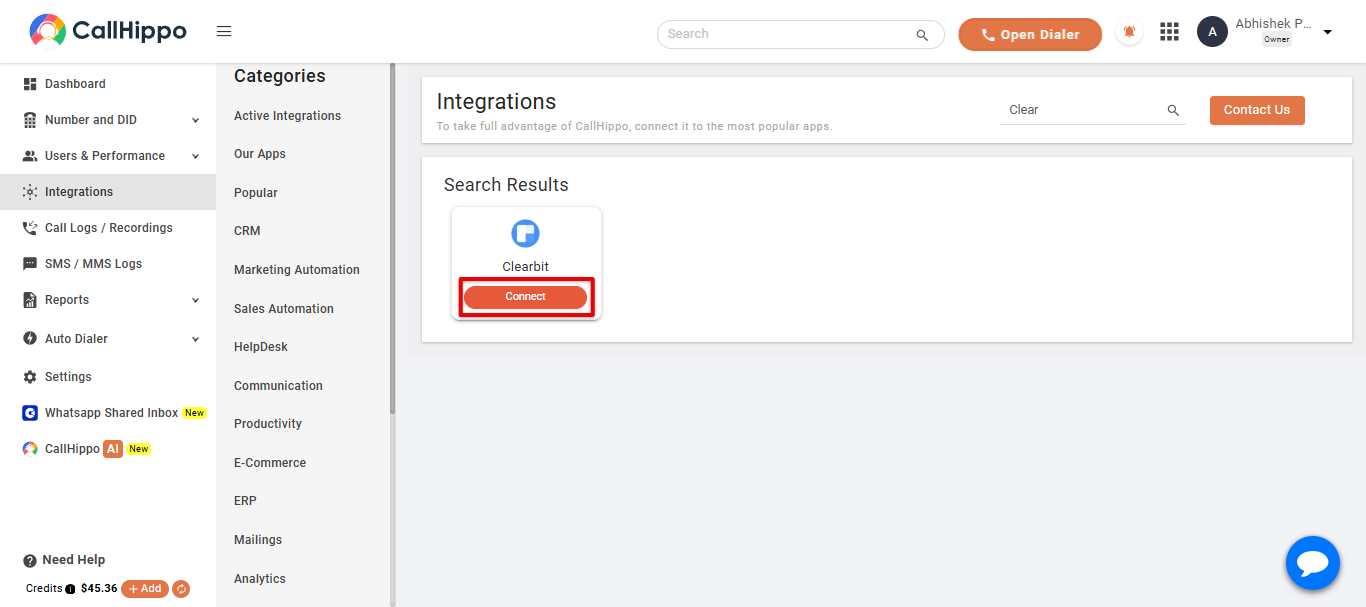
- Log in to your CallHippo account and open the Integrations tab. Search for Clearbit and click Connect.
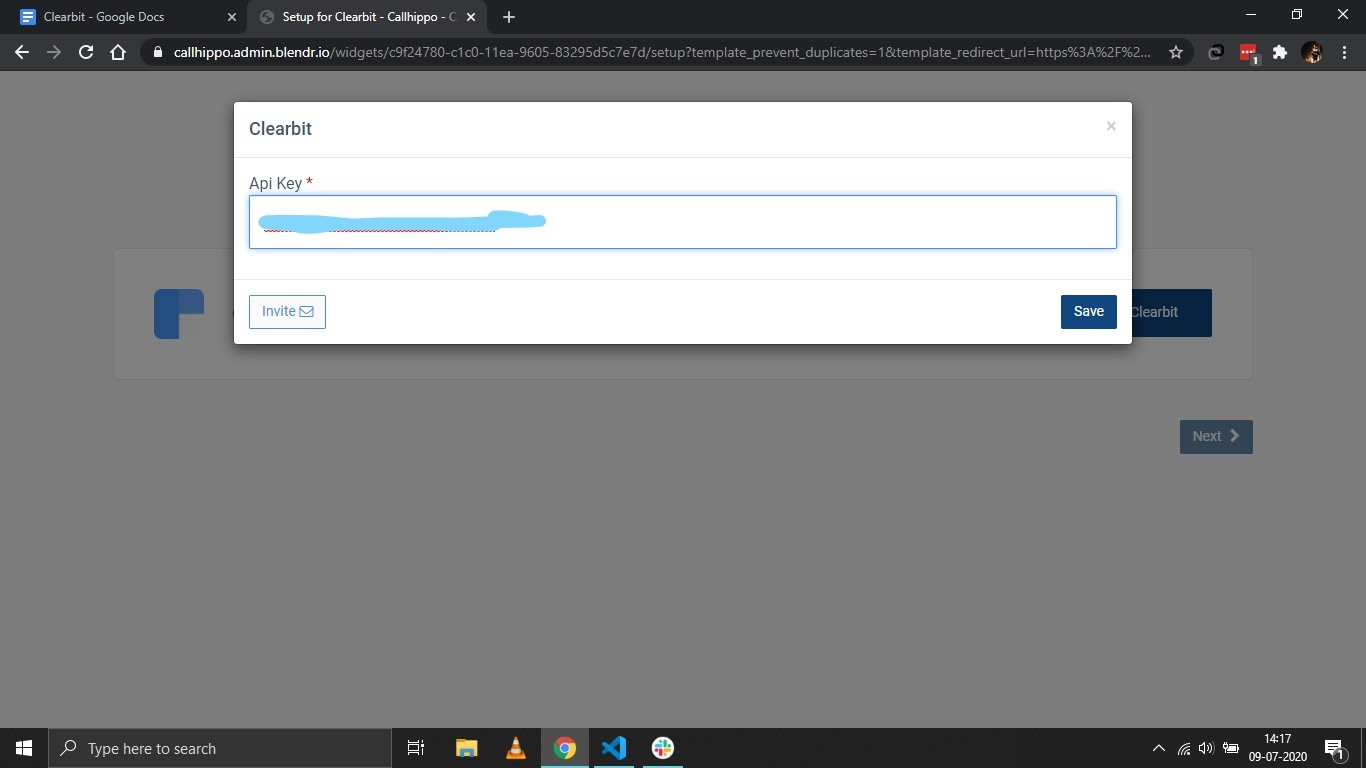
- Enter the API token you copied earlier and click Save.
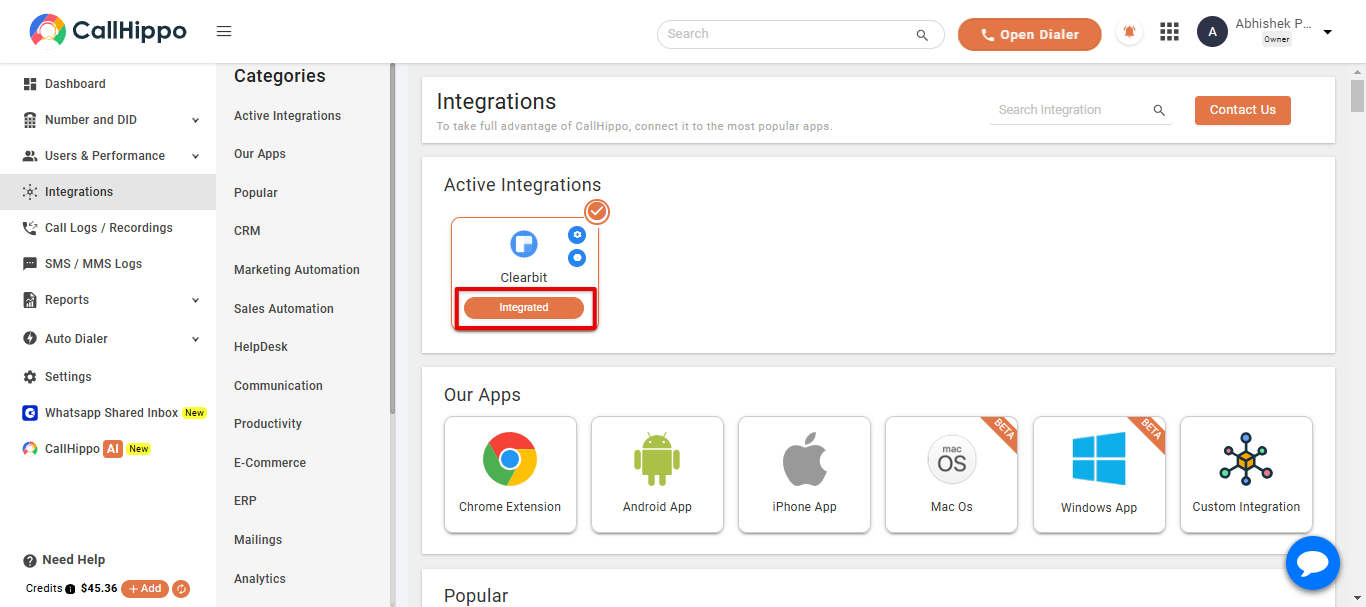
- Click Next. You are redirected back to CallHippo and the status changes to Integrated.
FAQ
Which Clearbit key should I use?
Use your secret API key (the first key listed on the API page), not the publishable key. The secret key is required for API access.
What if the connection does not complete?
Confirm you copied the full secret key, then save and click Next again. If it still does not switch to Integrated, re-copy the key from Clearbit and retry.
Need help connecting Clearbit with CallHippo? Reach our team at [email protected].