
Teams in CallHippo let you route incoming calls to multiple agents, and cascading orders control exactly how those calls flow between team members.
Calls can be cascaded in three different ways: Simultaneous, Fixed, and Round Robin, giving you full control over your call flow.
Steps to Create a Team
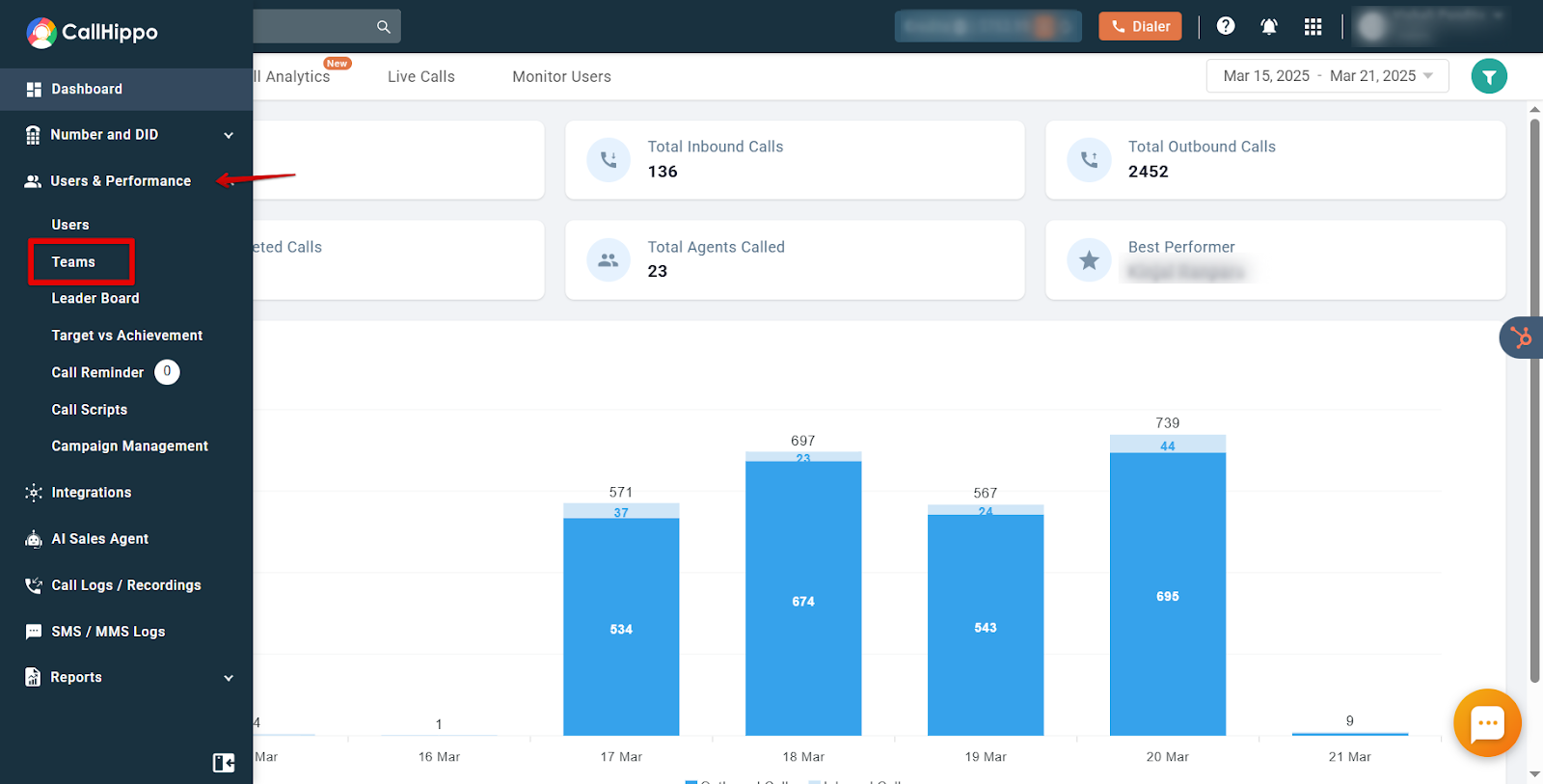
- Log in to CallHippo and navigate to Users & Performance, then select Teams.
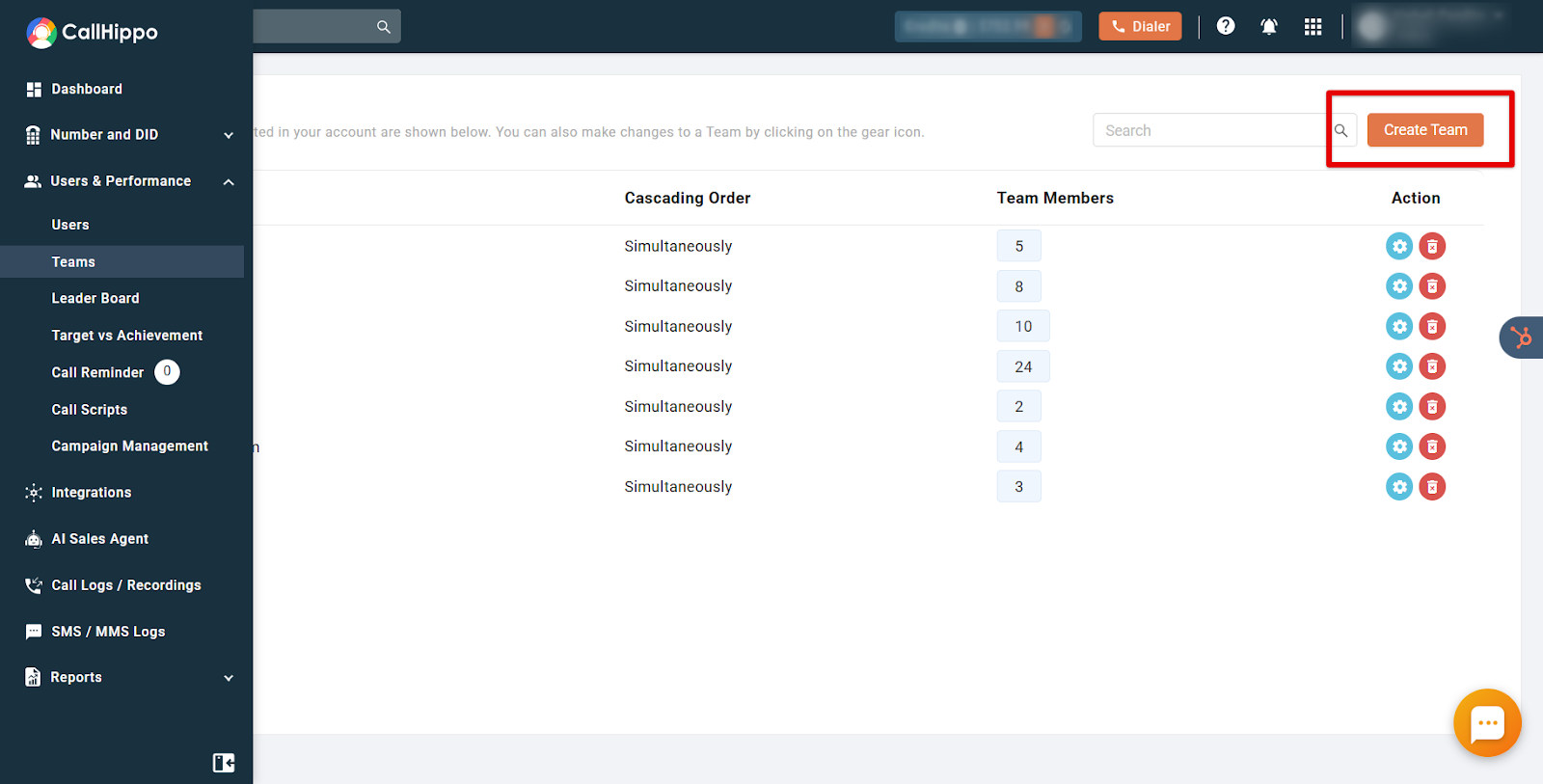
- Click Create Team in the top right of the Teams page.
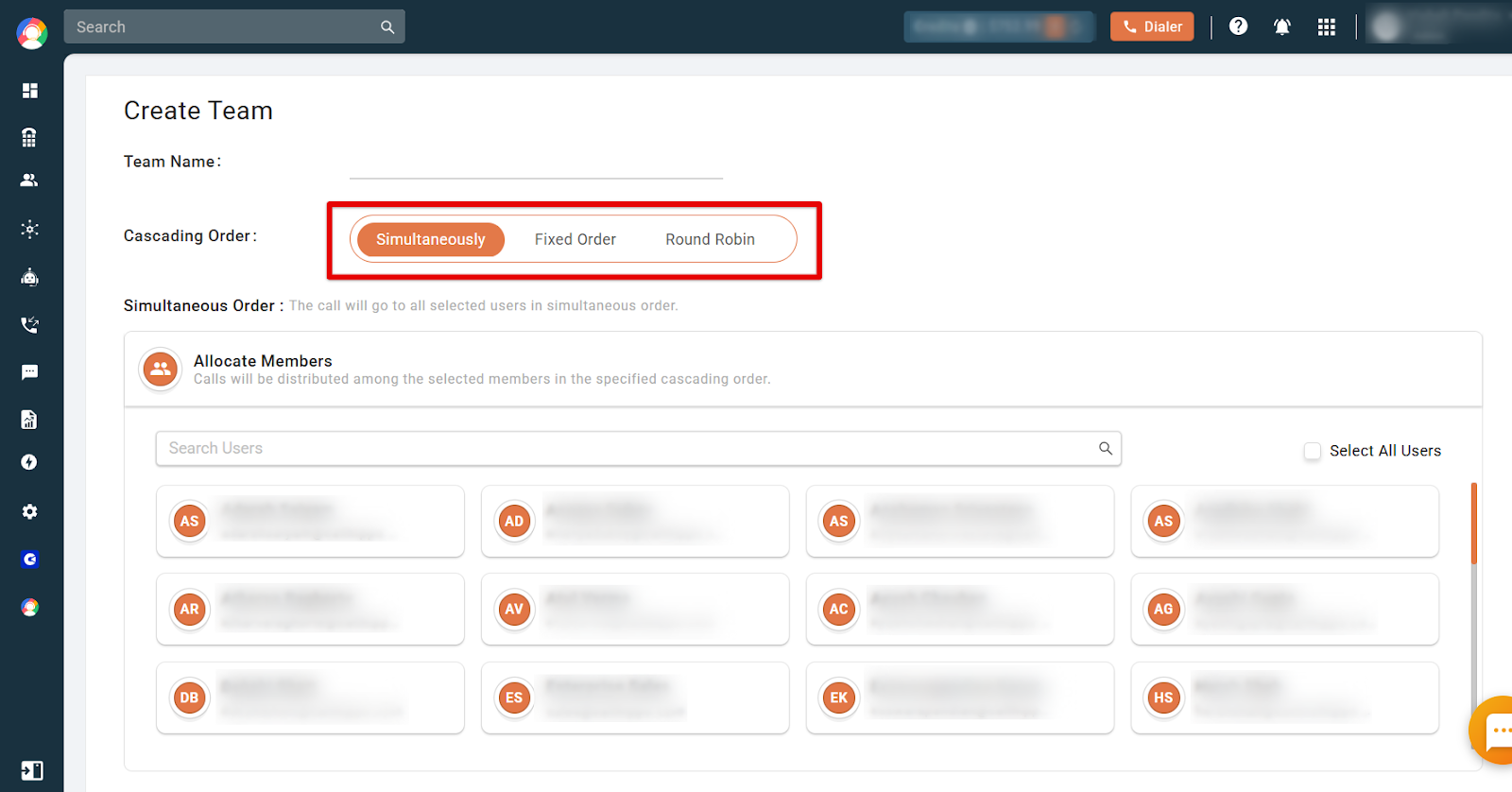
- Name your team and choose a cascading order from Simultaneously, Fixed Order, or Round Robin.
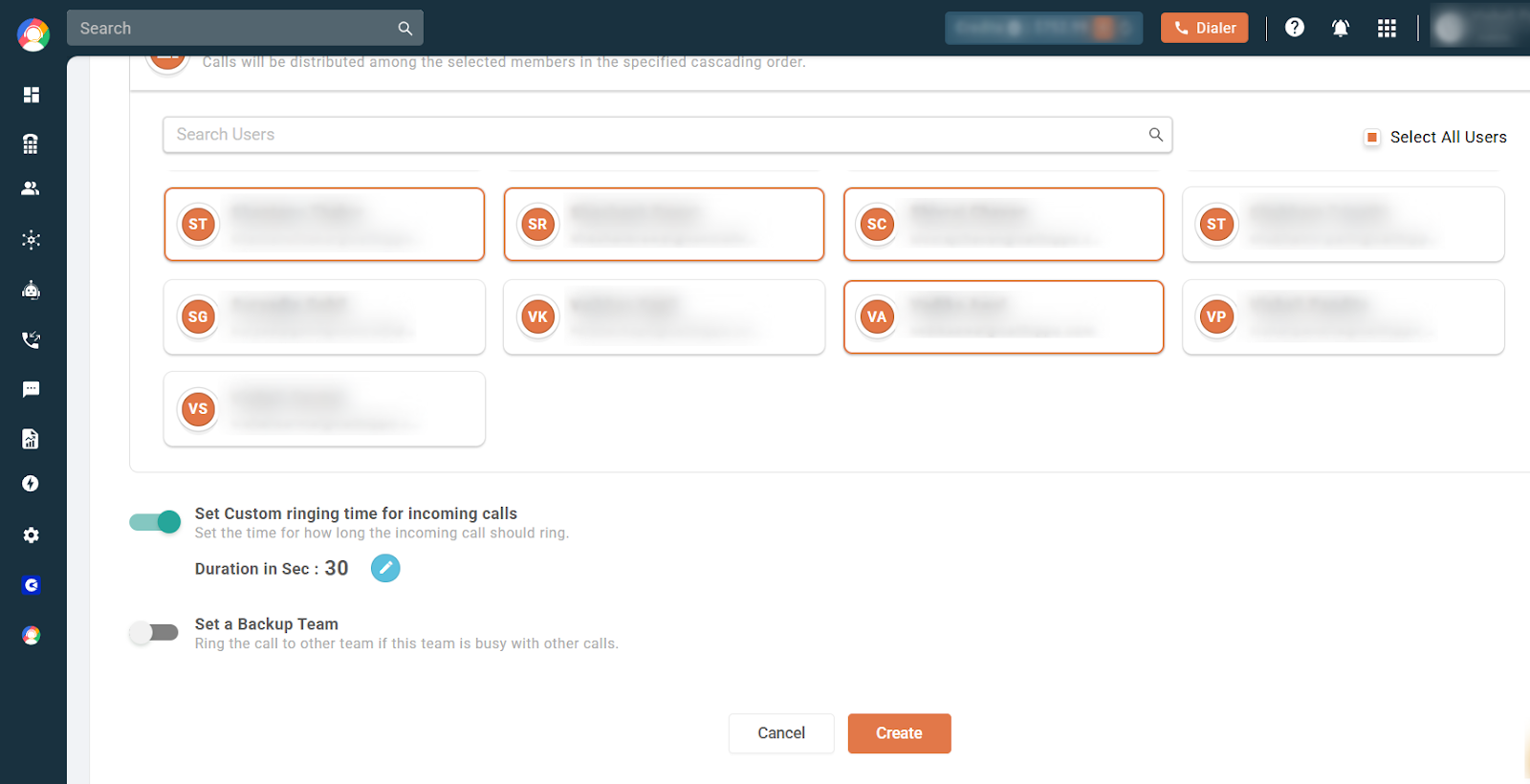
- Allocate members in the Allocate Members section, then click Create.
Call Cascading Orders
Call cascading distributes incoming calls among team members in a structured manner. You can choose from three orders:
- Simultaneous Order: All team members receive the call at the same time. Once a member answers, the ringing stops for everyone else. You can add or remove users from this order as needed.
- Fixed Order: Calls go to the first designated user; if they are busy, the call moves to the next. Priority is set using numbers 1-9, and multiple users can share the same priority. For example, if User1, User2 and User3 have priority 1, User4 and User5 have priority 2, and User6 and User7 have priority 3, the call rings for User1, User2 and User3 together; if unanswered it moves to User4 and User5, then User6 and User7.
- Round Robin Order: Calls are assigned sequentially. The first call goes to User1, the second to User2, and so on.
Example of Round Robin
Say you have three agents: John, Sarah and Alex. Incoming calls are distributed like this:
- Call 1 → John, Call 2 → Sarah, Call 3 → Alex.
- The cycle then repeats: Call 4 → John, Call 5 → Sarah, Call 6 → Alex.
- If an agent is unavailable, the system skips them. For example, if Sarah is unavailable: Call 7 → John, Call 8 → Alex (Sarah skipped), Call 9 → John.
To set the order, select users in the Allocate Members section and click Create.
Additional Settings
- Custom Ringing Time: Set a specific ringing duration for incoming calls.
- Set up a Backup Team: Enable the backup team by ticking the checkbox and choosing a target team, so calls ring elsewhere if this team is busy.
Frequently Asked Questions
Can I customize the call cascading order for different teams?
Yes. CallHippo lets you customise cascading rules for each team, including the priority order of agents and fallback options such as voicemail or an external number.
What happens if no one answers in the call cascading order?
If no agent answers, the call can be forwarded to another team or redirected to voicemail.