
Linking Datanyze with CallHippo lets you pull technographic and firmographic insights into your calling workflow, so your team has richer context before every outbound conversation.
Get Your Datanyze API Token
Before connecting the two platforms, you’ll need the API token from your Datanyze account.
- Sign in to Datanyze using your account credentials.
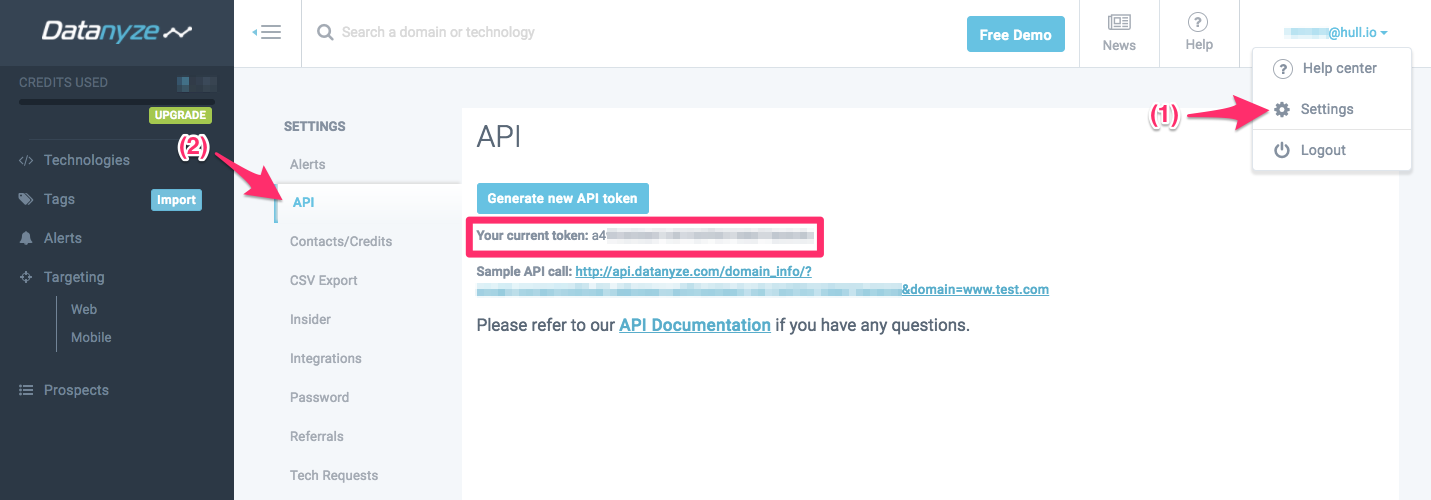
- Open Settings. Click your username or email address in the top-right corner and choose Settings from the drop-down menu.
- Go to the API tab. Select API from the settings menu. Your current API token appears in the middle of the screen — keep it handy for the next steps.
Connect Datanyze in CallHippo
With your token noted, switch over to CallHippo to complete the integration.
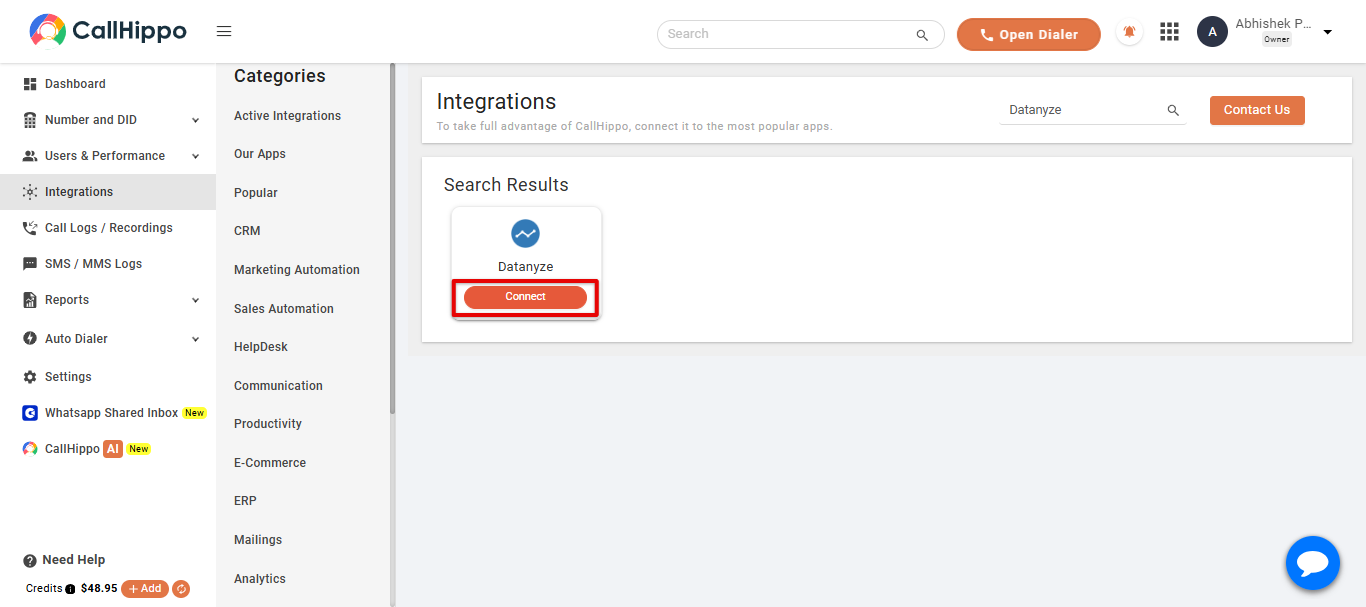
- Open the Integrations tab inside your CallHippo account.
- Find Datanyze and click the Connect button on its card.
- Enter your details. Paste the API token you copied earlier along with the email tied to your Datanyze account.
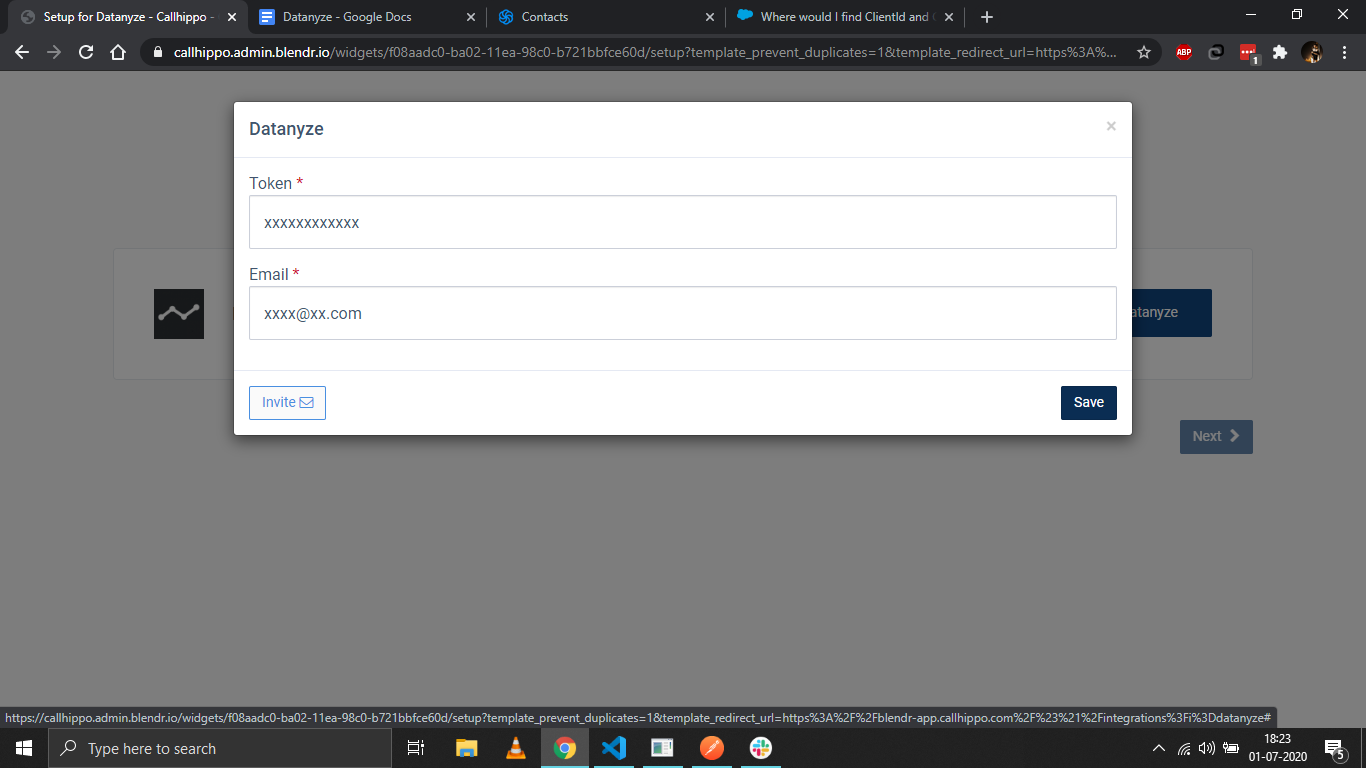
- Click Save. You should see the message “Datasource is linked.”
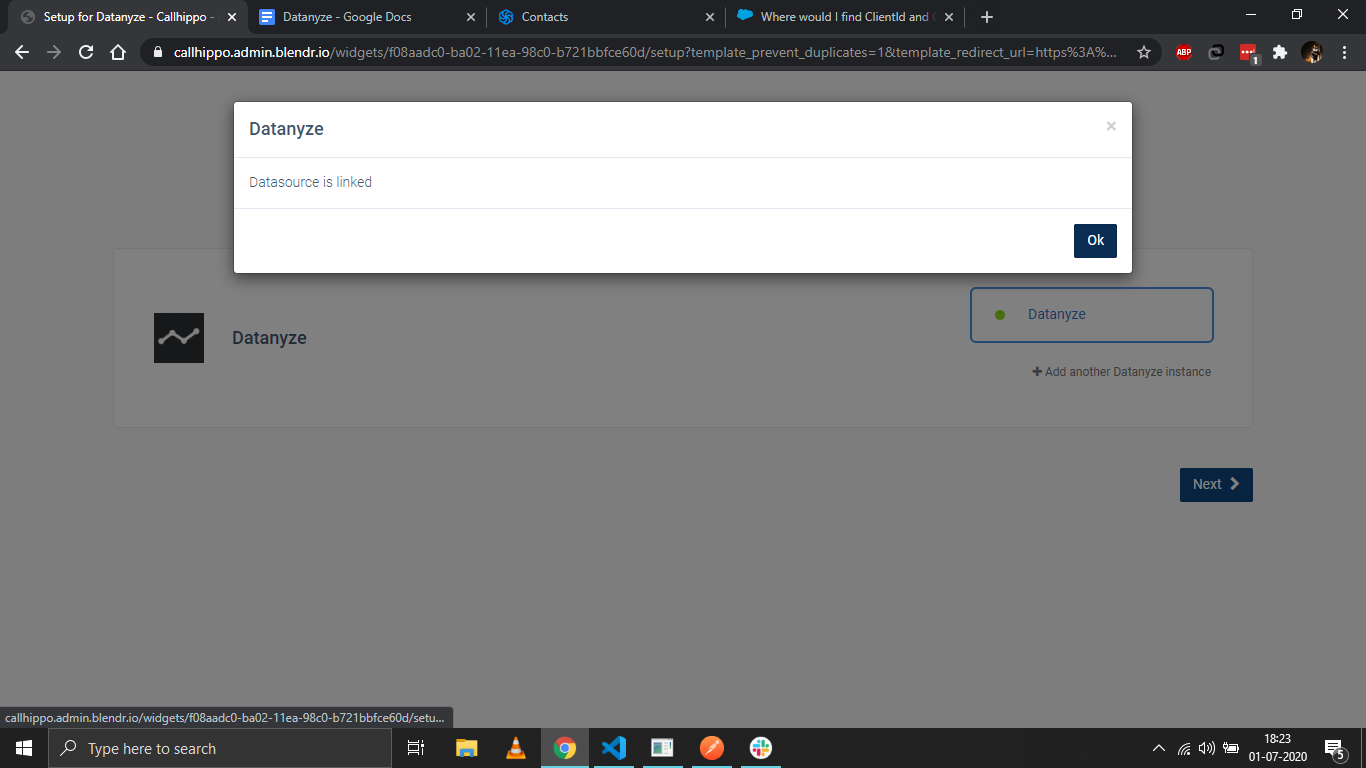
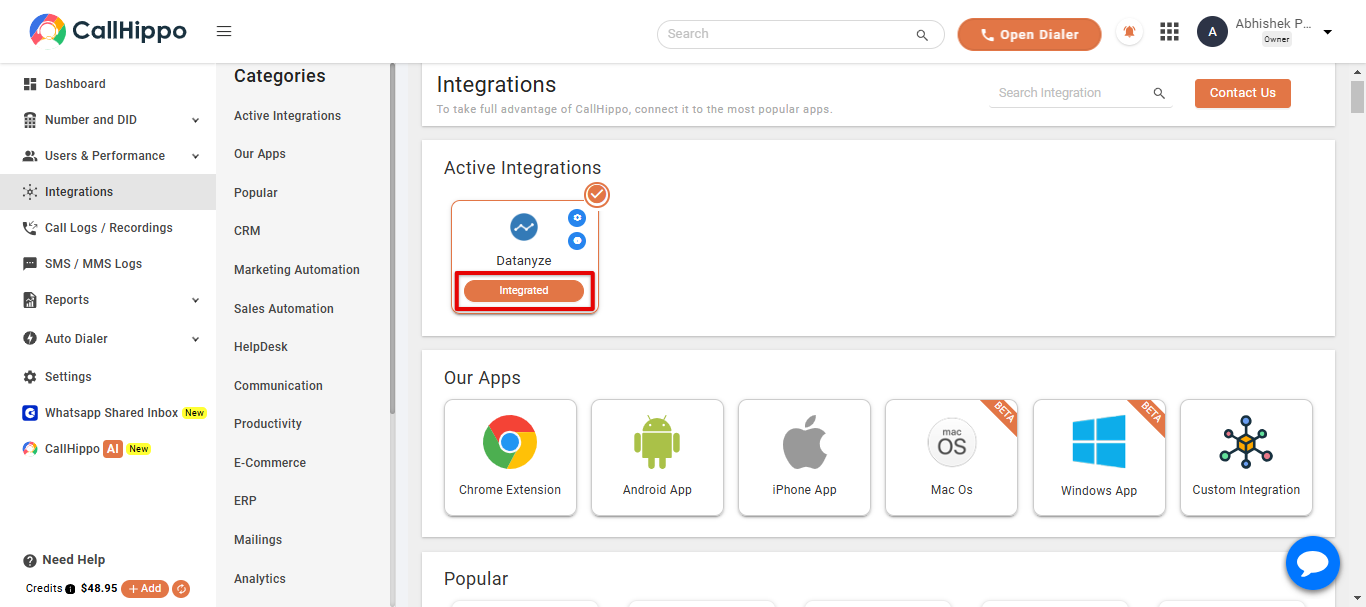
- Confirm and continue. Click Ok, then Next. CallHippo redirects you back to your account and the status changes to Integrated.
Frequently Asked Questions
Where do I find my Datanyze API token?
Log in to Datanyze, click your username in the top-right corner, open Settings, and select the API tab. Your current token is displayed in the middle of the page.
What if the status doesn’t change to Integrated?
Double-check that the API token and email were entered exactly as they appear in Datanyze, then save again. If the issue persists, reach out to our support team.