
If you no longer need a phone number in your CallHippo account, the account owner or an admin can delete it in just a few clicks. This guide walks you through deleting a number and explains what happens to it afterward, including your options for restoring it.
How to delete a number
Follow the steps below to delete a number from your account:
- Log in to your CallHippo dashboard.
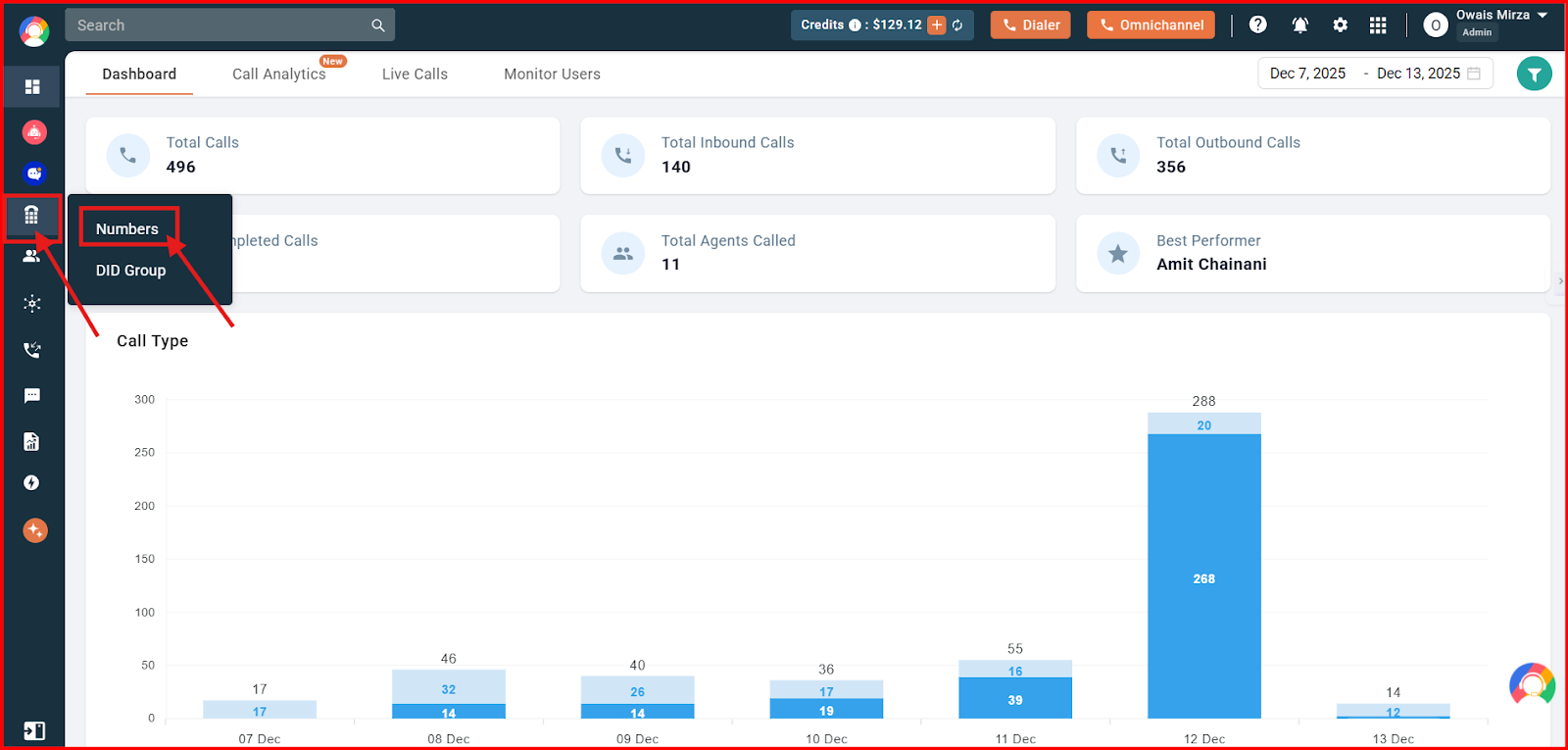
- Navigate to the Number and DID section and click on the Numbers option.
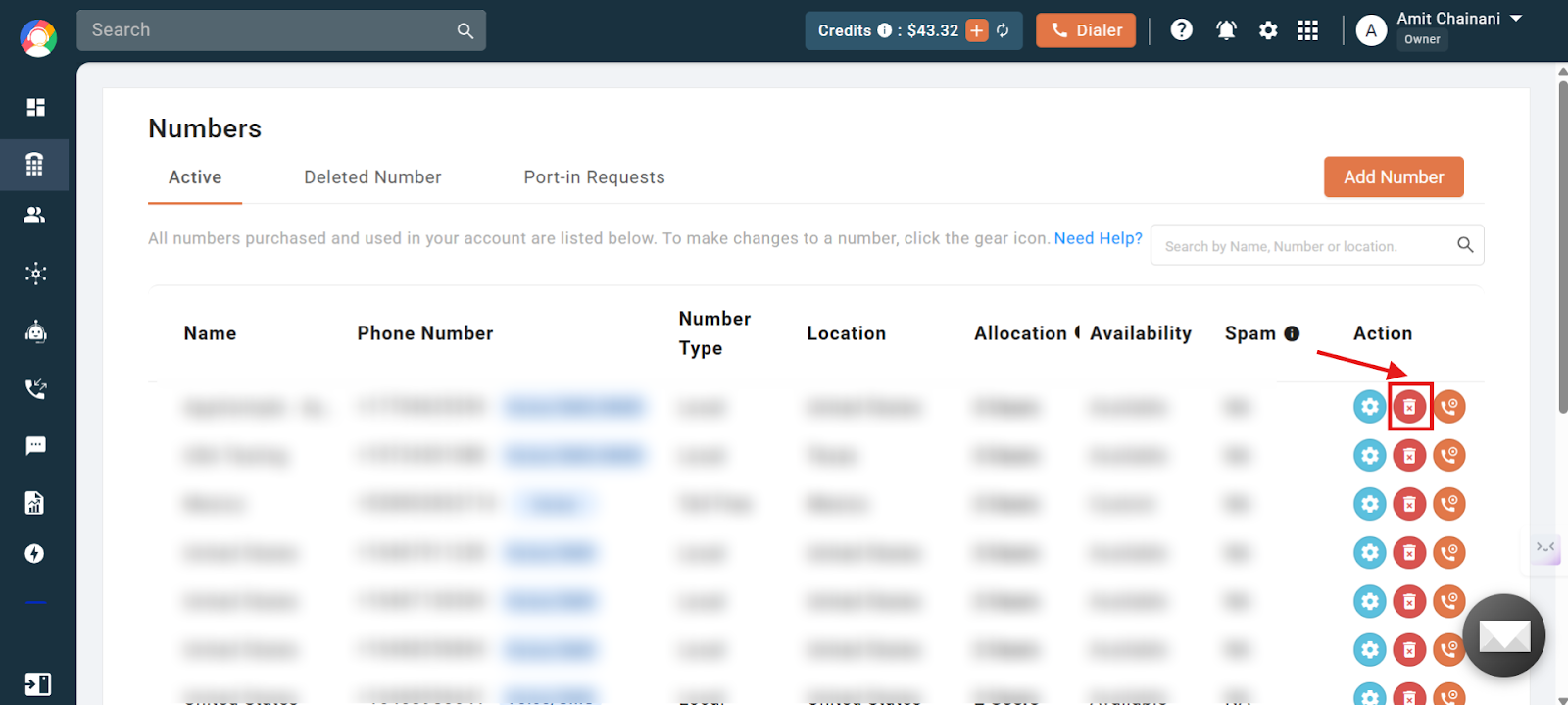
- Click on the delete button shown in red beside the number you want to remove from your active numbers.
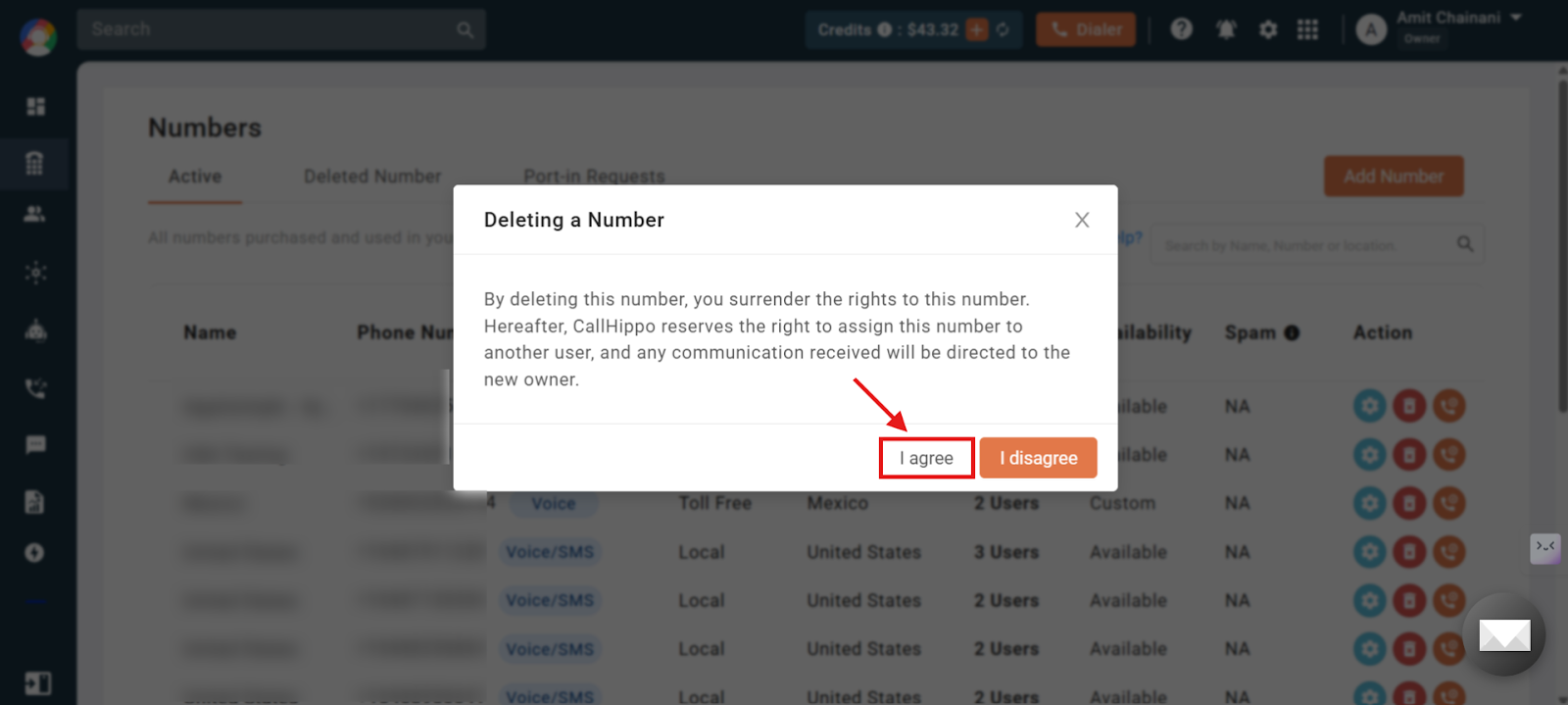
- Click on the I agree button to confirm the deletion of the selected number.
The number is now deleted from your account.
Important information
- You can restore a deleted number directly from your account dashboard within 8 days of the deletion date.
- Only the owner or admin can delete a number from the CallHippo account.
- When you restore a number, you will be charged for it on a pro-rated basis.
- If you miss the 8-day window but still want to check the possibility of restoring the number, you can reach out to the support team via email at [email protected].
- A charge of $30 applies for number restoration through this alternative process.
Number deletion — quick FAQs
Who can delete a number from a CallHippo account?
Only the account owner or an admin has permission to delete a number.
What if I miss the 8-day restoration window?
You can contact our support team at [email protected] to check if restoration is possible through an alternate process.
Is there a fee if support restores the number after 8 days?
Yes. A $30 restoration fee applies if the number is restored by the support team after the 8-day period.
Is there any charge when restoring a number within 8 days from the dashboard?
Yes. A pro-rated charge will apply when restoring a number directly from the dashboard.
Can I delete a number if I’m not an admin or owner?
No. Only admins or the account owner can delete numbers.
Will the number stop working immediately after deletion?
Yes. Once deleted, the number is removed instantly and will no longer function.
We hope this helps. If you still have questions, feel free to reach out at [email protected].