
If you have teams in CallHippo that are no longer needed, cleaning them up keeps your account organized and easy to manage.
Steps to Delete a Team
- Log in to your CallHippo account.
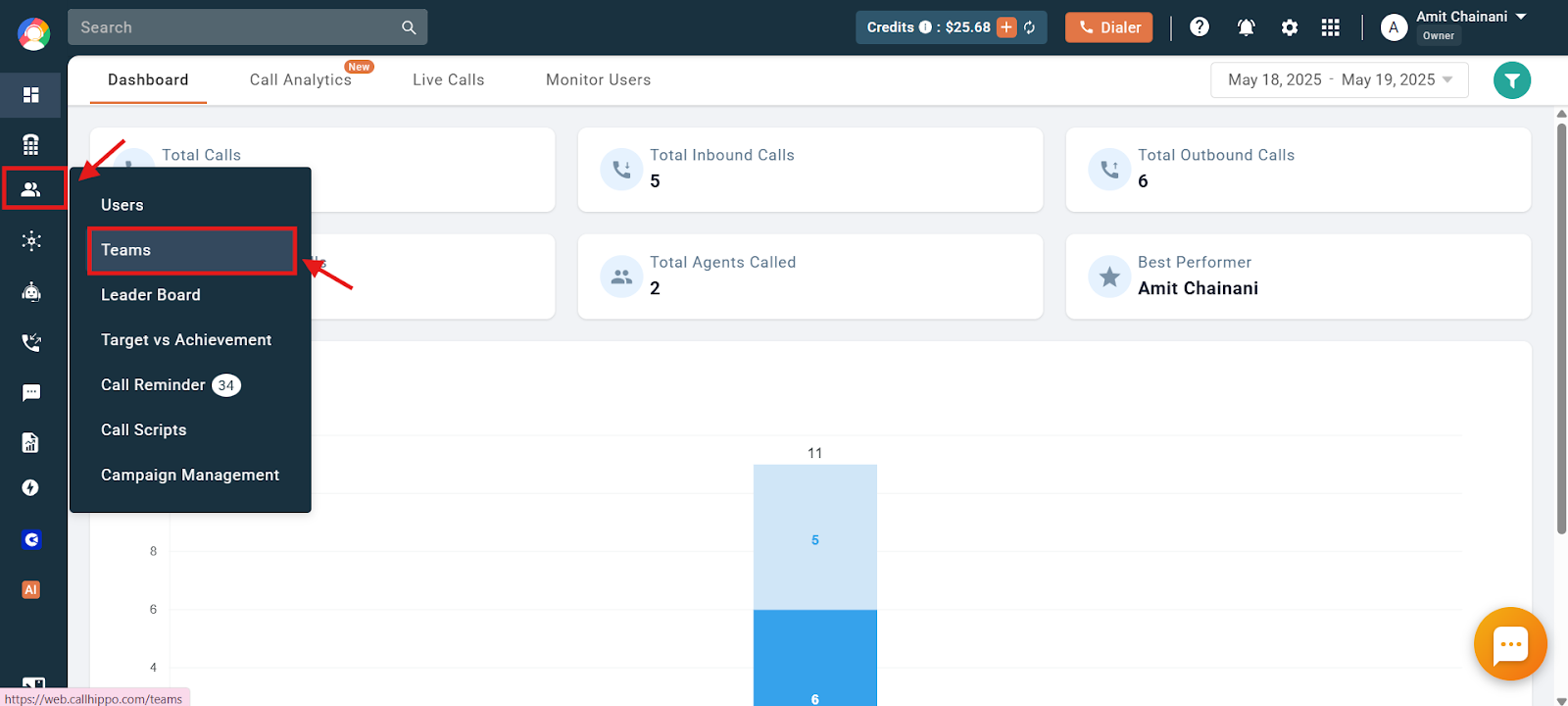
- Open Teams: Navigate to the “Users & Performance” section and click “Teams”.
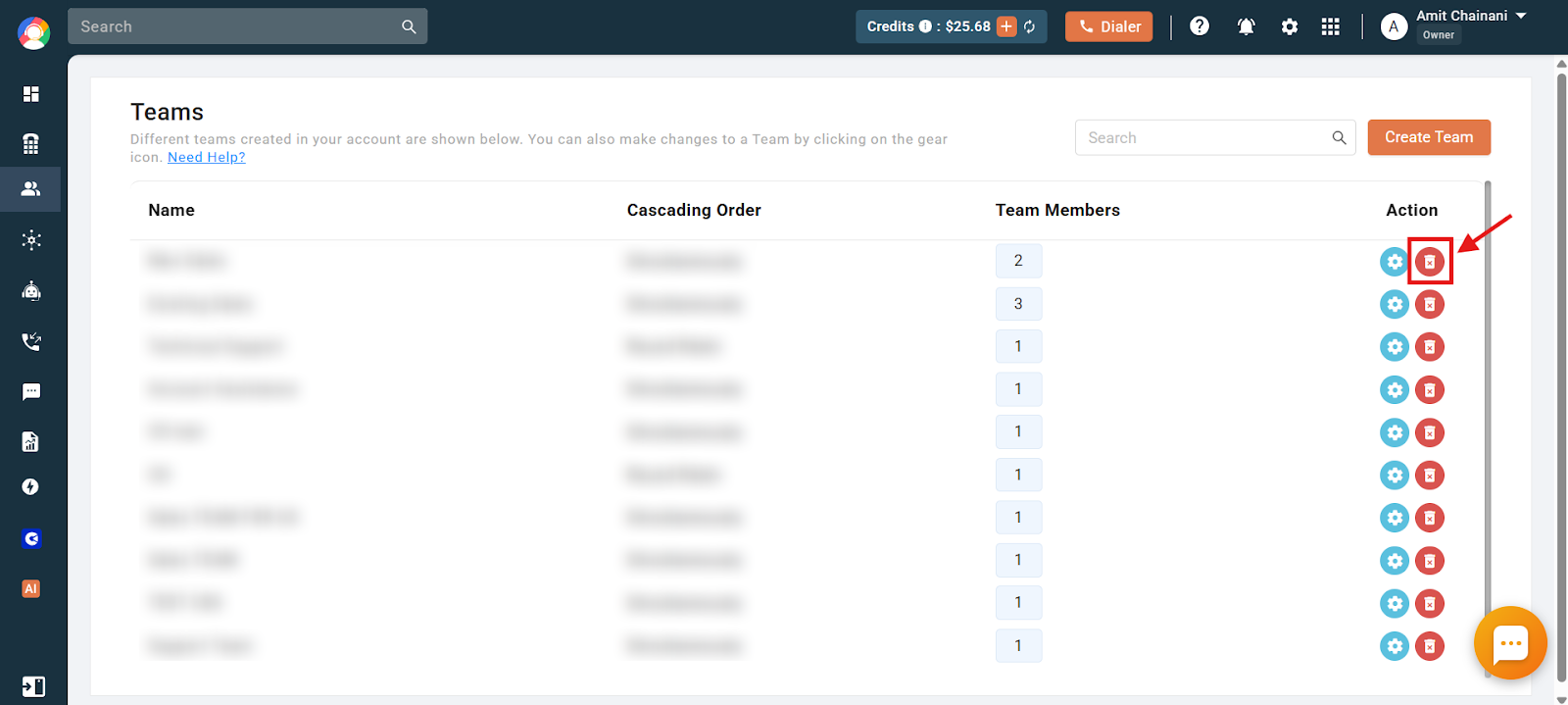
- Delete the team: Click the red delete button beside the team you want to remove.
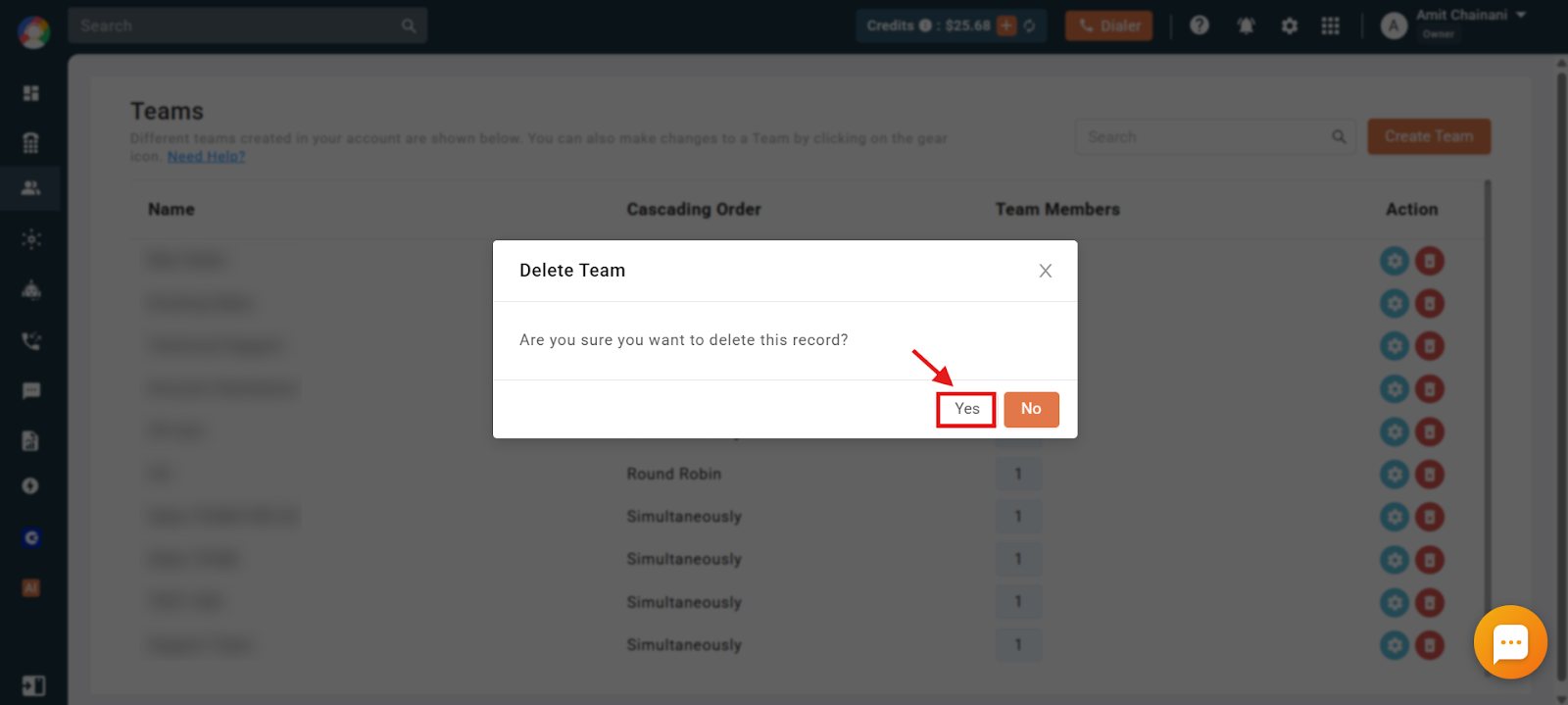
- Confirm: Click “Yes” to delete the team.
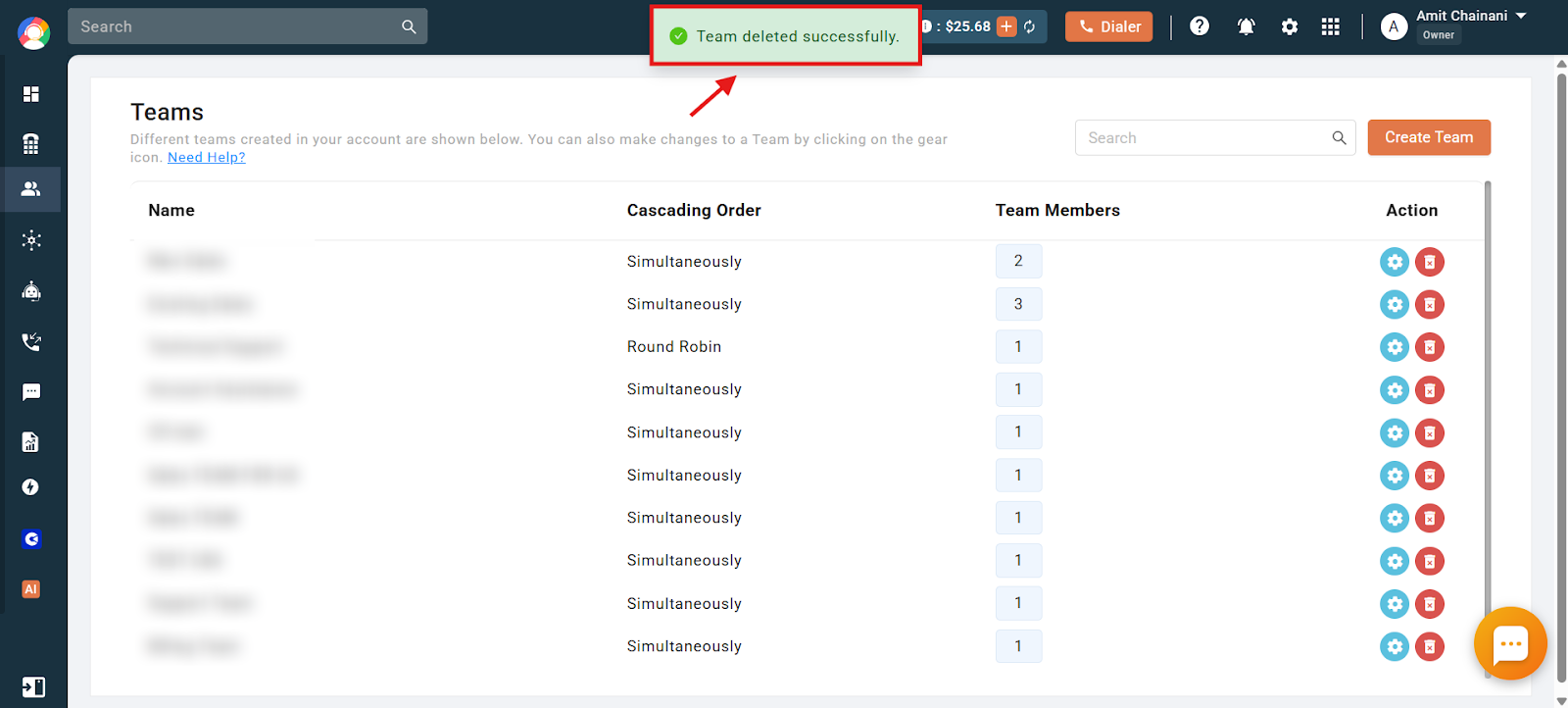
- Done: The team is now deleted and a confirmation message appears.
Frequently Asked Questions
The delete button is visible, but I get an error when I try to delete a team. What could be the issue?
This usually happens because the team is assigned as an action in the IVR setup of a number. Remove the team from those IVR settings before deleting it.
What happens to the users in a team after I delete it?
Deleting a team does not delete its users. They remain active in your CallHippo account and can be added to other teams or managed individually.
I accidentally deleted the wrong team. Can I restore it?
Once a team is deleted it cannot be restored from the dashboard. You will need to recreate it manually.
Will deleting a team affect my reports or call data?
No. Deleting a team does not remove any past call data or reports associated with it.
I updated my IVR settings but still can’t delete the team. What else can I check?
Make sure the team is completely removed from all numbers and call flows. Then refresh your browser, or log out and back in, to see the updated options. If the problem continues, contact support.