
You can export a full list of everyone in your CallHippo account straight from the web dashboard in just a few clicks.
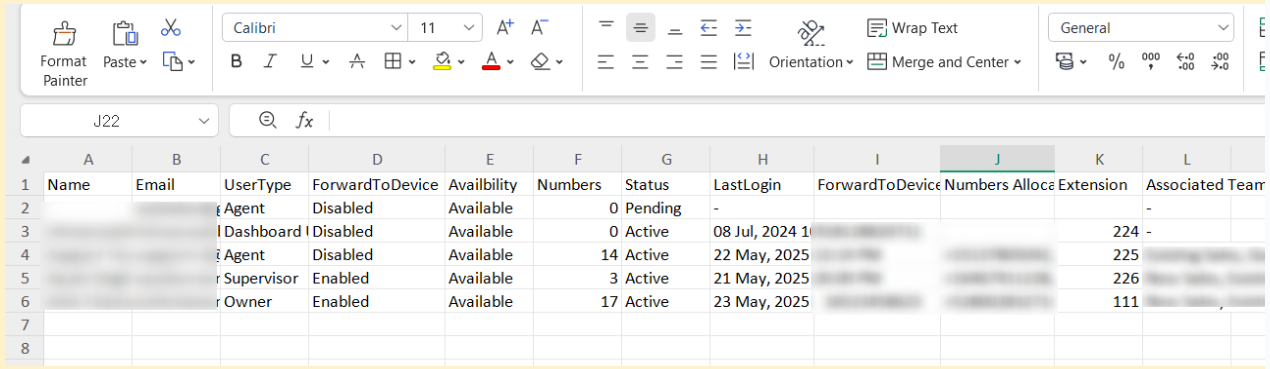
The export includes key details for each user, such as name, email, availability, device forwarding status, assigned numbers, user status, and their last login timestamp. The file is delivered as a CSV that you can open, share, and analyze in Excel or any spreadsheet program.
Steps to Download the User List
- Log in to your CallHippo dashboard.
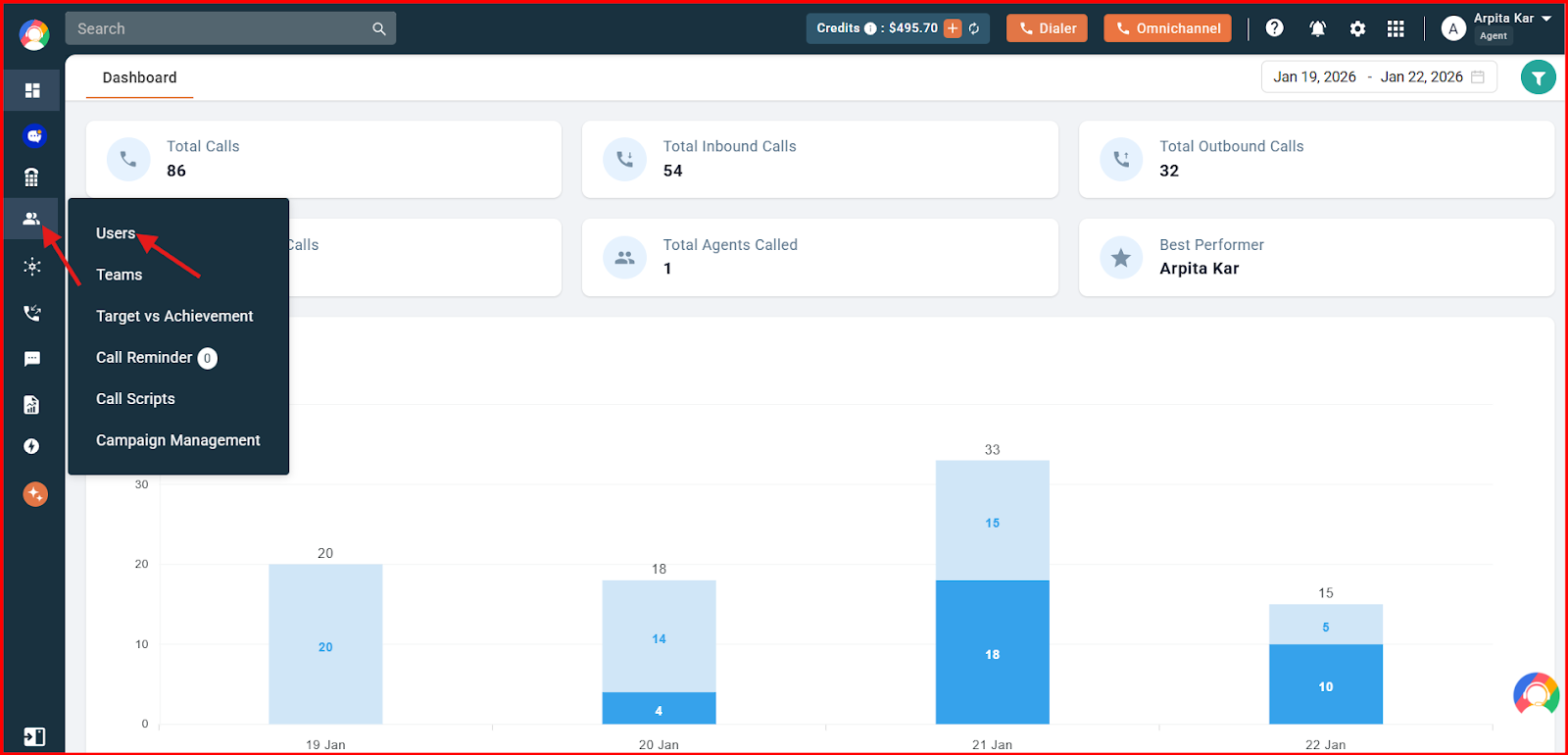
- Open Users: Navigate to “Users & Performance” on the left panel, then click “Users”.
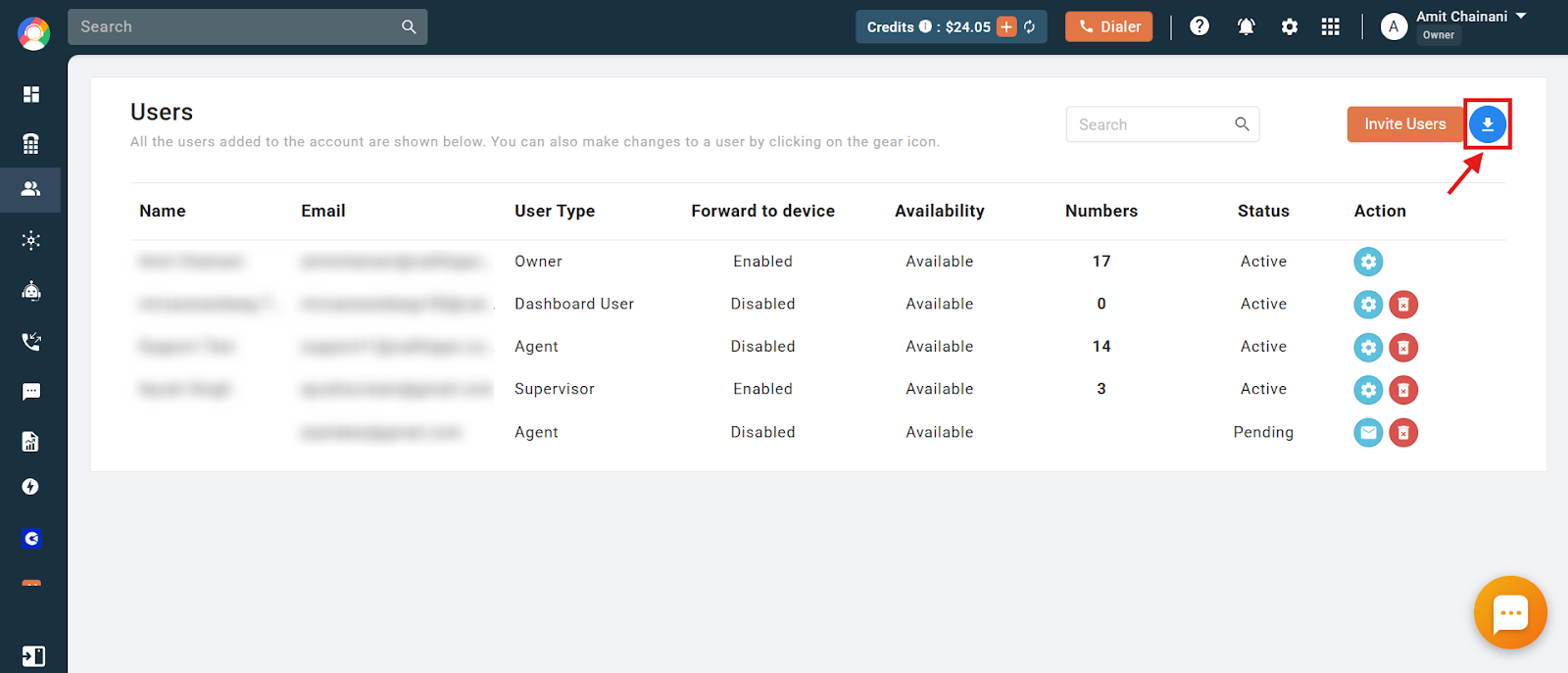
- Start the export: Click the download button in the top-right corner.
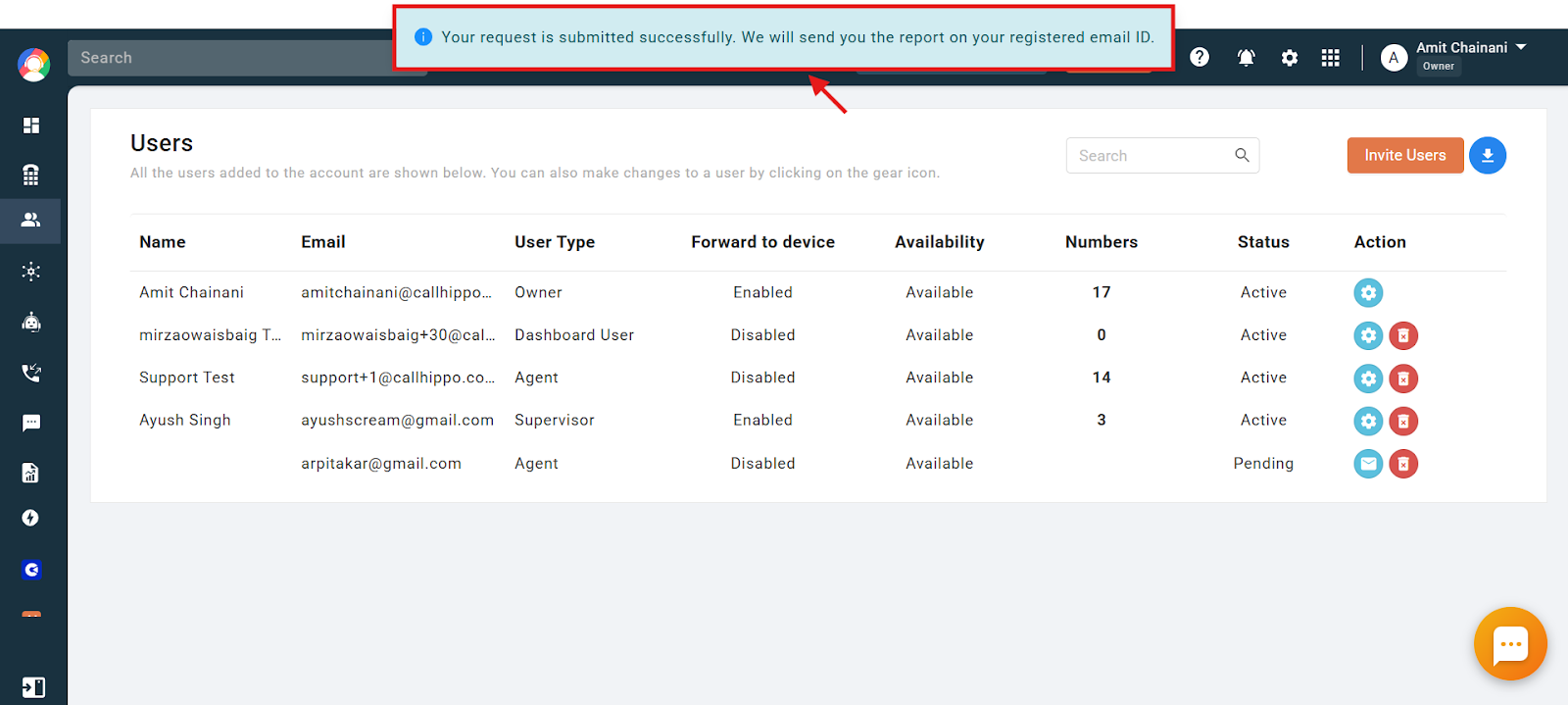
- Submit the request: Your request is submitted, and the report will be sent to your registered email address.
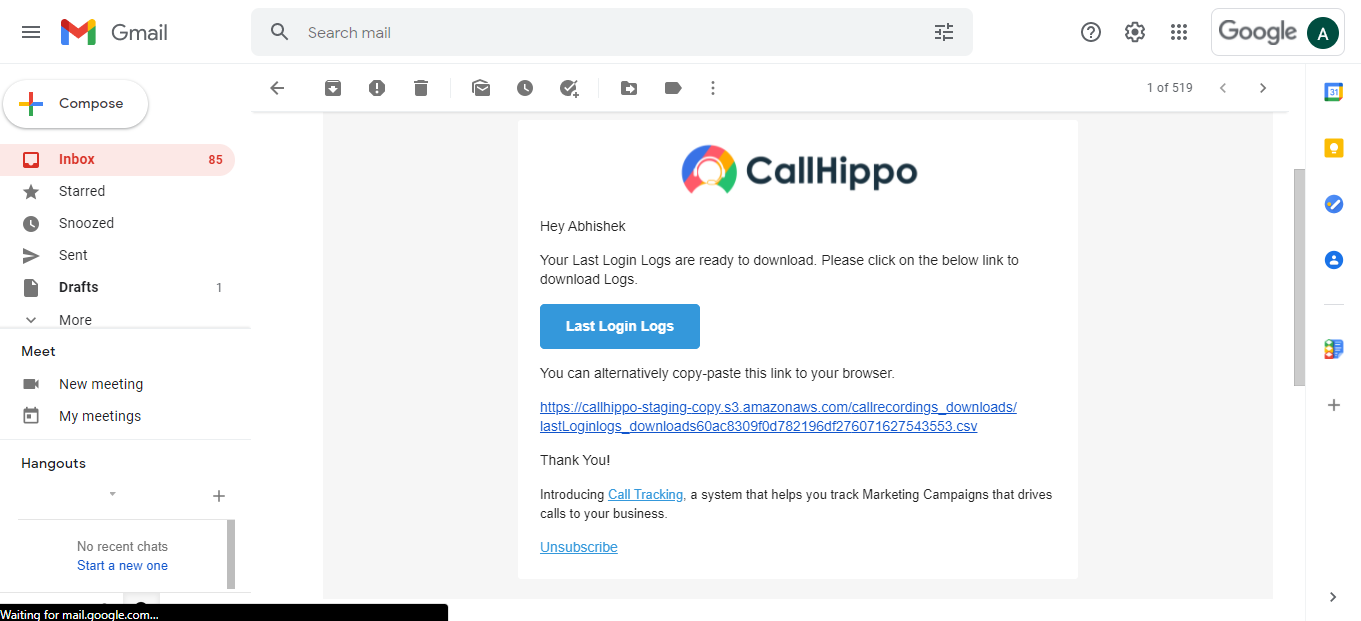
- Open the email: Check your inbox for the message, then click the link inside to download the file.
- View your file: The downloaded file contains all the user details listed above.
Frequently Asked Questions
What format is the downloaded user list file in?
The list is sent as a CSV file, which you can open in Excel or any spreadsheet program.
Can I choose which users to include, or is it always a full list?
The download always includes the full list of users in your account. There is currently no option to filter before exporting.
What information is included in the exported file?
Each user’s name, email, availability status, device forwarding status, assigned numbers, user status, and last login time.
I want the file in Excel format, not CSV. Can I get it that way?
The file is provided as a CSV by default, but you can open it in Excel and save it as an .xlsx file if you prefer.
Is it possible to schedule automatic user list exports?
No. CallHippo does not currently support automatic or scheduled exports. You will need to start the download manually each time.
Can anyone in the account download the user list?
Yes. Anyone with access to the CallHippo dashboard can download the list by following these steps. The option is not restricted to specific roles.