
Compliance call recording lets you control exactly how CallHippo records calls so you stay aligned with consent laws in the regions you operate in. This guide shows you how to turn it on and choose the right recording behavior from your account settings.
Before you begin
Compliance recording is managed at the account level, so make sure you are signed in with the right access before you start.
- You need admin or owner access to your CallHippo account.
- Decide which recording behavior fits the countries you call — you can set one default and override it for specific countries.
Enable compliance call recording
- Log in to your account at web.callhippo.com.
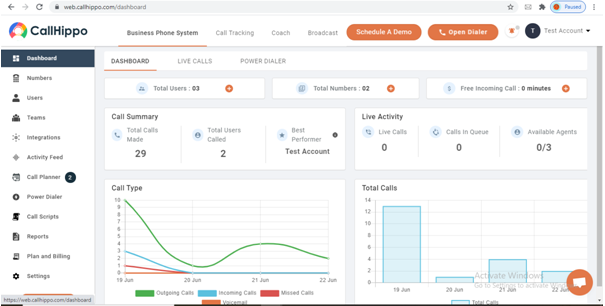
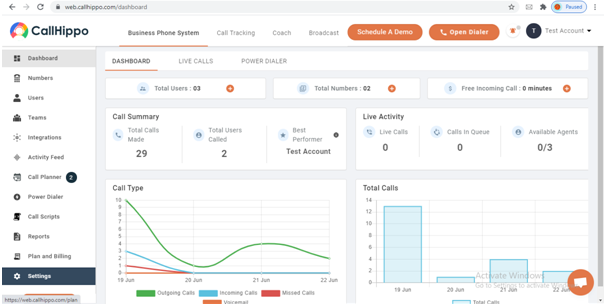
- Open Settings from the left navigation panel.
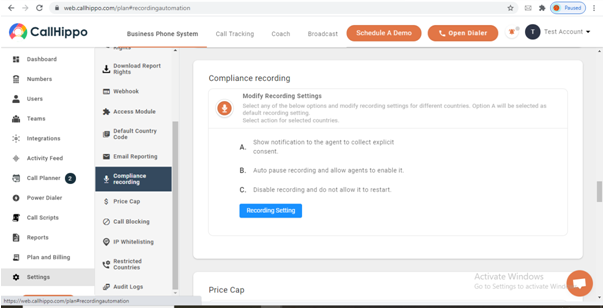
- Scroll down to the Compliance recording section.
Choose your recording behavior
Under Modify Recording Settings you pick one option as the default for all countries, and you can assign a different action to selected countries. The options are:
- Show notification to the agent to collect explicit consent — the agent is prompted to ask the customer for permission before recording begins.
- Auto-pause recording and allow agents to enable it — recording starts paused, and the agent turns it on when it is appropriate.
- Disable recording and do not allow it to restart — recording is blocked entirely and cannot be resumed during the call.
Select the option you need, then click Recording Setting to save your configuration.
FAQ
Can I use different recording rules for different countries?
Yes. Your chosen option applies as the default for all countries, and you can set a separate action for specific countries from the same screen.
Who can change these settings?
Only account owners and admins can view and modify compliance recording settings.
Still need help? Reach us at [email protected].