
If your business needs to reach customers or teams in other countries, enabling international SMS in CallHippo lets you start messaging globally in just a few steps.
Steps to Enable International SMS
- Log in to your CallHippo dashboard.
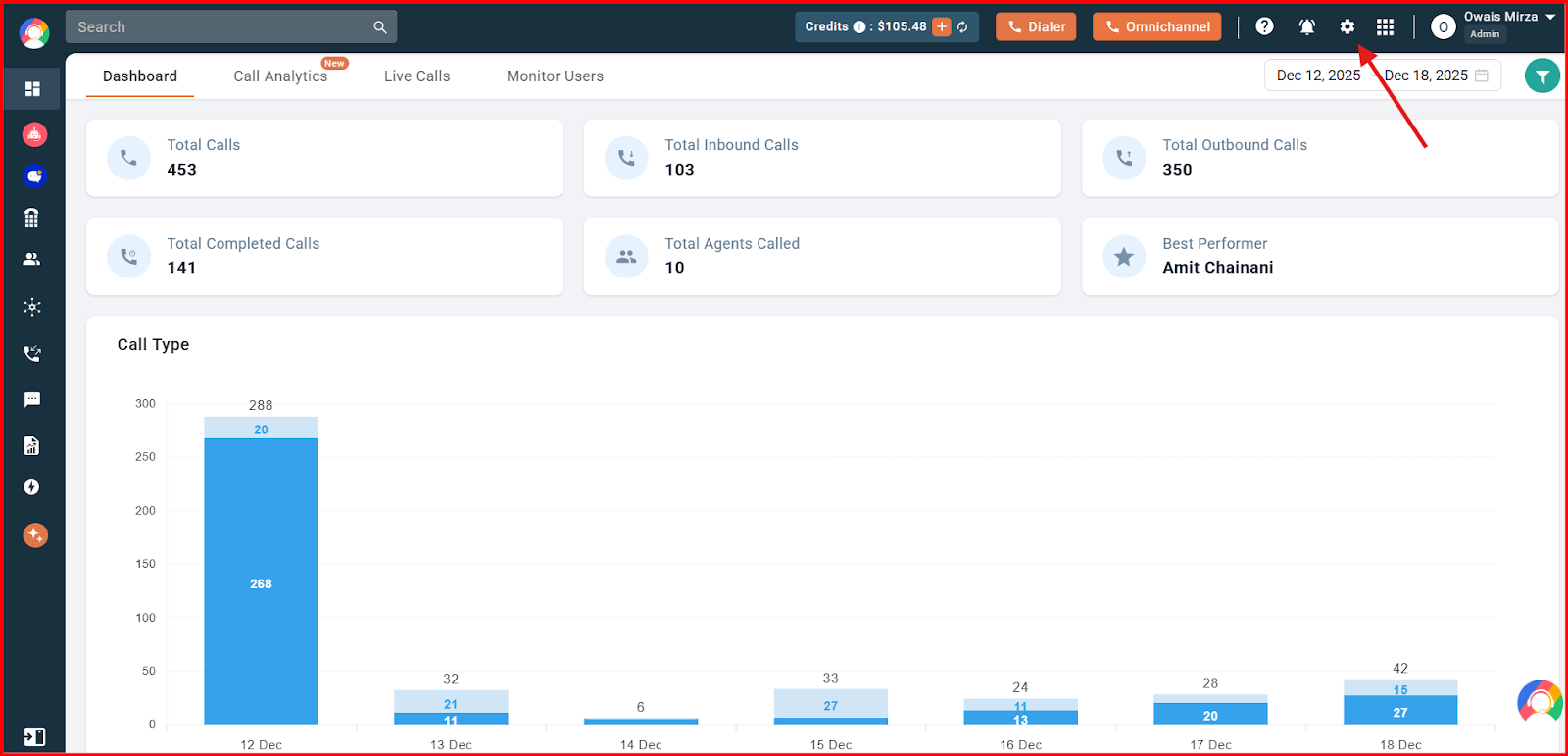
- Open Settings: Click the Settings option at the top of the screen.
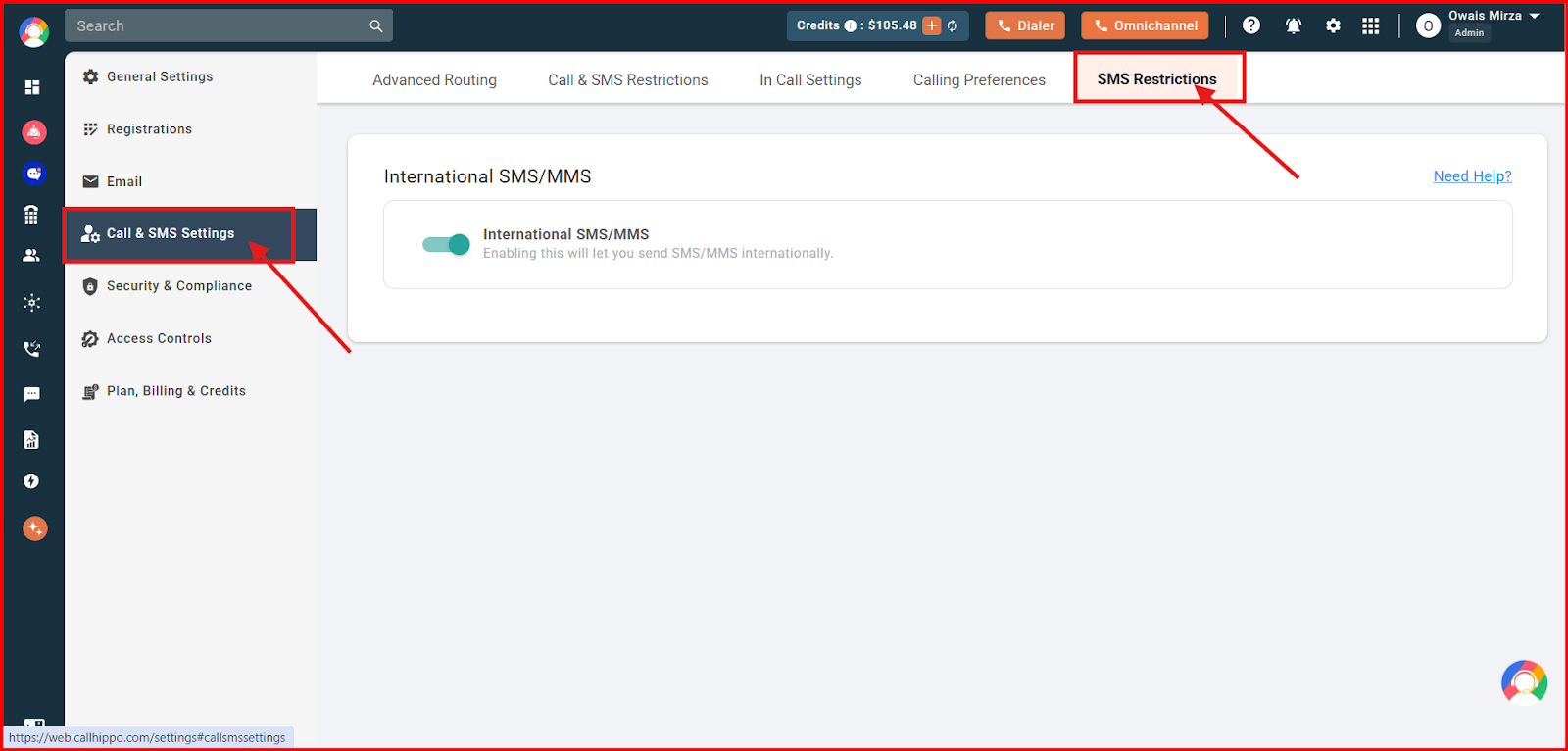
- Go to SMS Restrictions: Click Call & SMS Settings in the left-hand panel, then select SMS Restrictions from the top.
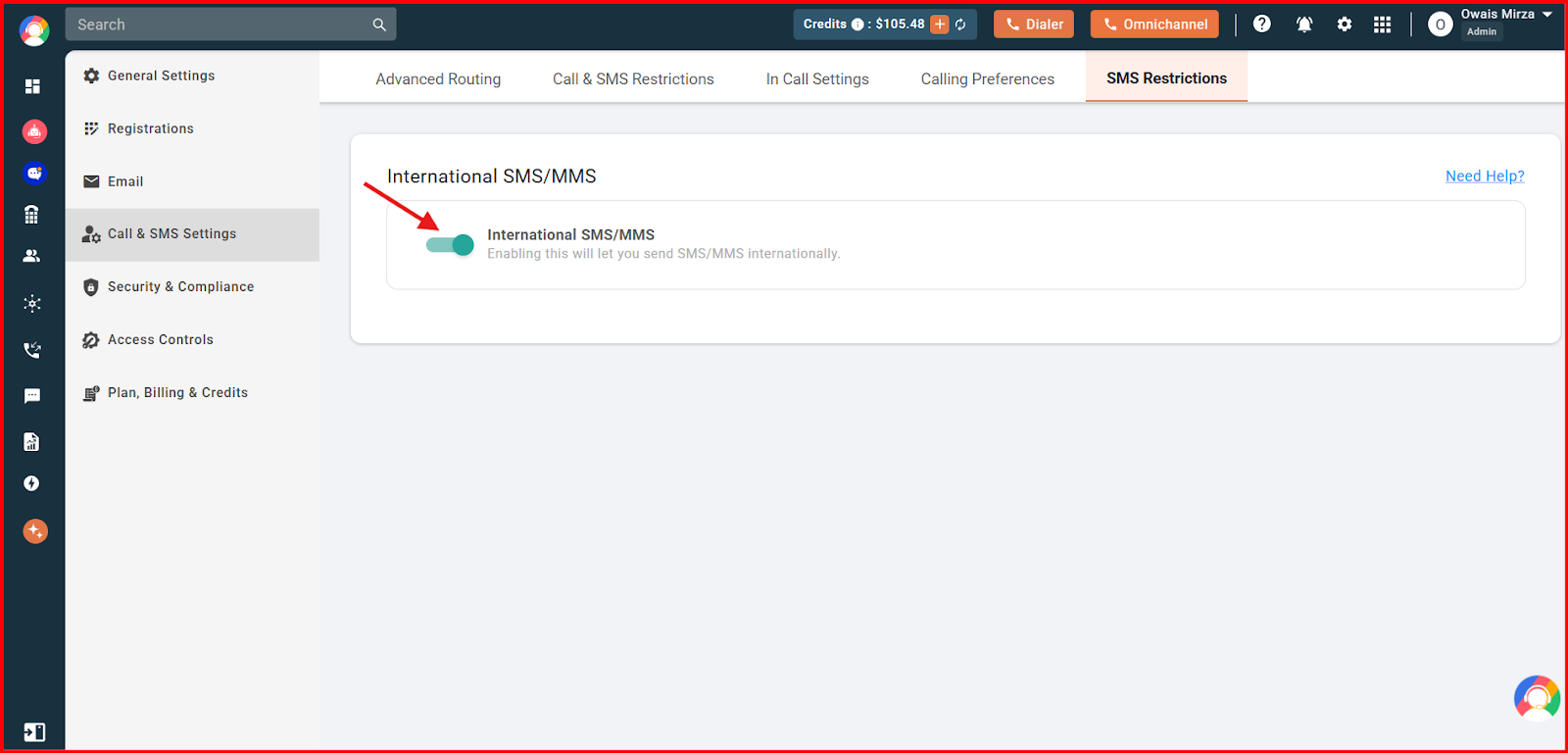
- Enable the toggle: Turn on the International SMS/MMS toggle. Once enabled, you can send SMS to any supported country.
Why Do I Need to Enable International SMS Separately?
International SMS is not enabled by default due to telecom regulations, potential misuse, and cost control. Enabling it manually helps prevent unauthorized usage, ensures compliance with country-specific messaging laws, and gives account admins better control over billing and communication settings. CallHippo allows this feature to be activated only through dashboard settings, so it is used intentionally and securely.
Frequently Asked Questions
Why isn’t international SMS enabled by default on my account?
It’s disabled by default to prevent misuse, comply with global telecom regulations, and help you manage messaging costs more effectively.
Do I need a specific plan to send international SMS?
No, it is available on every plan.
Can I send SMS to any country once international messaging is enabled?
You can send SMS to most countries, but delivery may depend on local telecom rules. Some regions may have restrictions or require sender ID registration.