
Purchasing a phone number lets you make calls to any country, subject to regional restrictions. CallHippo offers a wide selection of numbers across many countries, so you can find the right fit for your communication needs. This guide walks you through the number types, what to know before you buy, and the step-by-step purchase process.
Why you need a phone number in your account
- You can only use CallHippo services once you have an active CallHippo number in your account.
- You will not be able to make or receive calls and SMS through CallHippo unless a number is added to your account.
- The number you select and add is the number your clients will see when you reach out to them.
Important information before adding a number
- Almost all numbers must go through an address verification process before activation and before call functionality is enabled.
- Verification timelines can vary depending on the country and the number type you select.
- CallHippo offers three types of numbers: Local, Mobile, and Toll-Free.
Differences between local and mobile numbers
Local numbers
- Have specific prefixes tied to local regions.
- Require country-specific documents for verification. For example, UK local numbers need UK-issued documents.
- Are associated with particular cities or states.
- Typically do not support SMS (sending or receiving).
- Offer the same calling features as mobile numbers.
Mobile numbers
- Have unique prefixes that differ from local numbers.
- Often (though not always) accept globally recognized documents. For example, UK mobile numbers can be obtained using documents from any country.
- Are not tied to any geographic location.
- Mostly support SMS — both sending and receiving.
- Offer the same calling features as local numbers.
Step-by-step guide to purchasing a number
- Open the Numbers section. Log in to your CallHippo account and click the Numbers section in the left-hand menu of the dashboard.
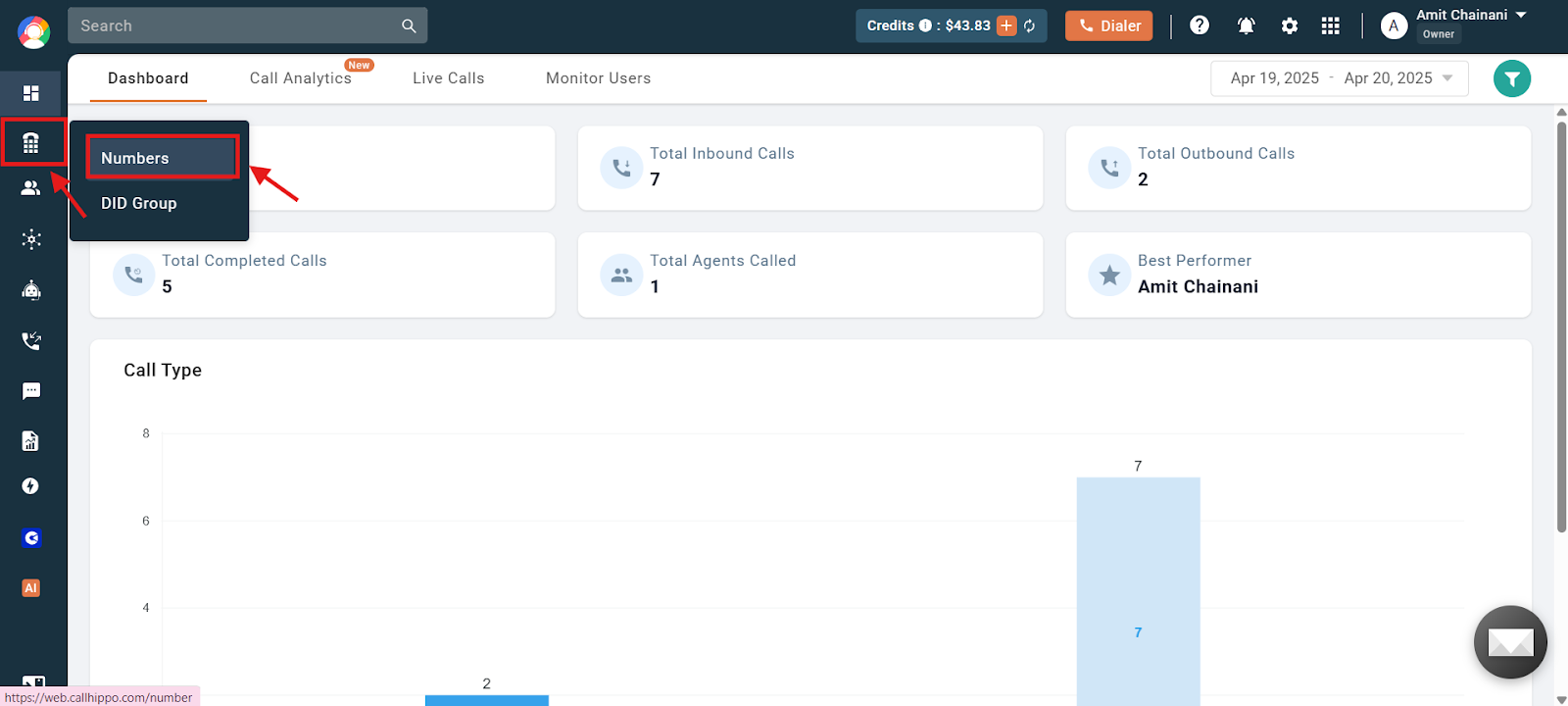
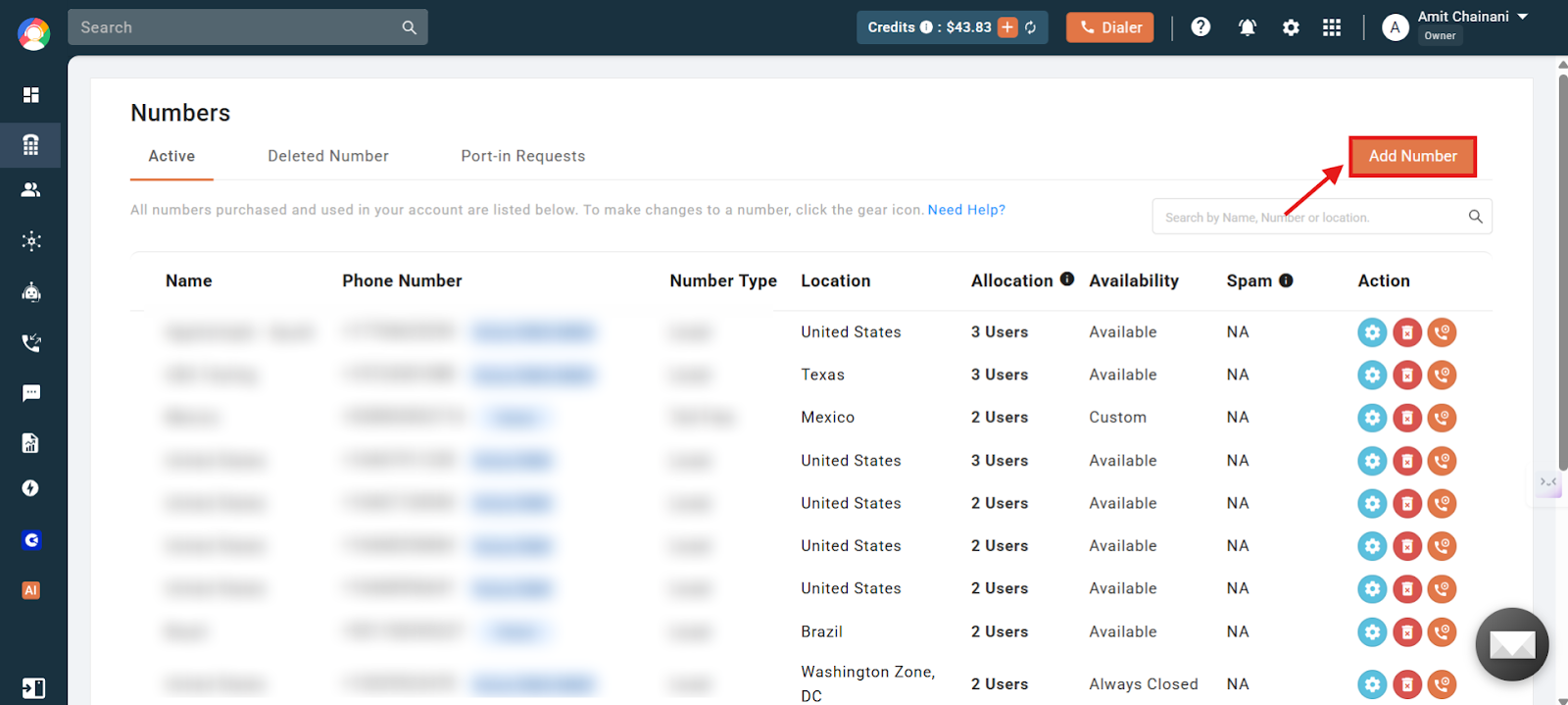
- Click Add Number. Select Add Number on the right side of the page, as shown below.
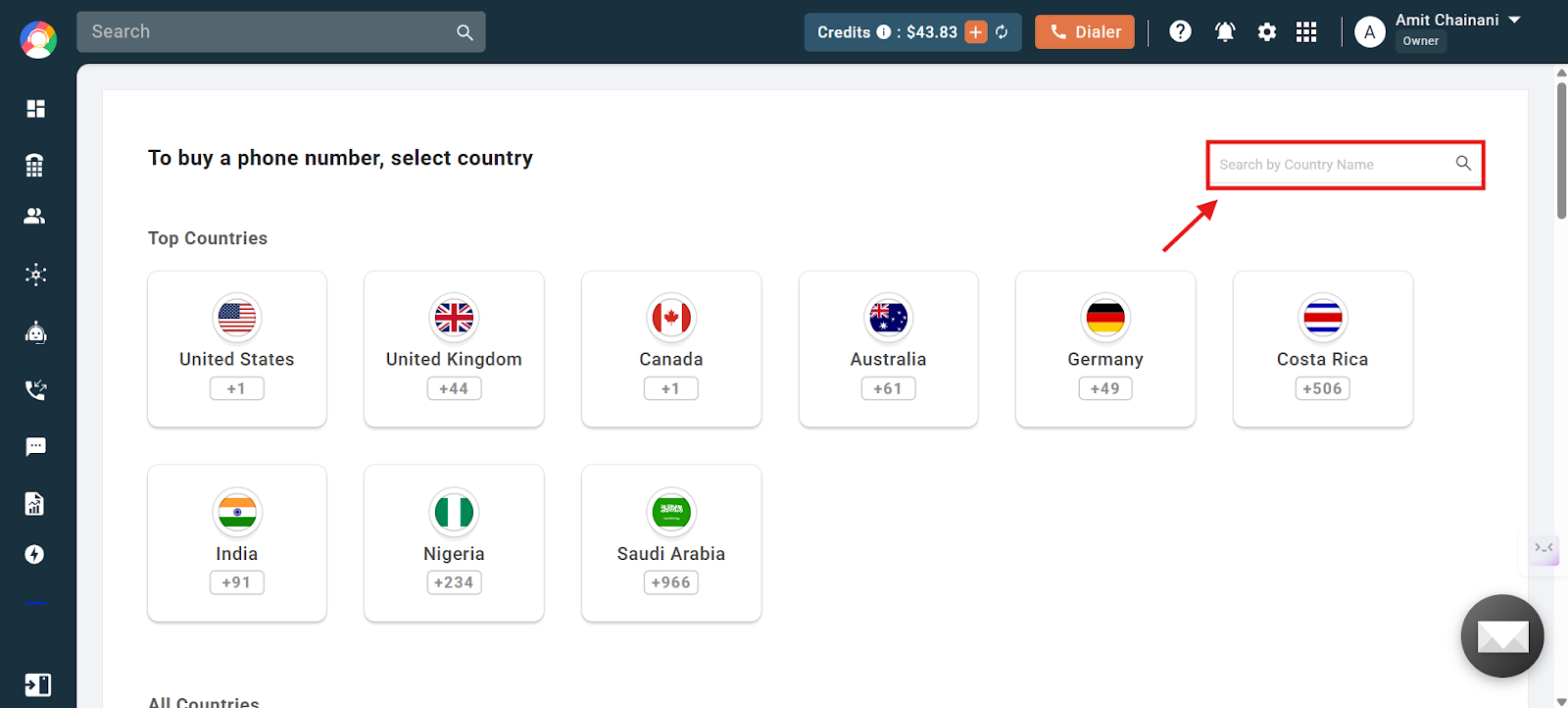
- Select the country. Choose the desired country. If it is not listed on the home page, use the search bar.
- Find your number. You will be redirected to the country-specific number selection page. Use the available filters (Prefix / Number / Location) to find your desired number.
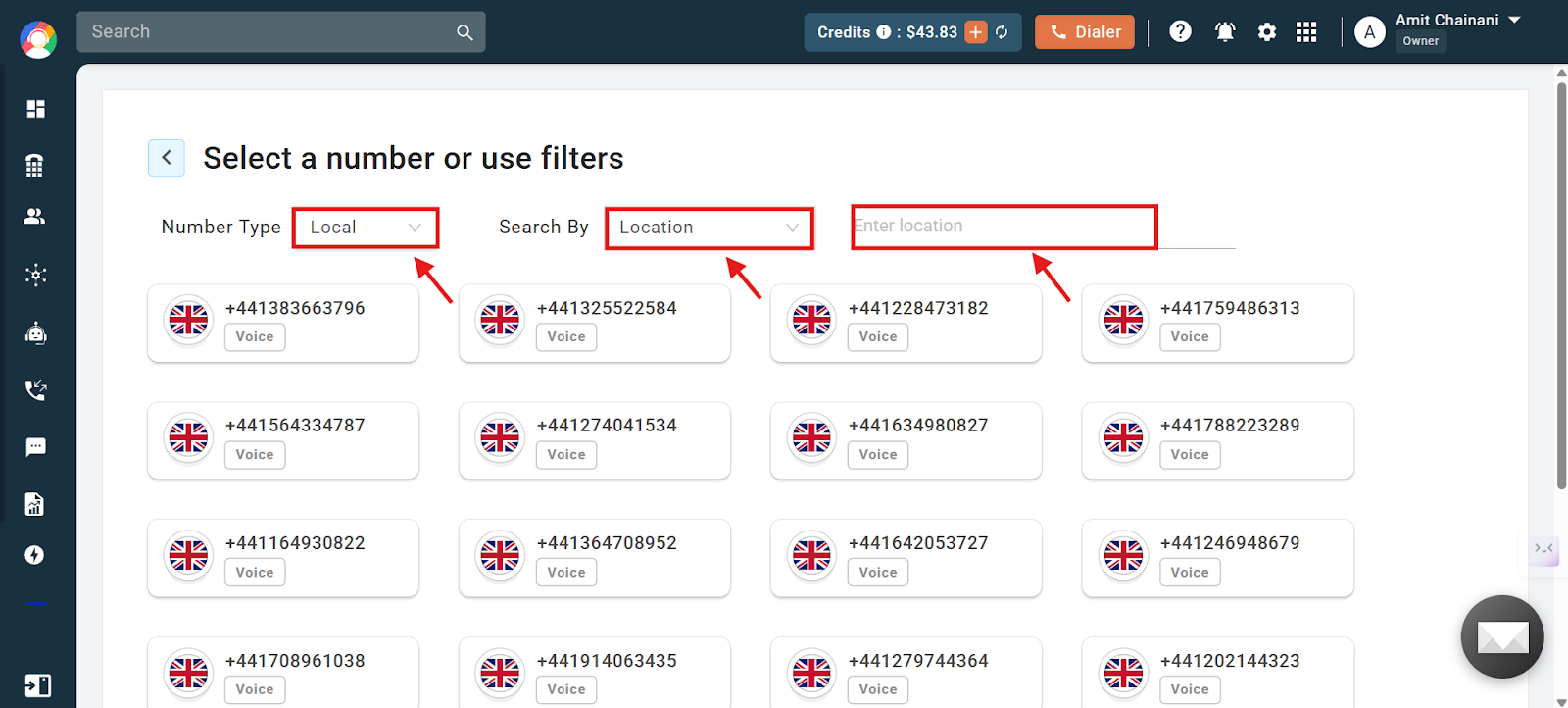
- Check SMS support (optional). Confirm whether the number supports SMS functionality, which is displayed alongside the number details.
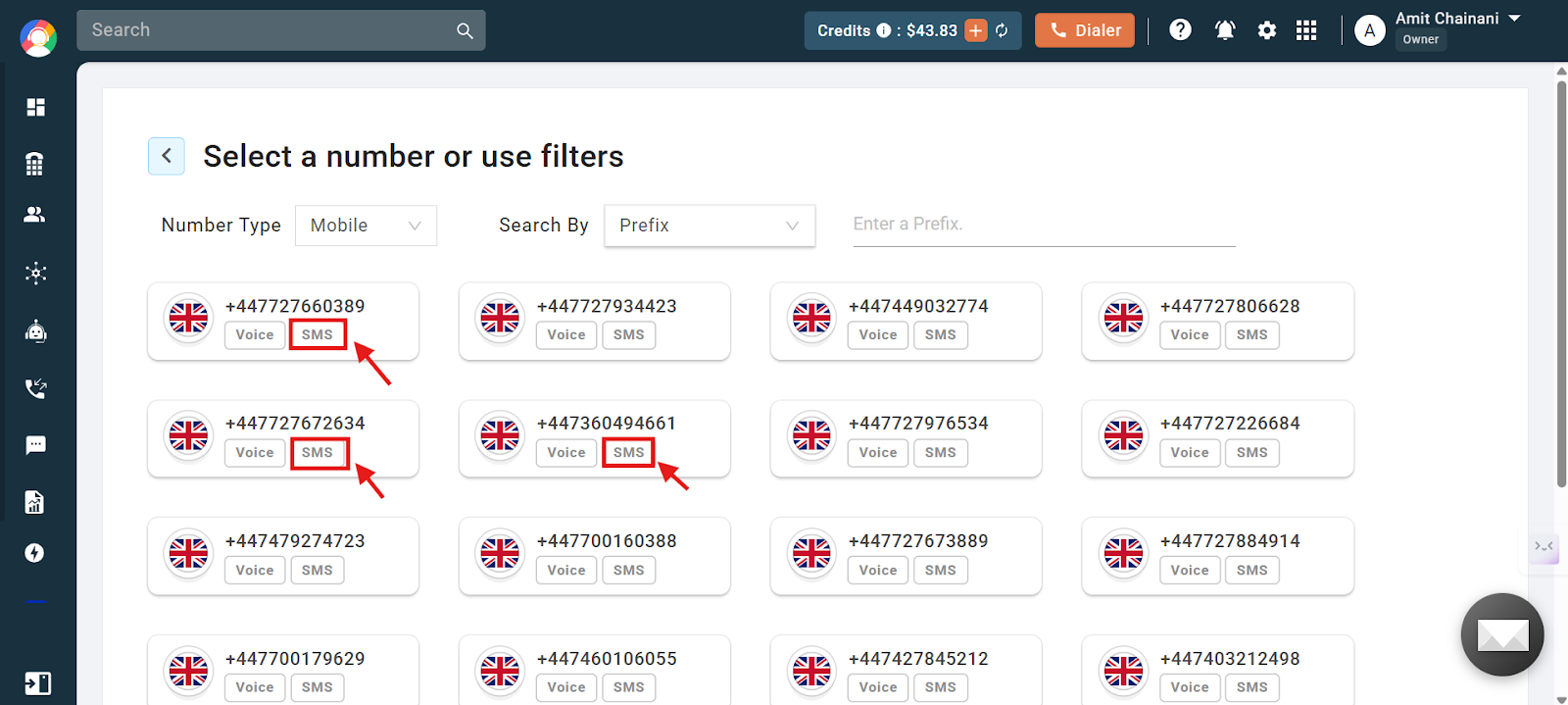
- Review pricing and documents. Click a number to view its pricing (if any) and the document requirements for verification.
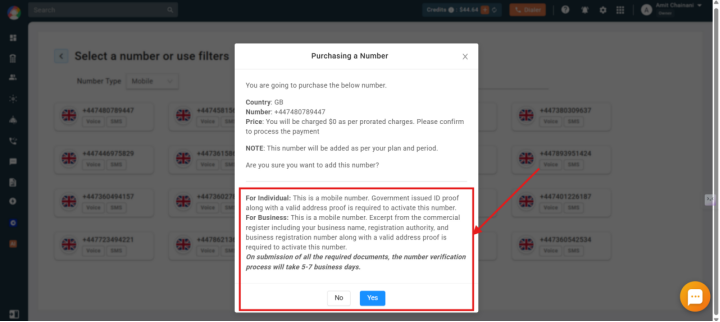
- Upload the required documents. Upload the required documents (if applicable), as this is a mandatory step. If you forget to upload the documents on this page or have any confusion about them, contact support via live chat or email at [email protected].
- Proceed to payment. Continue to payment. If a card is already added, the charges will be deducted automatically.
- Wait for verification. The verification timeline varies by country and number type. Updates are sent to your registered email address.
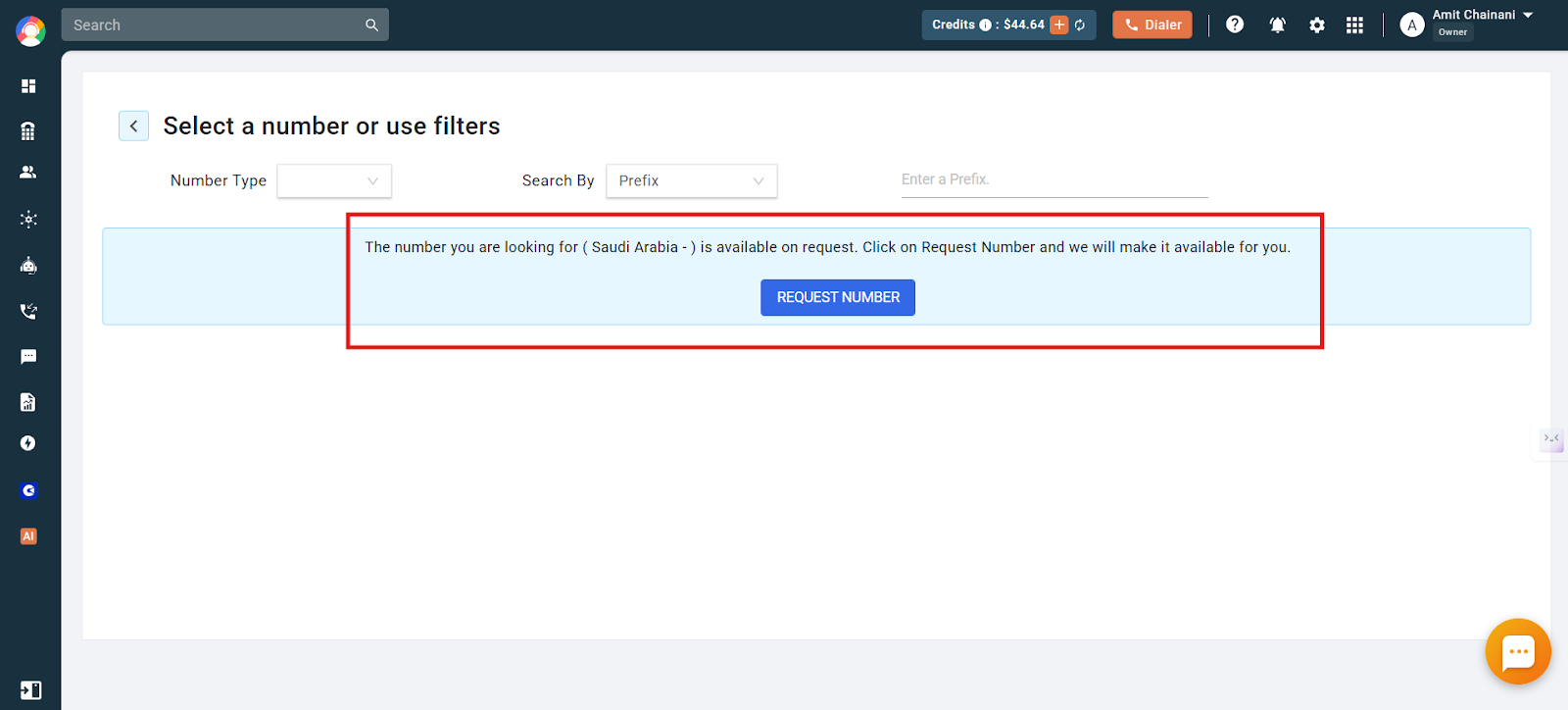
Important: If the number for the country you are trying to add shows as available on request (as shown below), contact support for more details on availability, the procurement process, required documentation, and the timeline to procure that number.
Additional information
- For most numbers, verification typically takes between 24 and 48 business hours.
- Any updates on the status of your number verification are proactively communicated to you via email at your registered CallHippo email address.
This completes the process of purchasing a number.
Global number charges: For more information about other country number charges, please visit the global number charges page.
Frequently asked questions
Q: Why am I charged for adding a number if I am eligible for one free number per user?
A: You may have already added and deleted a number in the same billing cycle, which means the “1 free standard number per user” benefit has already been used.
Q: Why is the system asking me to upgrade to a paid plan when I have not fully used the free trial?
A: You may have already added and deleted a number during the free trial, which means the “1 free standard number” free-trial benefit has already been used.
Q: Why am I unable to add a number to my account?
A: Check the error message shown on the dashboard while adding the number for the exact reason. For more clarification, please reach out to the support team.
Q: The specific country’s number I want to add is not available in the dashboard.
A: Reach out to the support team to check the availability of the number via live chat or email at [email protected].
Q: What is the difference between a standard number and a premium number?
A: This categorization is made by CallHippo based on the internal number procurement process and its complexity. It does not imply any difference in calling services or the number series procured for you. One other difference is that a premium number is always chargeable, even if you have an extra user with the “1 free standard number per user” benefit available.
Q: I want to replace the number currently added to my account during the ongoing billing cycle. How do I do that?
A: Note that number replacements are chargeable. To do this, delete the current number in your account and then add a new number following the steps in this article, for which you will be charged instantly on a pro-rata basis.
Q: Are there any numbers I can add and activate without submitting documentation?
A: Yes. US local numbers and Australia mobile numbers are the only two numbers you can add and activate without submitting any documentation. All other country numbers and number types require documentation.
Q: Can I get an OTP for, or activate, WhatsApp, Telegram, banking services, etc., using CallHippo numbers?
A: No. CallHippo numbers are virtual, so we cannot guarantee the receipt of OTPs (One-Time Passwords) from third-party applications such as WhatsApp, Telegram, and similar services. These applications may or may not recognize virtual numbers as valid, which can affect OTP delivery.
Q: I want to replace the number I added during the free trial. How do I do that?
A: You cannot change the number added during the free trial, as only one free standard number is offered in the free trial. You will need to delete the number, upgrade to a paid plan, and then add a new number to your account.
We hope this helps. If you still have questions, feel free to reach out at [email protected].