
Integrating Hunter with CallHippo brings your prospecting and calling together, so your team can reach the contacts Hunter surfaces without leaving their workflow.
Step 1: Copy your API key from Hunter
- Log in to Hunter. Sign in to your Hunter account.
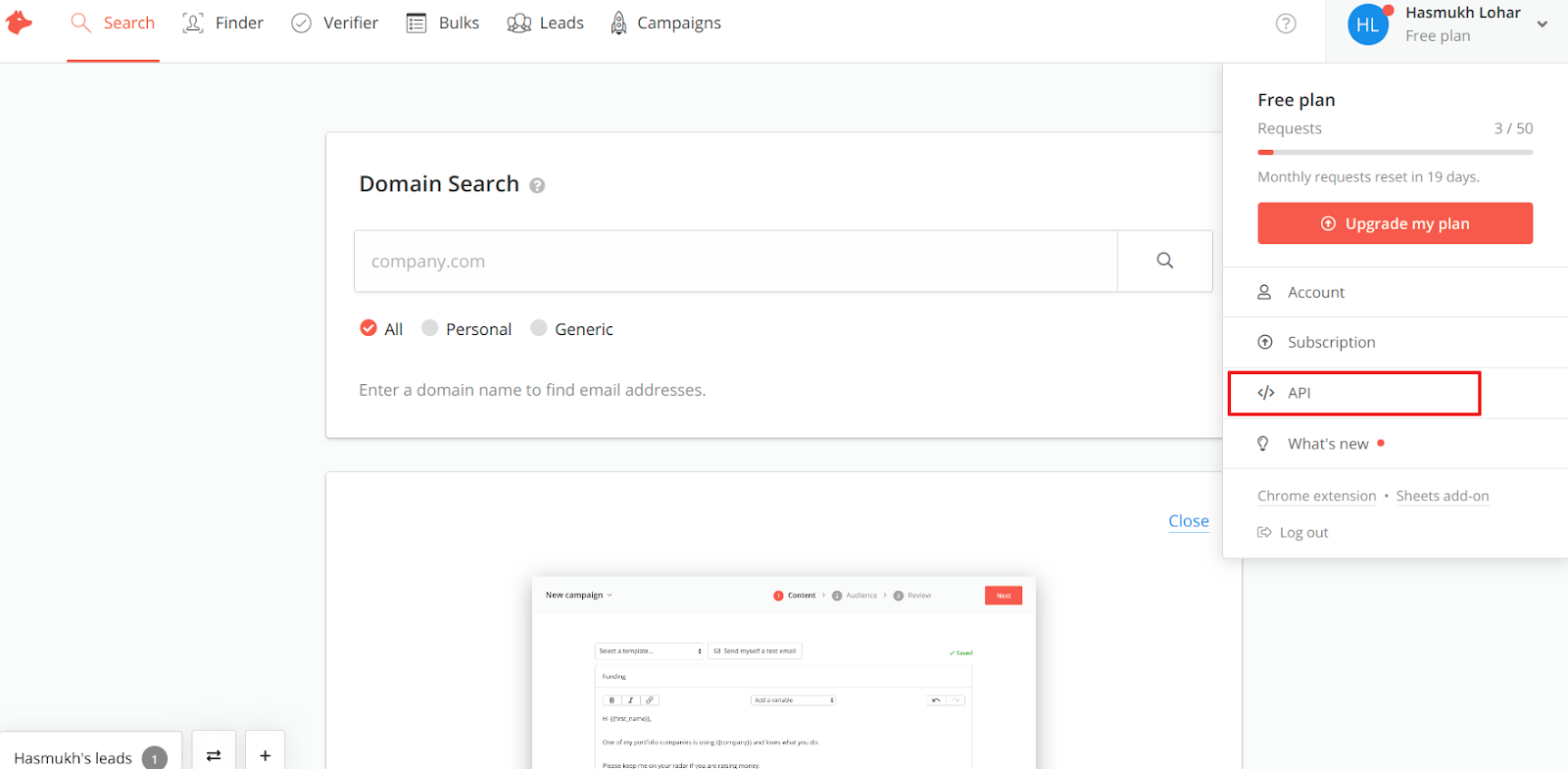
- Open the API section. Click your profile menu and choose API.
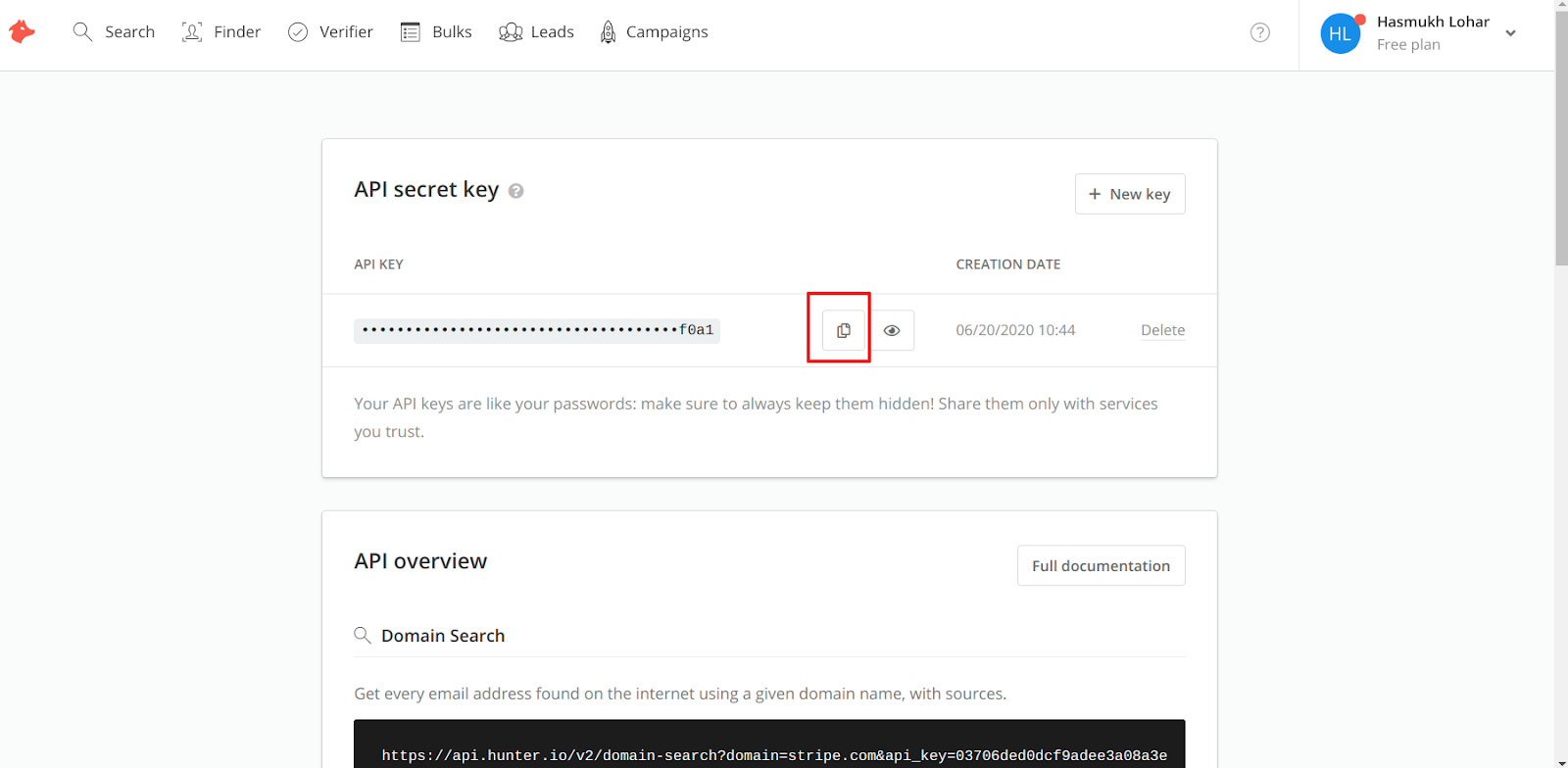
- Copy the API key. Copy the API secret key shown and keep it safe for the next step.
Step 2: Connect Hunter in CallHippo
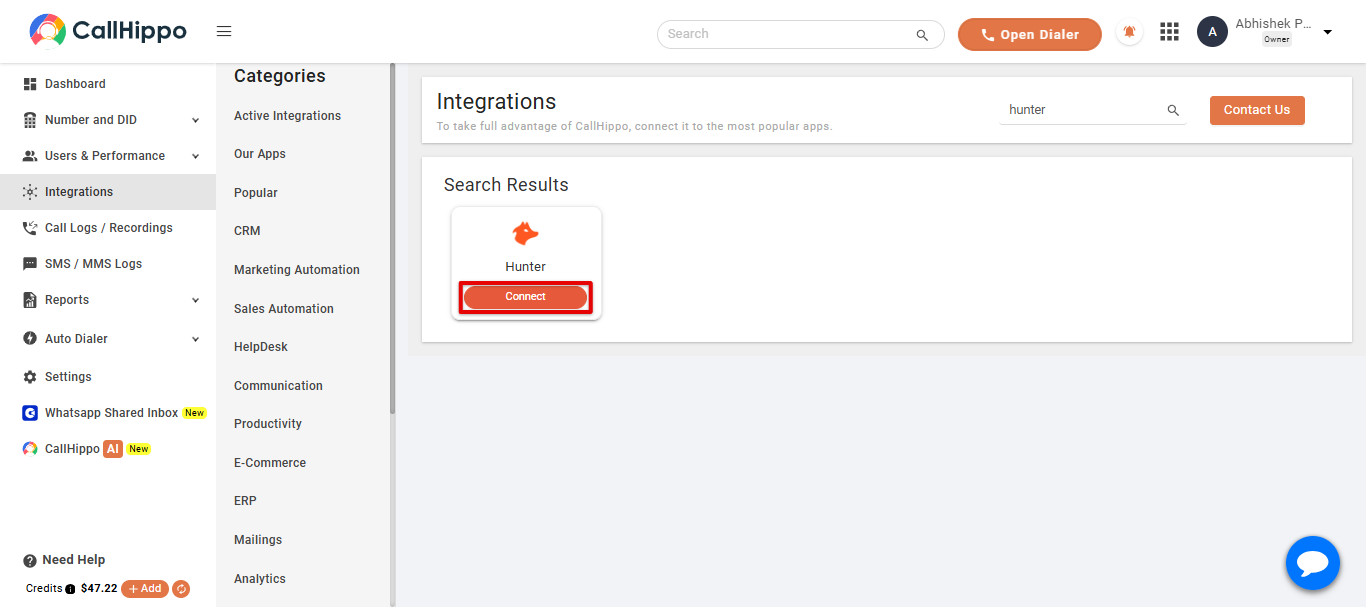
- Open Integrations. Log in to your CallHippo account, go to the Integrations tab, find Hunter, and click Connect.
- Enter your API key. Paste the API key you copied earlier and click Save.
- Finish. Click Next. You will be redirected back to your CallHippo account and the status will change to Integrated.
- Done. Your Hunter account is now successfully integrated with CallHippo.
Features of the Hunter and CallHippo integration
- Contact sync: All your Hunter leads are synced to the CallHippo dialer as contacts. New or updated leads in Hunter sync within four hours.
- Call activity: Every call made to or received from a Hunter contact is logged in the CallHippo dialer.
- SMS activity: Every SMS sent or received from a Hunter contact is captured in the CallHippo dialer.
- Notes sync: Call activity appears in the Notes section of the relevant lead (contact) in Hunter.
Enable Click to Call
Install the CallHippo Click-to-Call Chrome extension to call directly from Hunter. Add it from the Chrome Web Store.
Frequently asked questions
Where do I find my Hunter API key?
Open the API section from your Hunter profile menu and copy the API secret key shown there.
How long does lead syncing take?
New and updated leads in Hunter sync with the CallHippo dialer within about four hours.
Need help connecting Hunter? Email [email protected] and our team will guide you.