
If Forward to Device (FTD) is switched on but incoming calls still aren’t reaching your FTD number, a few common settings are usually the cause. Work through the checks below to get forwarding working again.
When to use this guide
Follow these steps when FTD is enabled on your CallHippo number but incoming calls are not being forwarded to the FTD number.
Troubleshooting steps
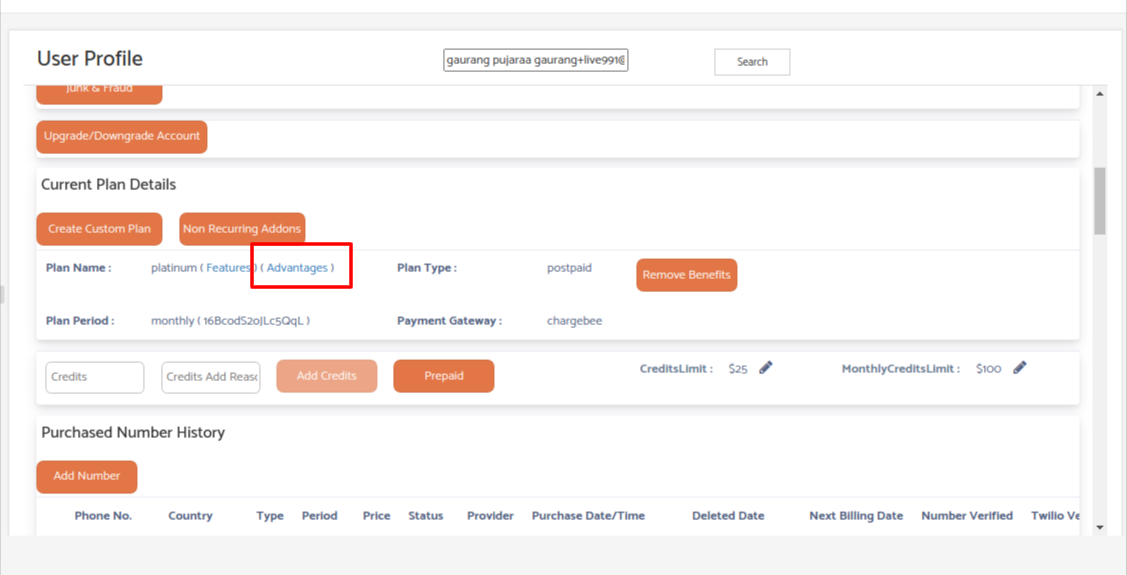
- Check available credit and outgoing minutes. Forwarding a call to an FTD number counts as an outgoing call, so charges apply. In the admin panel, open the user’s plan Advantages to confirm they have credit or free outgoing minutes. If the credit balance is at or below zero and no free outgoing minutes remain, calls will not forward to the FTD number.
- Verify the FTD number. Place a test call to the FTD number to confirm it is valid and reachable.
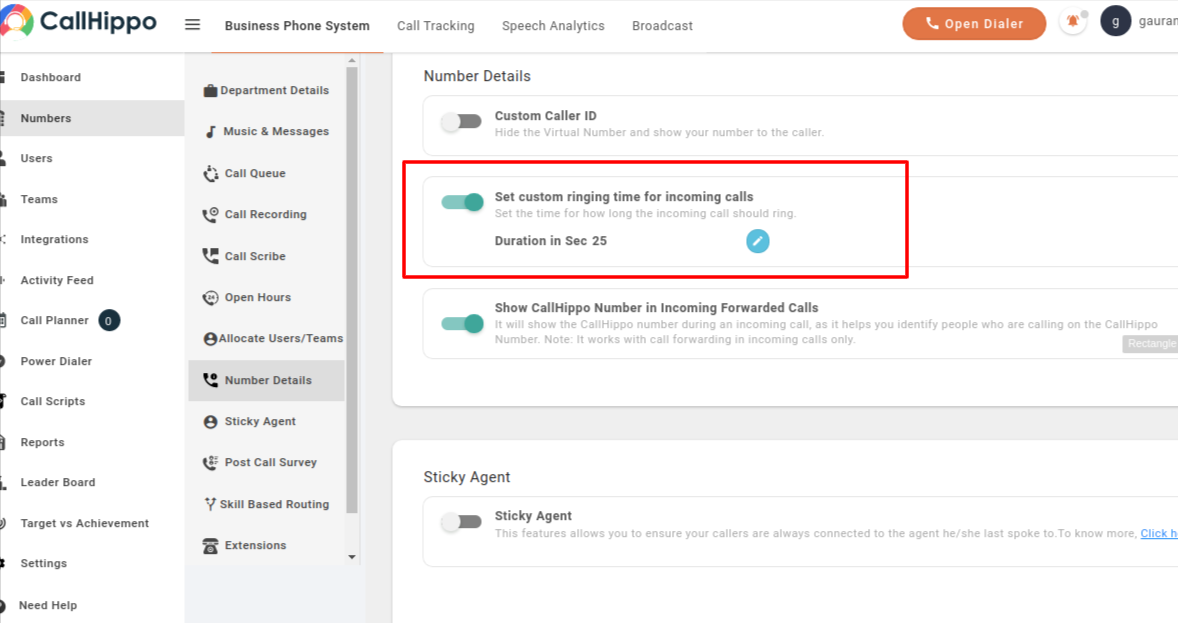
- Reduce the incoming ring time. Open Numbers > Number Details and lower the custom ringing time for incoming calls so the call forwards before the caller gives up.
- Still not working? Raise a technical ticket with sample call details so our team can investigate further.
Frequently asked questions
Why does forwarding to my FTD number use credit?
Forwarding an incoming call to an external device is treated as an outgoing call, so it consumes outgoing minutes or credit.
The FTD number is valid but calls still don’t forward. What next?
Lower the incoming ring time and confirm credit is available. If the issue persists, raise a technical ticket with call samples.
Still need help? Reach us at [email protected].