
Keeping your billing contacts up to date is essential for managing your CallHippo account smoothly. If you would like to receive invoice copies at an alternate or additional email address, such as your finance team’s email, CallHippo lets you easily add or update recipient addresses. This article walks you through customizing where your invoices are sent.
Why add or update invoice email recipients?
- Ensure invoices reach the right people in your organization.
- Share billing details with your accounting or finance departments.
- Add multiple email addresses for better visibility and record-keeping.
Step-by-step guide to adding invoice email addresses
- Log in to your CallHippo dashboard.
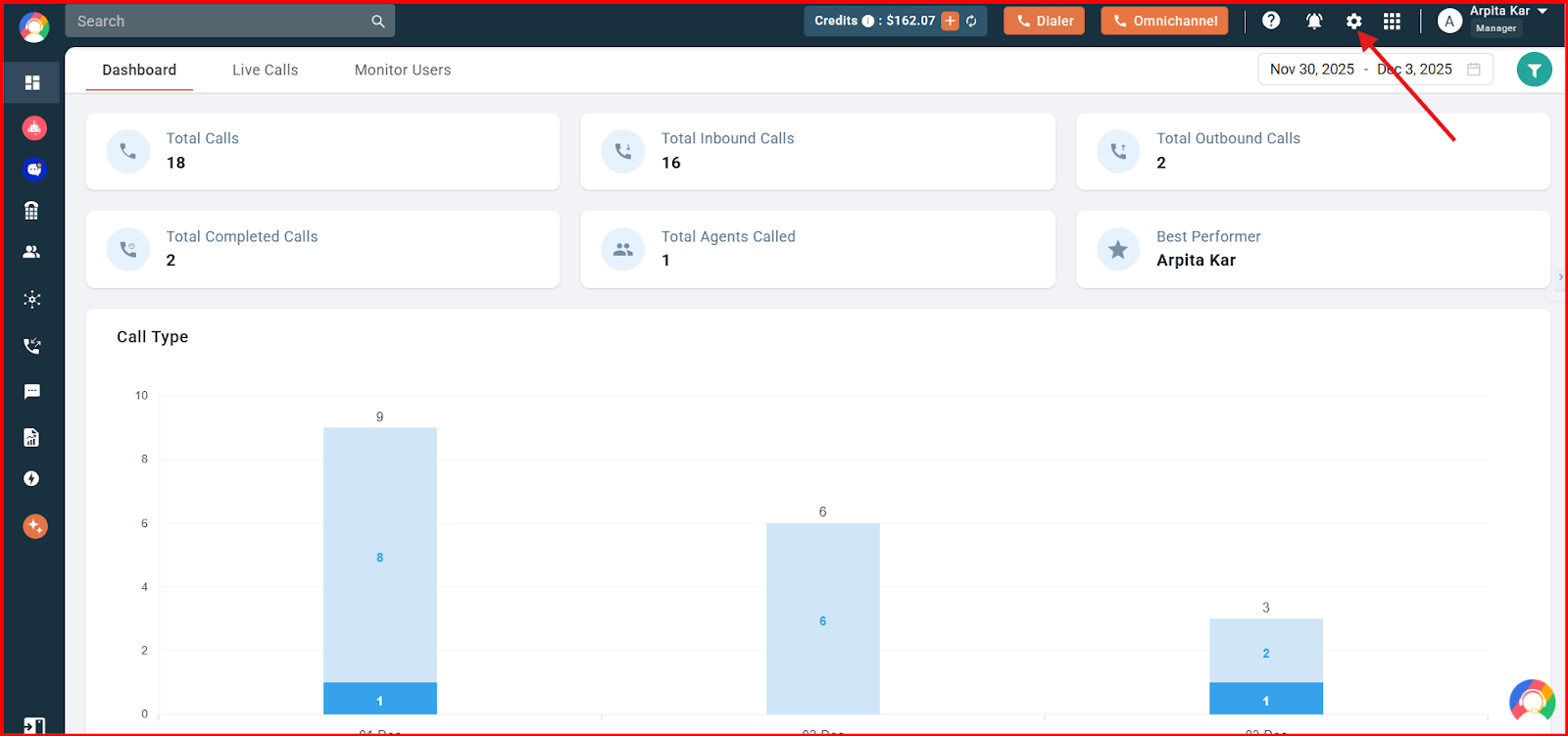
- Navigate to the settings (gear) icon in the top-right corner of the screen.
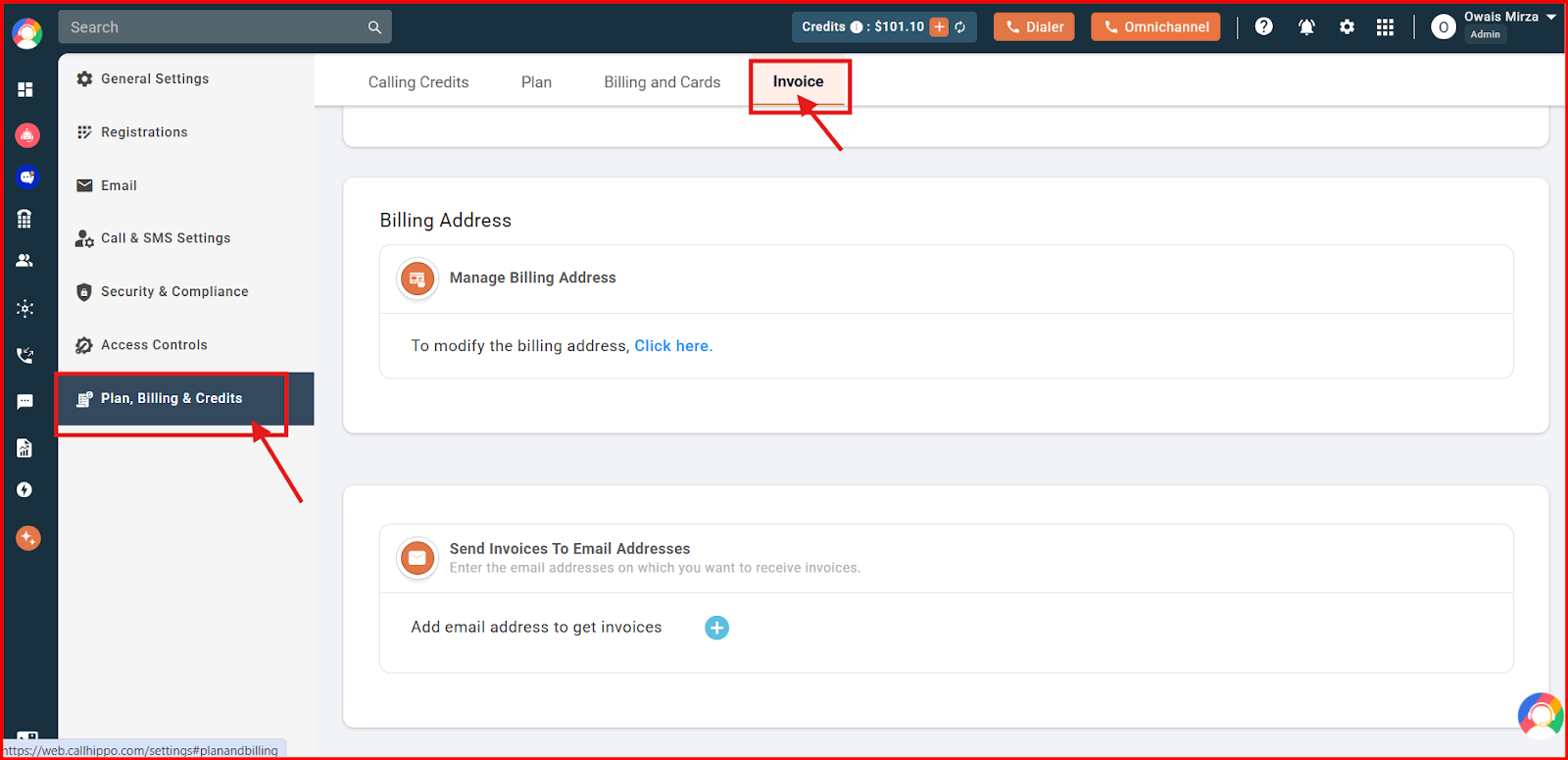
- Click the Plan, Billing & Credits section and select the Invoice tab.
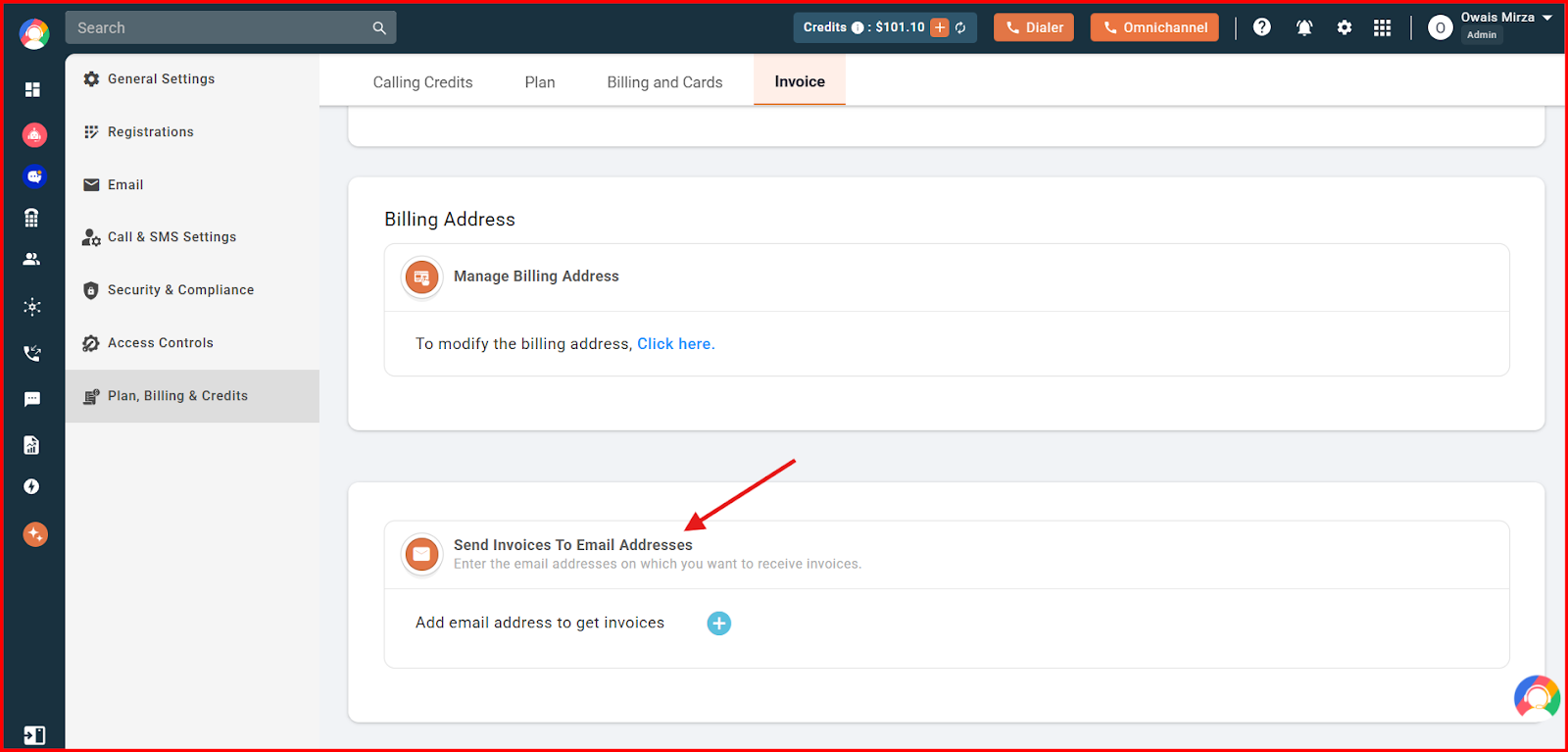
- Scroll down to the Send Invoices To Email Addresses option.
- Click the plus icon (+) and enter the email address on which you want to receive invoices.
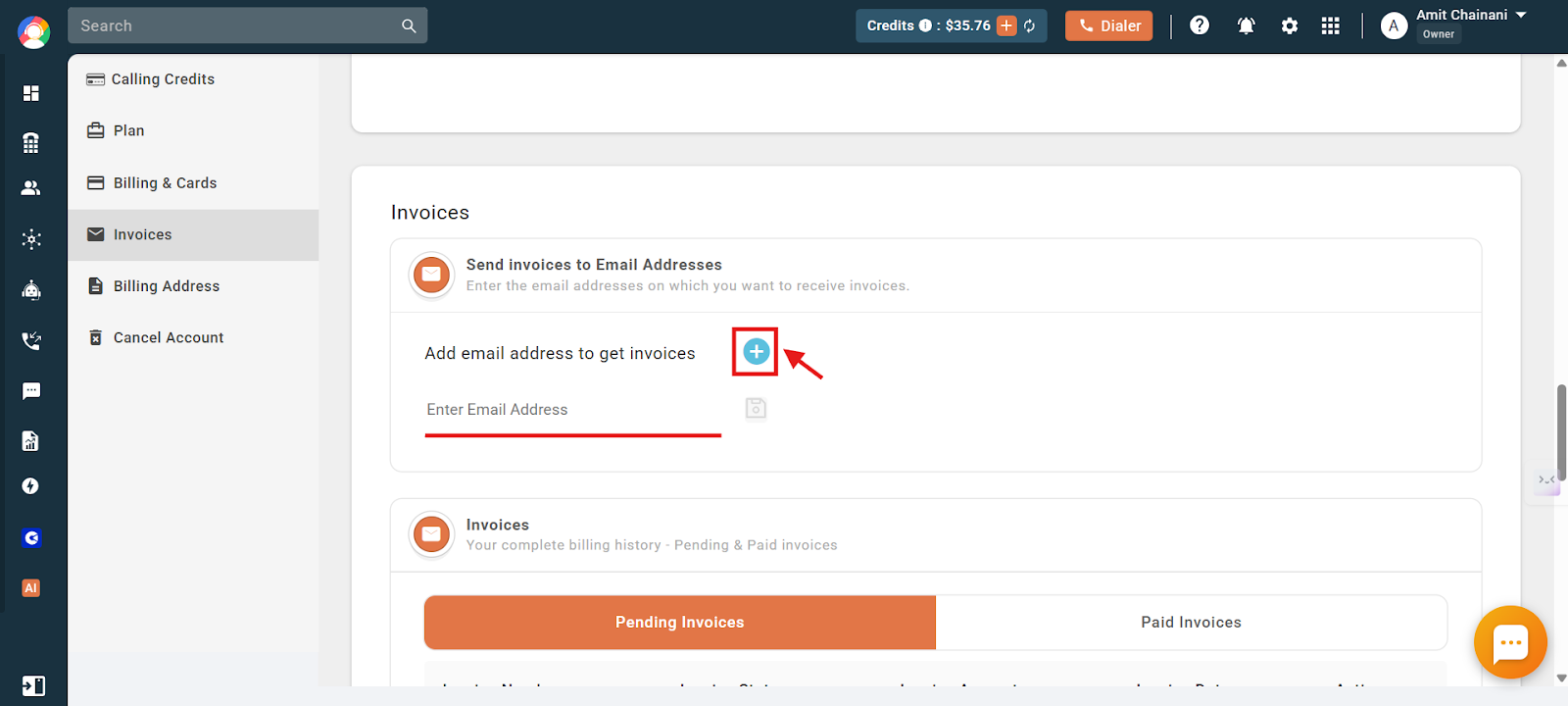
- Click the floppy disc (save) icon to save.
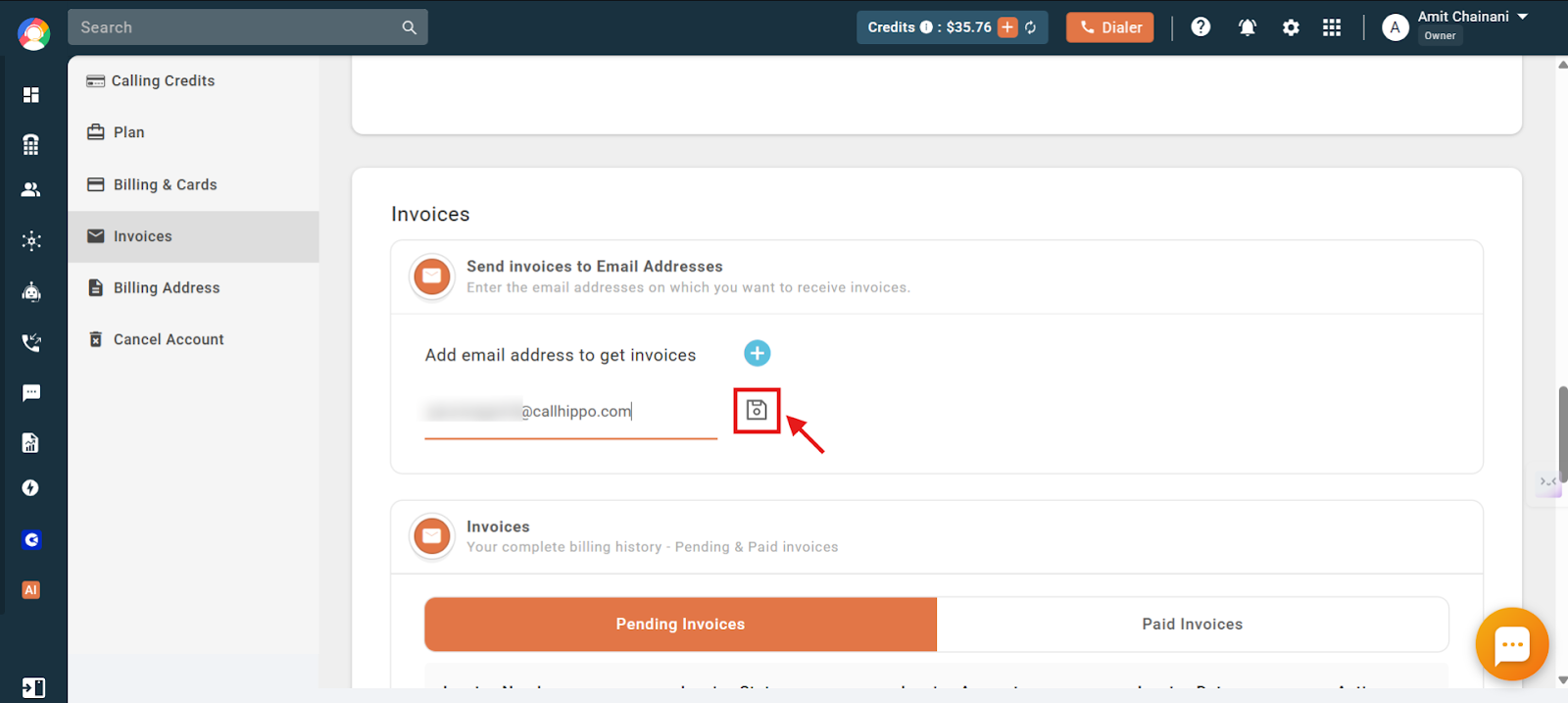
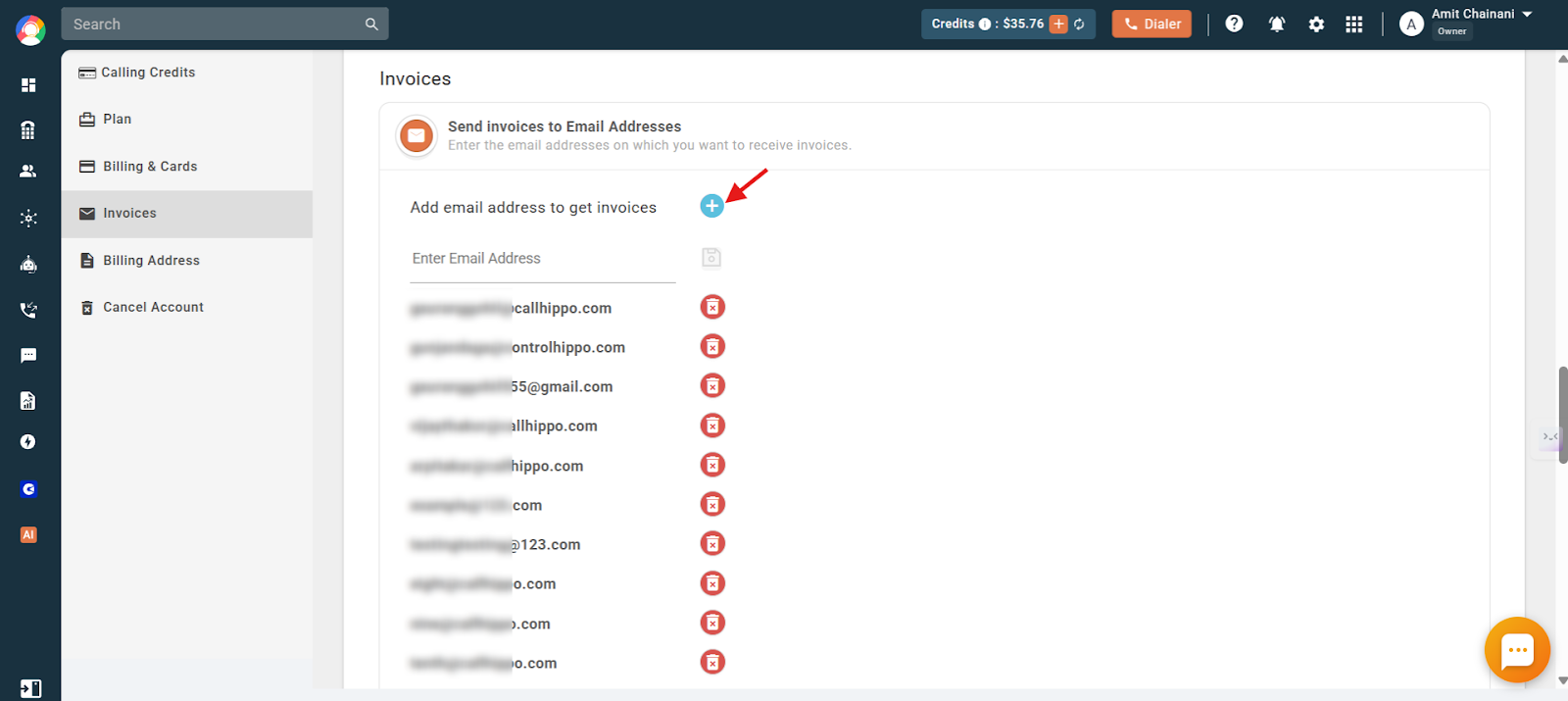
- To add more recipients, click the plus icon (+) again and repeat the same procedure.
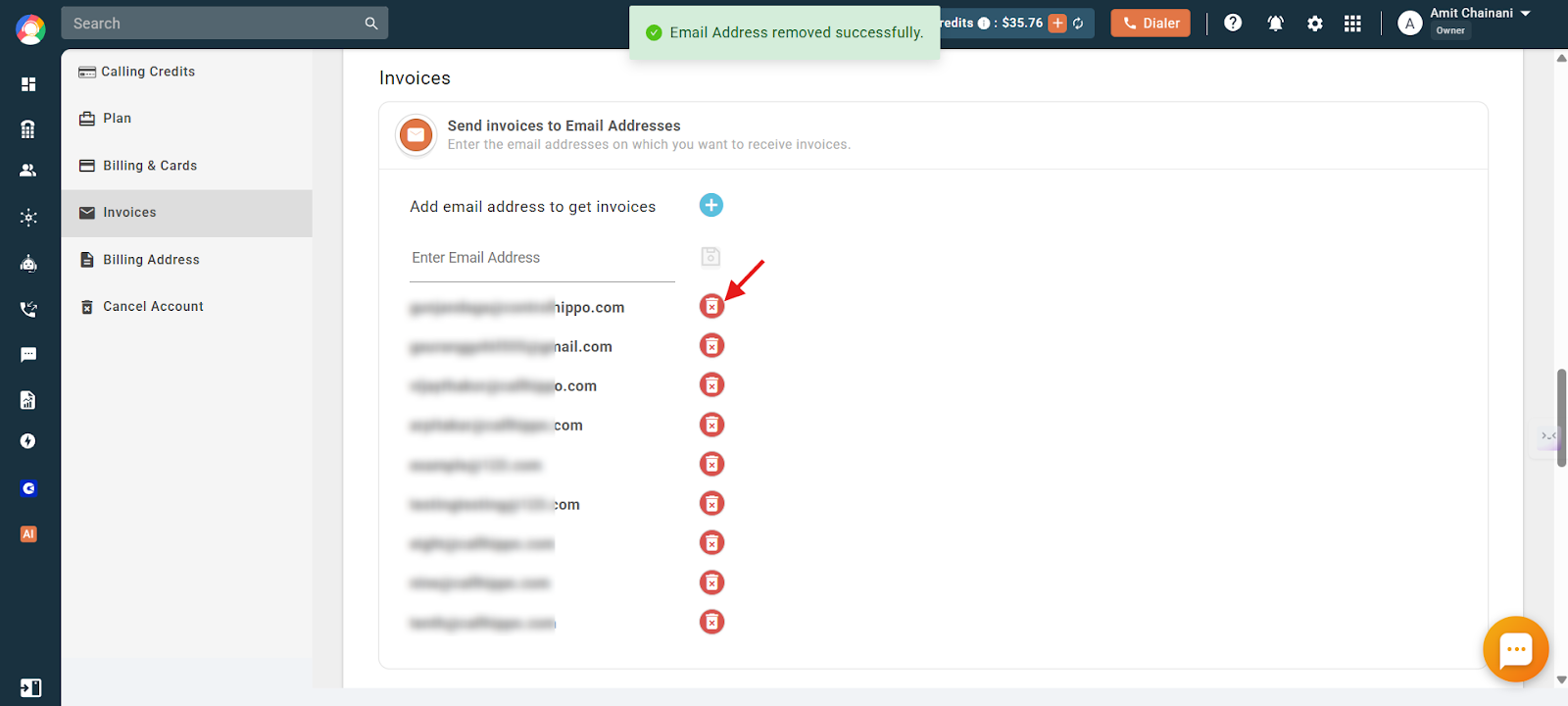
- To remove a previously added address, click the red delete icon next to it.
Important information
- You can add multiple email addresses (up to 10 maximum), and all of them will receive future invoice copies via email.
Frequently asked questions
Q: Can I use the same email address for multiple CallHippo accounts?
A: Yes, you can use the same email address across different CallHippo accounts if needed.
Q: Will previously sent invoices be forwarded to newly added email addresses?
A: No, newly added email addresses will only receive invoices generated after they have been added and saved.
Q: Will all added email addresses receive every invoice automatically?
A: Yes, all saved email addresses will automatically receive future invoice copies via email.
We hope this helps. If you still have questions, feel free to reach out at [email protected].