
If your CallHippo invoices are not arriving in your email inbox, the issue can usually be resolved by checking your billing configuration and re-sending the invoice. This guide walks you through the quick fix.
When to refer to this guide
Use these steps when you are not receiving your CallHippo invoices in your email inbox.
Steps to resolve the issue
- Check the Mail send setting: Open the customer record in the billing system (Chargebee) and confirm whether Mail send is set to YES. If it is not set to YES, edit the setting and change it to YES.
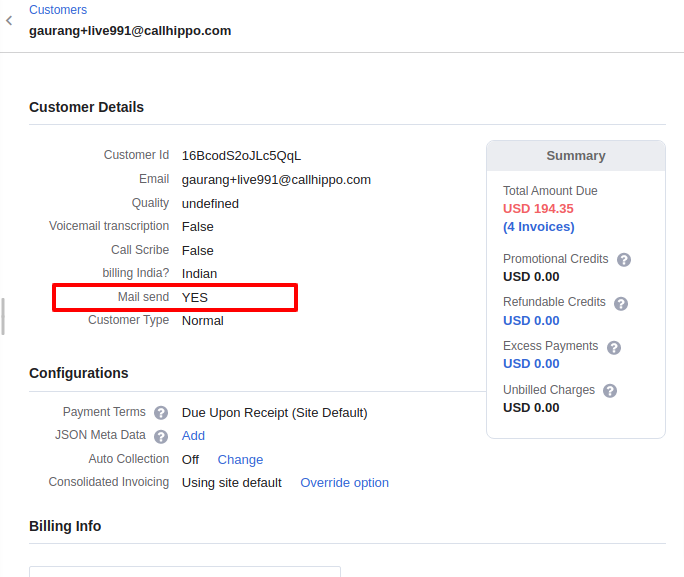
- Resend the invoice: Once Mail send is set to YES, resend the mail for the respective invoice. The invoice should now be delivered to the registered email address.
We hope this helps. If you still have questions, feel free to reach out at [email protected].