
Connecting Klaviyo with CallHippo lets you sync your marketing contacts with the CallHippo dialer and place calls to them directly, so your email and SMS outreach and your calling activity stay in one workflow. This guide walks you through generating a Klaviyo API key, connecting it in CallHippo, and enabling click-to-call.
Before you begin
Make sure you have the following ready:
- Admin access to your Klaviyo account.
- An active CallHippo account with access to the Integrations tab.
- The Google Chrome browser, if you want to use click-to-call.
Generate your Klaviyo private API key
- Log in to your Klaviyo account.
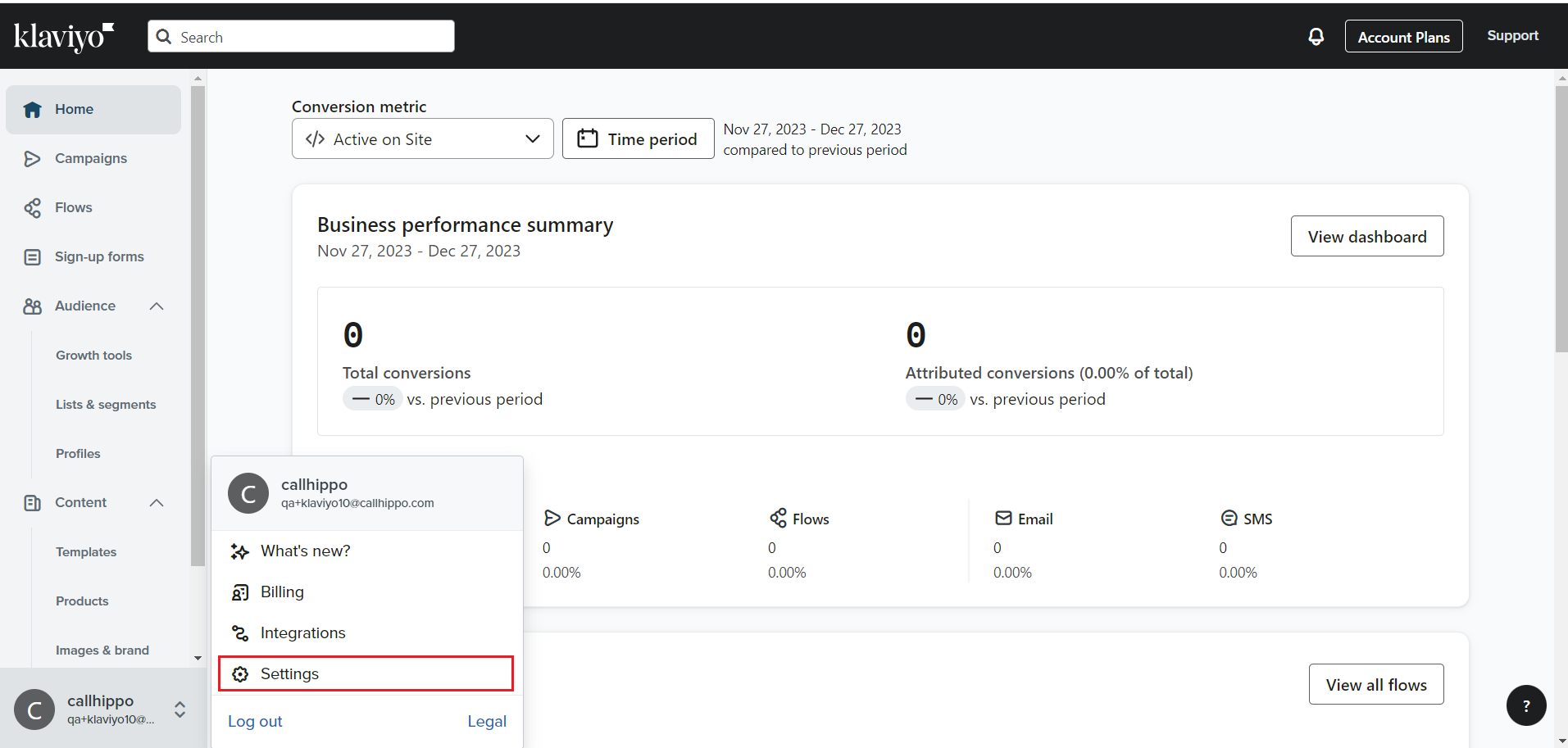
- Open your account menu at the bottom left and click Settings.
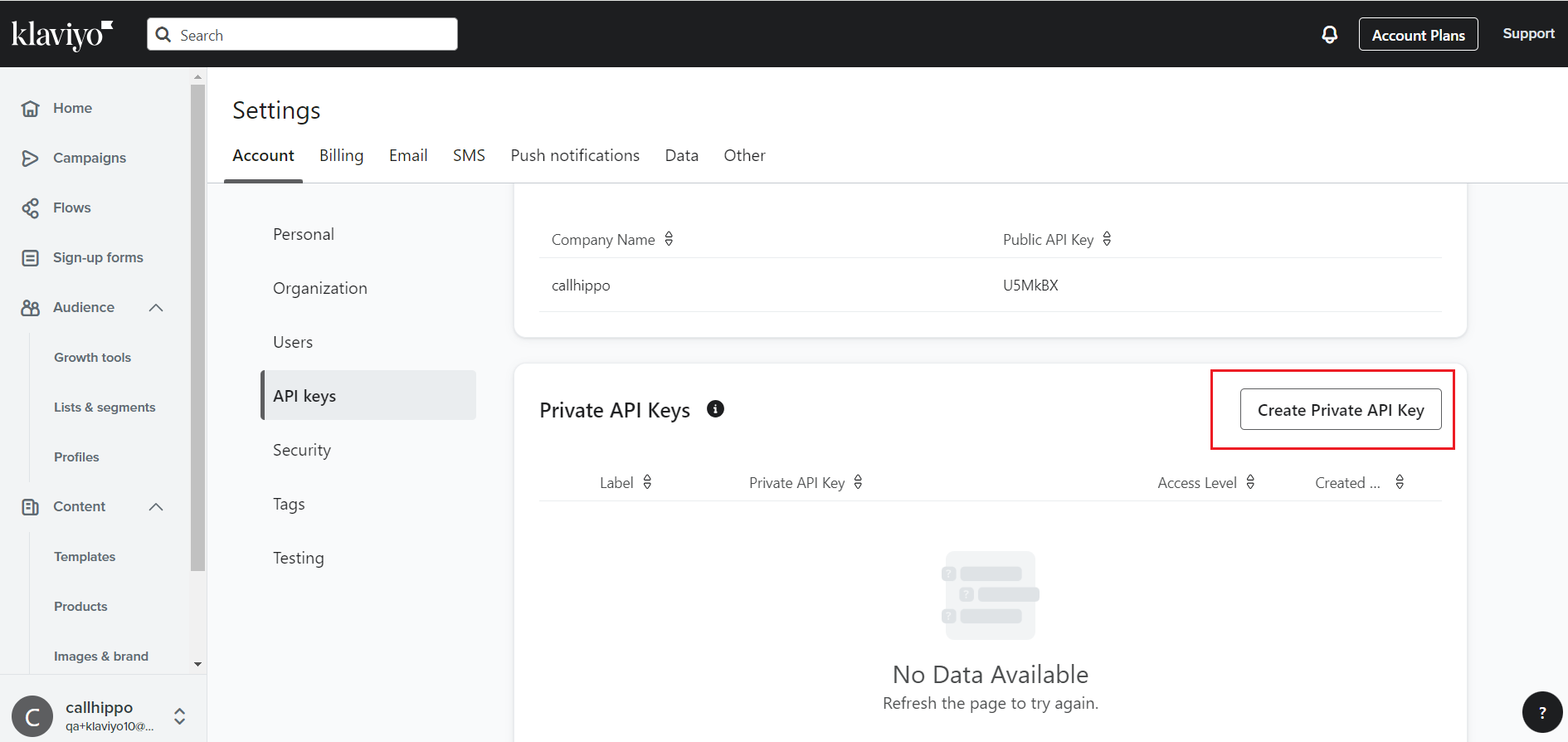
- Go to the Account tab, open API keys, and click Create Private API Key.
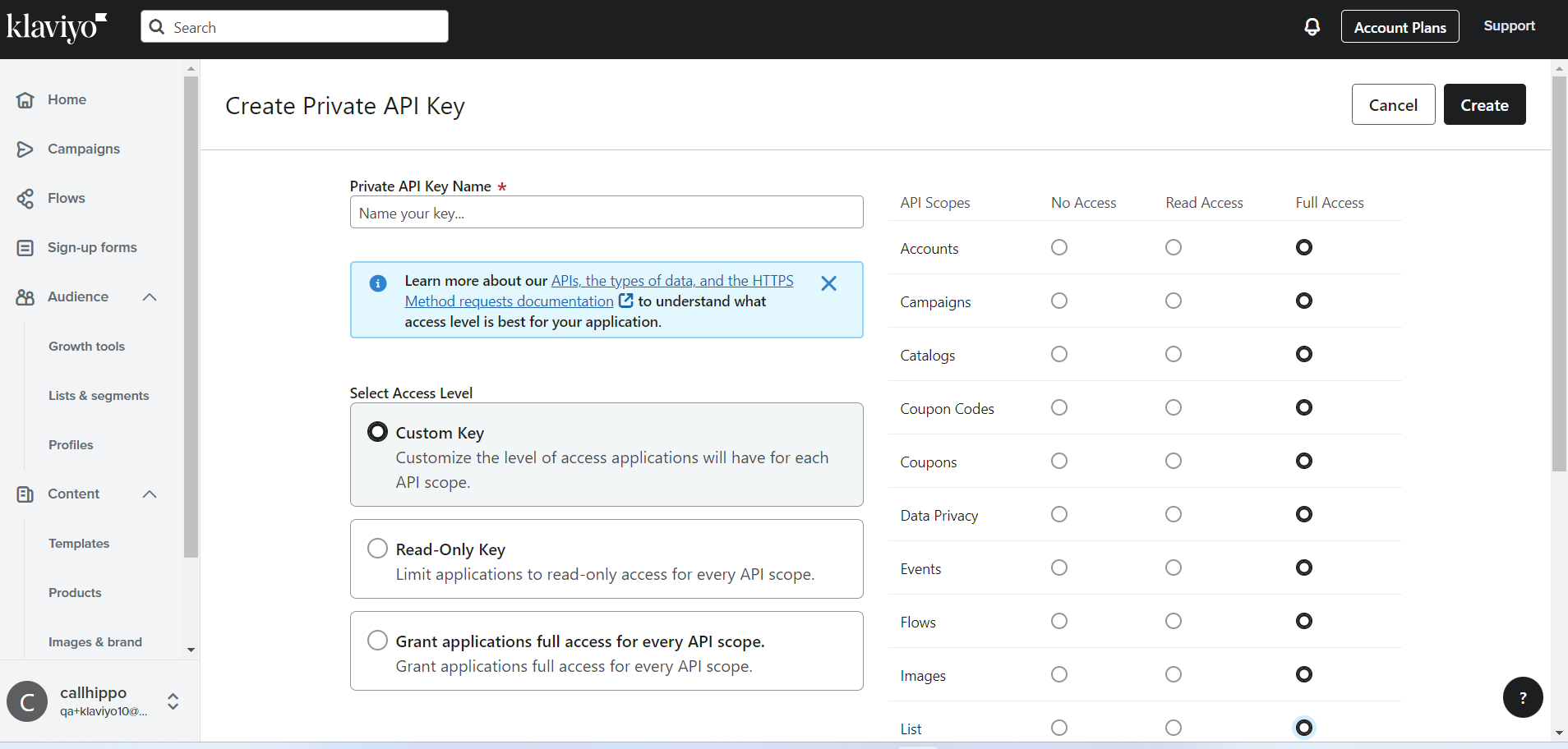
- Name the key and give it Full Access so the integration can sync smoothly, then click Create.
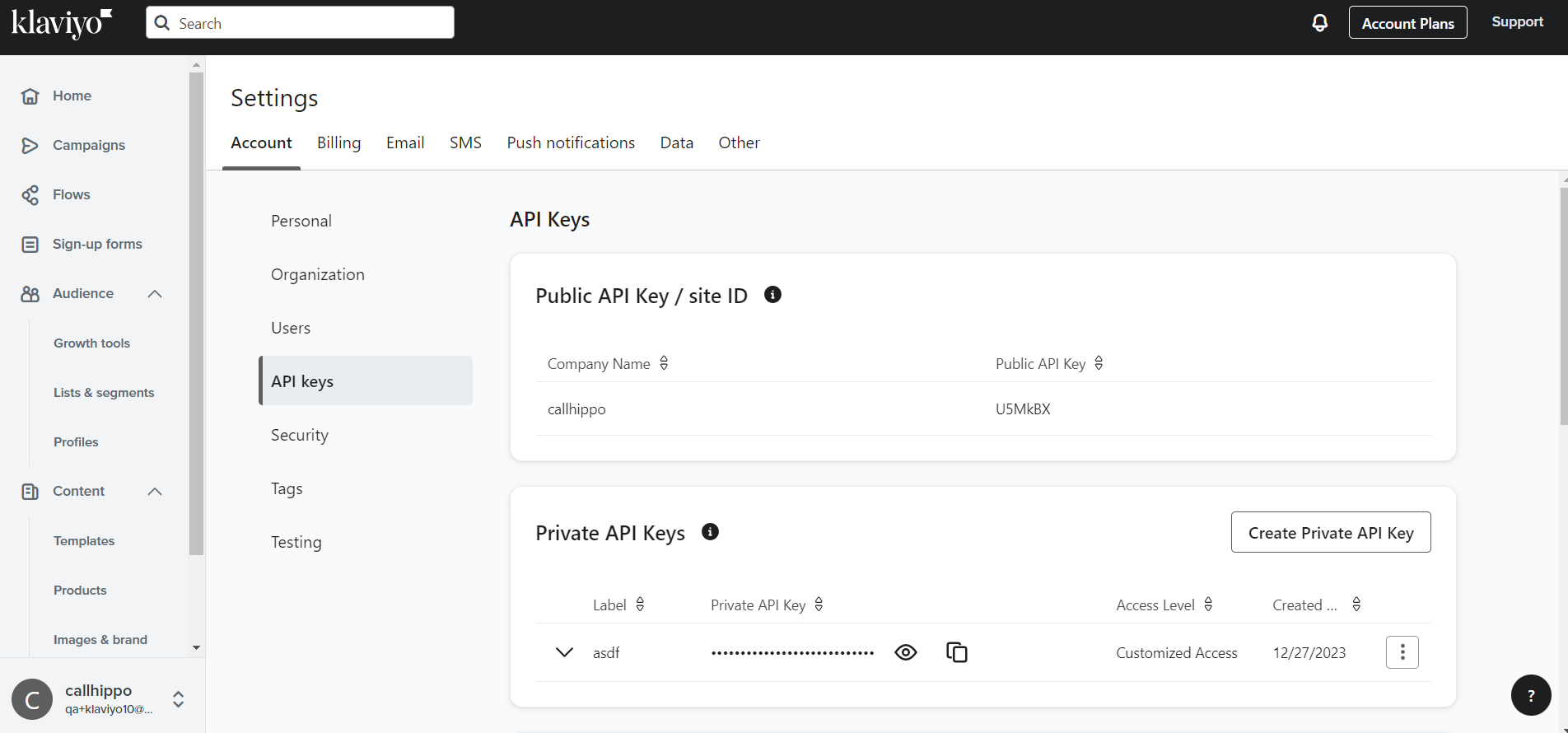
- Copy the private API key and save it somewhere safe. You will need it in CallHippo.
Connect Klaviyo in CallHippo
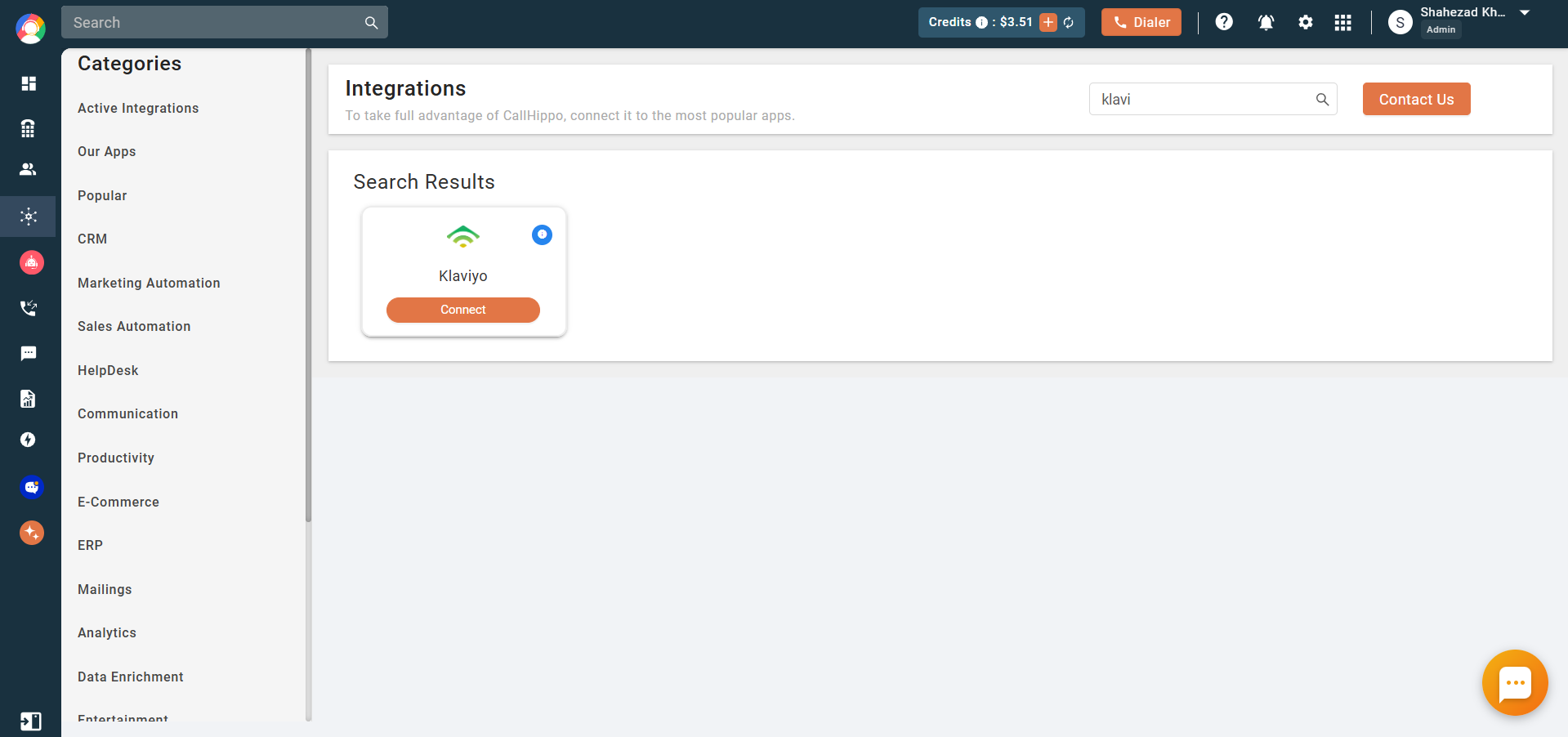
- Log in to your CallHippo account and go to the Integrations tab.
- Search for Klaviyo and click Connect.
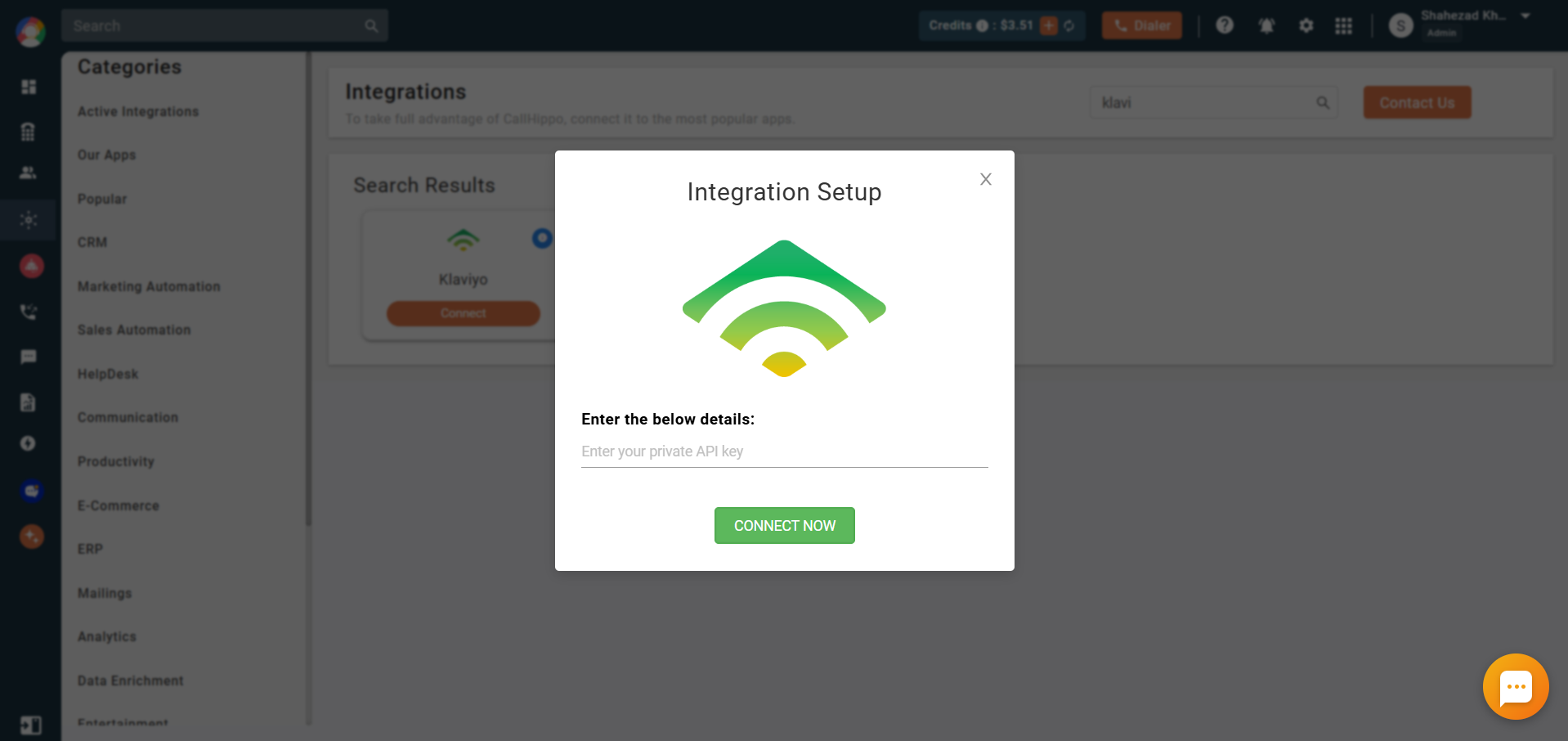
- In the Integration Setup popup, paste the private API key you generated in Klaviyo and click Connect Now.
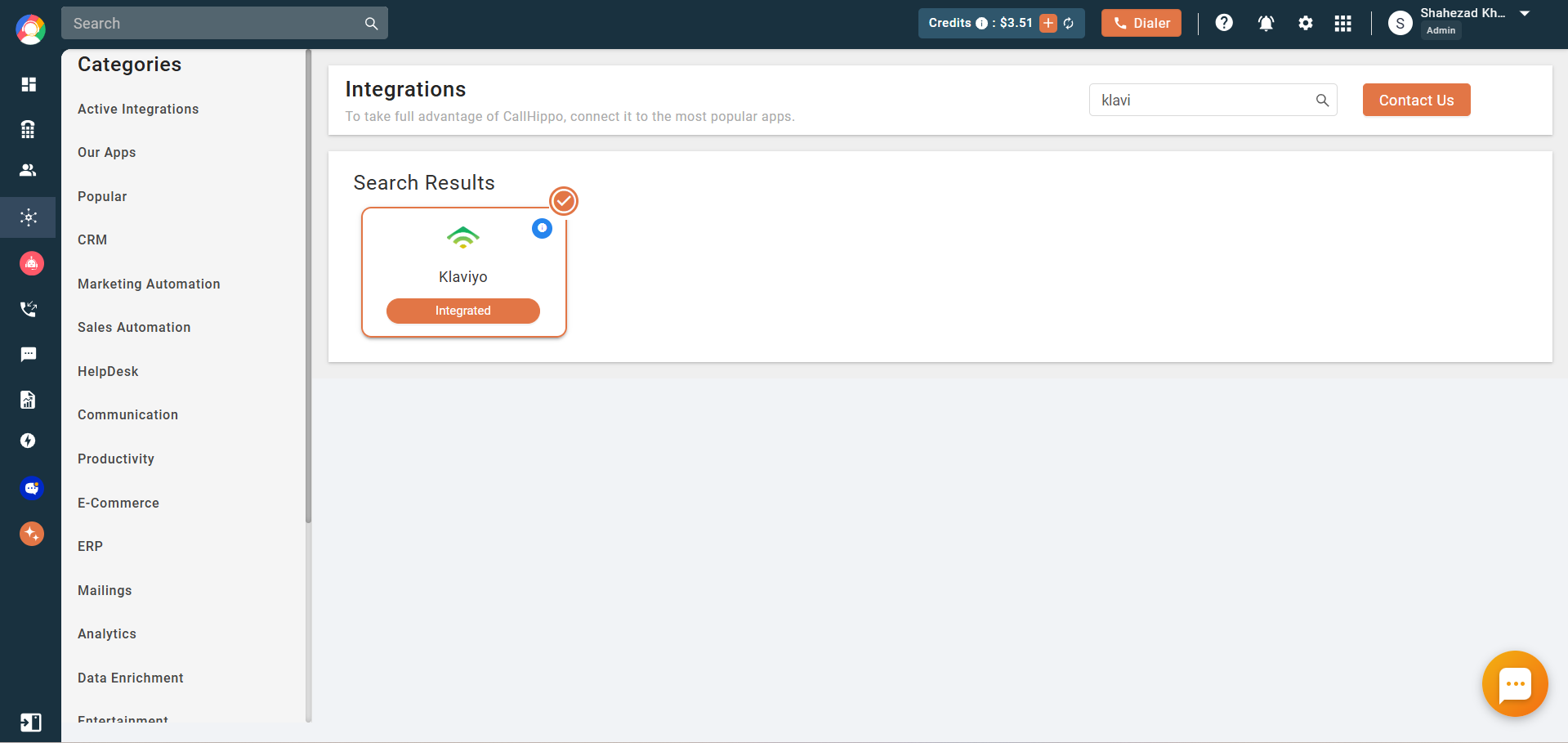
- Once the integration succeeds, you are returned to the Integrations page and the Klaviyo card shows Integrated.
Enable click-to-call with the Chrome extension
Install the CallHippo Click-to-Call Chrome extension to dial Klaviyo contacts in one click.
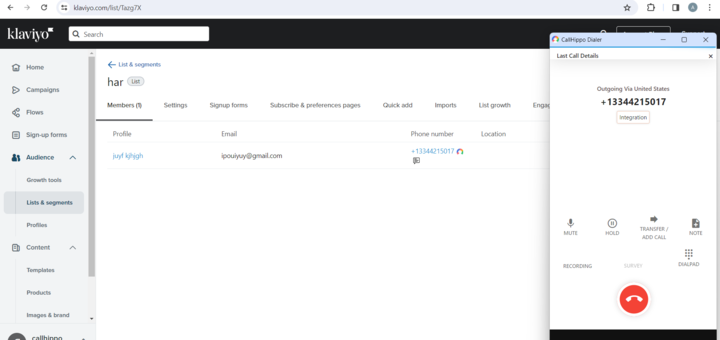
To add contacts you can call:
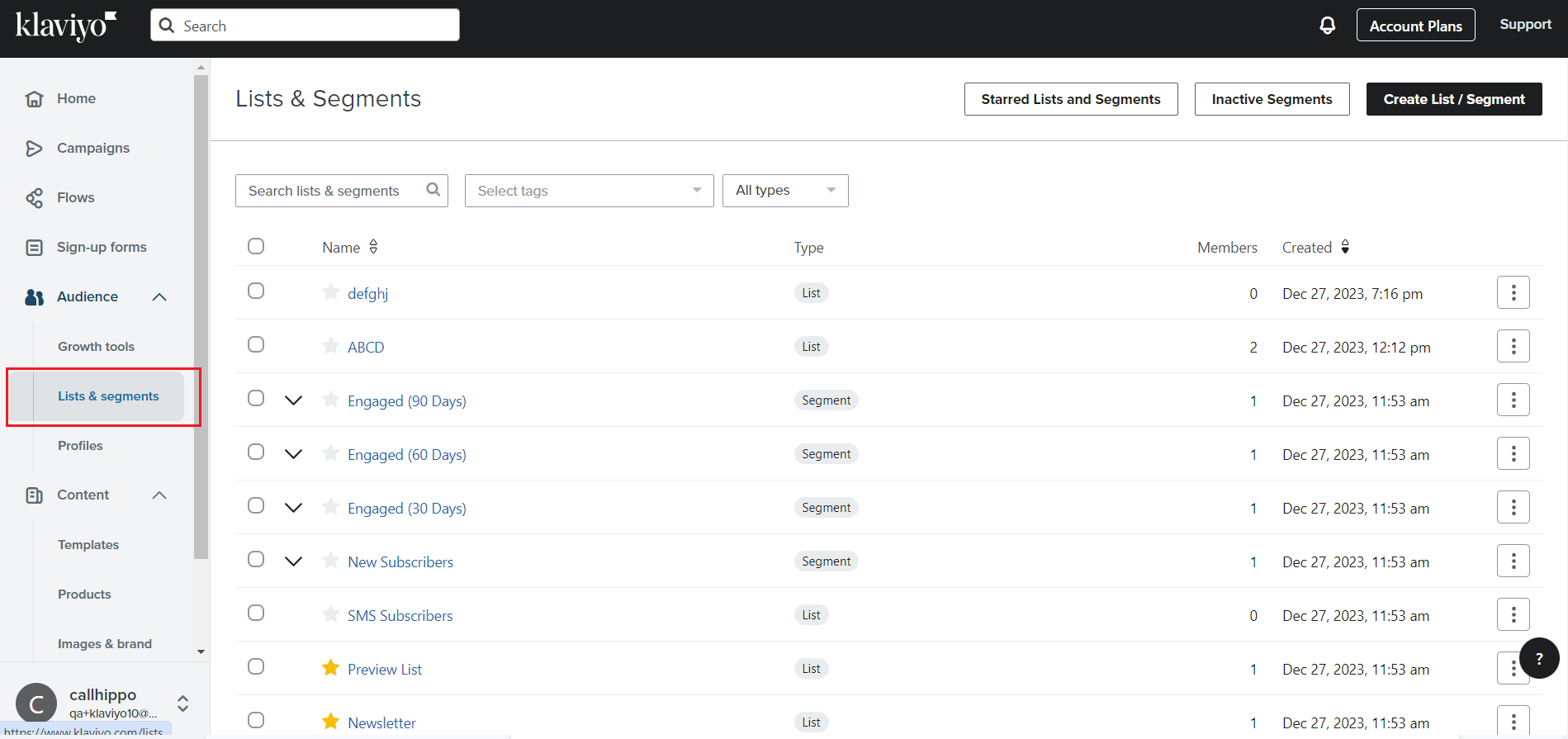
- In Klaviyo, go to Audience > Lists & segments.
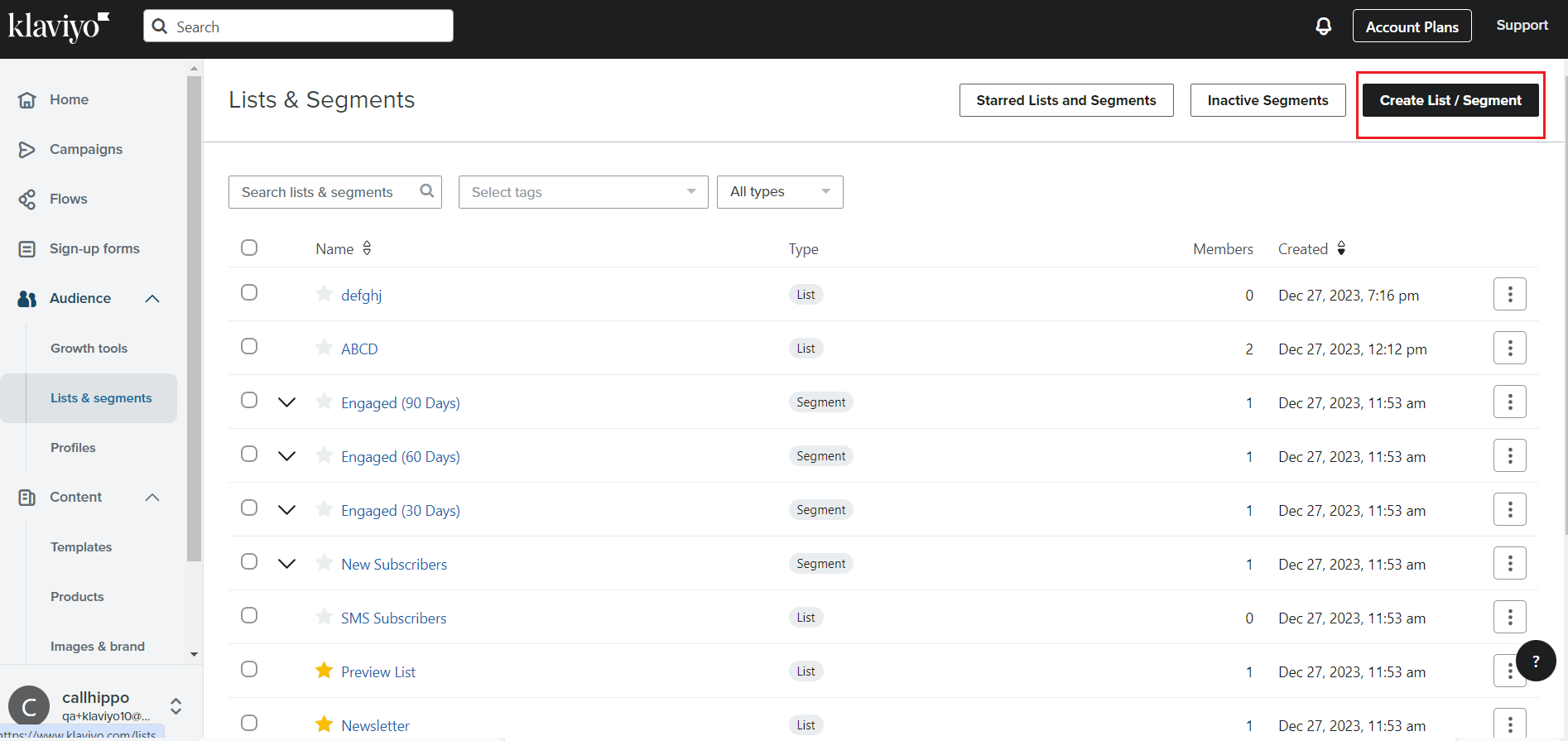
- Click Create List / Segment.
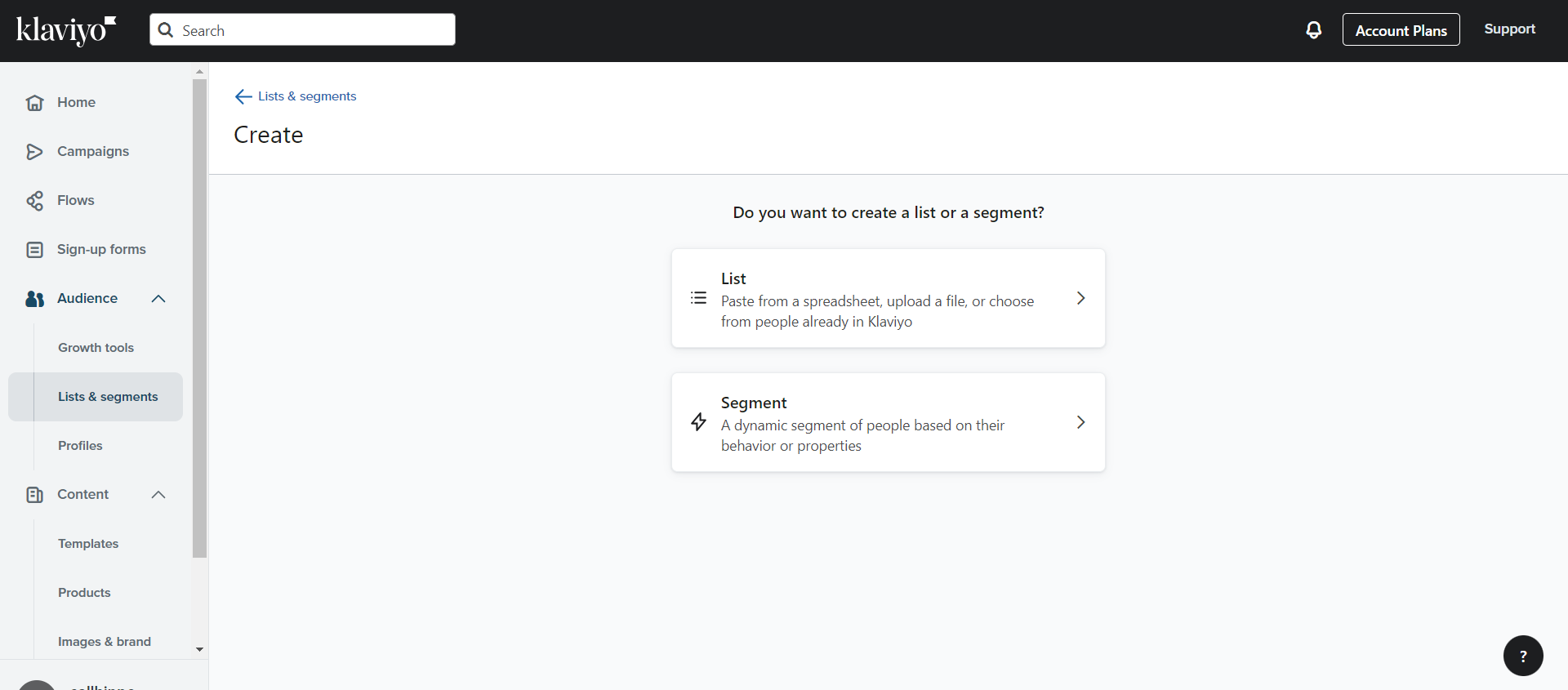
- Choose whether to create a List or a Segment.
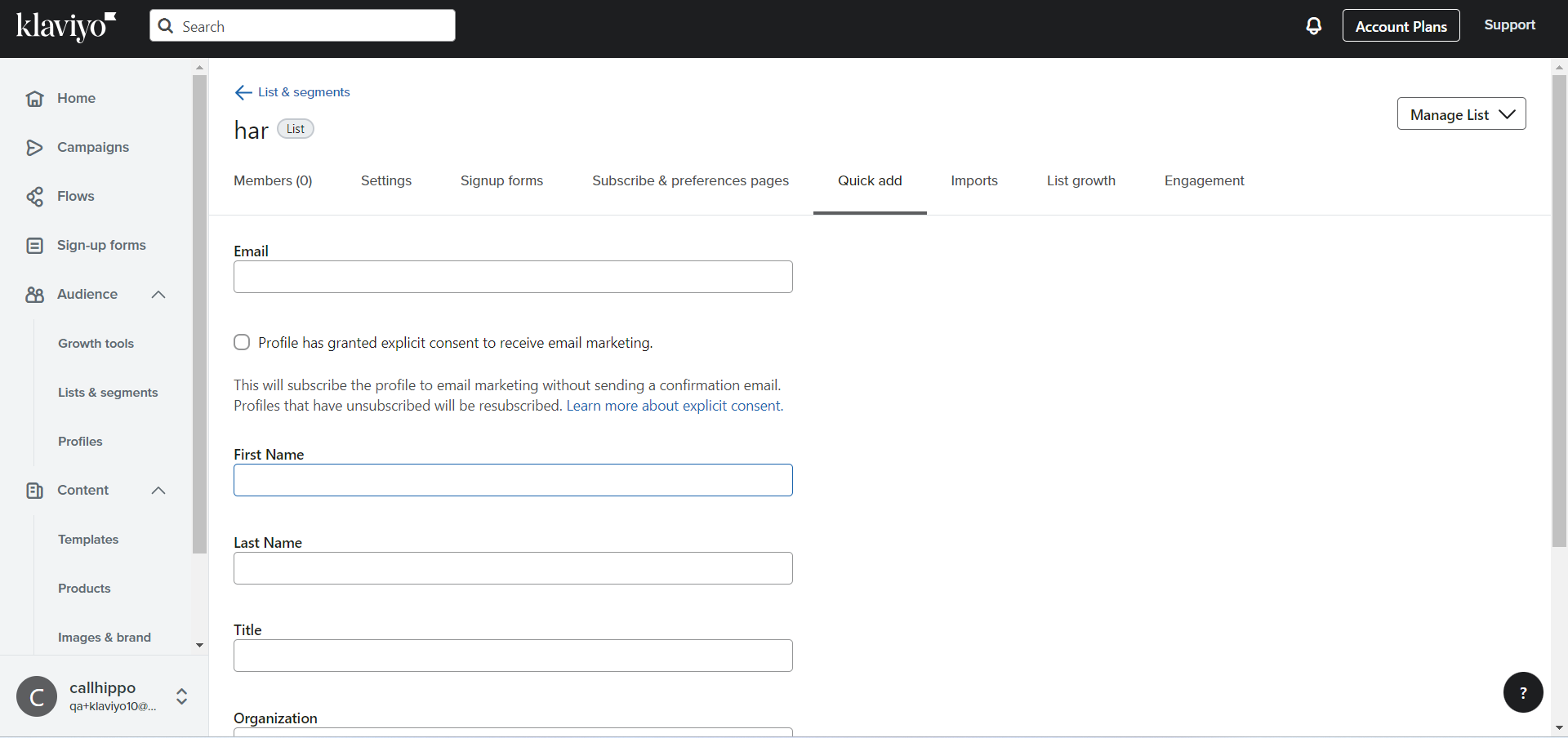
- Open the Quick add tab and enter your contact details.
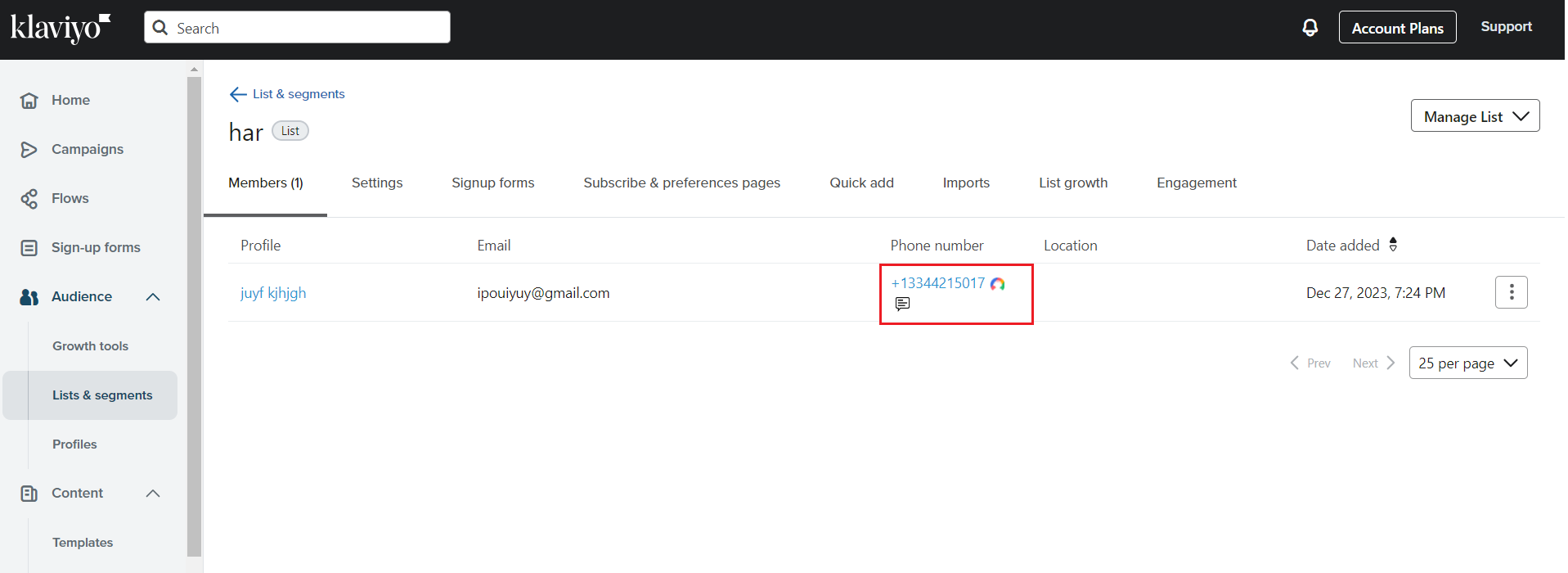
- The CallHippo click-to-call icon now appears beside each contact’s phone number.
How the Klaviyo sync works
- Your Klaviyo contacts sync into the CallHippo dialer as contacts once you place a click-to-call.
- When you add or update a contact in Klaviyo, the change syncs to the CallHippo dialer after you make a click-to-call on that contact.
Still need help? Reach us at [email protected].