
CallHippo offers two context-rich features, Last Call Activity and Last Called By, that help you understand recent interactions and handle calls more efficiently.
Last Call Activity
This feature shows the details of the most recent call made or received with a specific number, and it appears on the dialer screen before you place a new call. You’ll see:
- Contact name and number
- Call status (for example, Completed or Missed)
- Date and time of the last call
It’s especially useful when following up with leads or continuing an ongoing conversation.
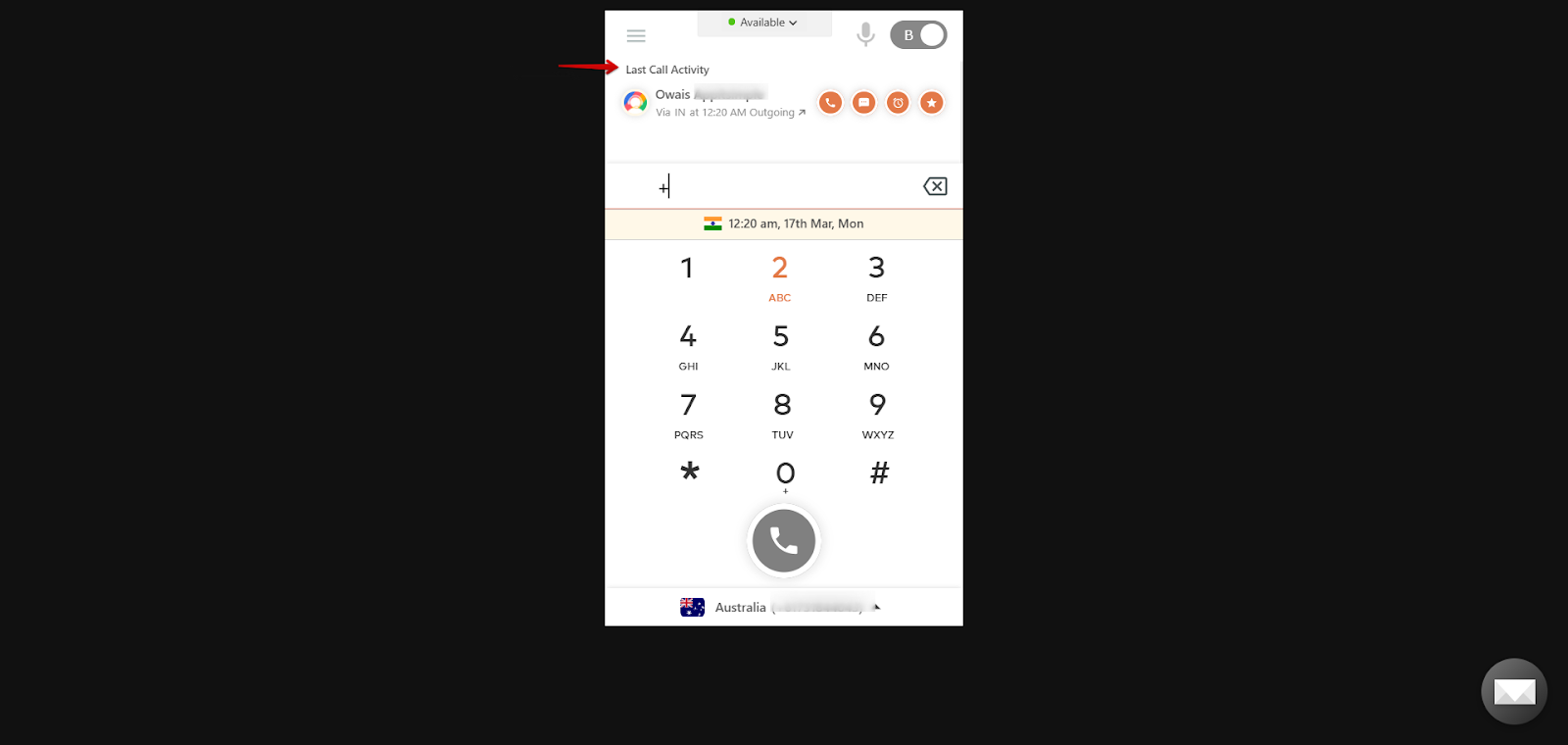
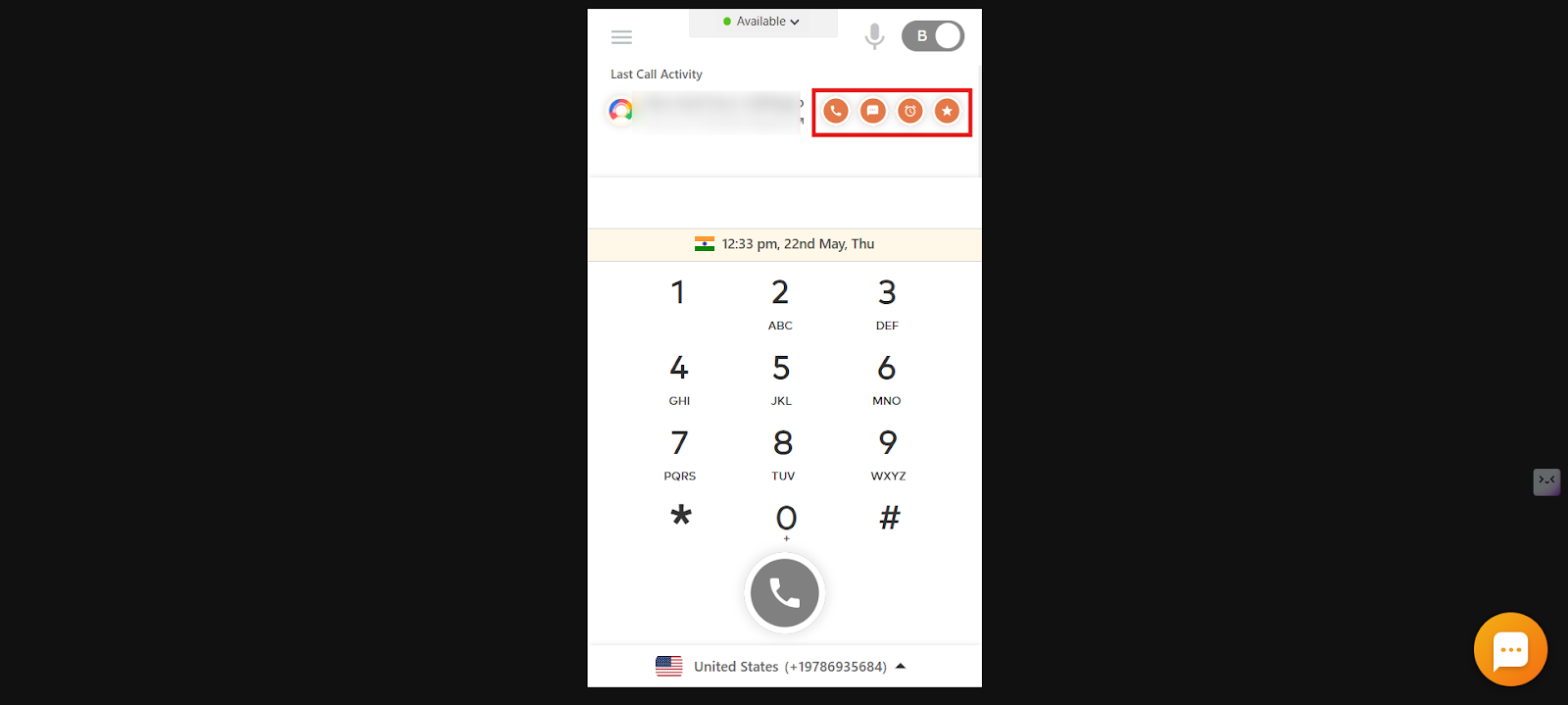
Alongside the recent call information, Last Call Activity also gives you quick-access action buttons so you can:
- Make a callback directly from the dialer homepage.
- Send an SMS to the last dialed number.
- Set a call reminder to follow up later.
- Rate the call quality of the most recent call.
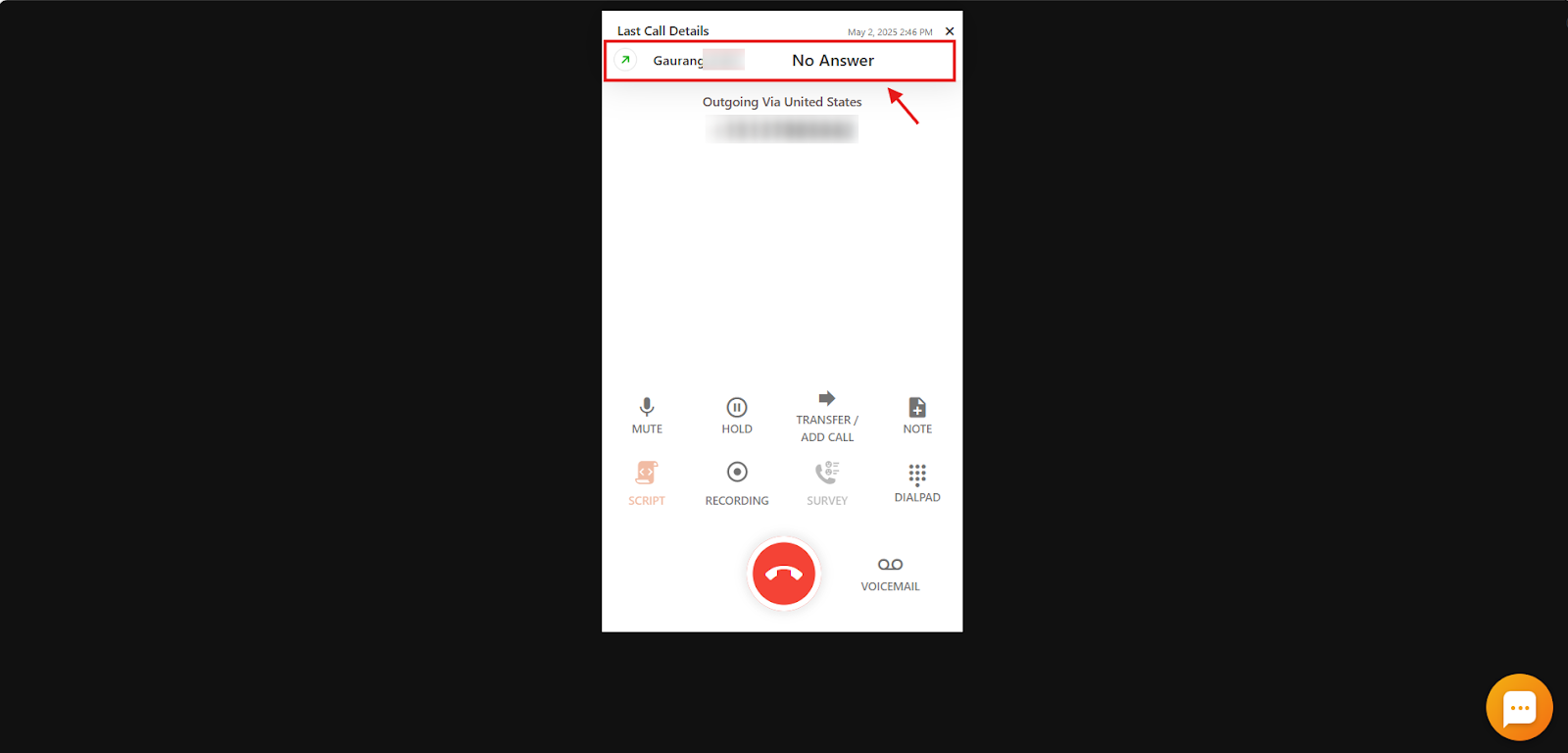
Last Called By
This feature is displayed during an ongoing call. It shows which team member last spoke to the caller, making it easier to route the call to the right person, typically the point of contact. It is especially valuable for teams using shared numbers, helping maintain continuity in customer communication. All users assigned to the number can see this information during the call.
How to Enable or Disable Last Call Details
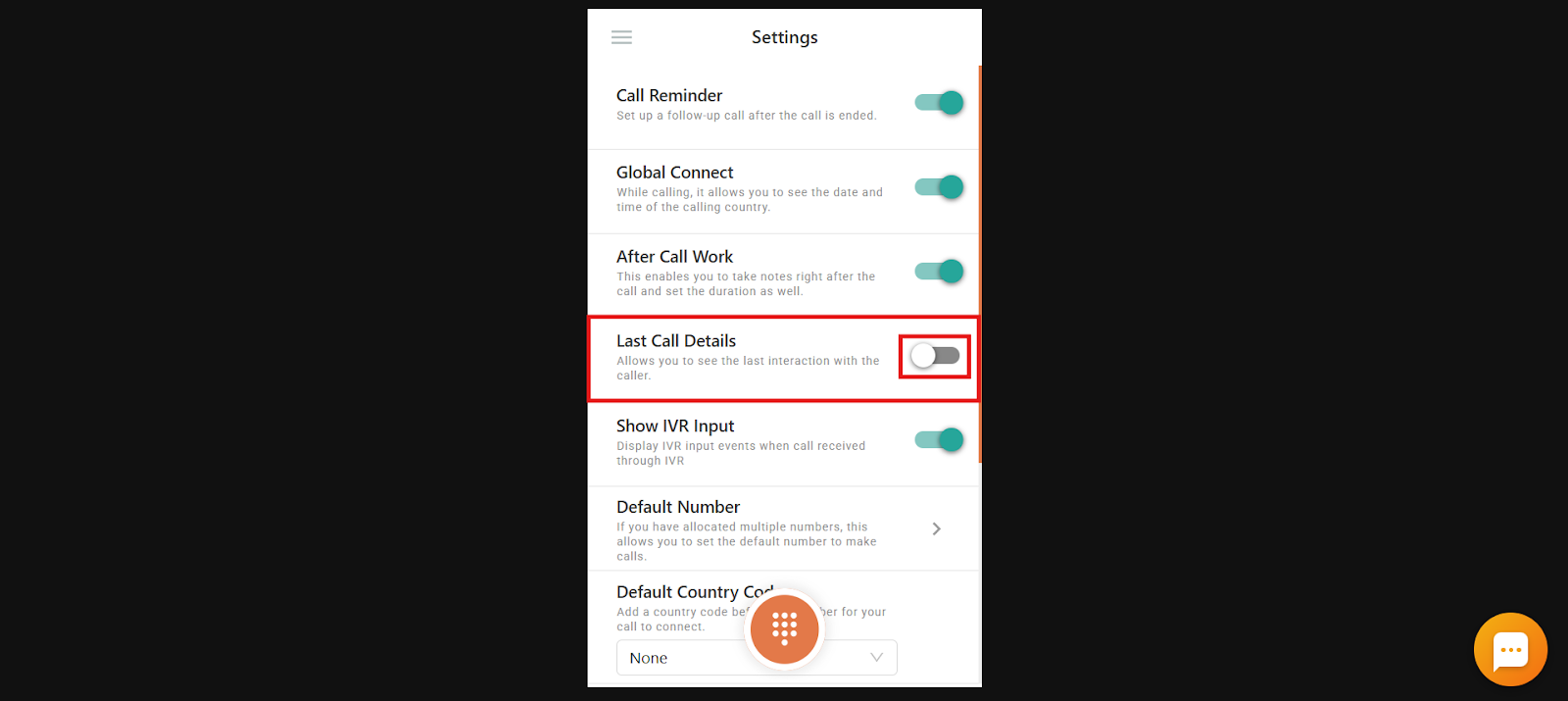
Both features are controlled by the Last Call Details toggle in the dialer:
- Log in to your CallHippo Dialer.
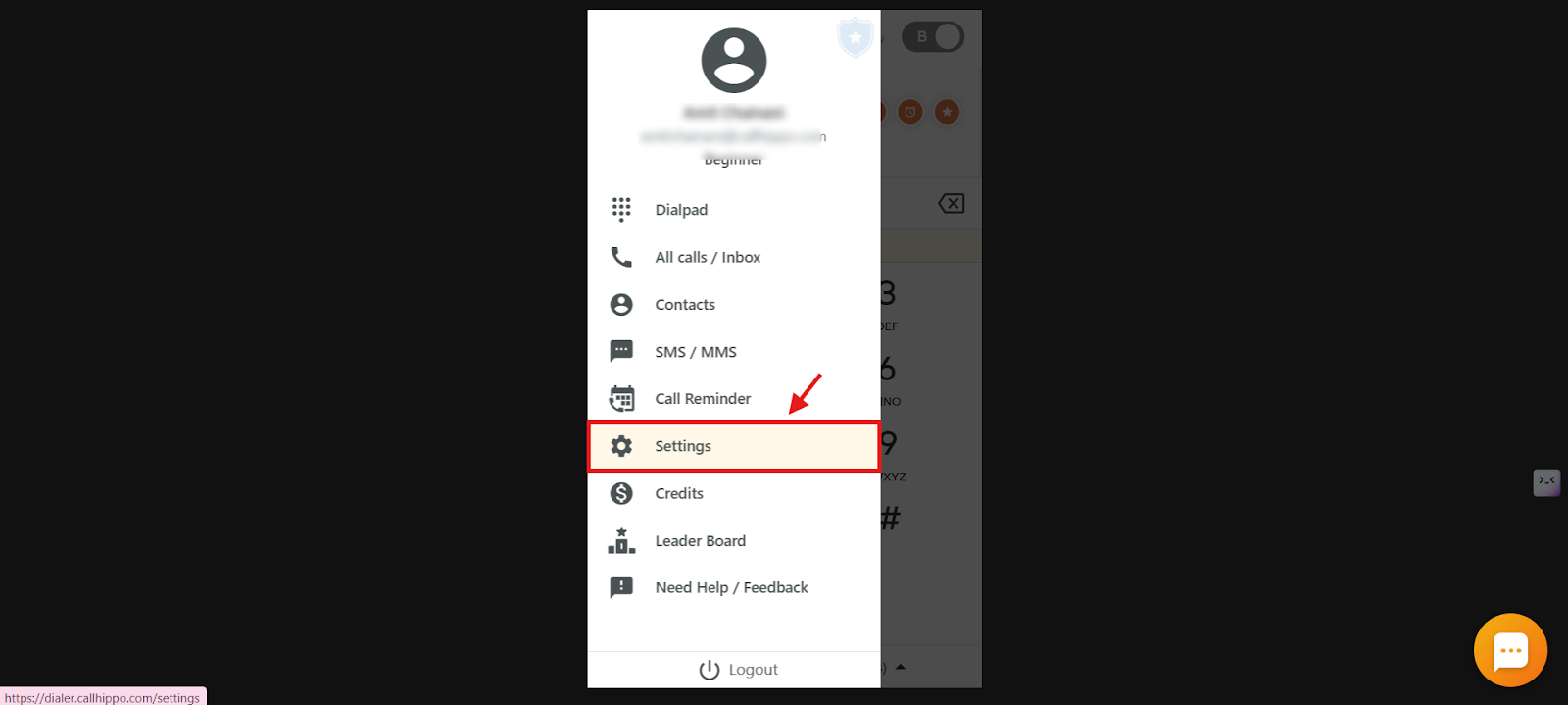
- Open the menu: Click the three horizontal lines on the dialer and select the Menu option.
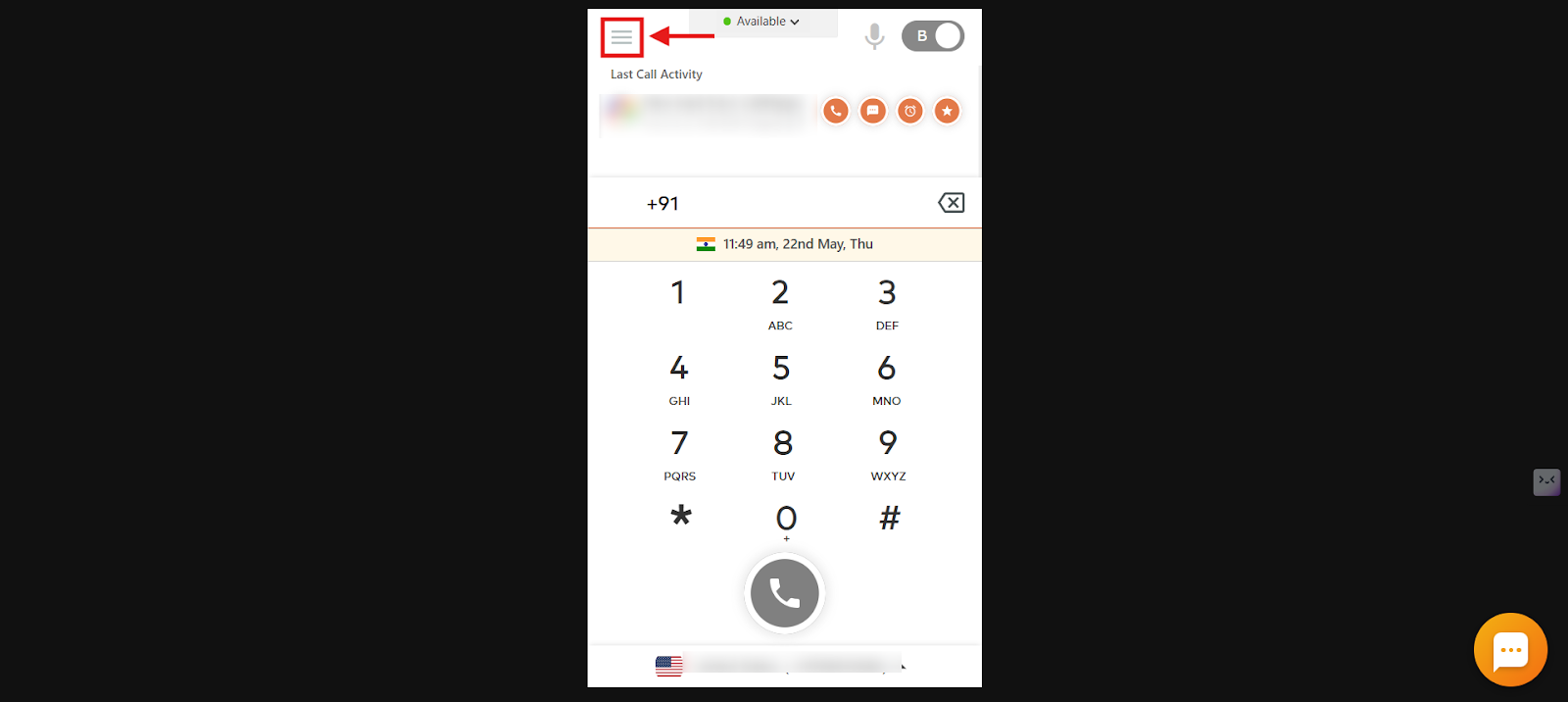
- Select Settings.
- Toggle Last Call Details on or off to enable or disable the feature.
Note: These features are not available on all CallHippo plans. Please check the CallHippo pricing page to confirm availability in your current plan.
Frequently Asked Questions
What is the difference between Last Call Activity and Last Called By?
Last Call Activity shows the details of your most recent call with a specific number, such as contact name, status, and time, before you make a new call. Last Called By appears during an active call and tells you which team member last spoke to the caller.
Where can I find the Last Call Activity in CallHippo?
You’ll see Last Call Activity on the dialer screen before placing a call. It displays key info about your last interaction with that number.
Why don’t I see the Last Called By feature during a call?
This feature is only available on certain CallHippo plans. If it’s not showing, your current plan may not include it. Check the pricing page to confirm feature availability.
Do these features work for both incoming and outgoing calls?
Yes, both Last Call Activity and Last Called By work for calls you’ve either made or received.
Can I see Last Call Activity for calls made by my teammates?
No, Last Call Activity is specific to your own interactions with a number. For team-wide call tracking, use shared numbers and rely on the Last Called By feature.
Is there a way to search or filter contacts based on Last Call Activity?
Currently, Last Call Activity is shown only on the dialer screen and is not available as a searchable or filterable field.
If more than one team member spoke to a caller, who shows up in the Last Called By info?
The most recent team member who spoke with the caller is shown as the Last Called By during the ongoing call.