
The CallHippo Leaderboard helps admins spot the top performer across all users, ranking teammates by the number of calls they make.
What Is the Leaderboard?
The Leaderboard lets the admin identify the best performer among all users based on calling volume. The criterion is simple: the user with the highest number of calls is recognized as the best performer.
Where to Find the Leaderboard on the Dashboard
- Log in to your CallHippo dashboard.
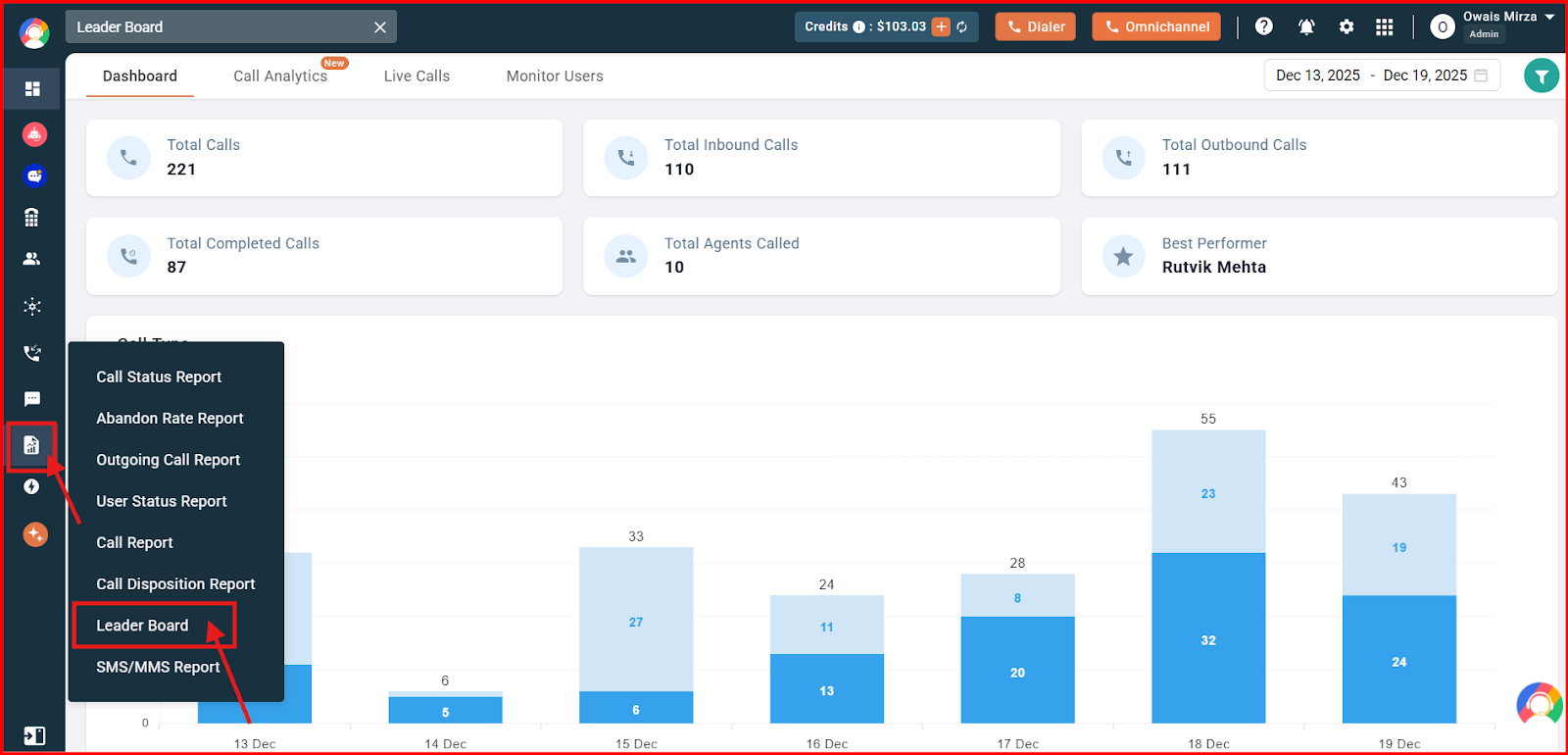
- Open Reports: Navigate to the Reports section and click the Leader Board option.
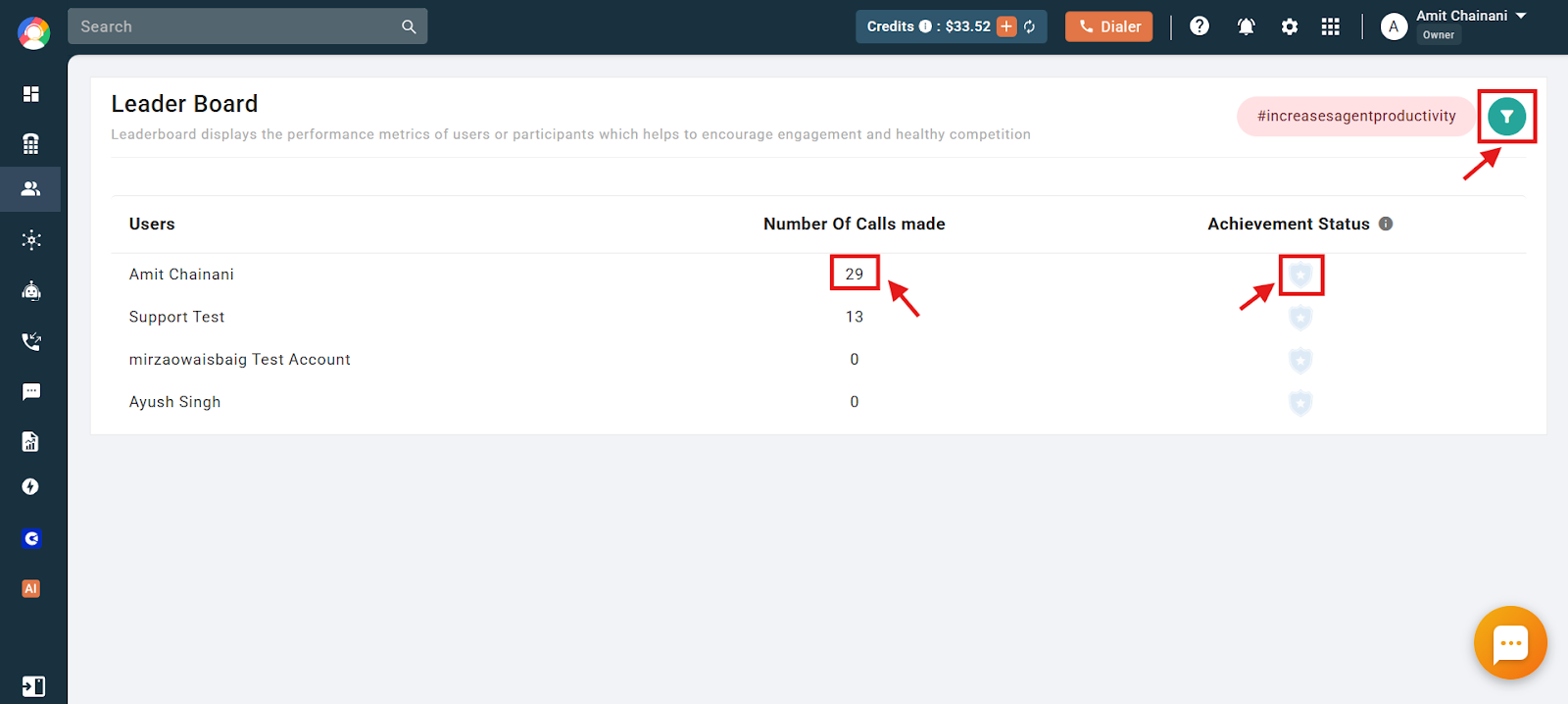
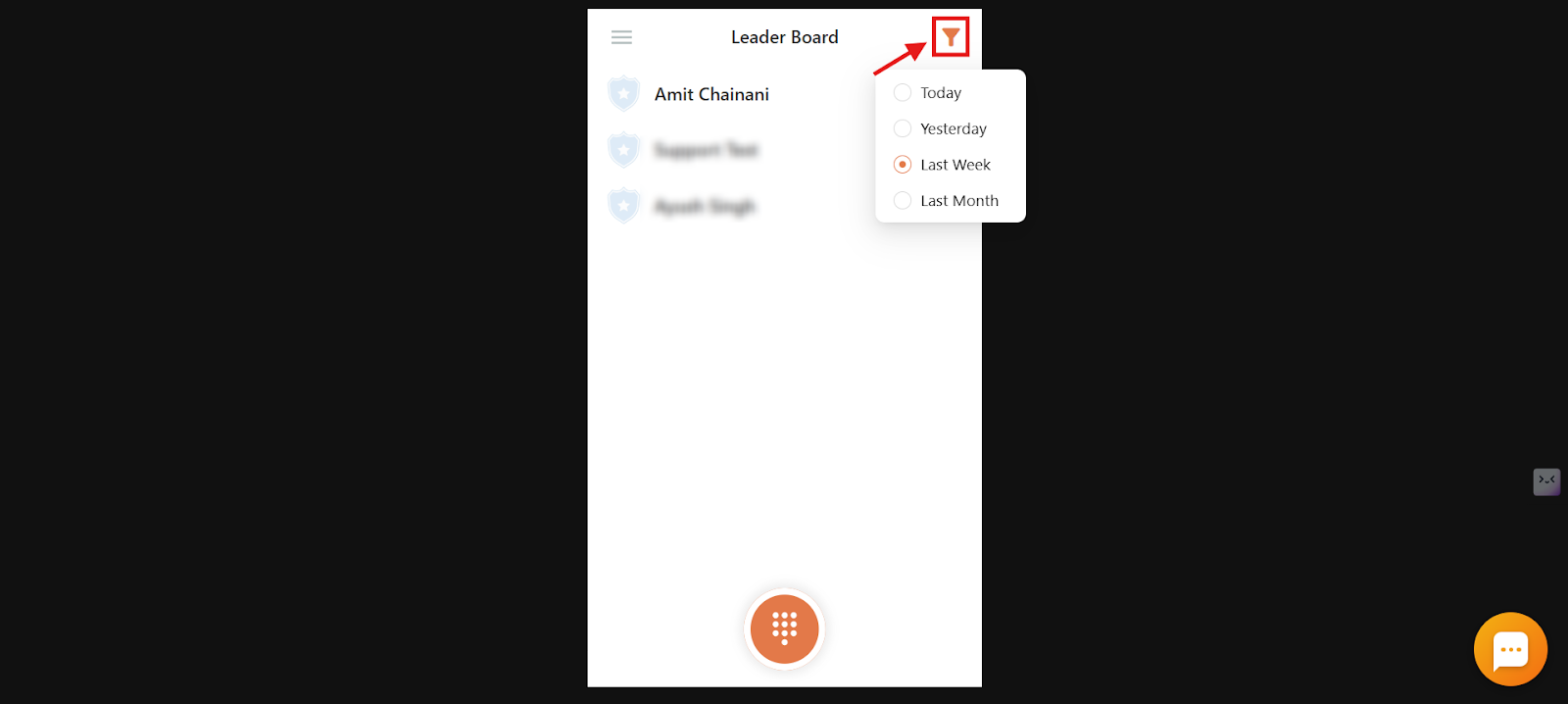
- View performance: The default view shows calls made by each agent over a week. You can filter these calls to match your requirements.
Leaderboard Badges
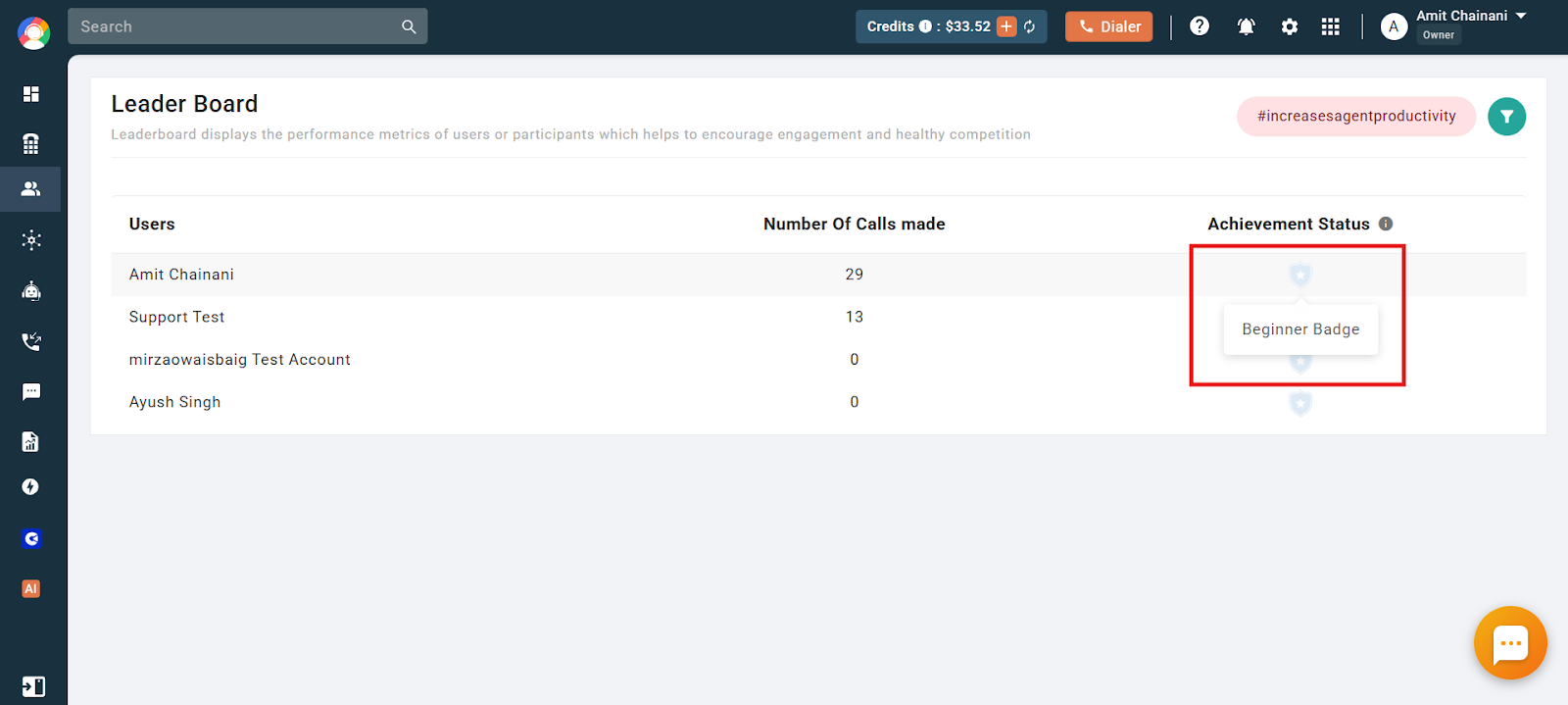
Users can earn badges by hitting their calling targets. The best performer among all users is determined by calls made, earning them a place on the Leaderboard. The available badges are:
- Sharpshooters Badge: Awarded for reaching 500 calls.
- Calling Masters Badge: Awarded for reaching 1,500 calls.
- The Kings Badge: Awarded for reaching 3,000 calls.
- Ultimate Champion Badge: Awarded for reaching 5,000 calls.
The Leaderboard highlights the top performer and showcases their achievements through these badges.
How to Check the Leaderboard from the Dialer
- Log in to your CallHippo Dialer.
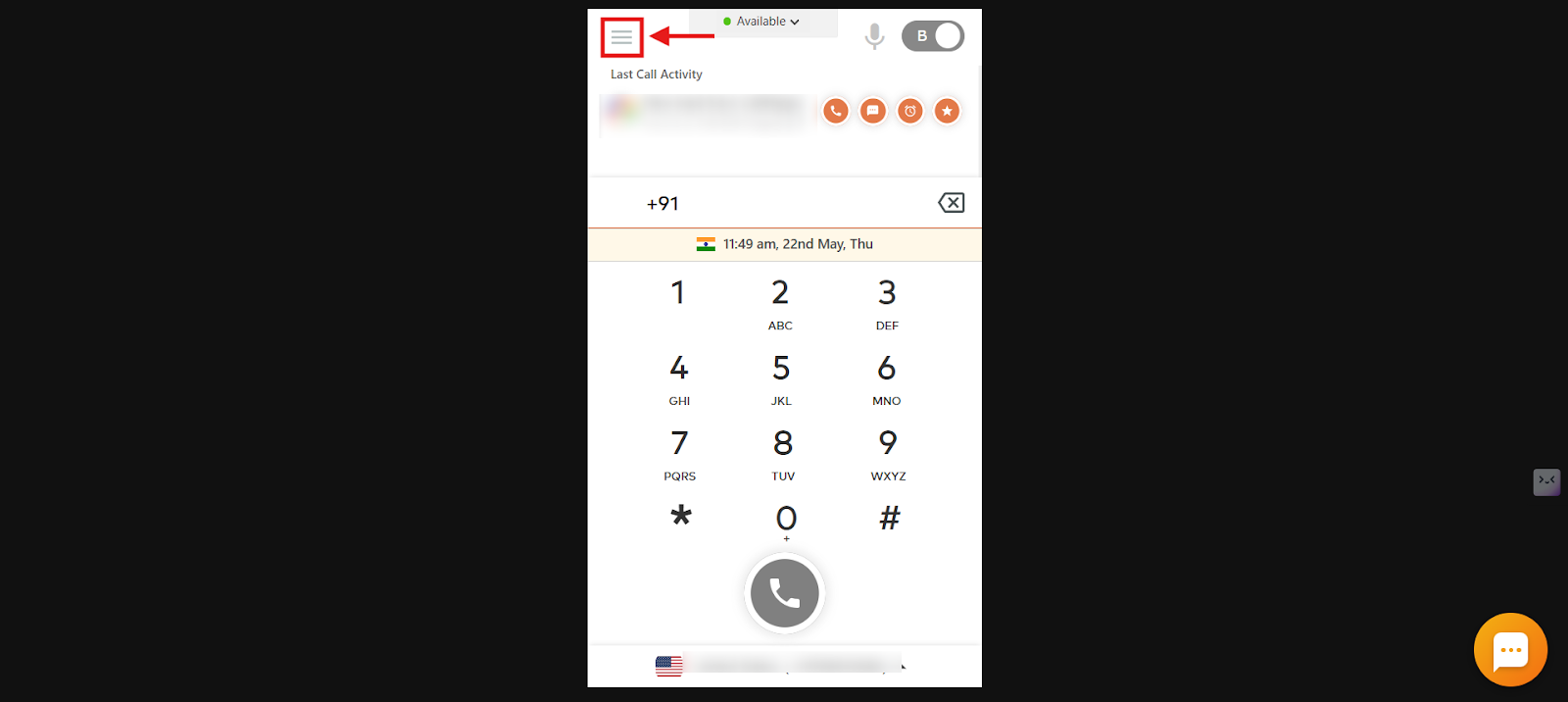
- Open the menu: Click the three horizontal lines on the dialer and select the Menu option.
- Select Leader Board.
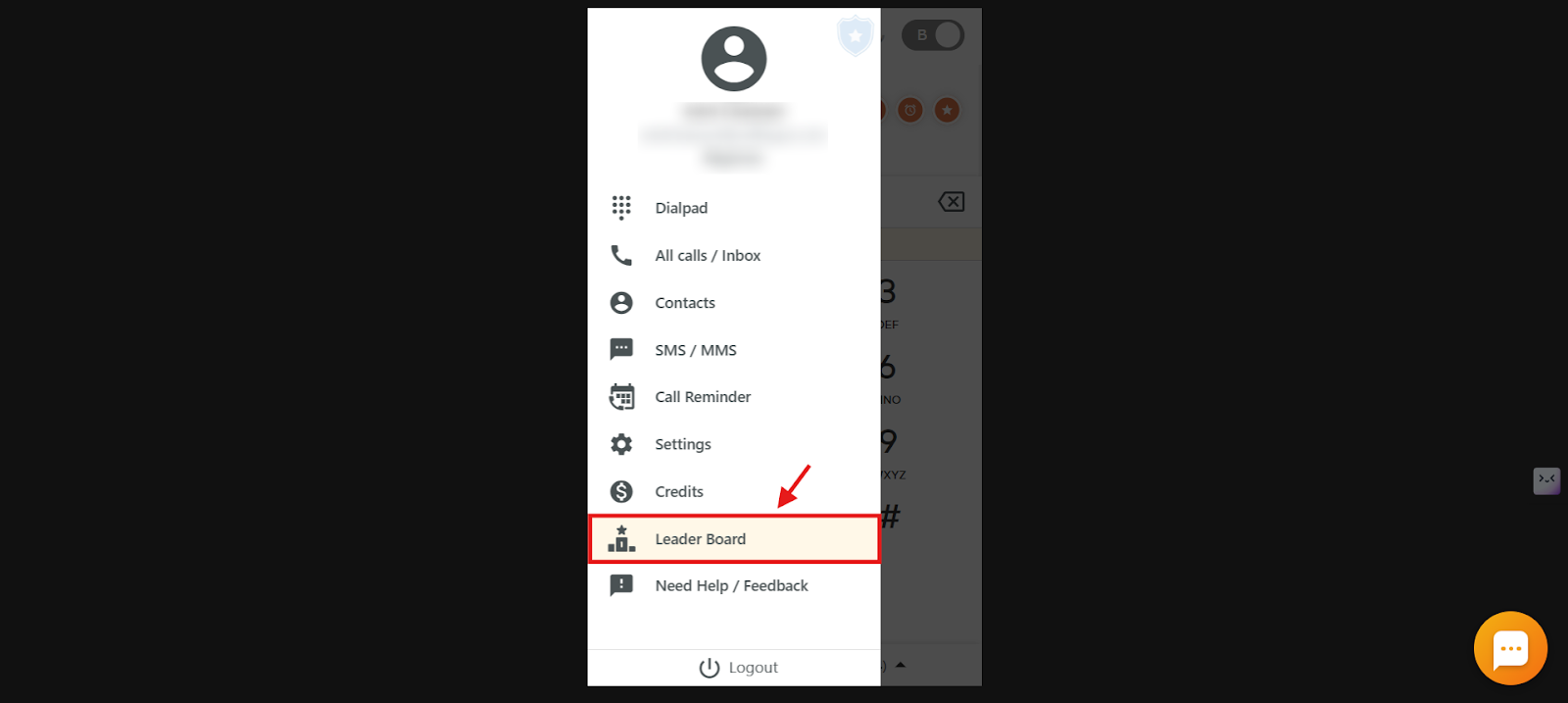
- Review the standings directly in the dialer, and use the Filter option in the top-right corner to change the date range.
How Can the Owner Restrict Leaderboard Access?
If the Owner doesn’t want users to view or edit the Leaderboard, they can disable those rights from the CallHippo settings:
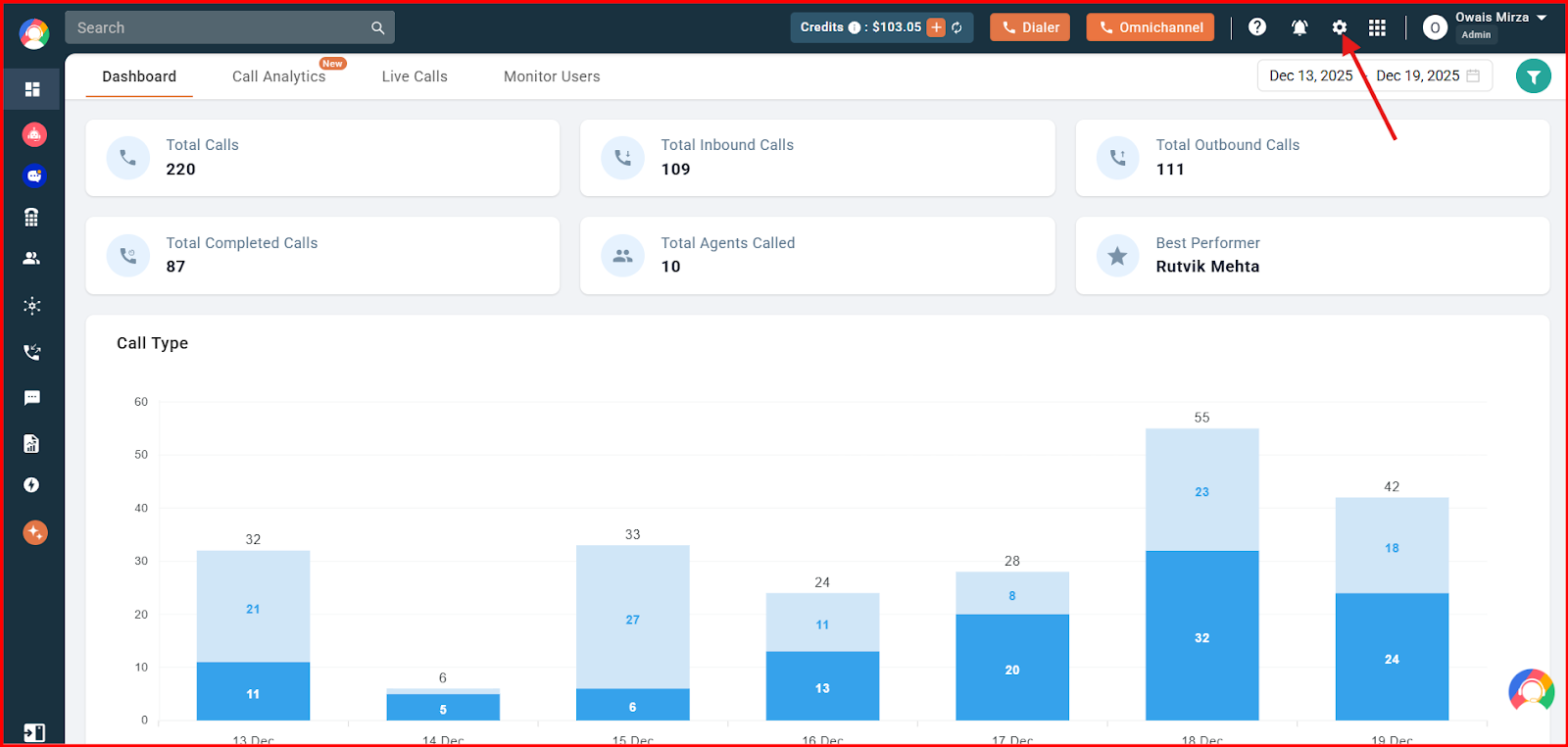
- Open Settings: Log in to the CallHippo Dashboard and click the Settings icon at the top.
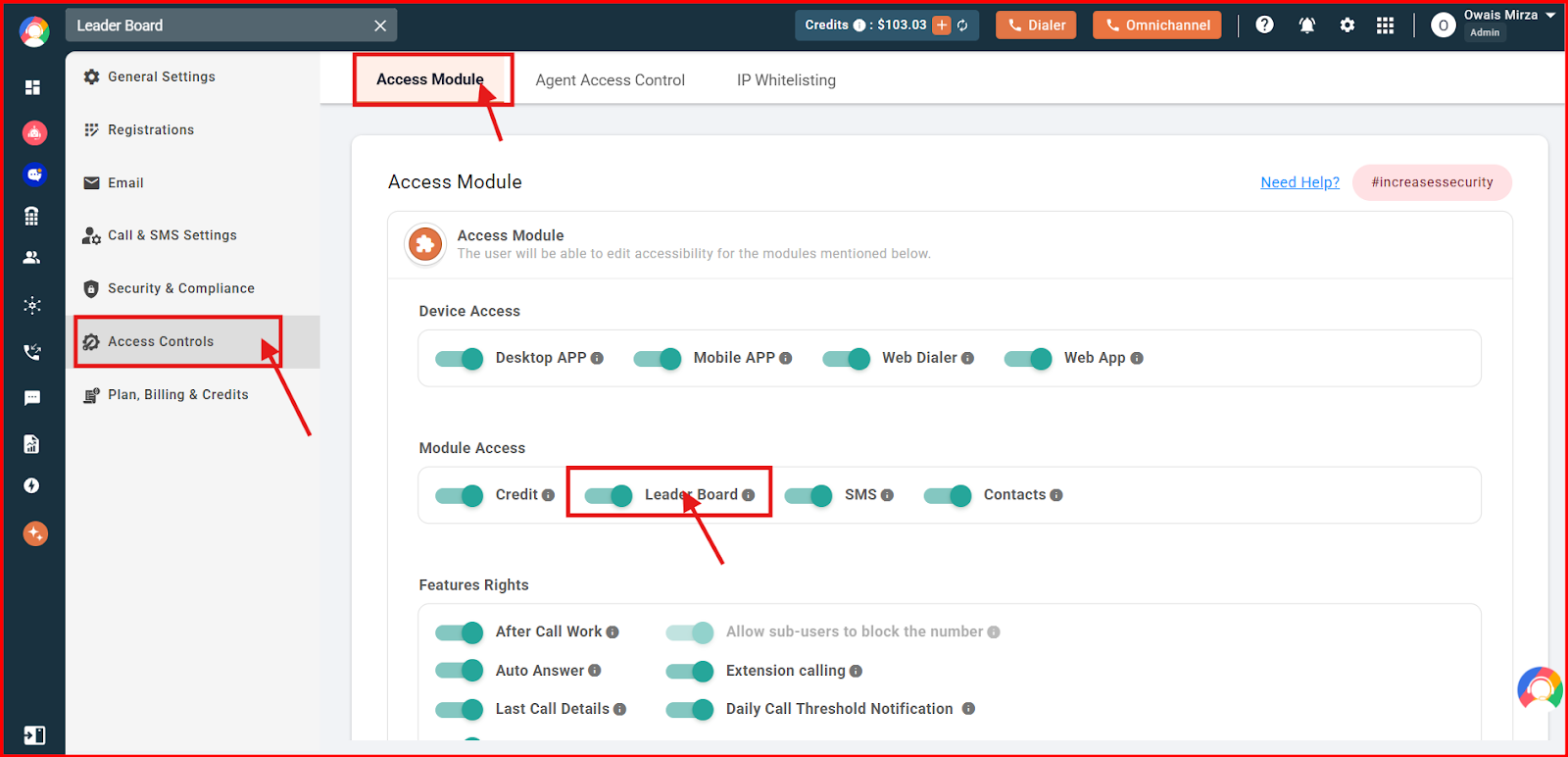
- Disable access: Click Access Controls, select Access Module at the top, then turn off the Leader Board toggle to remove access for your users.
Frequently Asked Questions
Can the Owner restrict access to the Leaderboard?
Yes, the Owner can disable Leaderboard access for users from Settings > Access Module.
Why might an Owner turn off Leaderboard access for users?
To control the visibility of performance data or reduce competitive pressure among teammates.
How is the top performer on the Leaderboard determined?
The top performer is the user who has made the highest number of calls.
Can users earn badges on the Leaderboard?
Yes, users earn badges such as Sharpshooters or Ultimate Champion when they hit specific call targets.
Can I create a custom badge and set my own calling target on the Leaderboard?
No. CallHippo currently offers predefined badges based on fixed call targets, and custom badges or targets cannot be created manually.