
Machine detection identifies whether a call is answered by a live person or an automated system such as voicemail, so your calls are handled the right way every time.
Machine detection plays a key role in both call forwarding and auto dialers, optimizing how calls are handled in each scenario. Here is how it works and how to enable it.
Machine Detection in Call Forwarding
When a call is forwarded, the system automatically detects whether an answering machine picks up. Instead of the device’s own voicemail, it plays the voicemail set in your CallHippo number settings. This keeps businesses in control of unanswered calls and prevents personal voicemail systems from interfering. Additional charges of $0.02 per call apply.
Example: A business forwards calls from its CallHippo number to a personal phone. If the call goes to voicemail, machine detection ensures the message is captured in CallHippo’s voicemail rather than the personal device’s voicemail.
Machine Detection in Auto Dialer
In auto dialers, machine detection identifies whether a call is answered by a human or an answering machine. If a human answers, the call is connected to an agent. If voicemail is detected, the system can either:
- Drop a pre-recorded message automatically, or
- Skip the call and move to the next number, saving agent time.
Example: A sales team using an auto dialer can avoid wasting time on voicemails and speak only with real prospects, improving efficiency and conversion rates.
How to Enable Machine Detection
For Call Forwarding:
- Log in to CallHippo at web.callhippo.com.
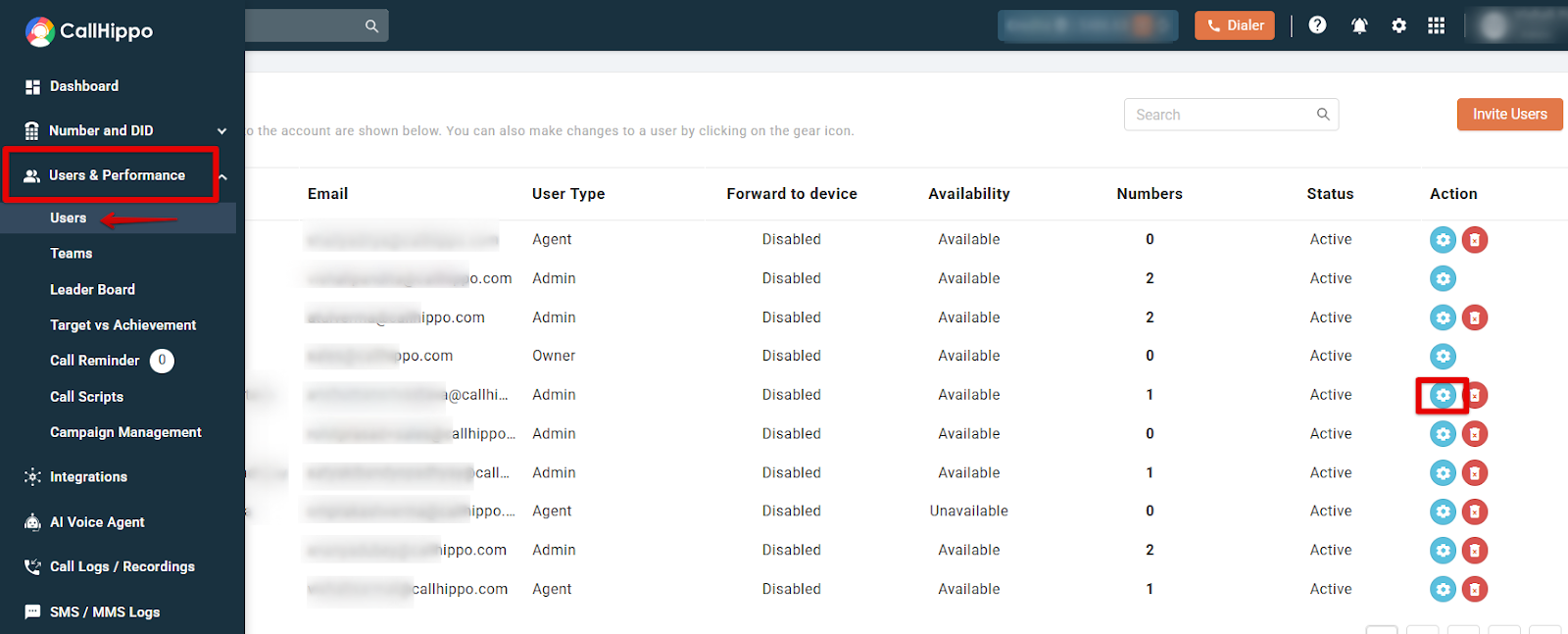
- Go to Users & Performance > Users and open Settings (the gear icon) for the user you want to configure.
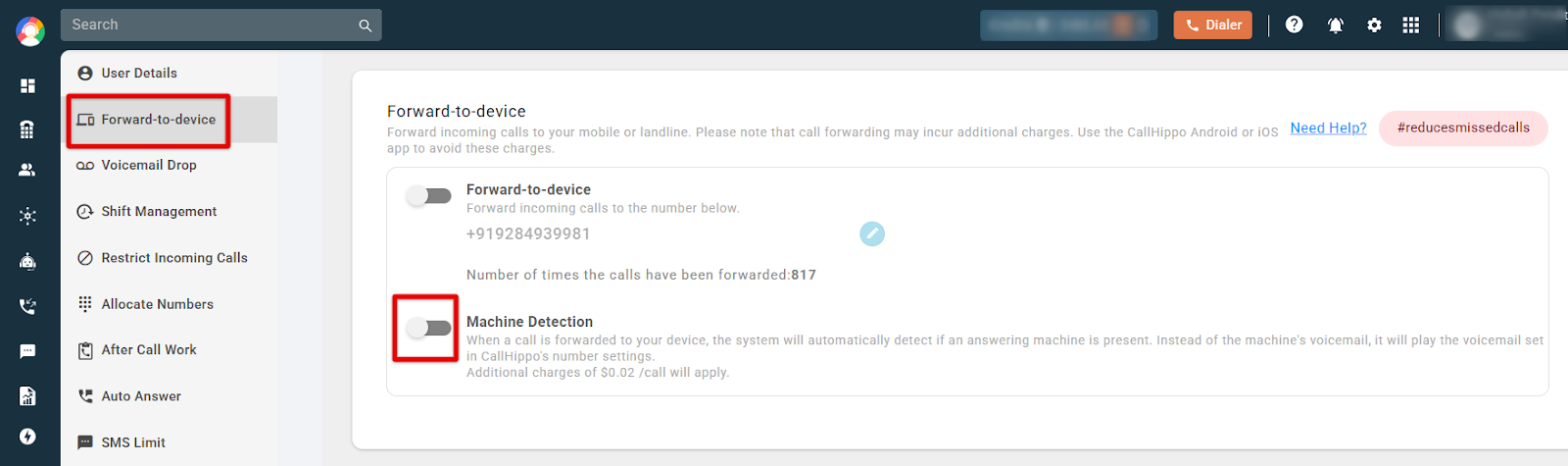
- Open the Forward-to-device section.
- Enable the Machine Detection toggle.
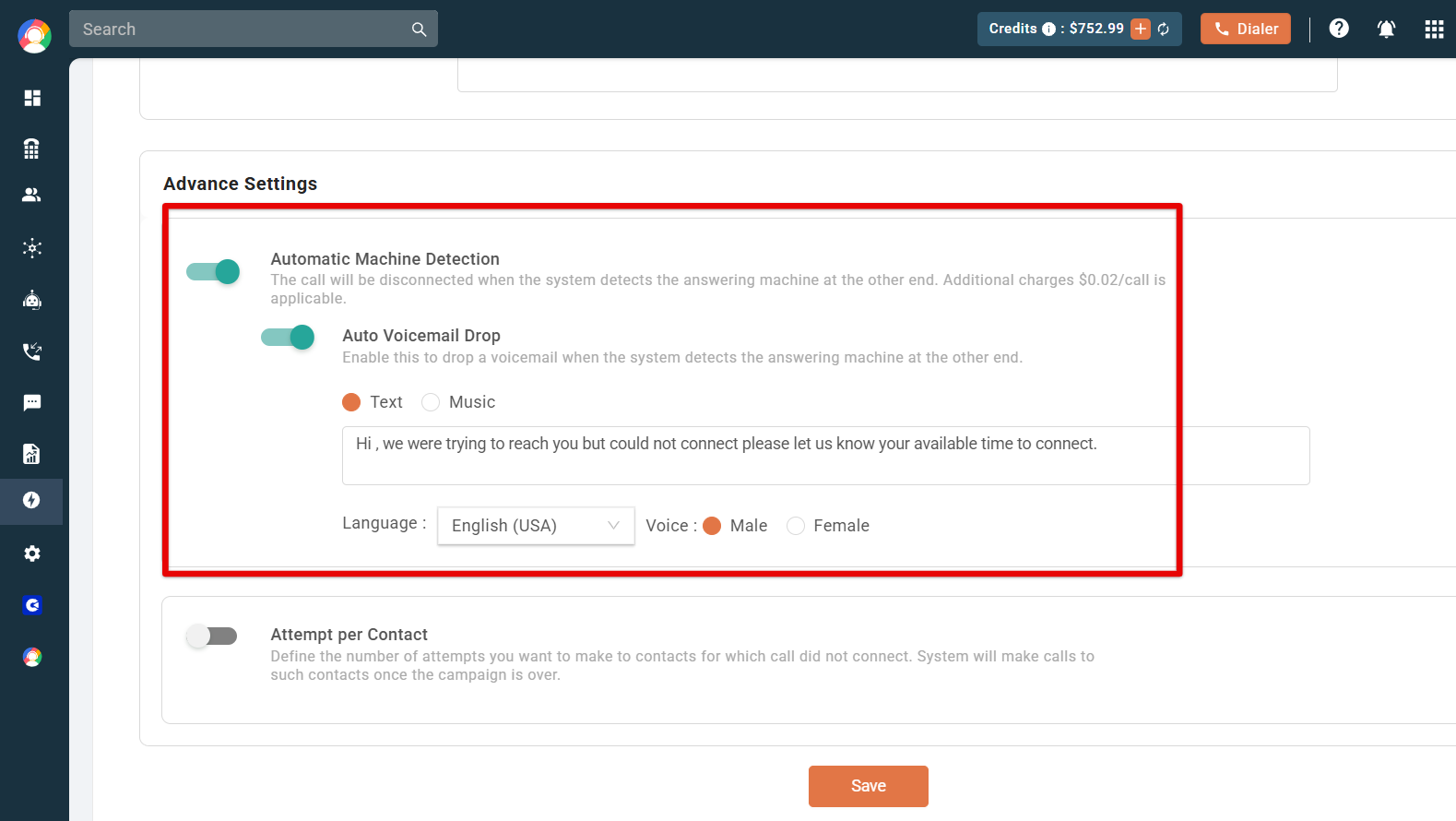
For Auto Dialer: Machine detection is configured while creating a campaign, under Advance Settings:
- Automatic Machine Detection: The system disconnects the call when it detects an answering machine.
- Auto Voicemail Drop: When enabled, a pre-recorded voicemail is left automatically once an answering machine is detected.
Why Machine Detection Matters
- Keeps calls clean: Prevents personal voicemail from interfering with business calls.
- Saves agent time: Skips voicemails in auto dialers so agents focus on live conversations.
- Improves efficiency: Connects agents with real prospects and boosts conversion.
- Correct routing: Ensures voicemails are stored in the right inbox.
- Automates handling: Uses pre-recorded messages for missed calls automatically.