
Integrating Magento with CallHippo syncs your store’s customers into the CallHippo dialer and pushes call and SMS activity straight onto each customer’s active orders. This guide covers generating the required Magento API credentials and connecting them in CallHippo.
Before you begin
Collect the following credentials from your Magento store before you start. You will generate the four keys in the steps below.
- Your Magento website URL
- Consumer Key
- Consumer Secret
- Access Token
- Access Token Secret
Create an integration in Magento
Log in to your Magento admin panel and go to System > Integrations > Add New Integration, then follow these steps.
- On the New Integration form, enter an integration name and your admin password, then open the API tab.
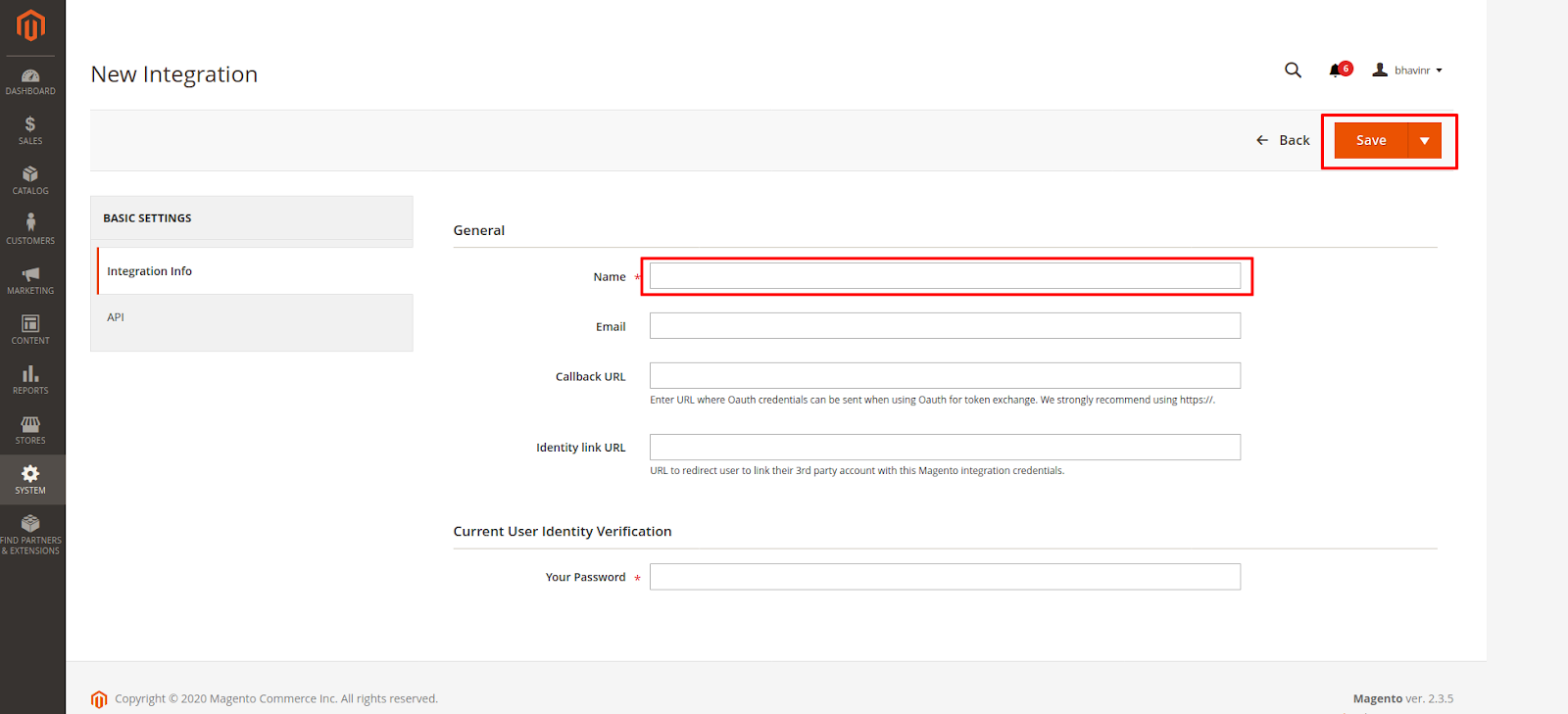
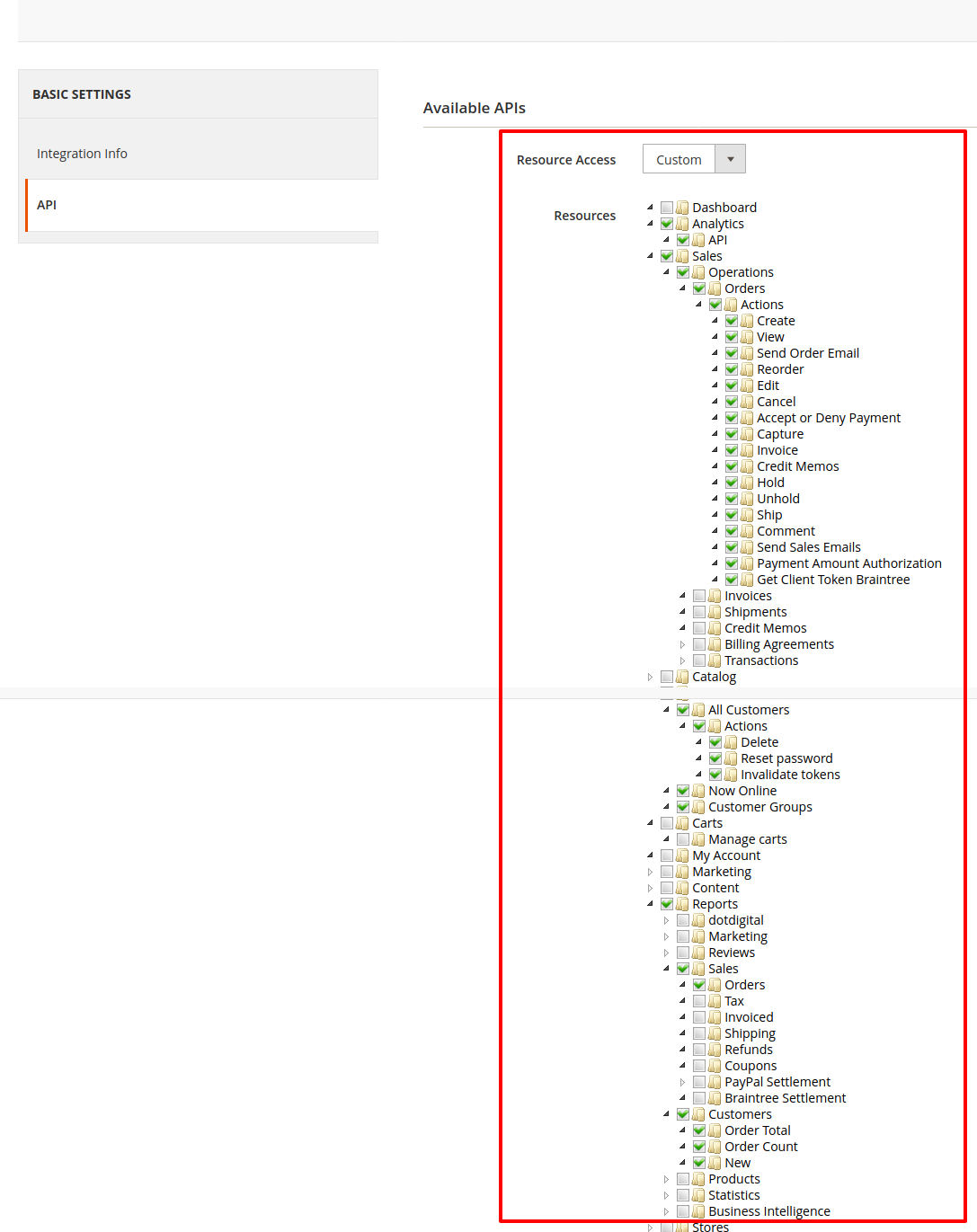
- On the API tab, set Resource Access to Custom and select the resources shown below. If you have trouble choosing resources, set it to All. Click Save.
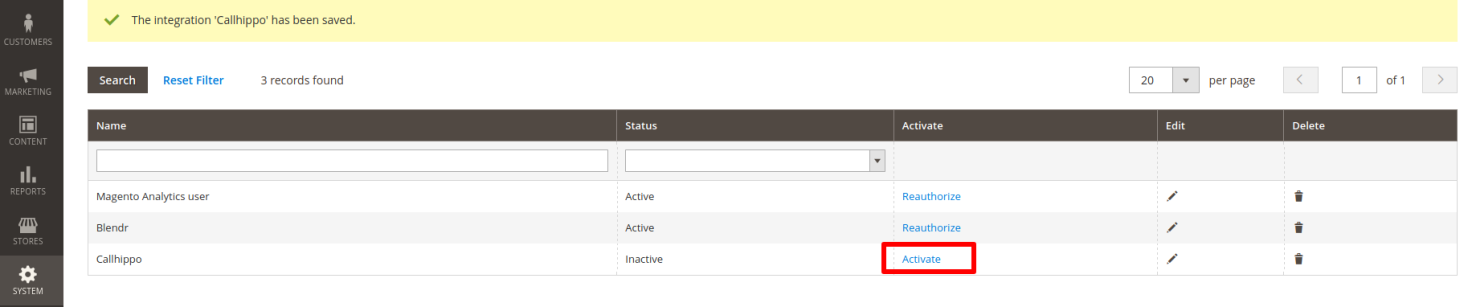
- Your integration now appears in the list. Click the Activate link next to it.
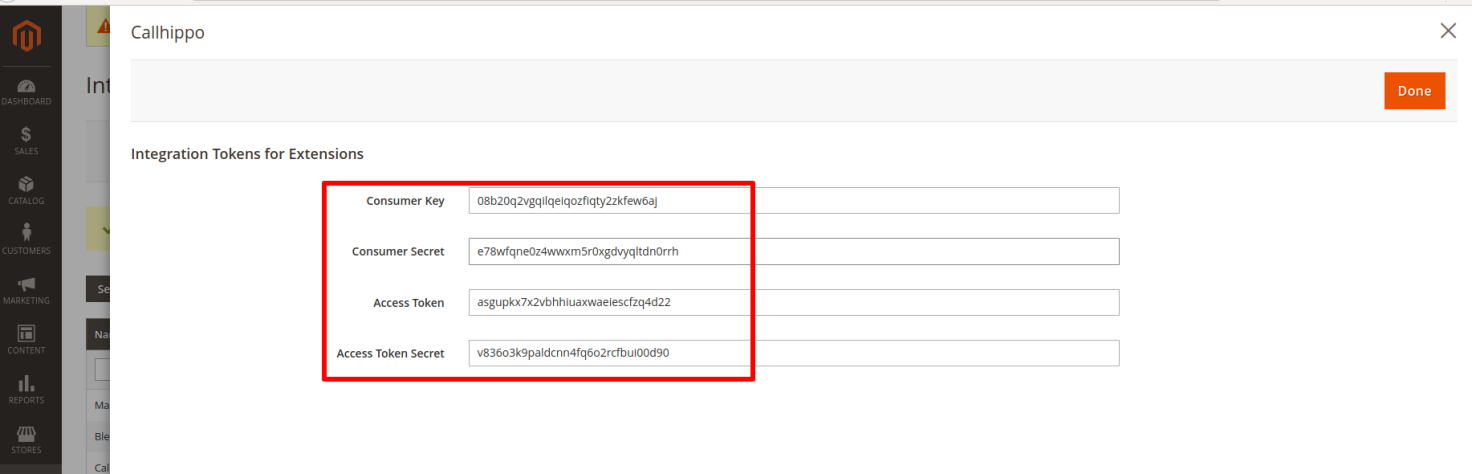
- Confirm the resource permissions and click Allow. On the next screen, Magento shows your Consumer Key, Consumer Secret, Access Token and Access Token Secret. Copy these and keep them safe.
Connect Magento in CallHippo
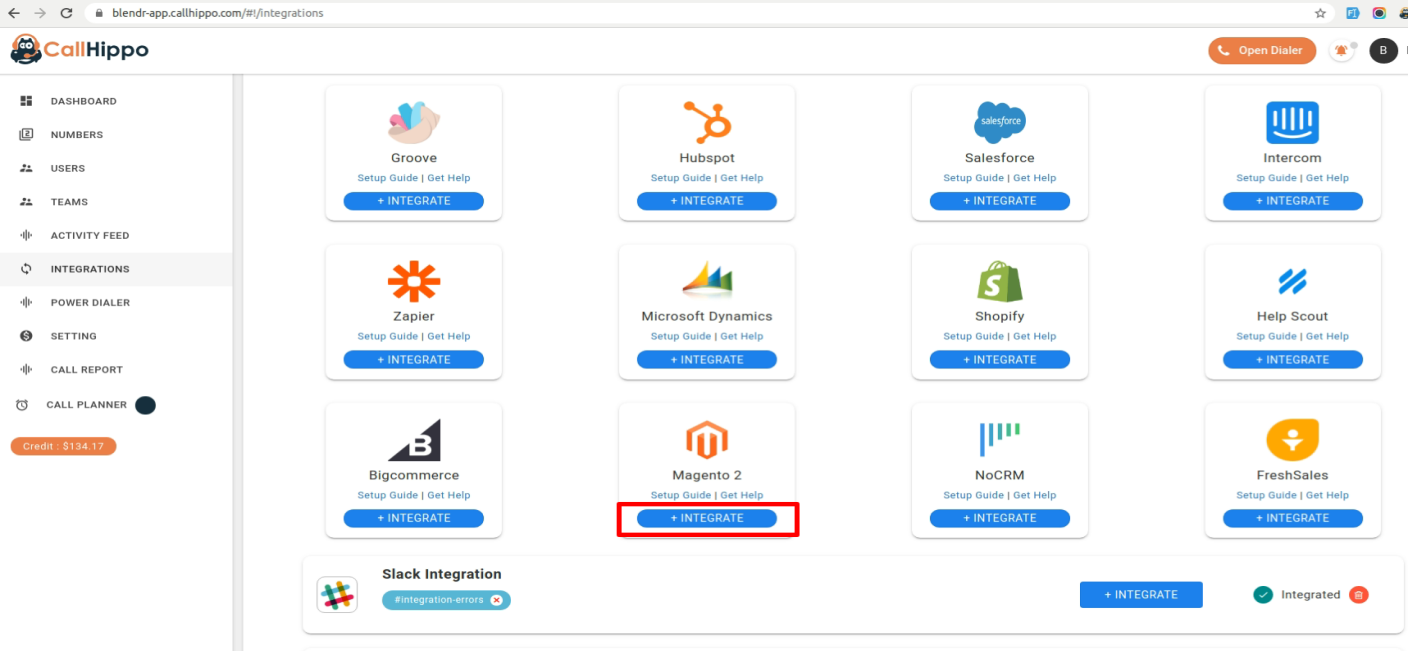
- Log in to your CallHippo account and open Integrations from the left sidebar.
- Select Magento and click Integrate.
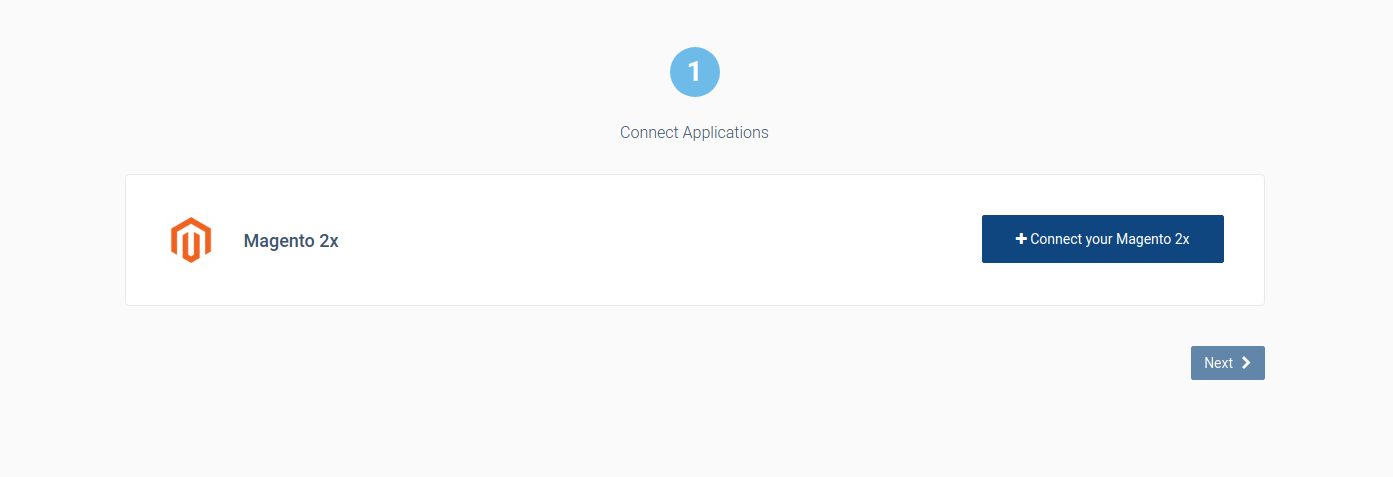
- On the setup page, click Connect your Magento.
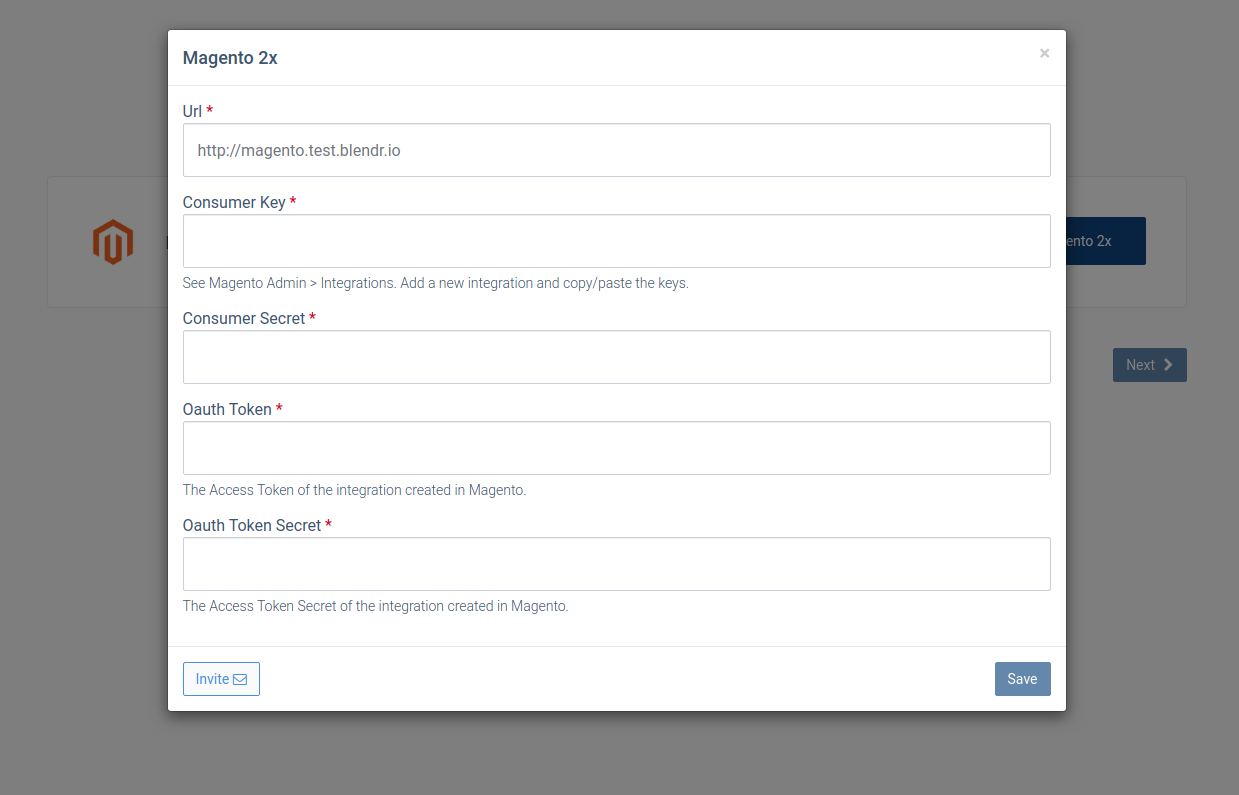
- Enter your Magento website URL and the credentials you copied from the admin panel, then click Save and wait to be redirected back to CallHippo.
- Your Magento integration is now successfully connected with CallHippo.
What happens after integration
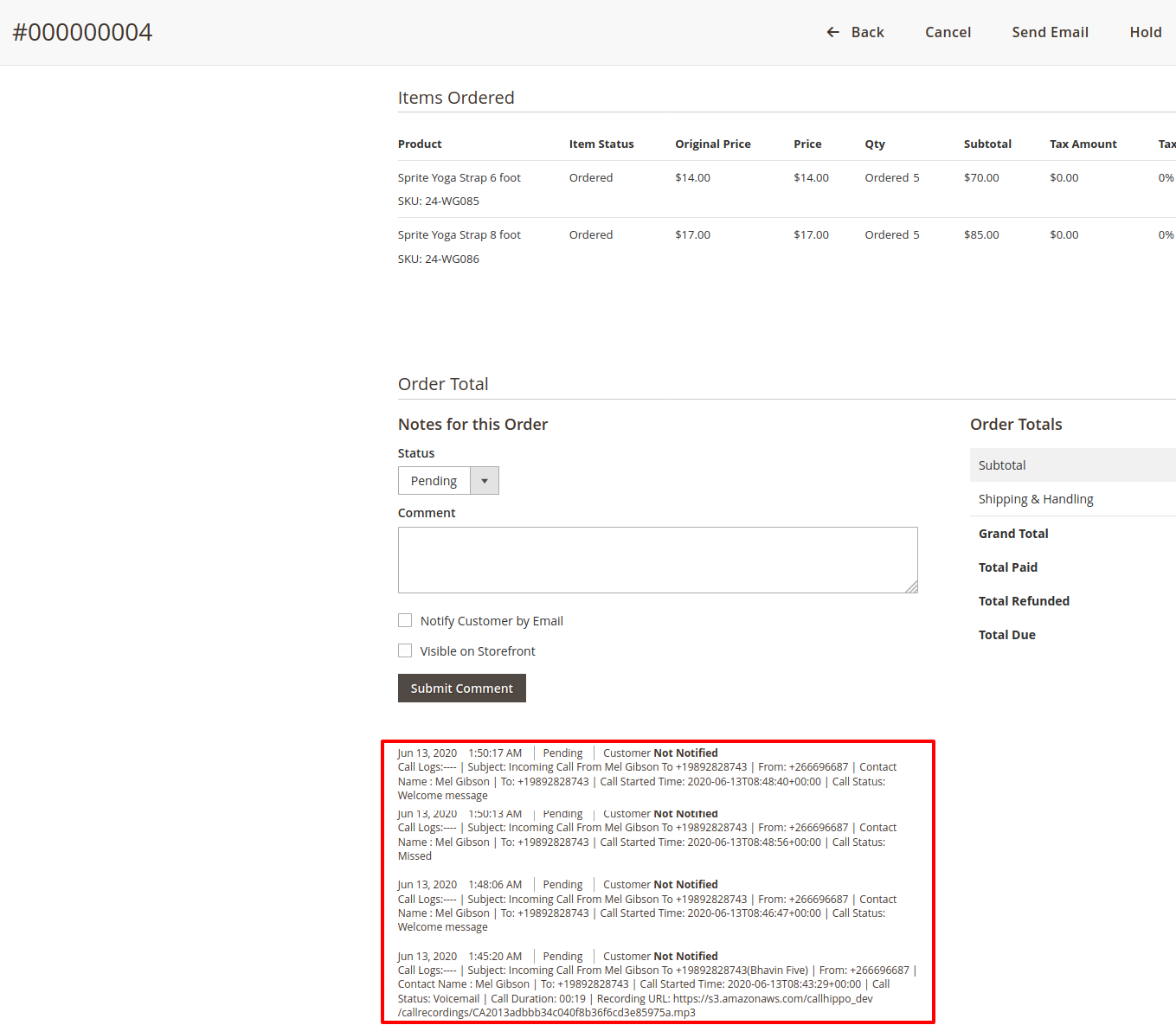
Your Magento customers are automatically synced into CallHippo within a few minutes. You can then search and call them from the CallHippo dialer, and every call log is attached to that customer’s active orders.
Important notes
- Call and SMS activity is sent to a customer’s active orders only. If an order status is Complete, Closed or Canceled, you will not receive call or SMS activity for that order.
- New orders and customers sync every 1 hour.
- Updated orders and customers sync every 4 hours.
To use click-to-call, install the CallHippo Click-to-Call Chrome extension from the Chrome Web Store.
Still need help? Reach us at [email protected].