
Connecting Mailshake with CallHippo lets you pair your cold-email outreach with calling, so your Mailshake prospects sync into the CallHippo dialer and you can reach them by phone as part of the same sequence. This guide shows you how to copy your Mailshake API key and connect it in CallHippo.
Before you begin
Make sure you have the following ready:
- A Mailshake account with access to the Extensions area.
- An active CallHippo account with access to the Integrations tab.
Copy your Mailshake API key
- Log in to your Mailshake account.
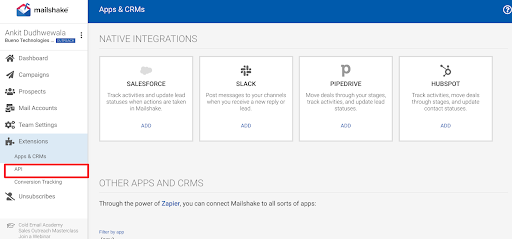
- Go to Extensions and click API.
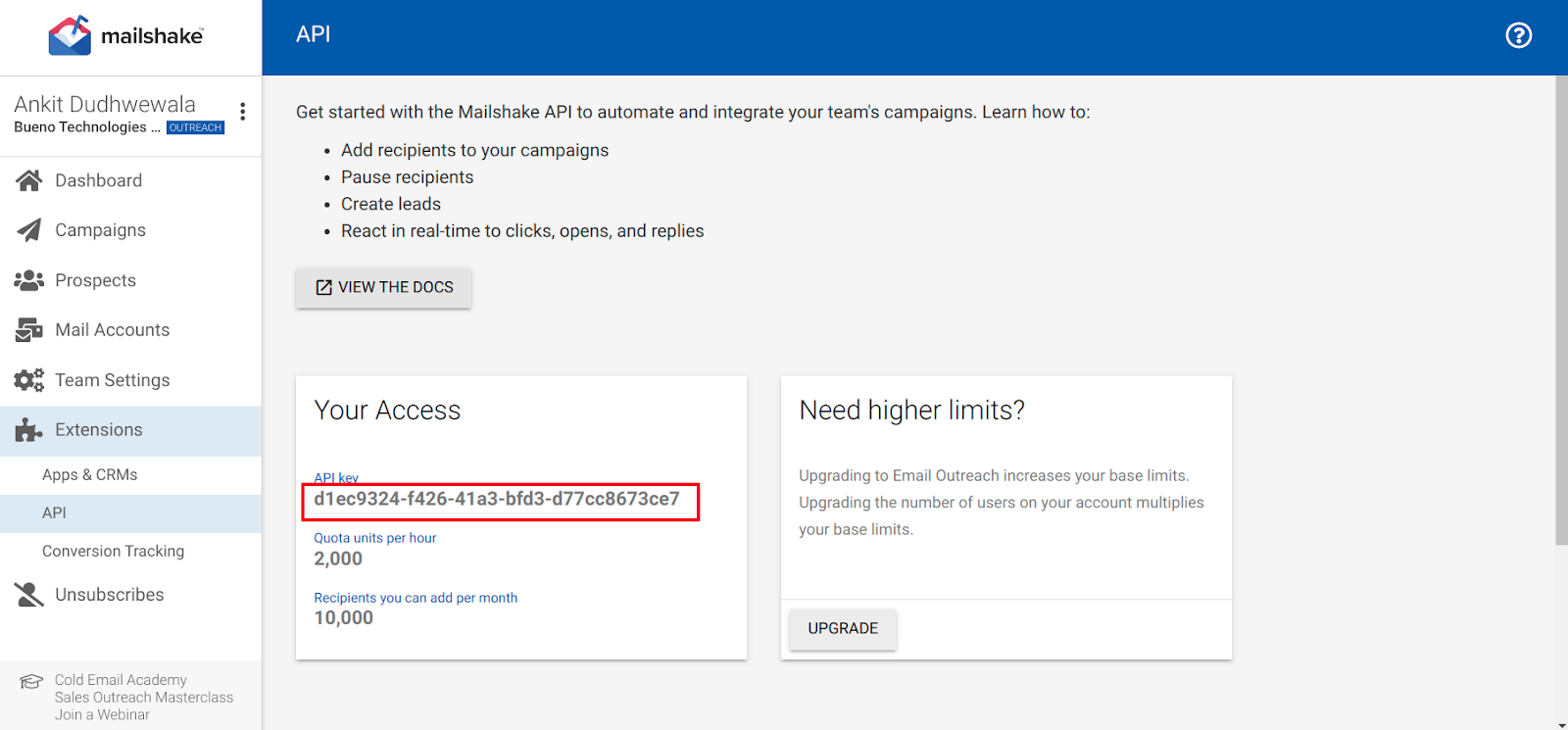
- Copy the API key under Your Access and save it somewhere safe.
Connect Mailshake in CallHippo
- Log in to your CallHippo account and go to the Integrations tab.
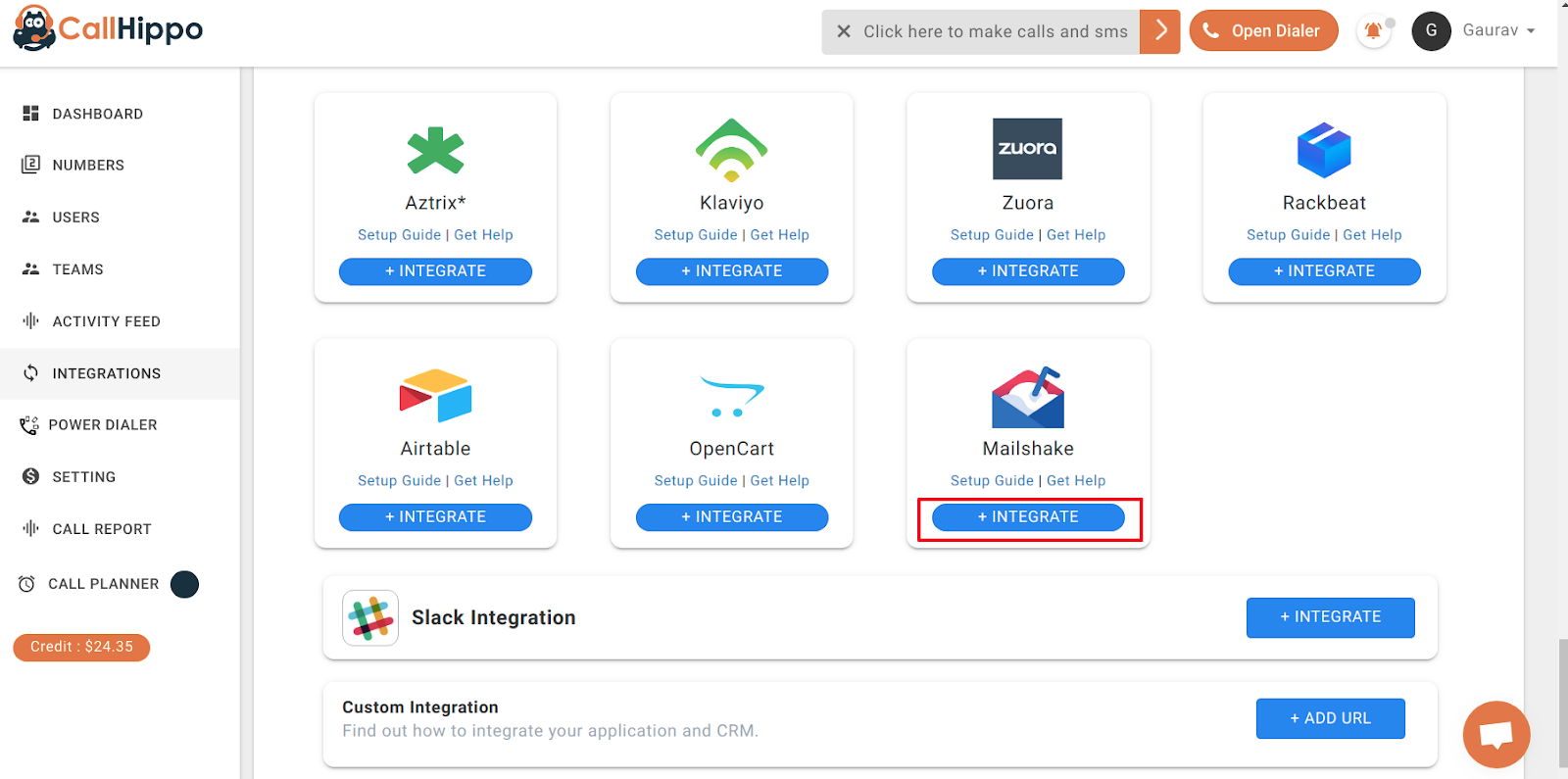
- Find Mailshake and click + Integrate. You are redirected to a setup page.
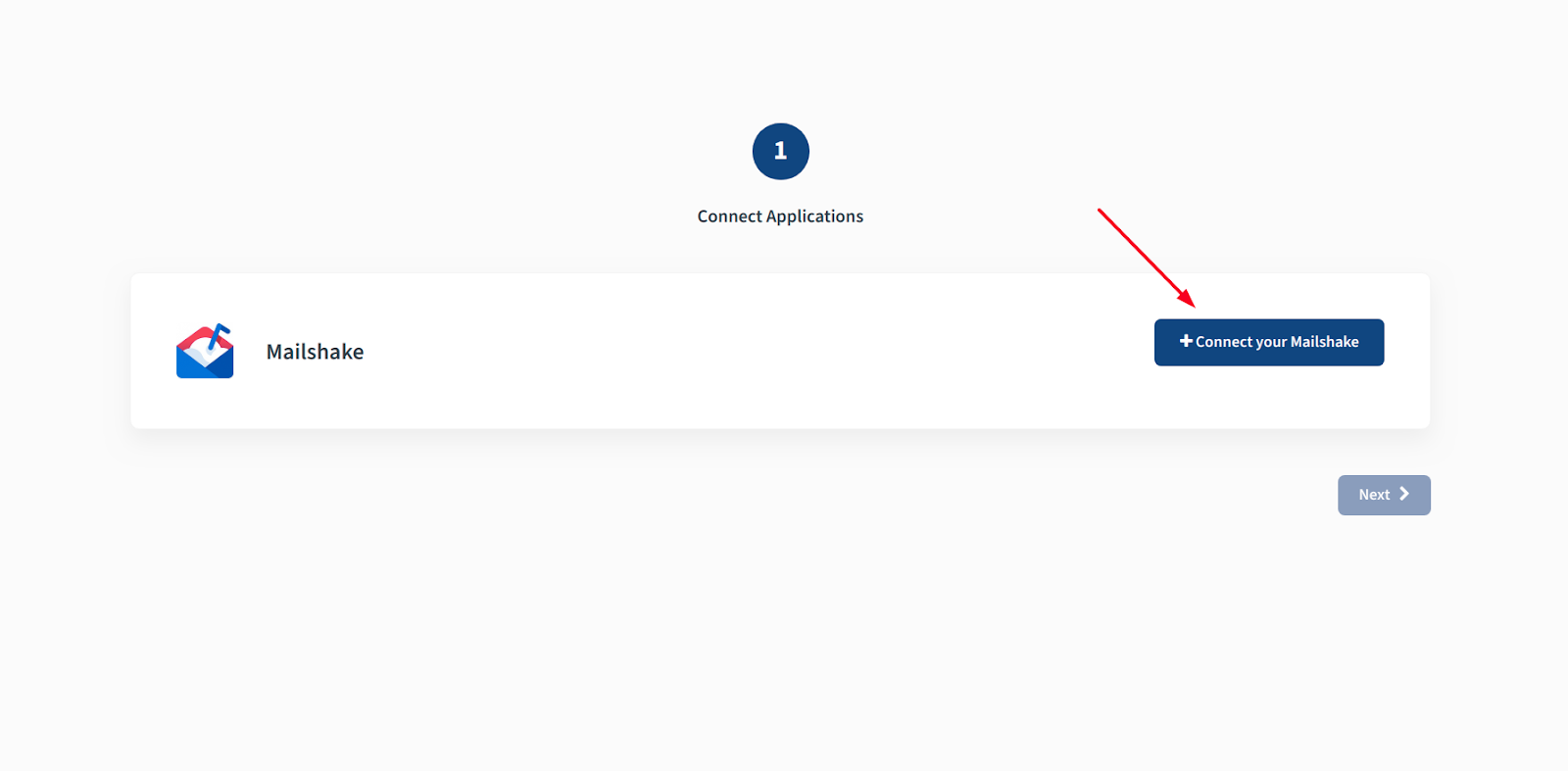
- Click + Connect your Mailshake.
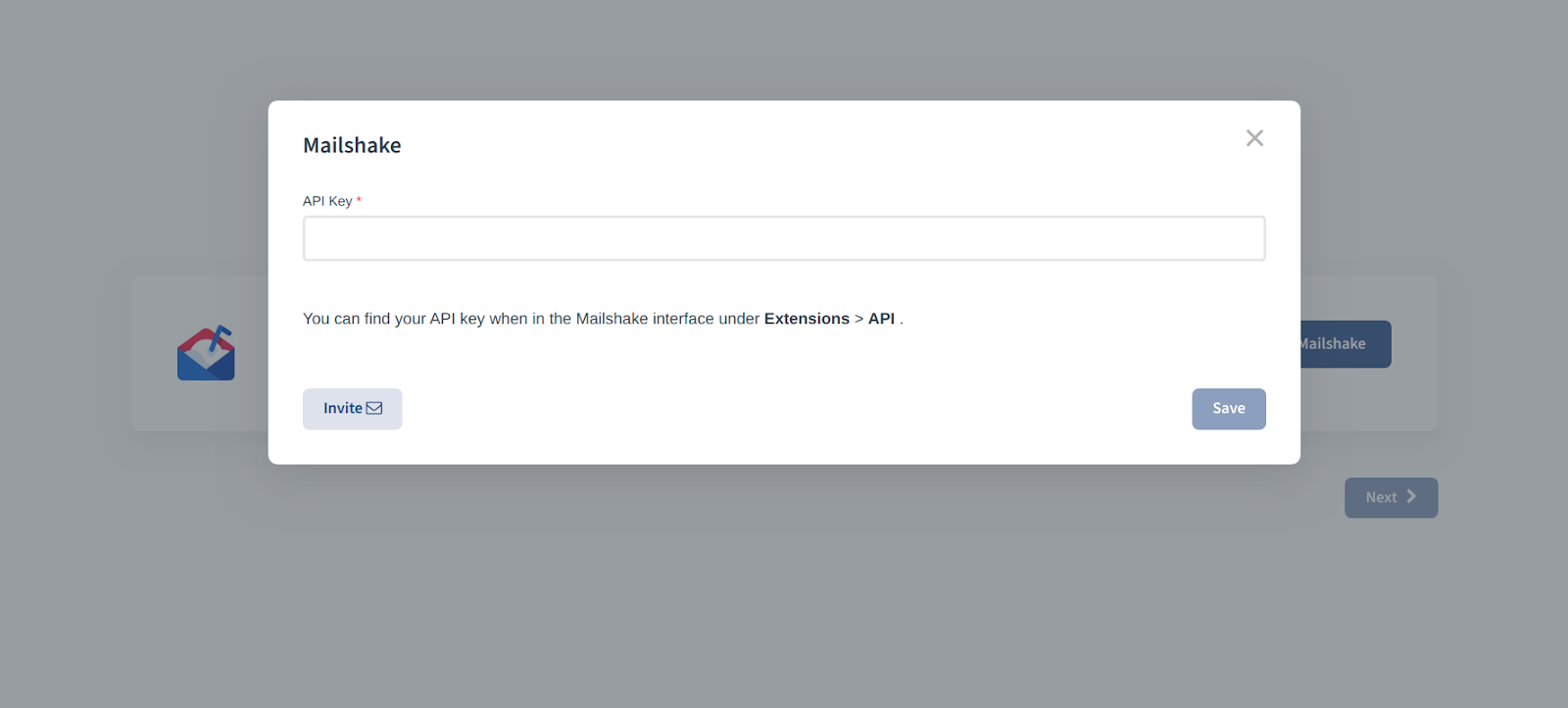
- Enter the API key you copied earlier and click Save.
- When you see Datasource is linked, click Ok.
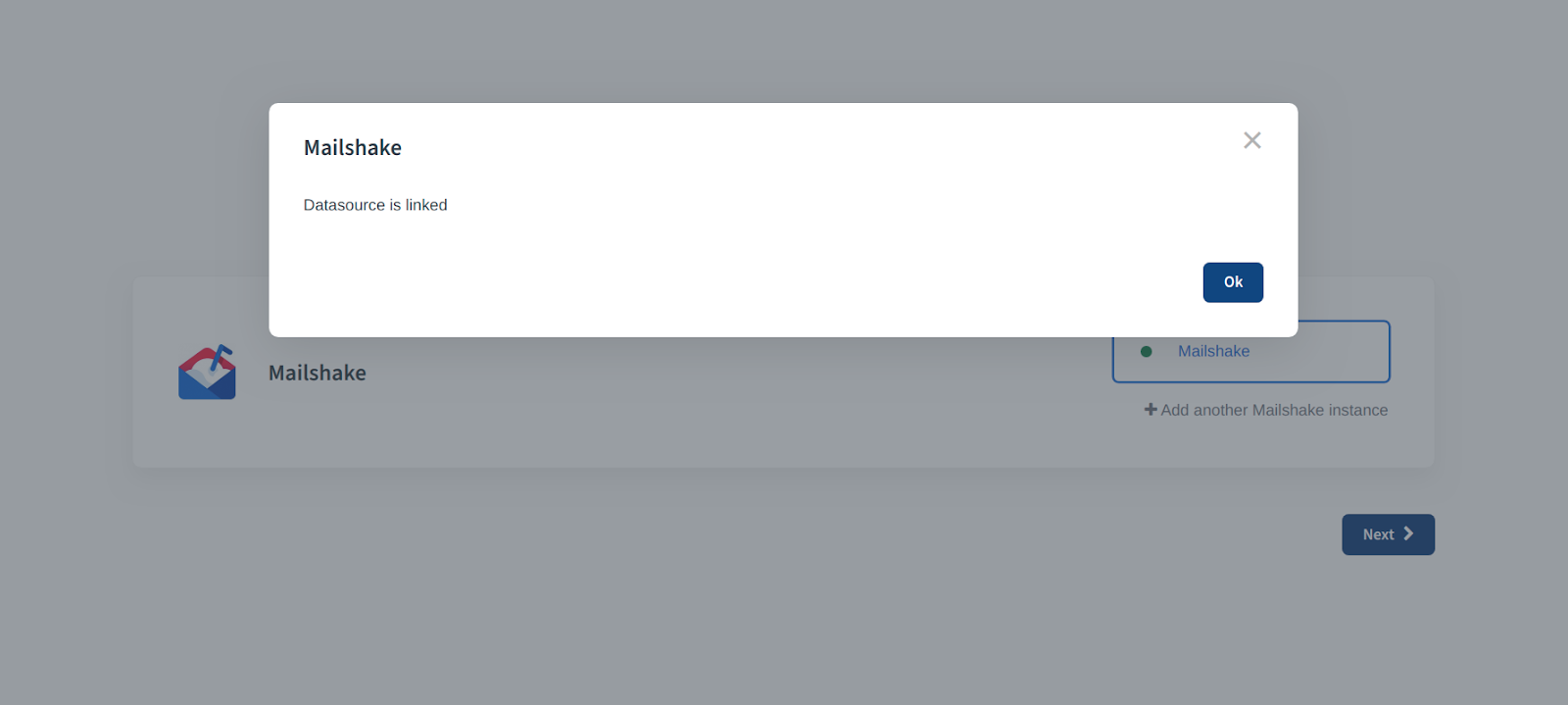
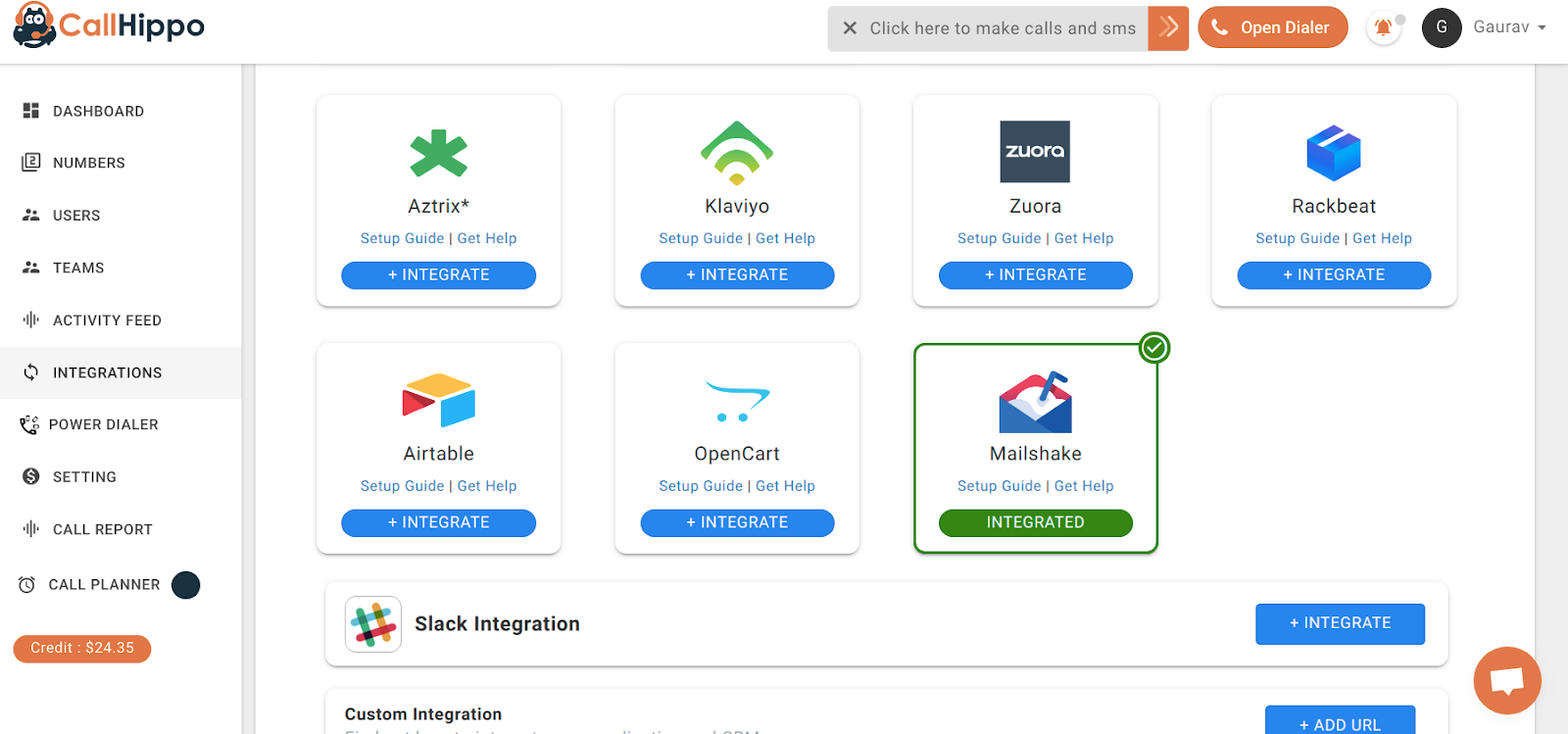
- Click Next. You are returned to CallHippo and the status changes to Integrated.
Verify the connection
On the CallHippo Integrations page, the Mailshake card should show a green Integrated badge. Your Mailshake data source is now linked and ready to sync with the CallHippo dialer.
Still need help? Reach us at [email protected].