
MMS lets you send and receive images, videos, audio, and documents alongside your regular text conversations in CallHippo.
What is MMS?
MMS (Multimedia Messaging Service) is a messaging technology that lets you send and receive messages containing multimedia content such as images, videos, audio files, and contact cards over a mobile network. Unlike plain text SMS, MMS supports rich media formats and enables more dynamic communication between devices.
Why use MMS?
MMS is a convenient way to:
- Share rich media directly via text message without needing third-party apps.
- Improve communication with visuals, especially for customer support, marketing, and real-time updates.
- Reach users in regions where MMS is widely supported and used.
Which CallHippo numbers support MMS?
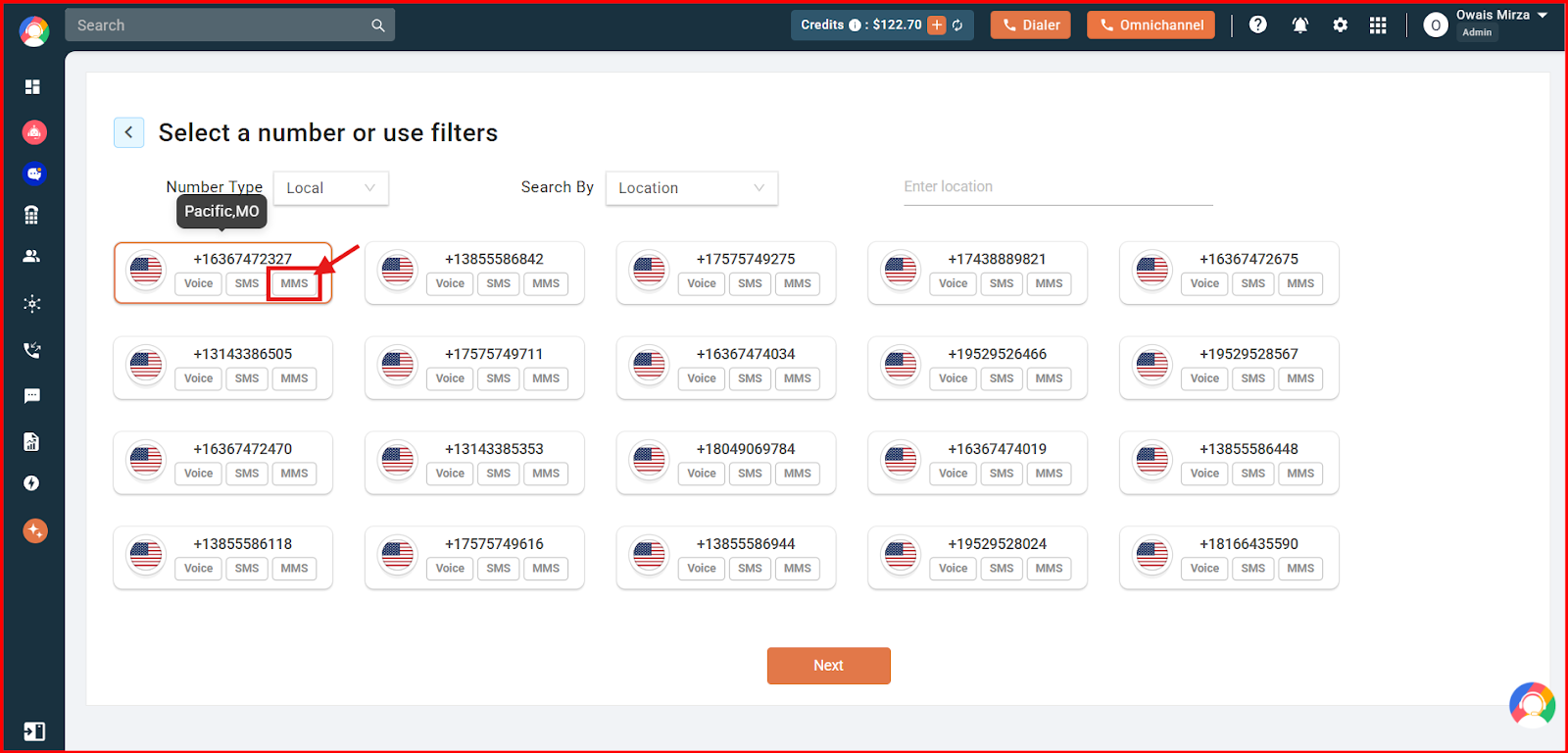
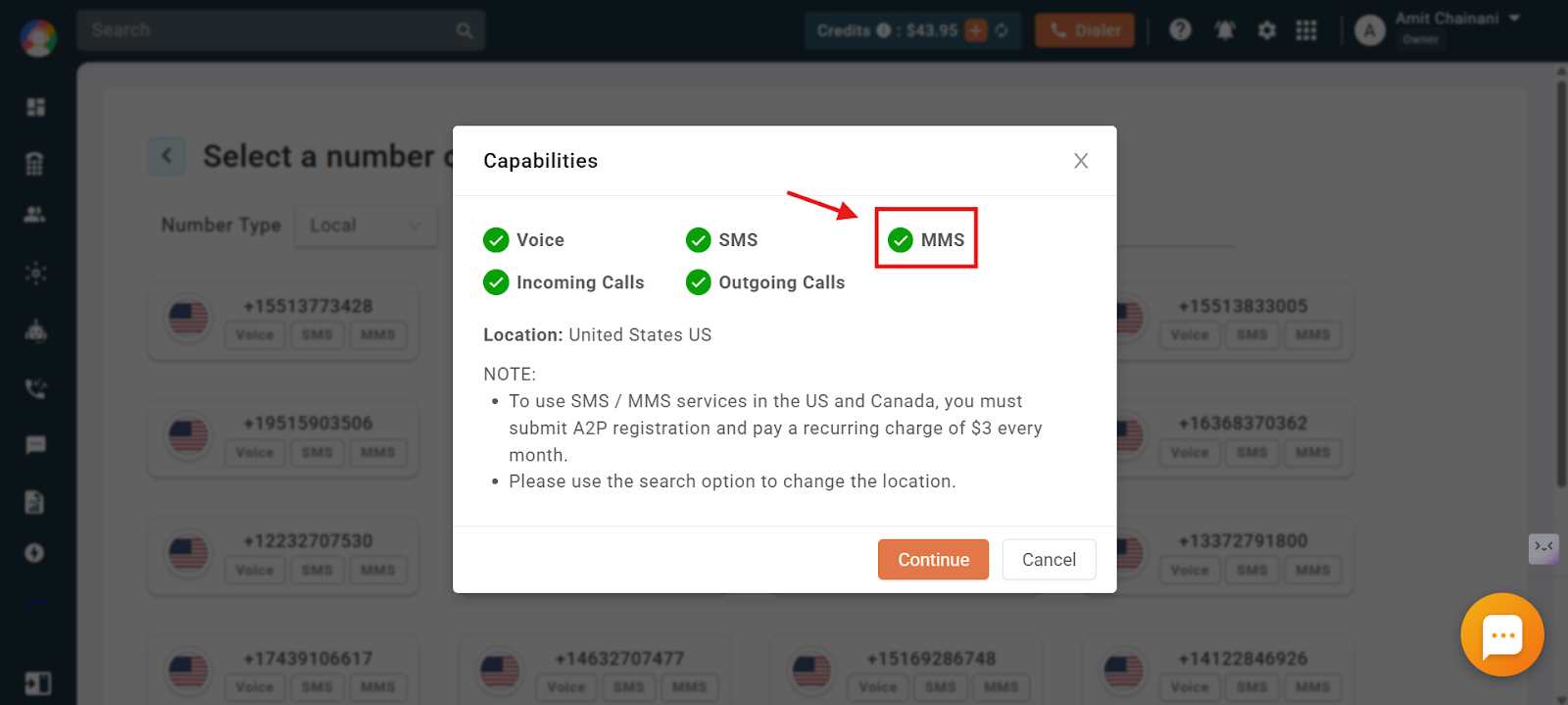
When you add a new number, CallHippo shows whether that number is MMS compatible. The MMS badge appears on each number card, and the full capability list is confirmed in the popup before you buy.
How to check MMS capability on numbers you already own
- Log in to your CallHippo dashboard.
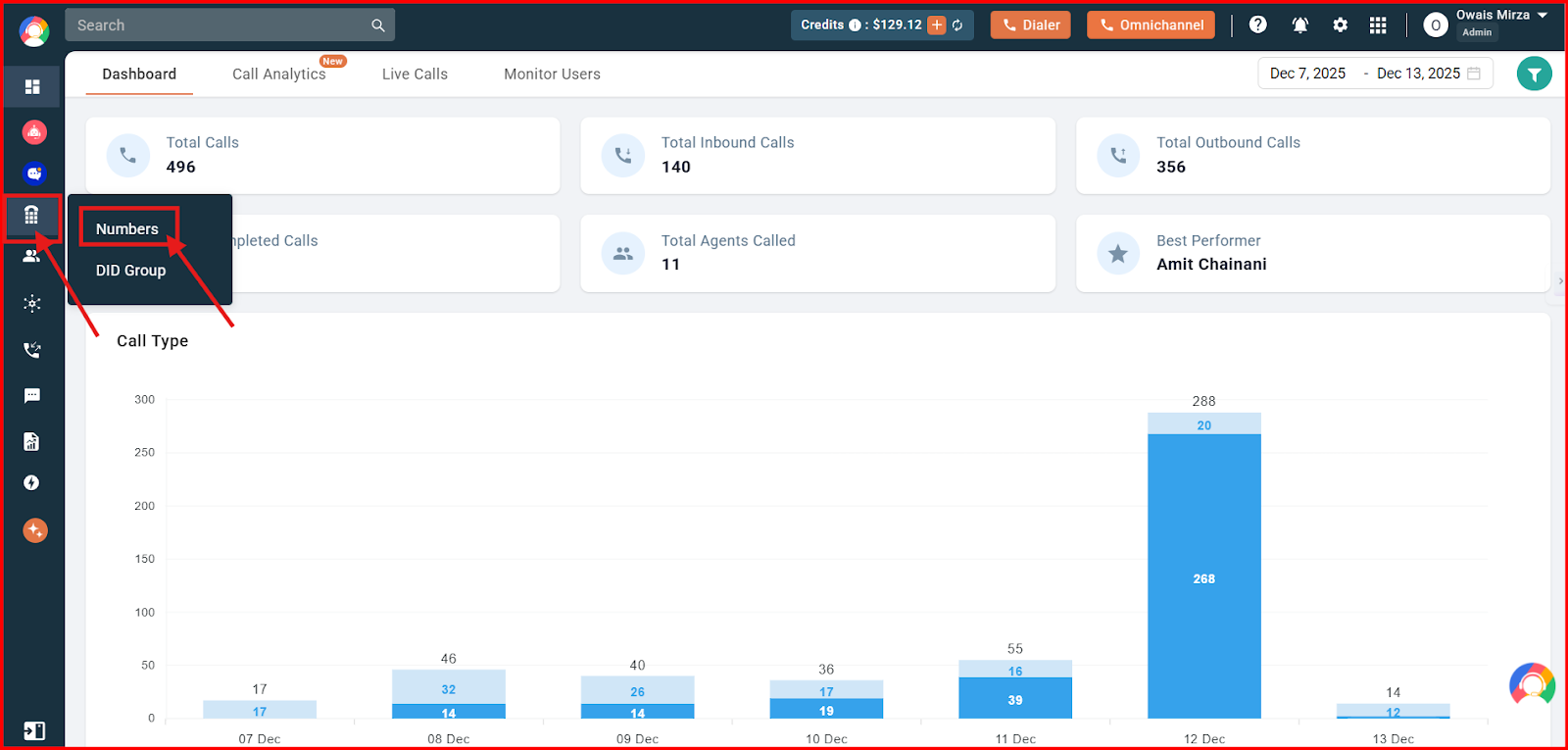
- Open Numbers and DID from the left sidebar, then click Numbers.
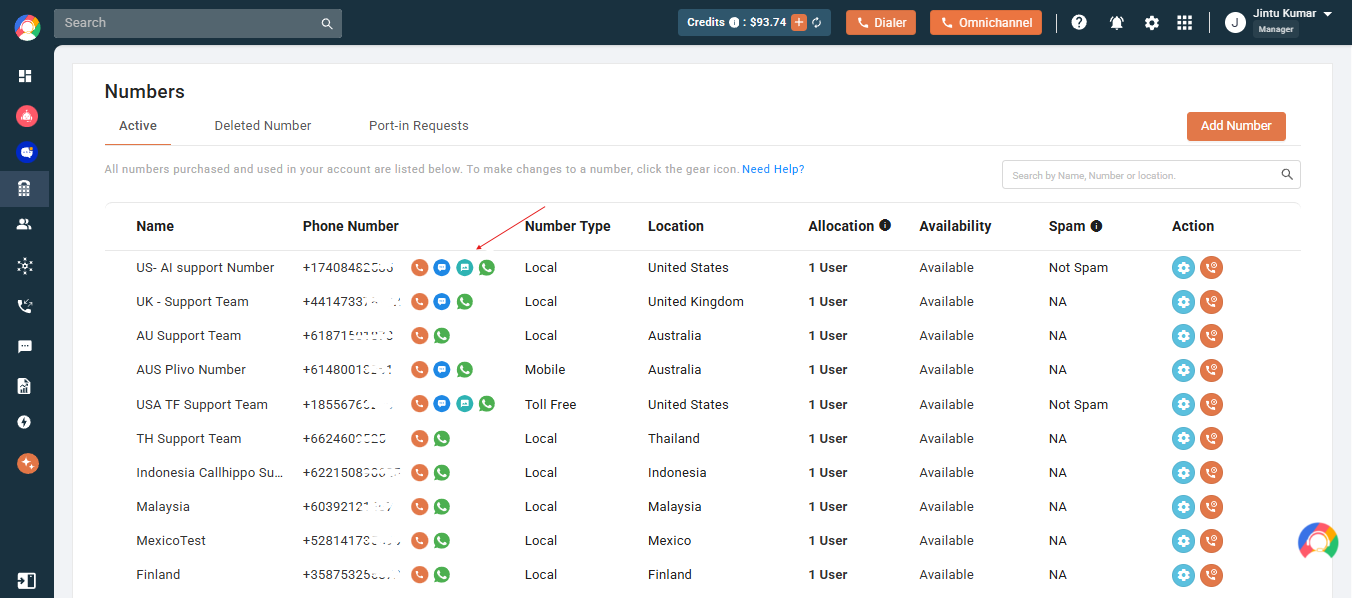
- Review the capability icons in your list of active numbers to see which ones support MMS.
Key features and validations
- Supported file types: Multimedia and documents.
- Maximum MMS size: 5 MB per message.
- Max attachments per MMS: Up to 10 files.
- File size limits: Multimedia up to 5 MB; documents up to 600 KB.
- Supported countries: Australia, Canada, and the United States.
- Delivery: Two-way support to send and receive MMS messages.
Charges
- United States: $0.04 per MMS message (both sent and received).
- Canada: $0.07 per MMS message (both sent and received).
- Australia: $0.45 per MMS message (both sent and received).
Note: MMS charges differ from SMS and may vary depending on your usage or plan.
Important information
- If your plan includes free SMS benefits, they do not apply to MMS services. MMS uses calling credits, which must be added separately from your plan.
- If you have no calling credits and receive an image via MMS, the image stays blurred until you add credits.
- Ensure file formats are supported before sending. If a message exceeds the size limit, it may fail to send.
- MMS may not be supported on all carrier networks or by all devices.
- MMS does not need to be enabled manually. If your number supports MMS, you can start using it right away.
Frequently asked questions
What is MMS, and how is it different from SMS?
MMS lets you send images, videos, audio, and documents via text messages, while SMS supports only plain text.
Which countries support CallHippo’s MMS services?
MMS is currently supported in Australia, Canada, and the United States.
Do my free SMS benefits cover MMS usage?
No. MMS is not covered by free SMS benefits and requires separate calling credits.
What if I try to send a file over the size limit?
The MMS may fail to send. Try reducing the file size or splitting the message.
Are all devices and carrier networks compatible with MMS?
No, MMS may not be supported by all carrier networks or devices.
Do I need to enable MMS manually on my account?
No. If the number in your account supports MMS, you can start using it right away without any additional setup.
Can I send multiple files in one MMS?
Yes, you can attach up to 10 files in a single MMS as long as the total size does not exceed 5 MB.